
Do Google Business Posts Help SEO: What Actually Works
Do Google Business Posts help SEO? Get an evidence-based answer for local business owners, plus what to publish and what to measure instead of rankings.
Table of Contents
- 1Introduction
- 2Why This Question Matters for Your Listing
- 3What Google Business Posts Are and Where They Appear
- 4The ranking factors Google names
- 5The Two Studies Every Owner Should Know About
- 6What Posts Actually Do for Your Profile
- 7Use posts to reduce uncertainty
- 8Judge the post by the action
- 9A Weekly Posting Plan by Business Type
- 10How to Measure Whether Posts Are Working for You
- 11Three practical tracking setups
- 12The Do and Do Not List and Your Next Step
- 13Do
- 14Don't
Introduction
You've probably heard the same advice repeated: publish Google Business Profile posts every week and your listing will rank higher on Google Maps. That advice is too simple. A restaurant owner may post a weekly special and see more calls, while a contractor may publish regularly and see no change in local pack position. Both experiences can be real.
The useful question isn't whether posts are “good for SEO” in the abstract. It's whether the time you spend creating them helps you get found in near me searches, or helps you convert people who've already opened your profile. The evidence points to a clear answer, and it's more practical than a promise of higher rankings.
Why This Question Matters for Your Listing
You're running lunch service, filling salon appointments, managing clinic schedules, checking hotel occupancy, or sending crews to job sites. You don't have time to maintain a Google Business Profile because a consultant says you should. You need to know what the work does.
The common assumption is that more posts create a stronger local ranking signal. That claim confuses two different outcomes. A post may give a searcher a reason to call, request directions, visit your website, or book. That doesn't mean Google uses the post itself to move your business into the top three map results.
A business that posts often may also have accurate hours, complete services, fresh photos, strong review activity, and a well-maintained website. Those businesses may rank well because they manage the whole profile properly, not because the post count pushed them upward.
Practical rule: Publish posts for the customer who has already found your profile. Build the rest of your local presence for the customer who hasn't found you yet.
That distinction matters for a neighborhood restaurant competing for “dinner near me,” a clinic trying to appear for “urgent care near me,” and a plumber targeting emergency searches. If you want a useful foundation for the broader work involved in how to rank in Google Maps, focus first on the profile information and reputation signals Google explicitly uses.
The evidence below compares a large observational analysis with a controlled test. Then it turns the result into a weekly posting plan and a measurement system based on customer actions, not wishful ranking reports.
What Google Business Posts Are and Where They Appear
A Google Business Profile post is a short update attached to your existing listing. You can use it for an offer, event, announcement, service explanation, product highlight, or operational update. It isn't a separate website page, and it isn't a replacement for your website, profile information, or review activity.
A customer sees the post after opening your business profile in Google Search or Google Maps. It sits alongside the profile's other customer-facing information, such as photos, hours, reviews, services, and contact options. That placement makes posts useful when someone is already comparing businesses.
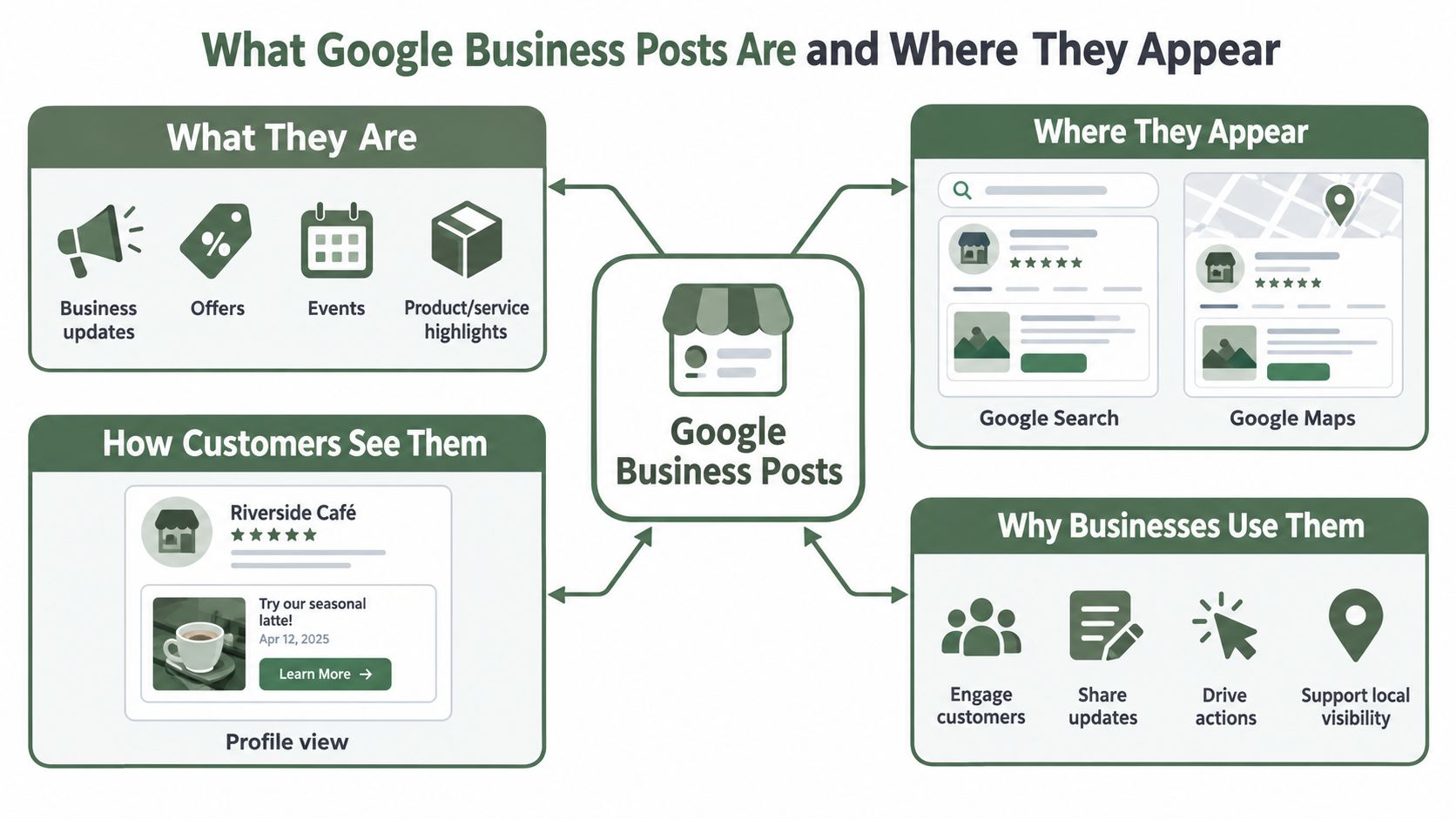
Google's own documentation says businesses can publish updates, offers, and events that appear directly on Search and Maps, with recurring schedules such as weekly or monthly publication supported by the platform. You can learn more about the profile itself in this guide to what a Google Business Profile is.
That visibility is different from a blog article. A website article can target broader organic search queries and provide lasting information. A Business Profile post is more like a rotating notice placed in front of people already looking at your listing.
The ranking factors Google names
Google states that local results are based primarily on relevance, distance, and prominence. Relevance means how closely your profile matches the search. Distance considers how far your business is from the searcher or the location named in the query. Prominence reflects how well known the business is, using information such as links, articles, and directories. Google also says that review count and review score factor into local ranking. See Google's local ranking guidance.
Google doesn't identify posting frequency as a confirmed ranking factor. Posts support the profile experience, but they don't replace accurate categories, complete services, correct hours, photos, reviews, or relevant website content.
The Two Studies Every Owner Should Know About
Two findings are often combined into one convenient claim: businesses that post rank better, therefore posting improves rankings. That conclusion goes beyond the evidence.
A 2025 observational analysis of 16,098 Google Business Profiles found that profiles with posts appeared in the top three 70.8 percent of the time, compared with 63.7 percent for profiles without posts. That's a gap of 7.1 percentage points. The same analysis reported that profiles with at least 10 active posts reached the top three 73.0 percent of the time, compared with 66.0 percent for profiles with one to nine active posts. The figures appear in the analysis cited by Google Business Profile research materials.
That result is worth watching, but it's not a controlled experiment. Businesses that publish posts may also collect more reviews, maintain better categories, upload photos, update services, and invest in their websites. Those conditions can explain some or all of the ranking difference.
Sterling Sky tested the question more directly. The company published one post per week for nine weeks across three listings and tracked 441 keywords per listing. It reported no measurable Local Pack ranking improvement, even when posts related to the tracked search terms.
| Study | Method | Key number | What it shows | What it does not show |
|---|---|---|---|---|
| 2025 observational analysis | Compared 16,098 profiles with and without posts | 70.8% versus 63.7% in the top three | Posting activity was associated with stronger visibility | Posts caused the ranking difference |
| Sterling Sky test | Published one post weekly across three listings and tracked keywords | Nine weeks, 441 keywords per listing | The controlled test found no measurable ranking change | Posts have no customer or conversion value |
2025 observational analysis
Sterling Sky test
The controlled test is closer to the question you care about: change one activity and watch the ranking outcome. It still has limits, including its small listing sample, but it doesn't justify telling owners that weekly posts move a profile into the map results.
The responsible conclusion is simple. Posting may correlate with stronger businesses, but direct SEO causation remains unconfirmed. Keep posting when the content gives customers a timely reason to choose you. Don't treat the schedule as a ranking shortcut.
What Posts Actually Do for Your Profile
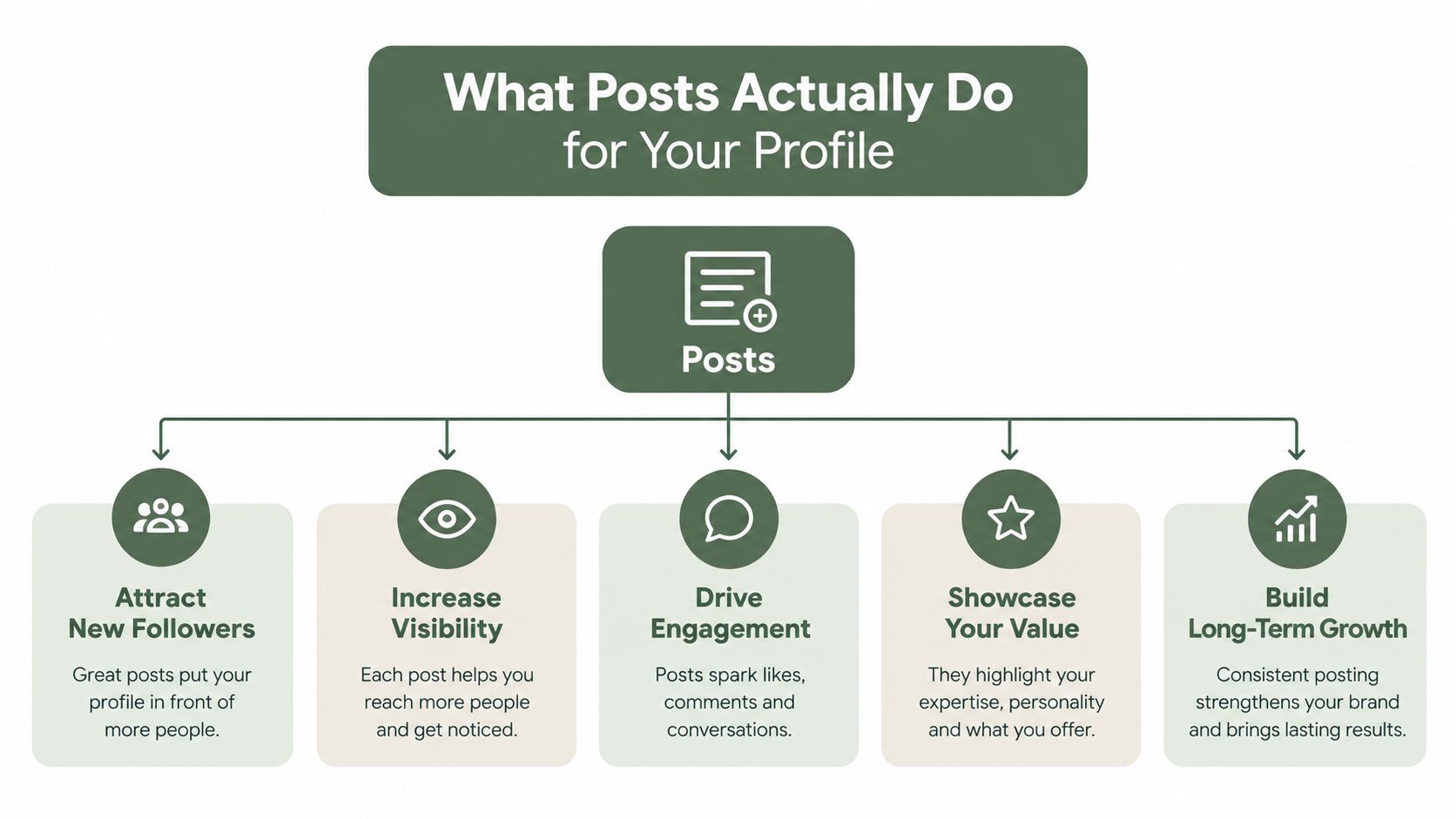
Posts work after a searcher has opened your listing. That's their strongest use.
Google describes Business Profile posts as a customer-engagement and conversion feature. They can put opening changes, promotions, event dates, and product availability in front of high-intent local searchers, supporting actions such as calls, direction requests, website visits, and store visits rather than directly improving map pack position. The relevant Google Business Profile guidance supports that customer-facing role.
A current post can answer the question that decides whether someone chooses you:
The value is not mysterious. A customer sees a relevant reason to act, then taps the appropriate button or link. You can explore additional expert advice from Data Hunters Agency for profile work that supports this conversion layer.
- A restaurant can show tonight's fixed-price menu or a limited seasonal dish.
- A salon can advertise a same-day opening without changing its permanent service page.
- A hotel can explain a package to someone comparing several properties.
- A contractor can explain emergency water-heater service and send the customer to a booking page.
- A clinic can clarify appointment availability or explain what a service includes.
Use posts to reduce uncertainty
Customers often hesitate because they don't know what happens next. A service post can explain who the service is for, what to bring, how to prepare, or what area you serve. An event post can confirm the date and what the customer will receive. An offer post can make the next step obvious.
That builds confidence without pretending the post changed your ranking. It also keeps an otherwise static listing current. If a customer opens your profile and sees an outdated promotion, vague service information, or no sign of recent activity, the profile may feel less useful even when the core business information is correct.
Judge the post by the action
A post can succeed if it produces a useful customer action, even when your map position doesn't move. Track calls, direction requests, website clicks, bookings, offer redemptions, and store visits where you can connect them to the post.
A post that fills a quiet Tuesday or generates a qualified emergency-service call has done its job. You don't need to call that an SEO ranking improvement to justify the work.
A Weekly Posting Plan by Business Type
Use a sustainable schedule, not a daily publishing race. One useful post per week is a workable operating rhythm for many local businesses, and Google supports recurring schedules such as weekly or monthly posts. Rotate the subject so customers see current information instead of the same offer rewritten repeatedly.
Start with four post types:
Here's how the rotation might look:
| Business | Post idea | Useful opening |
|---|---|---|
| Restaurant | Weekly special or live-music event | “This week's kitchen special is available through Sunday.” |
| Salon | Appointment availability or treatment explanation | “Need a weekday appointment? We've opened availability for…” |
| Hotel | Seasonal package or local event information | “Staying for the weekend? Our package includes…” |
| Clinic | Service explanation or preparation guidance | “Wondering whether this appointment is right for…” |
| Contractor | Service-area or emergency-service explanation | “A leaking water heater shouldn't wait until Monday.” |
Restaurant
Salon
Hotel
Clinic
Contractor
Keep the copy short enough to scan. State the offer or update, explain the customer benefit, and finish with one clear action, such as Book now, Learn more, Get directions, or Call now.
Google's policy allows posts for announcements, offers, updates, and events shown to customers viewing the profile. It also warns that posts containing unverified contact details, including phone numbers or email addresses, may be removed. Use Google's verified profile fields and designated buttons for contact information instead of stuffing it into the post body. Review the full Google post content policy before you automate publishing.
Avoid city-name repetition and awkward category phrases. A 2025 analysis found little apparent ranking effect from post details, including location keywords, which showed a reported change of negative 0.1 percentage points in that analysis. For scheduling support, use a small business social media scheduling workflow, and keep examples of workable formats in Google Business Profile post examples.
- Current offer: Give a specific reason to act now, such as a lunch special, introductory consultation, or seasonal package.
- Event or operational update: Share an upcoming tasting, holiday hours, appointment change, or service interruption.
- Service or product explanation: Answer one question customers ask before they call or book.
- Customer proof: Highlight a recent review theme or customer experience without changing the customer's words or creating a fake testimonial.
How to Measure Whether Posts Are Working for You
Don't use map position as the main report for posts. The evidence doesn't establish that publishing causes ranking movement, so a ranking report can make useful conversion work look ineffective or make unrelated ranking changes look like a post success.
Give every post a measurable destination. Add a unique UTM-tagged link to the landing page, offer page, menu, booking page, or service page. Use a naming pattern your staff can understand, such as the location, post type, and campaign name. Then separate those visits in your analytics platform.
Three practical tracking setups
A single-location restaurant could link each weekly special to a menu page with a distinct campaign label. The owner can compare which specials generate website visits, reservations, calls, or in-store mentions. The goal isn't to declare a ranking win. It's to learn which offer deserves another post.
A multi-location clinic should use a location-specific landing page for each profile. Managers can compare appointment clicks and calls by city while keeping the post format consistent. If one service explanation produces action in one market but not another, check local demand, hours, service availability, and profile completeness before blaming the copy.
A home services contractor can publish an emergency-service post and use a dedicated tracked page or call process. Compare the actions associated with the post against the contractor's normal activity over the same operating period, while recording weather, staffing, promotions, and other factors that could affect demand. Don't label the result a controlled test unless you actually controlled those conditions.
Track each post in a simple log:
Google's profile data can help you review customer actions and profile activity. This overview of Google Business Profile Insights can help you organize that review.
Use the data to make operating decisions. Repeat topics that produce qualified actions. Stop posts that consume time without customer response. Keep ranking data in a separate report for the broader local SEO program.
- Date and location: Record when and where it was published.
- Post type: Mark offer, event, service, update, or customer proof.
- Destination: Save the tracked landing page or button used.
- Actions: Record clicks, calls, direction requests, bookings, and redemptions.
- Cost: Note the staff time or software cost required to create and manage it.
The Do and Do Not List and Your Next Step
Google's Business Profile policies apply to posts, reviews, photos, and videos. Google also says businesses should keep profile content accurate, up to date, and complete to support visibility on Search and Maps. Use this checklist:
Do
- Publish useful updates: Share offers, events, service information, and operational changes.
- Use one clear action: Send customers to a booking page, menu, offer, or directions.
- Tag links: Add UTM parameters so you can separate post traffic.
- Use profile contact tools: Keep verified phone details in the profile and use the available call button.
- Measure customer actions: Watch calls, direction requests, clicks, bookings, and redemptions.
Don't
Before the end of this week, choose one post type, write one customer-focused update, attach a tracked link, publish it, and check your profile actions seven days later. RecensioAI B.V. can help maintain Google Business Posts alongside review requests, profile audits, and multi-location reporting when you need a steadier operating process.
---
RecensioAI B.V. helps local businesses manage review requests, Google Business Profile audits, customer review responses, and scheduled post activity from one system. Visit RecensioAI B.V. to see how it can support a consistent profile and measurement routine without treating posts as a ranking guarantee.
- Stuff keywords: Don't repeat city or category phrases to chase rankings.
- Post without a purpose: Every update should answer why a customer should act.
- Treat post count as a ranking metric: More publishing doesn't prove better map placement.
- Use unverified contact details: Google may remove posts containing phone numbers or email addresses that aren't verified.
- Ignore the rest of the profile: Categories, hours, services, photos, reviews, and business information still need attention.
Frequently asked questions
You might also like
Handpicked articles for you
Hotel Review Management: Automate Post-Stay Requests with Apaleo, Mews and Your PMS
A practical guide to turning hotel checkouts into timely review requests, with Apaleo live, Mews early access and flexible PMS alternatives.
Why the Business Around the Corner Beats You on Google: What 21,373 Profiles Reveal
We compared 21,373 Google Business Profiles with their three strongest nearby competitors. The gap is smaller than most owners think, but it has two sides: rating and volume.
Treatwell Review Management for Salons: One Reputation View Alongside Google
Bring your public Treatwell rating and recent reviews into RecensioAI, then combine salon signals with Google for faster, better decisions.