
What Is a Google Business Profile and Why It Matters
Learn what is a Google Business Profile, what it includes, and how it shapes your ranking on Google Maps and in the local pack. A practical guide
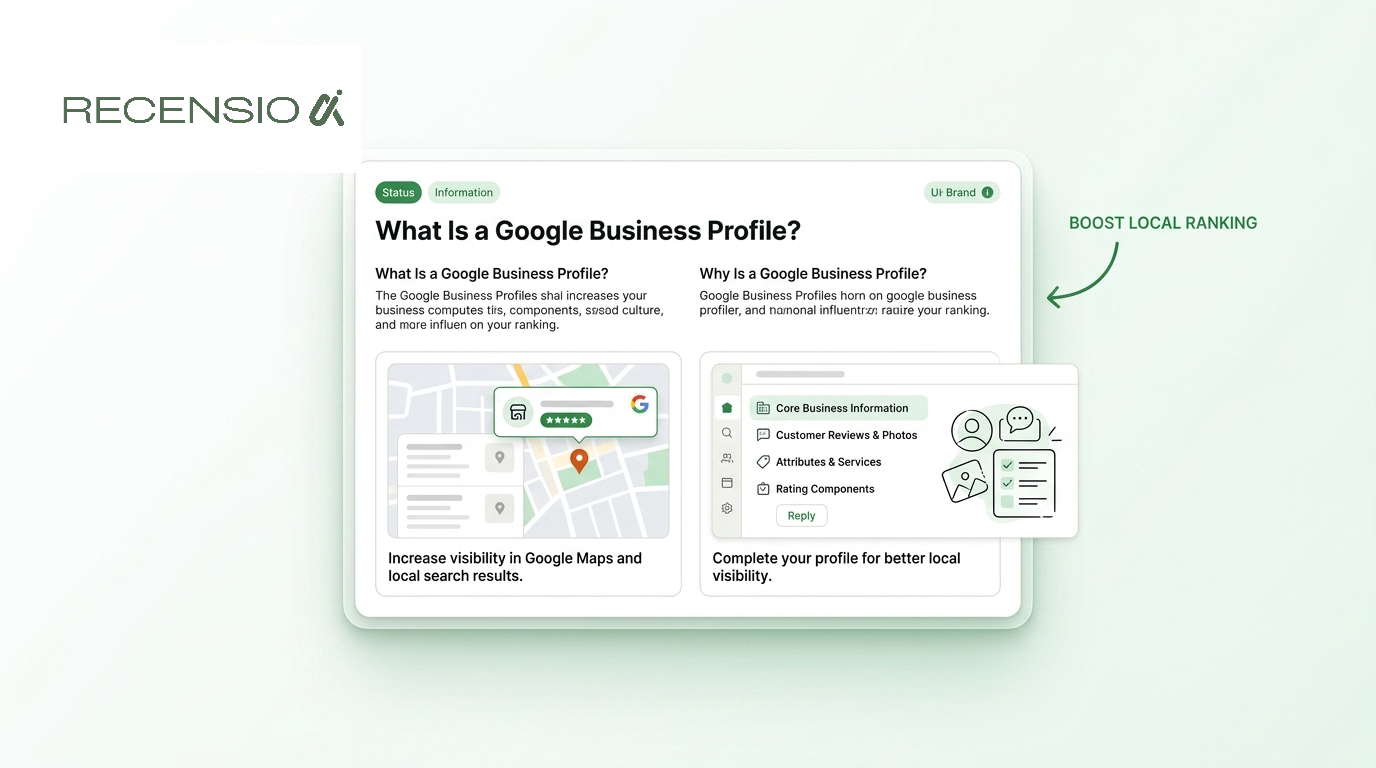
Table of Contents
- 1Introduction
- 2The Moment a Nearby Customer Searches
- 3What a Google Business Profile Actually Is
- 4One listing, several customer actions
- 5The Core Building Blocks of Every Profile
- 6The identity and location fields
- 7The decision-making fields
- 8How Google Decides Who Makes the Local Pack
- 9What a Working Profile Looks Like in Practice
- 10How to Claim, Verify, and Start Filling Out a Profile
- 11Prepare before you start
- 12Common Mistakes That Quietly Hold a Profile Back
- 13Accuracy beats cosmetic completeness
- 14Your Next Step and What Comes After It
Introduction
A Google Business Profile is a free Google listing that controls how your business appears on Google Search and Google Maps, including the three-business block shown on the map. It can display your name, location, hours, phone number, website, photos, services, and reviews when a nearby customer is deciding where to call or visit.
You may already have a profile, even if you never created one. A customer may find an old phone number, a holiday closure that was never added, or a map pin sitting on the wrong side of town. The listing can look minor from inside the business, but it often becomes the first point of contact for someone searching from a street corner, a parking lot, or a kitchen with a leaking pipe.
Google Business Profile has also changed shape over time. Google first introduced Google Local Business Center in 2005, followed by Google Local, Google+ Local, Google Places, and Google My Business, before adopting the current Google Business Profile branding in November 2021. Google retired the standalone Google My Business mobile app in 2022 and moved profile management into Google Search and Google Maps, as described in this history of Google Business Profile. That shift matters because the profile is now part of the main Search and Maps experience, not a separate directory you can set up and forget.
The Moment a Nearby Customer Searches
A person is standing on a street corner in a mid-sized town. Their dog has started limping, and they pull out their phone and search “vet open Sunday.” Another customer, dealing with a burst pipe under the kitchen sink, searches “plumber near me.”
The screen shows a map with a small block of three businesses pinned beneath it. Each entry has a business name, star rating, hours, address or service area, and a button to call or request directions. The customer can tap for photos, read reviews, visit the website, or send a message without opening a separate directory.

That little three-business block is the local pack, also called the map results. Sometimes one local result appears above it in a prominent position. This is the local search real estate owners compete for. It sits above the organic blue links that customers may scroll past while they compare nearby options.
A restaurant owner wants the listing with today's hours, current menu photos, and a working call button. A salon owner wants the profile to show whether appointments are available. A contractor wants a nearby homeowner to understand the service area and reach the business by phone. A clinic needs patients to see the correct entrance, phone number, and appointment details.
The basic tension is simple. Your business either appears when that customer searches, or it doesn't. The information Google uses to represent you comes largely from one free listing, which is what a Google Business Profile is.
What a Google Business Profile Actually Is
A Google Business Profile is the free business listing Google uses to represent your company on Search and Maps. Google describes it as the way to manage how a business appears across those services, and its official guidance on Business Profile eligibility distinguishes a business profile from a brand profile. A business profile is intended for businesses that interact with customers face to face, while a brand profile is intended for online sellers.
Take a two-chair barbershop. Its profile can show the shop name, street address, opening hours, phone number, website, haircut services, photos of the chairs and storefront, customer reviews, and questions from visitors. When someone searches for a barbershop nearby, Google can use that information to display the shop on Search or Maps.
The profile isn't your website. Your website is a separate property where you control pages, content, booking tools, and technical settings. The profile is a public Google record that gives searchers quick answers before they decide whether to visit your site.
It isn't just the Maps pin, either. The pin is the map representation of the business location. The profile supplies the information attached to that pin and also controls how the business can appear in Search results and the local pack.
It also isn't a paid ad. You don't buy the profile itself. You manage it through Google, although paid advertising is a separate product with separate costs and controls.

One listing, several customer actions
The dashboard brings your main public details together:
Google says Business Profiles are free to manage. The practical value comes from keeping the information accurate enough that a nearby customer can find, trust, and contact you.
- Search appearance, including the business information customers see when they look you up.
- Maps presence, including the location marker and nearby discovery.
- Business information, such as address, phone number, website, and hours.
- Photos and updates, which show the premises, work, services, or timely announcements.
- Reviews and questions, where customers evaluate the business and ask for clarification.
- Insights, which help you understand actions such as calls, website visits, and direction requests.
The Core Building Blocks of Every Profile
A profile has several parts, but each one does a different job. Some help Google understand what you do. Others help a customer decide whether the business looks open, suitable, and credible.
The identity and location fields
Business name. Use the world name customers see on your storefront, invoices, and website. Adding extra keywords to the name can create a mismatch with your actual identity and may lead to verification or suspension problems.
Address. A physical business needs the correct street address and map position. If the pin lands in the wrong neighborhood, a customer may drive to the wrong place or decide you aren't nearby. Service-area businesses need to represent where they serve customers without presenting an ineligible address as a storefront.
Hours. Regular hours answer the most immediate question, “Can I go or call now?” Special hours matter when holidays, staff shortages, renovations, or seasonal schedules change the normal routine. A listing that says you're open when the doors are locked creates a poor customer experience and weakens confidence in every other detail.
Primary and secondary categories. The primary category tells Google what the business mainly is. Secondary categories add useful context, but adding loosely related options can dilute relevance. A dental clinic should choose the category that best describes its main service, then add only categories that accurately reflect what patients can book.
The decision-making fields
Attributes. These show details such as wheelchair access, outdoor seating, ownership information, or other features available for the business type. Attributes aren't decoration. They can answer a filter or concern before a customer calls, but you should only select what the business can support in practice.
Photos. Exterior photos help people recognize the location. Interior and work photos help them understand the experience or quality of the service. Photos primarily support trust and recognition, not raw local ranking. The trade-off is time. A larger photo library needs regular attention so old images don't misrepresent the business.
Reviews. Review volume and rating are documented inputs to local prominence, and reviews also influence the human decision after the listing appears. Ask genuine customers for reviews and leave room for honest feedback. Don't filter customers based on whether you expect positive or negative comments.
Posts. Posts are an optional eighth element. They can carry a current service update, event, offer, or closure notice, but they become outdated quickly. Use them when you have something useful to say, not because an empty calendar feels like a failure.
| Field | What It Controls | Risk When Wrong |
|---|---|---|
| Business name | How customers identify the business | Confusion, policy issues, or suspension |
| Address and pin | Where customers find the location | Wrong neighborhood or missed visits |
| Hours | Whether customers believe you're open | Missed calls and wasted trips |
| Categories | Which searches describe the business | Poor relevance |
| Attributes | Filters and practical details | Unmet expectations |
| Photos | Recognition and visual trust | A listing that feels unclear or neglected |
| Reviews | Prominence inputs and customer confidence | Less credibility and weaker prominence |
| Posts | Timely updates and announcements | Stale information if left unattended |
Business name
Address and pin
Hours
Categories
Attributes
Photos
Reviews
Posts
How Google Decides Who Makes the Local Pack
Google's official local guidance reduces local ranking to relevance, distance, and prominence. Its local ranking explanation says relevance reflects how well the profile matches the search, distance reflects how close the business is to the searcher or the location implied by the query, and prominence reflects how well-known the business is.
Relevance starts with the category and the information that describes your services. A vet with accurate veterinary categories, services, and business details is easier for Google to match to a veterinary search than a general listing with vague wording. Choose the category that represents the business first.
Distance is the constraint you can't fully control. A searcher in one part of town may receive different map results from someone several miles away. A service-area business can define where it serves customers, but it can't pretend to have a storefront where none exists.
Prominence reflects the business's wider reputation and presence. Google specifically identifies information such as how well-known the business is online and how many reviews it has as inputs. Links from other websites can also contribute to that broader authority.
A complete profile helps customers act, but not every useful field is a confirmed ranking signal. Google Business Profile ranking factors that actually matter in 2026 offers a useful reference when you're deciding where to spend limited operating time.
| Profile Signal | Affects Local Pack Ranking? | Builds Trust with Searcher? |
|---|---|---|
| Relevance of category and profile details | Yes | Yes |
| Distance from the searcher | Yes | Indirectly |
| Review volume and prominence | Yes | Yes |
| Average rating | Part of customer evaluation and prominence context | Yes |
| Accurate hours and contact details | Supports a useful profile, but don't treat every field as a confirmed ranking factor | Yes |
| Photos | Not a confirmed raw ranking factor | Yes |
| Review responses | Not a confirmed ranking factor | Yes |
| Posts | Not a confirmed ranking factor | Yes |
| Messaging availability | Not a confirmed ranking factor | Yes |
Relevance of category and profile details
Distance from the searcher
Review volume and prominence
Average rating
Accurate hours and contact details
Photos
Review responses
Posts
Messaging availability
The working rule is straightforward. Put ranking effort into accurate relevance, legitimate location details, and genuine review activity. Use photos, responses, posts, and messaging to help a customer choose once Google shows the listing.
What a Working Profile Looks Like in Practice
A neighborhood salon keeps its hours precise and posts a short update when same-day appointments open. The owner also checks the booking phone number, because a nearby customer who finds the listing should be able to call without opening another page. Hours are customer service information, not a field to complete once.
A two-chair dental clinic uses relevant attributes and clear service descriptions to answer questions patients have before booking. Detailed reviews help a patient compare experiences, and professional responses show how the clinic handles criticism. Owners exploring ways to encourage honest discussion can review this guide to influencer marketing for local reviews, while keeping every approach within Google's review rules.
A solo HVAC contractor has no busy reception area for a customer to inspect. Clear service descriptions and current photos of completed work, equipment, and the technician help a nearby searcher decide whether to call. The phone button may matter more than a polished storefront image because the customer often needs a conversation before scheduling.
These examples show the operating trade-off. Accurate categories, services, location details, and reviews help Google match the profile to a local search. Hours, photos, responses, posts, and messaging mainly help the customer trust the listing and make contact after it appears. Keep both jobs current, but spend limited time first on information that affects relevance and eligibility, then maintain the details that remove hesitation.
How to Claim, Verify, and Start Filling Out a Profile
Start by searching for the business on Google Search or in the Google Maps app. If the listing exists and is unclaimed, choose the option to claim it. If another person manages it, request access instead of creating a second profile.
You can also begin at business.google.com. Google may offer different verification methods based on eligibility, account history, and business type. Its verification options include phone or text, email, live video call, and mail.

Prepare before you start
Gather the material that prevents delays:
The available routes include postcard mail, phone or text, email, a recorded video, and a live video call. For video verification, Google says you must use a mobile device, show key information about the business, review the recording, and retake it before uploading if something is unclear, as explained in its video verification guidance.
The postcard route may be the only option offered to you. Don't change the address while waiting for it, because that can interfere with the verification process. If you manage several locations, keep a simple record of which profile is claimed, which method is pending, and who controls the account.
After verification, spend the first working session in this order:
For teams handling several locations, a practical guide to optimize local listings for clients can help organize ownership and recurring maintenance. You can also use this Google Business Profile optimization checklist while completing the first pass.
Don't place the media on the same step. If you're learning the verification process visually, watch the walkthrough after you've reviewed the setup order.
- Storefront evidence: Take clear photos from the street and inside the premises.
- Address documentation: Keep a utility bill or other business document available if Google asks for proof.
- Service details: Write your services in plain language, using the terms customers understand.
- Ownership access: Use a work-controlled Google account rather than leaving access with a former employee or outside contractor.
- Enter the exact business name used in the world.
- Choose the most accurate primary category.
- Add only relevant secondary categories.
- Enter the address, phone number, website, and service area carefully.
- Add regular hours and special hours.
- Select accurate attributes.
- Add services and a first set of current photos.
- Check the public view from a customer's perspective.
Common Mistakes That Quietly Hold a Profile Back
Most profile problems don't arrive as a dramatic event. They accumulate through small mismatches that confuse customers, create policy risk, or make the listing less useful.
The primary category is often the first place to look. A broad category may feel safe, but it can separate the profile from the searches that describe the actual business. Choose the closest accurate category, then review it when the business changes.
Accuracy beats cosmetic completeness
Stale holiday hours cause a direct customer problem. So do an old phone number, a closed entrance, a moved storefront, or a website that sends visitors to the wrong booking page. Compare the public profile with the operation, not with what the business used to do.
Poor photos can weaken a listing that already appears in Maps because customers can't recognize the building or understand the service. Replace images that are dark, outdated, or unrelated. You don't need a studio production. You need current, honest evidence of what a visitor will encounter.
Reviews deserve an honest process. Never filter or hold back negative feedback, and never route unhappy customers away from Google. Show every customer a public Google review option and a private feedback option side by side, then let the customer choose. Respond calmly to criticism, correct factual errors where appropriate, and treat the response as a signal to future customers about how you handle problems.
Other risky shortcuts include keyword stuffing the business name, creating duplicate profiles, using an ineligible virtual office, or changing core details repeatedly. These actions can create suspension or ownership problems rather than a durable presence.
Set a monthly check for:
The standard isn't cosmetic perfection. It's consistency between the profile, website, trusted directories, and the customer experience.
- Core facts: Name, address, phone, website, and hours.
- Customer access: Entrance details, service area, booking route, and messaging.
- Profile evidence: Categories, services, attributes, and current photos.
- Reputation work: Review requests and thoughtful responses.
Your Next Step and What Comes After It
Choose one task this week. Search for your business as a customer would, then compare the public profile with your website and other trusted listings. Check the name, address, phone number, website, primary category, and hours first. Correct clear discrepancies, request verification if the profile is unverified, and upload current exterior and interior photos.
Then ask genuine customers for reviews without incentives and without scripting only positive feedback. Respond to each review, including difficult ones, and publish a timely update about a current service, offer, closure, or operating change.
Treat the profile as recurring maintenance, not a one-time setup. Review the available Google Business Profile insights monthly to understand searches, calls, website visits, and direction requests, but don't treat every metric as a direct ranking report. When the business changes, revisit categories and services, and schedule seasonal hour updates before holidays. A practical way to audit your Google Business Profile is to use a structured checklist rather than relying on memory.
If review replies and routine updates become a burden, RecensioAI can handle repetitive parts while you keep final control. The immediate measure of progress isn't a promised rank. It's a complete, accurate profile that makes it easier for a nearby customer to choose and contact you.
---
RecensioAI B.V. helps local businesses send review requests, manage replies, monitor recurring feedback themes, and keep routine Google Business Profile updates organized across locations. Visit RecensioAI B.V. to see how it can support the ongoing work behind a more accurate, useful listing.
You might also like
Handpicked articles for you
Hotel Review Management: Automate Post-Stay Requests with Apaleo, Mews and Your PMS
A practical guide to turning hotel checkouts into timely review requests, with Apaleo live, Mews early access and flexible PMS alternatives.
Why the Business Around the Corner Beats You on Google: What 21,373 Profiles Reveal
We compared 21,373 Google Business Profiles with their three strongest nearby competitors. The gap is smaller than most owners think, but it has two sides: rating and volume.
Treatwell Review Management for Salons: One Reputation View Alongside Google
Bring your public Treatwell rating and recent reviews into RecensioAI, then combine salon signals with Google for faster, better decisions.