
Google Business Profile Categories: Choose and Fix Yours
Learn how Google Business Profile categories work, which primary and secondary categories to pick, and how to audit your listing.
Table of Contents
- 1Introduction
- 2How Google Business Profile Categories Work
- 3Category rules for a Google Business Profile
- 4What categories can and cannot affect
- 5Starting Category Sets for Common Local Businesses
- 6Starter category sets by business type
- 7Read the condition before copying the category
- 8How to Choose Your Primary Category
- 9Start with the work that pays the bills
- 10Use nearby businesses as a check
- 11Adding Secondary Categories Without Overloading the Profile
- 12Separate what you are from what you have
- 13Validate each claim against your operation
- 14Edge Cases for Restaurants, Salons, Clinics and Hotels
- 15Food and personal care businesses
- 16Clinics and hotels
- 17Contractors and multi-location brands
- 18Where Categories Stop and Other Profile Fields Start
- 19Where each profile detail belongs
- 20Give customers the detail they need
- 21Audit Checklist for Missing or Wrong Categories
- 22Category symptoms, causes and fixes
- 23Record the reason for each edit
- 24Confirm Your Categories This Week
Introduction
Your listing was set up when you opened. Someone picked the first category that looked right, added your hours, and moved on. Now the phone rings less for the work you want, and you're wondering whether Google understands what your business does.
Start by checking the category, not by adding more search terms. Every category is a claim about what your business is. You should be able to defend that claim with what you earn from and what a customer would expect to walk in and buy.
How Google Business Profile Categories Work
Google Business Profile categories aren't an open box where you type whatever customers might search for. They're a structured classification system. You choose from Google's predefined list, rather than writing your own description.
That distinction matters when you're sitting at the category screen. You're not trying to fit every service into a search phrase. You're identifying the kind of business you operate, then adding other meaningful business lines where they genuinely apply.
Category rules for a Google Business Profile
Google's category selection guidance establishes the following limits and representation rules.
| Rule | What it means for your profile |
|---|---|
| Primary category | Required, one per profile. Describes what the business fundamentally is |
| Additional categories | Optional, up to nine per profile |
| Total categories | No more than 10 per profile |
| Custom categories | Not allowed. Pick from Google's predefined list |
| Categories as keywords | Not allowed. A category cannot be used only to target a search term |
| Features and products | Not a category. Use attributes, services or products instead |
| Multi-location brands | Keep the primary category consistent across locations of the same brand |
Primary category
Additional categories
Total categories
Custom categories
Categories as keywords
Features and products
Multi-location brands
Think of the primary category as the label on the front door. Additional categories can explain other substantial operations behind that door. Neither should become a list of everything you sell, own, or occasionally agree to do.
A restaurant doesn't need to claim a separate business identity for every dish. A salon doesn't become a cosmetics store because shampoo sits beside the register. A clinic's equipment doesn't determine what kind of practice it is.
What categories can and cannot affect
Google says local results mainly depend on relevance, distance, and prominence. Relevance is how closely your profile matches the search. Distance concerns your location relative to the searcher, while prominence concerns how well-known your business is.
According to Google's explanation of local ranking, prominence can include links to your business and your reviews. Google also states that more reviews and positive ratings can help local ranking.
Categories help with relevance by identifying your business type. They don't move your building closer to someone searching, and they don't replace the other information Google considers.
Practical rule: Choose the category you can explain to a customer without adding an excuse.
An accurate category gives Google clearer information. It doesn't secure a place in the local pack, and filling every available category slot isn't a substitute for running an accurately represented business.
Starting Category Sets for Common Local Businesses
Use these starter category sets to identify candidates, then check whether your actual operation supports each choice.
Starter category sets by business type
| Business type | Starter primary category | Possible additional categories | Add only if |
|---|---|---|---|
| Italian restaurant | Italian restaurant | Pizza restaurant | Pizza is a large share of your sales |
| Cafe | Cafe | Bakery | You bake the goods on site and sell them |
| Hair salon | Hair salon | Barber shop | Barbers work in the salon and offer barbering |
| Nail salon | Nail salon | Eyelash extension service | Lash services are a regular offering |
| Medical clinic | Medical clinic | Family practice physician | Licensed family physicians practice at the location |
| Dental office | Dentist | Orthodontist | A licensed orthodontist treats patients at the location |
| Physical therapy clinic | Physical therapist | Chiropractor | A licensed chiropractor practices at the location |
| Hotel | Hotel | Event venue | You book events as a regular line of business |
| Electrician | Electrician | EV charging station contractor | You install EV chargers as a regular service |
| Plumber | Plumber | Drainage service | Drain cleaning and repair are regular services |
| Roofing contractor | Roofing contractor | Gutter service | You install or repair gutters as a regular service |
Italian restaurant
Cafe
Hair salon
Nail salon
Medical clinic
Dental office
Physical therapy clinic
Hotel
Electrician
Plumber
Roofing contractor
These are starting points, not finished category lists. Treat the last column as the condition you must satisfy, not as a suggestion to expand your profile.
Confirm each candidate in your profile's category field before saving. Category names can change, and the wording available in the editor takes precedence over a name copied from an article or an old spreadsheet. If a suggested name isn't available, look for the closest accurate option rather than trying to recreate it with unrelated categories.
Read the condition before copying the category
Suppose you run a hair salon and a stylist sometimes offers a short haircut. That alone isn't a reason to select Barber shop. The question is whether barbering is a real, staffed offering customers can book at your salon.
The same caution applies to healthcare. Referring a patient to an orthodontist isn't the same as having an orthodontist treating patients at your location. Your category should describe the care available there, not your referral network.
For a hotel, an unused meeting room doesn't establish an event business. Before considering Event venue, ask whether customers can actually inquire about, book, and receive an event service.
The choice between a broad label such as Restaurant and a specific label such as Italian restaurant deserves a separate decision. Don't choose the broader term just because it appears to include more possibilities. Choose the label that most accurately describes the whole operation.
- Start with your business type. Find the row closest to the operation you run.
- Challenge the primary. Check whether it describes the work that supports the business, rather than merely matching the sign.
- Test the candidate. Read the condition and identify the staff, bookings, or sales that support it.
How to Choose Your Primary Category
A restaurant may advertise its catering, a salon may promote new treatments, and a clinic may be trying to grow a newer service. Those priorities matter, but the primary category should make a clear claim about what the business is and what customers come there to buy. Start with what the business earns from, then check that customers would recognize the category as an accurate description of the operation.
Start with the work that pays the bills
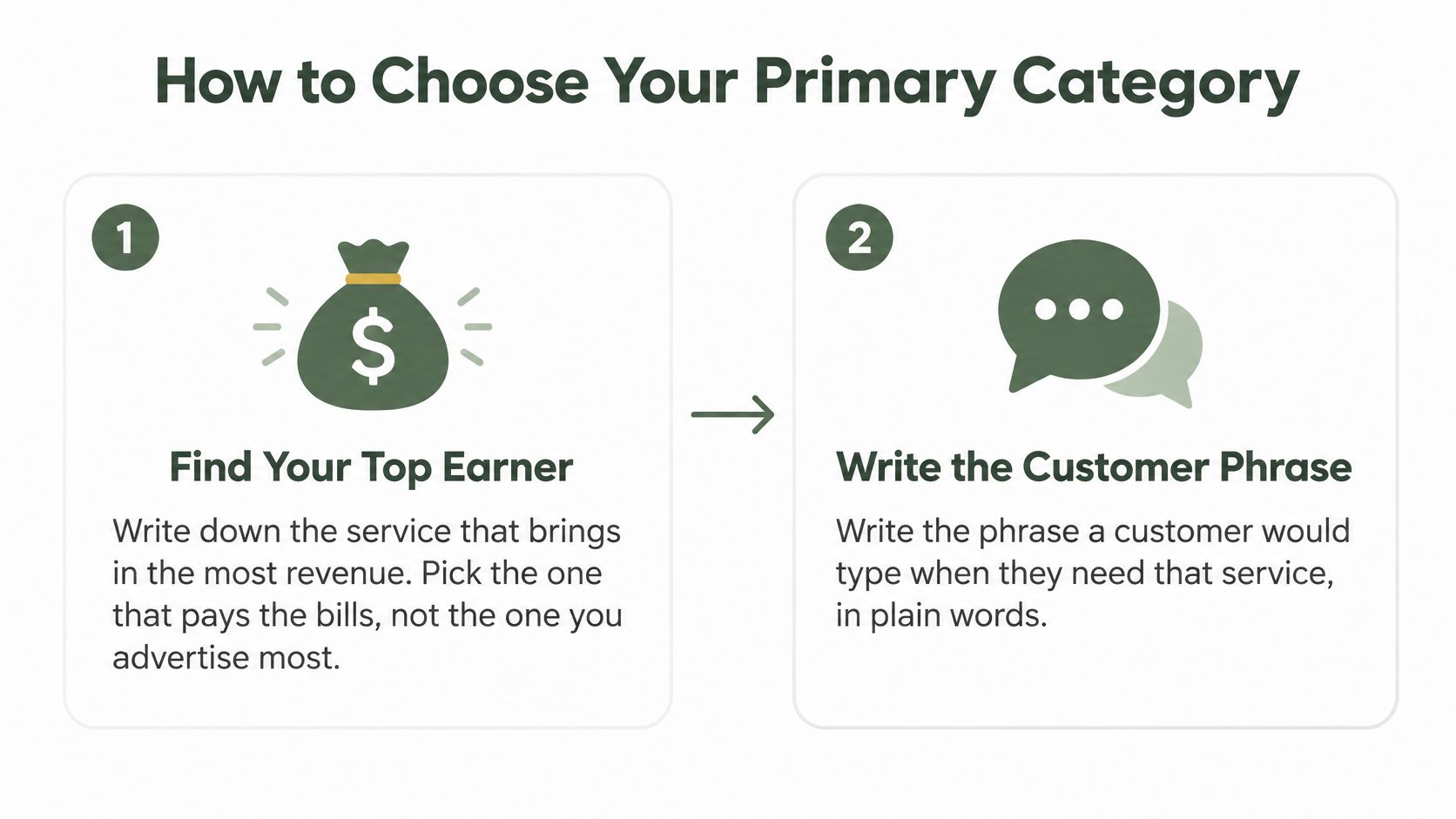
A clinic where most patients book physical therapy should consider Physical therapist if that category accurately describes its work. A combined hair and barbering business should weigh which activity defines the operation before choosing Hair salon or Barber shop. In both cases, the category should match the service customers book and the business they expect to visit.
If two options describe the business equally well, use the wording customers recognize. Popular wording isn't a reason to choose a category that makes a false claim.
- Identify your main revenue-generating service. Review your records and find the activity that brings in the most revenue. Treat this as a starting point, not a rule that overrides the rest of the business. An offering you promote heavily or hope to grow may not yet define what the business does.
- Write the phrase a customer would use when looking for that service, such as pizza near me, hair salon near me, or physical therapy near me. This is a language check. It doesn't mean adding search phrases to the category field.
- Choose the most specific accurate option. Compare the available category names with the business behind them. Italian restaurant describes an operation more clearly than Restaurant when Italian cuisine is what customers mainly come for.
Use nearby businesses as a check
Nearby competitors are clues, not models to copy. Their operations may differ, and their own categories may be inaccurate. Your revenue and what customers expect to buy should support the choice.
Search Engine Land's 2026 analysis of Google Business Profiles reports an association between specific primary categories and local pack visibility. That association does not show that changing a category alone causes better rankings.
A competitor's category is worth investigating. It isn't worth copying unless you offer the business behind it.
Keep category choices separate from wider visibility troubleshooting. This explanation of Google Business Profile ranking factors can help you assess other parts of your profile without repeatedly changing an accurate primary category.
- Search your main near me phrase on your phone. Open the three businesses shown in the local pack and note their displayed categories. Compare their actual services with yours. Their selections can help you identify options, but they don't establish which category fits your business.
- Save the supported change and check your profile on your phone a few days later. Make sure the category displays correctly. That confirms the edit was saved, not that it improved rankings.
Adding Secondary Categories Without Overloading the Profile
Would a customer walk in and expect this as a main service? Ask that before adding any secondary category. If the answer requires explaining that you only own the equipment, sell a related product, or know someone who provides the service, leave it out.
Additional categories are optional. In Google's category editing instructions, the first category field is the primary category, and the other selections are additional categories. Google says these should represent the business rather than its products, amenities, or equipment.
Separate what you are from what you have
Google's hotel example makes the distinction clear. A hotel with an ATM shouldn't add ATM as its category. Guests may use the machine, but they came to a hotel, not an ATM business.
Apply the same reasoning to your own premises:
Don't use a category to describe the result you'd like from Google, either. Wanting more emergency calls isn't enough to claim an emergency business type if customers can't actually obtain that service.
- A salon's retail shelf. Selling shampoo after an appointment doesn't automatically make the salon a cosmetics store. Put the items in the products section.
- A clinic's equipment. An X-ray machine describes a capability or facility. It doesn't, by itself, establish a separate business type.
- A contractor's tools. Specialized tools support the work you perform. Owning them doesn't justify categories for equipment sales or rental.
- A nearby provider. Sending patients to an outside lab doesn't make that lab part of your clinic's category set.
Validate each claim against your operation
For every additional category, find the corresponding service in your booking system, services list, or a recent invoice. Then check whether customers can buy it regularly, under your business's name, at the location represented by the profile.
An invoice is useful evidence, but an unusual job shouldn't automatically become a permanent category. You're looking for an established activity, not proof that you once accepted the work.
Keep-or-remove test: If your receptionist couldn't confidently explain how to book the service, investigate before keeping the category.
For an ordinary dental practice, describe teeth whitening in the services list rather than adding another category just to repeat a treatment. The category identifies the practice. The service explains what the patient can have done.
A short, defensible list is easier to maintain than a collection of possibilities. That matters when staff leave, services stop, or another location opens with a different team.
Adding a label doesn't create a new business line. Before saving it, make sure the staffing, customer access, and regular delivery already exist. If they don't, the work belongs in your business planning, not your category screen.
Edge Cases for Restaurants, Salons, Clinics and Hotels
A common restaurant mistake is choosing Restaurant because the menu includes several kinds of food. Variety doesn't necessarily make the business generic. A pizza and pasta place whose main line is pizza can use Pizza restaurant without adding a category for pasta.
Google's business representation guidelines call for specific categories that describe the business, not categories for every product or categories belonging to related entities. Use that distinction when your premises contain several activities.

Food and personal care businesses
A restaurant serving drinks doesn't automatically need Bar. As an operating test, look for a genuine bar service customers use in its own right, supported by its own menu or hours. A drinks list accompanying dinner isn't the same claim.
A cafe baking and selling its own goods has a stronger basis for considering Bakery than a cafe buying pastries from a supplier. For other restaurant profile decisions, use this practical guide to Google Business Profile for restaurants.
For a nail and hair salon under the same name, compare the revenue from each line before setting the primary. Treat the other as an additional category only when it's an established service with staff providing it. An empty station or a plan to recruit someone doesn't qualify.
A day spa with massage rooms needs the same operational check. Rooms alone aren't enough. Customers should be able to book the service and receive it from the people working there.
Clinics and hotels
A family practice with a physical therapy suite should identify which line most patients book and which activity defines the operation. Consider the other category only when licensed providers practice there in fact. Shared space isn't enough if the second provider is an unrelated tenant.
A hotel with a named restaurant, a distinct menu, and its own hours deserves closer review. Confirm who owns and operates it before treating it as part of the hotel's category set. If it's just a dining amenity, describe it through the appropriate description and attribute fields.
Use the same discipline for events. Regular event bookings support a different claim from occasionally letting a guest use a room for a gathering.
Contractors and multi-location brands
For contractors, look at the work customers can order. A plumber regularly providing drain cleaning and repair can consider Drainage service. An electrician regularly installing EV chargers can consider the relevant charging-station contractor category.
For franchises, review the current operation at every location before copying an old setup. Keep the shared primary category for locations operating as the same business type, while checking additional categories against what each location actually offers.
If a location appears different, investigate the operation first. A genuinely different business type deserves a deliberate review, not an unexplained exception entered by a local manager.
Where Categories Stop and Other Profile Fields Start
You don't have to leave useful details out of your profile just because they aren't categories. Put them in the field that explains them properly. Customers need to know both what your business is and what they can buy there, but those are different kinds of information.
Use this table as a working lookup while editing. The examples are placement recommendations, not reasons to add another category.
Where each profile detail belongs
| What you need to show | Where it goes | Example |
|---|---|---|
| What the business is | Primary category | Hair salon |
| Another real business line | Additional category | Barber shop, if barbers work in the salon |
| Services you perform | Services list | Balayage, men's haircut |
| Items you sell | Products | Shampoo and styling products |
| Facilities and policies | Attributes | Wheelchair accessible entrance |
| Hours and holidays | Hours | Weekly hours and holiday closures |
| Equipment you own | Business description | X-ray machine on site |
What the business is
Another real business line
Services you perform
Items you sell
Facilities and policies
Hours and holidays
Equipment you own
Give customers the detail they need
A salon owner might worry that choosing Hair salon leaves out color work. The answer isn't to make the category list resemble the appointment book. Describe balayage and other treatments in the services list, where customers can understand the offering.
A clinic can explain relevant on-site equipment in its business description without claiming to be an equipment supplier. Keep that description factual and useful to patients. Don't use it as a place to repeat search phrases.
For a hotel, an accessibility detail belongs in the relevant attribute where available. Holiday closures belong in the hours fields, not buried in the description where someone planning a visit could miss them.
The trade-off is straightforward. A compact category list can still support a detailed profile. Moving information to the right field isn't hiding it, and adding more categories isn't the only way to explain your business.
When you're unsure, identify the customer's question. “What kind of place is this?” points toward categories. “Can I get this treatment, buy this item, or visit during the holiday?” needs a more specific field.
- Keep the category concise. Select the available business type rather than trying to encode every detail.
- Make the service understandable. Use the services list for the specific work someone can book.
- Keep operational details current. Check hours, products, and facilities when you change what customers can access.
Audit Checklist for Missing or Wrong Categories
Run this audit once a quarter and after changing the services you offer. That's a suggested maintenance routine, not a Google requirement. Keep a dated note of the category set so the next person editing the profile knows what was chosen and why.
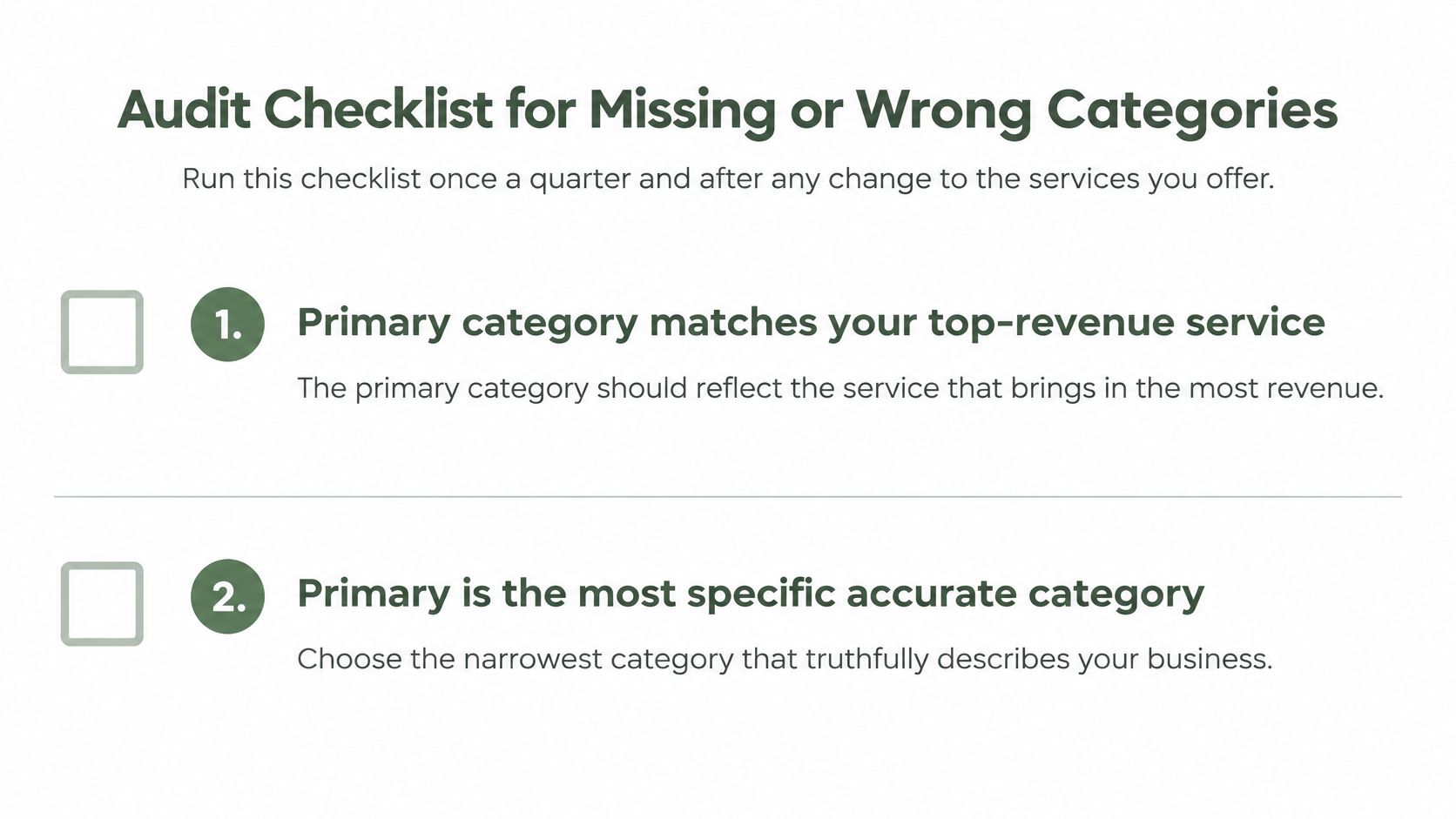
- Check the main activity. Your primary category matches the service or business line that brings in the most revenue.
- Check specificity. It's the most specific accurate option available in the category list.
- Every additional category represents a real, regular offering you can identify in your operation.
- No product, feature, equipment, or nearby business has been included as a category.
- Check locations together. The primary category is consistent across the same brand's locations, with any genuinely different business type investigated.
- Compare the primary with businesses offering comparable services in the local pack for your main near me phrase.
- Check the profile on your phone after editing, so you confirm that the saved information is visible.
Category symptoms, causes and fixes
The causes below are starting points for investigation. A symptom alone doesn't prove what went wrong, particularly when you're judging the profile from search results.
| Symptom | Likely cause | Fix |
|---|---|---|
| You cannot find the category you need | Your search wording is too broad | Scroll the available list and try three or four close names |
| Profile lists a service you no longer offer | An old primary or additional category was never removed | Remove it and confirm the new primary matches your main line |
| Businesses you match on services use a different primary | Your primary may be broader than theirs | Compare with the local pack and choose the most specific accurate option |
| Secondary categories read like features | Amenities or products were added as categories | Remove them and move the detail to attributes or services |
| Locations of one brand show different primary categories | Each location may have been set up separately | Align the primary category unless the business type truly differs |
You cannot find the category you need
Profile lists a service you no longer offer
Businesses you match on services use a different primary
Secondary categories read like features
Locations of one brand show different primary categories
Record the reason for each edit
Start with the first row that matches your profile. Confirm the suspected cause against your services, sales records, and current staffing before changing anything.
Write a short reason beside the edit. “Removed lash category because lash appointments are no longer offered” is useful. “Changed categories to get more calls” doesn't explain whether the new selection is accurate.
For multi-location teams, assign someone to maintain the shared record. Location managers should still confirm local offerings, but they shouldn't have to guess which primary category the brand uses.
A Google Business Profile optimization checklist can help you inspect the fields around your categories as well. That's particularly useful when the category is correct but hours, services, or other customer-facing details are stale.
Check the saved result before moving to the next issue. You're confirming that the profile represents the operation accurately, not treating every edit as a ranking experiment.
Confirm Your Categories This Week
Set aside time this week with access to your profile and your service records. You don't need to settle every possible category question before fixing an obvious mismatch.
Don't add a category just to match a competitor. If you can't point to the staff, service, or sales behind it, you haven't established the claim.
You may finish with fewer categories than you started with. You may also find a genuine business line that was missing. Either outcome is useful when the final list accurately describes what customers can buy from you.
Your next step is to run the audit checks this week and make the first change your records support.
---
RecensioAI B.V. offers a Google Business Profile audit covering categories, hours, attributes, services, and photos, with missing information flagged. If you'd like another check alongside your own review, visit the site and use the audit to identify category choices that need a closer look.
- Write down the current selections. Open your Google Business Profile and record the primary and additional categories before editing.
- Run the audit checks against those notes. Use your actual services and revenue, not assumptions about what customers might want.
- Identify the supported fix. For a failed check, use the symptom table to investigate the likely cause.
- Make only changes you can defend with a real service or business line. Save each supported change separately.
- Check the profile on your phone after each save to confirm the change appears.
Frequently asked questions
You might also like
Handpicked articles for you
Hotel Review Management: Automate Post-Stay Requests with Apaleo, Mews and Your PMS
A practical guide to turning hotel checkouts into timely review requests, with Apaleo live, Mews early access and flexible PMS alternatives.
Why the Business Around the Corner Beats You on Google: What 21,373 Profiles Reveal
We compared 21,373 Google Business Profiles with their three strongest nearby competitors. The gap is smaller than most owners think, but it has two sides: rating and volume.
Treatwell Review Management for Salons: One Reputation View Alongside Google
Bring your public Treatwell rating and recent reviews into RecensioAI, then combine salon signals with Google for faster, better decisions.