
Google Business Profile Optimization Checklist: 9 Steps
Google Business Profile optimization checklist: 9 practical steps to fill every field, build reviews, and show up in 'near me' searches on Google Maps.
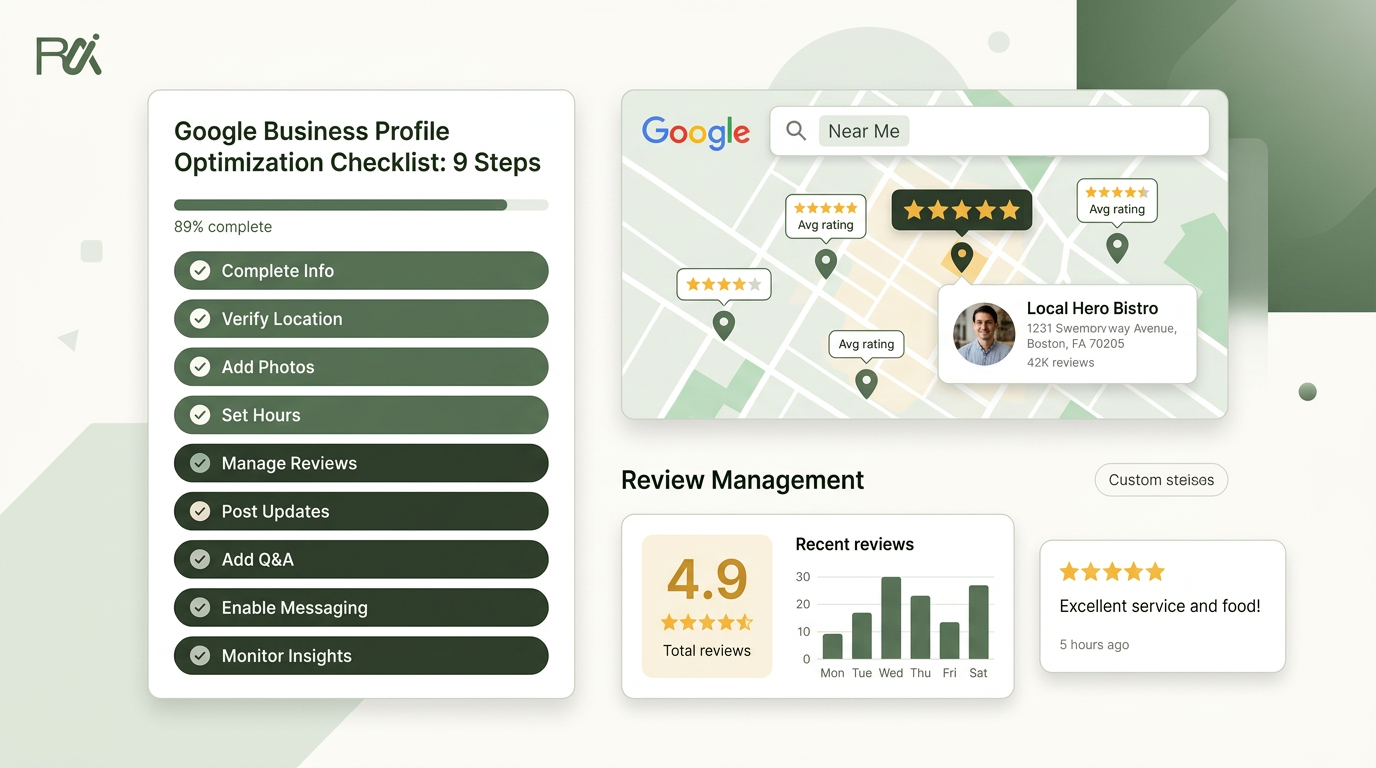
Table of Contents
- 1Introduction
- 21. Claim and verify your Google Business Profile
- 3Fix it today
- 42. Complete all business information fields
- 5Tighten the basics
- 63. Add and organize photos and videos
- 7Keep the gallery working
- 84. Set up, request, and respond to customer reviews
- 9Keep the review flow steady
- 105. Audit and update business hours accurately
- 11Make hours a routine, not a scramble
- 126. Choose the correct business category and subcategories
- 13Choose with the customer in mind
- 147. Create and post Google Business Profile posts regularly
- 15Keep the posts simple
- 168. Optimize your business name and description for local search
- 17Write the description like a real customer is reading it
- 189. Monitor fake reviews and track competitors
- 199-Point Google Business Profile Optimization Comparison
- 20Pick one item. Fix it this week.
Introduction
Three businesses show on the map. Yours can be one of them. Right now, a restaurant owner is dealing with a dinner rush, a salon manager is answering calls between appointments, a clinic is trying to keep the front desk from getting buried, and a contractor is on site while the phone rings twice and stops. One of those calls should have been yours, but the profile is half-finished, the hours are stale, the photos are old, and the listing hasn't been touched in weeks.
That's the job of a Google Business Profile optimization checklist. Not theory. Not jargon. It's the weekly work that keeps you visible in near me searches and in the local pack on Google Maps, where the calls, directions, bookings, and walk-ins happen. Google says local ranking comes down to relevance, distance, and prominence in its official guidance on local ranking, so the work that matters is the work that keeps your profile accurate, complete, and active in the world Google's official local ranking guidance.
A lot of owners think the listing is “set up” and done. It isn't. Profiles drift. Hours change. Staff forget to update details. Reviews trickle in by accident. That's why the checklist below is built for a real week, not a perfect quarter. The best operators keep their profiles tight the same way they keep the till balanced or the schedule covered.
1. Claim and verify your Google Business Profile
A restaurant owner can lose dinner traffic before the first order comes in. A salon can miss bookings between appointments. A clinic can send patients to the wrong number. A contractor can spend the day on site while the listing sends calls nowhere useful. Claiming and verifying the profile fixes that first.
Go to Google Business Profile and claim the listing that matches the business. Use the storefront address if customers visit you, or set the correct service area if you travel to jobs. If the profile already exists, do not build a second one just because it feels faster. Two listings create messy results for restaurants, salons, clinics, hotels, contractors, and multi-location groups. Google's own support materials cover verification and ownership steps in plain terms Google Business Profile help.

Fix it today
If you run more than one location, verify each one on its own. Do not force multiple branches into one profile. That confuses customers and muddies the map results. For a practical example of how local presence and location-based activity fit together, see location based engagement with Splash Access.
- Search first: Check whether the profile already exists before you create anything new.
- Use the right phone number: Put the number customers call, not a backup line that sits on hold.
- Claim it with the right person: The owner or manager should verify the listing, not a random staff account.
- Check the default status: A pizza shop can lose walk-ins if Google marks it closed or temporarily closed by mistake.
- Move fast on missing listings: A contractor with no verified profile stays hard to find while competitors take the calls.
2. Complete all business information fields
A half-filled profile looks abandoned. Customers spot that in seconds. Google does too. Fill every field because people use this profile to decide who you are, where you are, how to reach you, and whether you are open right now.
Work through the listing on a phone, not just a desktop. Use the business name people already know, the correct address or service area, the main phone number customers dial, the website, primary and secondary categories, hours, holiday hours, appointment options, services, payment methods, and attributes. Google's business information rules call for a real-world business name, accurate address or service area, current phone number, and correct hours, including holiday hours business information rules.
For a clinic, leaving services blank hides telehealth, specialty care, and other reasons a patient would book. For a contractor, skipping service areas makes the profile weak outside the office zip code, even if the crew works all over town. For a restaurant, adding curbside pickup answers a simple question fast, and that question decides whether someone clicks or keeps scrolling.
Tighten the basics
A complete profile looks legitimate and gives people fewer reasons to move on. The gap is still wide. In a 2026 analysis by Neil Patel, only 11% of local businesses said their Google Business Profile was fully optimized across all available fields and features, while 29% were mostly optimized, 26% had only basic setup, 21% had inconsistent profiles across multiple locations, and 13% were not actively managing their profile at all Neil Patel analysis. That gap is where your next customer is looking.
- Use the name customers say: Don't stuff keywords into the business name.
- Set every day correctly: If hours change by day, enter each one on its own.
- Add holiday hours early: Update special hours before the rush, not after people reach a locked door.
- Separate locations cleanly: Each branch needs its own profile and its own details.
- Review on a phone: That is how most customers will see it.
3. Add and organize photos and videos
A profile with no photos looks abandoned. That hurts clicks fast. A restaurant, salon, clinic, hotel, or contractor profile needs proof that the business is real, active, and worth a visit. Photos do that job before anyone reads a word.
Use straight, usable images. Show the storefront, the inside, the staff, the products, and the work itself. A hotel should show the room types people book. A contractor should show finished jobs and before-and-after shots. A salon should show real cuts, color, and styling, not stock images. A restaurant should show the dining room and the dishes people order. Keep the camera steady, use natural light when you can, and skip blurry shots.
Search behavior changes when the gallery looks current. Profiles with complete details pull more attention, and profiles with fuller descriptions tend to get more impressions than thin listings BiziQ statistics. The practical point is simple, customers trust a profile that looks alive.
Keep the gallery working
Recent, real photos do more than make the profile look good. They tell a customer you are open, active, and worth the drive.
Short video helps too. A quick clip of the shop, the team, or a recent job gives people a faster read than text alone. Use this Google Business Profile post generator for structured updates when you want to keep the profile active between photo uploads.
- Start with a batch: Upload 10 to 15 strong photos first.
- Keep it fresh: Add 2 to 3 new photos each month.
- Show the entrance: People need to recognize the place when they arrive.
- Caption the image: Tell customers what they're looking at.
- Skip branded watermarks: They distract and can make the gallery look less authentic.
4. Set up, request, and respond to customer reviews
A busy week in a restaurant, salon, clinic, hotel, or contractor shop runs on repetition. Reviews have to be part of that routine. Google treats review count and review score as local ranking factors in its own guidance on local visibility, so this work belongs on the checklist Google review factor guidance. Treat the review process like front-desk work, not like a marketing side task.
Set one clear trigger for the ask. Right after the meal, the appointment, the checkout, or the final walkthrough is the right time, because the experience is still fresh. A restaurant can ask at the table or at payment. A salon can ask at the register. A clinic can send the request after the visit. A contractor can send it once the job is signed off. Use SMS, email, a QR code, or a shareable link, but keep the path short. If your POS or CRM already holds customer details, connect it and let the request go out automatically with how to connect your POS or CRM and get Google reviews automatically.
The reply matters just as much as the ask. Thank positive reviewers in plain language. Keep negative replies calm and specific. Offer to fix the issue offline when the complaint needs back-and-forth. Do not argue in public, and do not leave one-star reviews sitting there unanswered. A contractor who handles a fake complaint with a steady tone protects trust better than one who gets defensive. The same principle shows up in building real relationships with fans, because public response tells people how you handle pressure.

Keep the review flow steady
Owners who wait for reviews to happen on their own end up with a thin profile and a quiet inbox. Owners who build the request into daily operations get more proof on the page and fewer surprises in public. Keep the process simple. Keep it in the workflow. If you need a practical setup, a Google Business Profile review workflow tied to your existing system does the job.
- Ask while the visit is fresh: People are more likely to respond before they leave the lot or close the tab.
- Put the link where staff can reach it fast: QR code at the counter, on the receipt, or in the follow-up message.
- Respond without delay: Answer new reviews as soon as someone on the team sees them.
- Keep replies specific: Mention the service, the visit, or the issue so the response sounds real.
- Make it part of weekly work: Ask every week, not only when bookings slow down.
5. Audit and update business hours accurately
Wrong hours create bad starts. A customer sees you as open, drives over, and finds the door locked. That is the fastest way to lose a booking, a table, or a first visit that might have turned into repeat business.
Check the hours people rely on, including daily, seasonal, and holiday hours. Update temporary closures before they happen. If your salon closes early on Fridays, set that correctly. If your clinic shuts for a holiday week, use special hours. If a restaurant changes its close time for winter, update the profile before customers start calling after service has ended. Seasonal businesses should lock in next year's hours as soon as they are confirmed.
Google expects your hours and holiday hours to be accurate, as noted earlier in the business information rules. That sounds basic because it is. Basic still matters. People trust the profile until it proves them wrong.
A contractor that forgets a Saturday schedule change ends up with a wasted site visit. A hotel that misses a holiday update sends guests to a closed front desk. A clinic that leaves old hours in place creates waiting room problems before the day starts.
Make hours a routine, not a scramble
A salon that misses daylight saving time can look closed an hour early. A clinic that posts holiday hours ahead of time avoids confused patients. A restaurant that gets the closing time right avoids late-night calls from people who have already made the drive. It is boring work, but it protects revenue.
- Update before the change: Don't wait until the new schedule starts.
- Check monthly: Look for errors, especially after staff changes.
- Set each day separately: Don't assume one template fits every day.
- Use temporary closed when needed: Renovations and emergencies happen.
- Plan holidays early: Put holiday closures in at least two weeks ahead.
6. Choose the correct business category and subcategories
A restaurant that calls itself too broadly can miss lunch searches. A clinic that picks the wrong service label can show up for the wrong kind of patient. A contractor that uses a vague category can get buried under the firms that tell Google exactly what they do.
Categories tell Google what job you want the profile to do. Get that wrong and the profile works against you. Get it right and the listing lines up with the searches that happen during a normal week, when someone is looking for a table, a haircut, a same-day appointment, a room, or a repair crew.
Google Business Profile gives you one primary category and up to nine additional categories, so this is a fixed setup, not a place to improvise category limits. Pick the primary category that matches the main line of work. A salon should use the category that fits the service customers book most. A clinic should choose the care type that brings in actual visits. A contractor should match the trade people hire first.
A salon that adds a tight specialty category makes it easier for clients searching for that service to spot the right location. A contractor that moves from a broad label to a more specific one gives Google a cleaner signal. A clinic that uses the right service category fits the search better for that type of care.
Use Google's wording when possible. If the category sounds off, the business model usually needs a second look, not the platform.
A bad category choice shows up in the week's work. A hotel can miss local event traffic if the listing is too broad. A multi-location franchise can confuse search results if each branch picks categories by habit instead of by service. A restaurant with a niche offer, like breakfast or takeout, needs the category that matches the way guests find and book it.
Choose with the customer in mind
This is one of the fastest fixes on the checklist. It costs nothing. If you run multiple locations, use the same logic at every branch so one site does not drift into a different category strategy than the others.
- Start with the main revenue line: Pick the category tied to the service people pay you for most.
- Add real specialties: Use secondary categories only for services you offer.
- Stay specific: Specific categories usually serve you better than broad ones.
- Check competitors: Look at the categories used by strong local businesses nearby.
- Avoid category bloat: More is not automatically better.
7. Create and post Google Business Profile posts regularly
A dead-looking profile gets ignored. Posts keep the listing current and give customers a reason to check back. Use them to show the business is active. Do not treat them like blog articles.
Pick updates that fit the week. A restaurant can post a lunch special before the lunch rush. A salon can show a fresh cut or color from today's chair. A contractor can post a seasonal prep reminder before the weather changes. A hotel can post an offer tied to a local event. Keep the copy short and use a real photo.
The bigger mistake is posting once and stopping. This is maintenance work. If the profile has no recent posts, customers assume nobody is watching it. Google also reads an active profile as part of prominence and freshness in map results, as noted in Google's official local ranking guidance.
Keep the posts simple
Skip the polished brand voice. Use the same tone you would use with a customer at the counter or on the phone.
If posting keeps falling off the list, use RecensioAI's Google post generator to draft the routine updates and keep the profile showing activity.
- Post on a fixed rhythm: Make it part of the week's routine, not a spare-time task.
- Use a photo every time: Real photos get more attention than text alone.
- Give one clear action: Call, book, order, or visit.
- Tie the post to a real update: New hours, a live project, a special, or a reminder.
- Keep the workflow easy: A small team can handle this if the process stays simple.
8. Optimize your business name and description for local search
Start with the name on the door. That is the name people search for, and that is the name your profile should use. If a salon, clinic, restaurant, or contractor company shows one name on the sign and another on Google, customers lose confidence fast. Google sees that mismatch too.
Keep the business name clean. Do not force keywords into it. Use the company name, the one customers say out loud. Then put the local detail in the description, where it belongs. A clinic can say it serves families and accepts specific appointment types. A contractor can say what kind of jobs it takes and what areas it serves. A restaurant can name the cuisine and the dishes people ask for. Write the description so a customer understands the business in one pass.
Profiles with stronger descriptions tend to get more attention in search, as BiziQ statistics notes. The point is simple. If the description is thin, people move on. If it tells them what you do and why they should trust you, they stay.
Write the description like a real customer is reading it
A clinic should mention accepted insurance and the kinds of appointments it offers. A contractor should mention the work it handles and the experience behind it. A restaurant should mention the food style and a few signature items. A hotel should say who it serves and what kind of stay it provides. Keep the language direct. Fill the space with details that help a customer choose now, not marketing lines that sound clever and say little.
- State the service plainly: Say exactly what the business does.
- State the customer clearly: Call out who you serve, like families, patients, homeowners, or travelers.
- State the difference: Mention one real edge, such as a specialty, a long track record, or local expertise.
- Keep the copy easy on mobile: Short sentences beat dense blocks of text.
- Add useful proof points: Insurance, certifications, appointment types, or specialty work help people decide faster.
9. Monitor fake reviews and track competitors
A busy week can turn ugly fast. A clinic gets a wave of bad ratings from accounts with no history. A restaurant sees a bogus complaint about food safety. A hotel notices a rival climbing above it with fresher reviews and better photos. You do not control the noise, but you do control how fast you spot it and how cleanly you respond.
Set a weekly review check and treat it like part of closing the books. Look for patterns, not just bad comments. Multiple reviews from new accounts, the same wording repeated across profiles, or a sudden burst aimed at one location all need a calm response and a saved record. Take screenshots, note the date, and report the issue with evidence. Keep public replies short and professional. If a salon gets hit with a fake service complaint, a measured reply protects trust better than a public fight.
Track competitors on a simple monthly pass. Check their review count, rating, photo count, and last post date. That tells you who is active in the same map results your customers see. If three contractors ahead of you keep adding new job photos and answering reviews while your profile sits untouched, the gap is obvious. You do not need to copy their style. You need to see where they are moving and where you are not.
Review hygiene is not optional. Google's own guidance treats review count and review score as local ranking factors Google review factor guidance. That means fake review monitoring and competitor checks belong in the weekly work, right next to hours, photos, and responses.
The fastest way to handle this is simple.
For a practical way to compare the businesses showing in the same map results, outrank your competitor on Google Maps gives you a useful reference point.
- Check reviews every week: Catch suspicious activity early.
- Reply without emotion: Stay factual and brief.
- Save proof immediately: Screenshots help when you report abuse.
- Compare the local pack: See which businesses keep showing up in the same area.
- Fix the gaps you own: Photos, reviews, hours, and completeness can all be improved today.
9-Point Google Business Profile Optimization Comparison
| Item | 🔄 Implementation complexity | ⚡ Resource requirements | 📊 Expected outcomes | 💡 Ideal use cases | ⭐ Key advantages |
|---|---|---|---|---|---|
| Claim and verify your Google Business Profile | Low 🔄, guided steps; may require postcard wait (5–7 days) | Minimal ⚡, Google account, physical mailing address, phone | ⭐⭐⭐⭐, Required to edit profile and respond to reviews; enables optimization | 💡 All local businesses, mandatory first step | ⭐ Ownership/control, review management, listing protection |
| Complete all business information fields | Medium 🔄, ~1 hour to complete; periodic updates needed | Low ⚡, time and accurate business data | ⭐⭐⭐⭐, Better visibility, more clicks and direct customer actions | 💡 Businesses wanting improved local search presence | ⭐ Full contact/actions in search, improved relevance via attributes |
| Add and organize photos and videos | Medium 🔄, initial set + ongoing updates (monthly) | Medium ⚡, camera/phone quality or pro photographer, time | ⭐⭐⭐, Increases CTR and trust; videos boost engagement | 💡 Visual businesses (restaurants, hotels, salons, contractors) | ⭐ Higher click-through, trust, clearer expectations |
| Set up, request, and respond to customer reviews | Medium–High 🔄, process design + continuous responses | Medium ⚡, review-request tools (email/SMS/QR), staff time | ⭐⭐⭐⭐, Strong social proof; influences local ranking and conversions | 💡 Service businesses and high-touch industries seeking credibility | ⭐ Social proof, reputation management, improved local ranking |
| Audit and update business hours accurately | Low 🔄, simple updates but must be maintained | Low ⚡, regular time to review and edit | ⭐⭐⭐, Reduces customer frustration; affects search filtering | 💡 Businesses with variable/seasonal/holiday hours | ⭐ Prevents missed customers, accurate expectations |
| Choose the correct business category and subcategories | Low–Medium 🔄, research and selection; occasional edits | Low ⚡, competitor review and time to choose | ⭐⭐⭐, Improves relevance for targeted searches; unlocks attributes | 💡 Businesses with distinct services that customers search for | ⭐ Better search relevance, access to category features |
| Create and post Google Business Profile posts regularly | Low 🔄, quick to create (2–3 min) but requires cadence | Low ⚡, time, basic image assets | ⭐⭐, Signals activity to customers; posts expire after 7 days | 💡 Promotions, events, new offerings, quick updates | ⭐ Free, fast way to show activity and call-to-action |
| Optimize business name and description for local search | Low 🔄, copywriting with constraints (no keyword-stuffing) | Low ⚡, time to write and review | ⭐⭐⭐, Improves clarity and trust; helps user decisions | 💡 All businesses; especially to convey specialties/differentiators | ⭐ Clear identity, prevents confusion, highlights USPs |
| Monitor fake reviews and track competitors | Medium 🔄, ongoing monitoring and reporting | Medium ⚡, time, tracking tools or spreadsheets | ⭐⭐⭐, Protects reputation; informs strategy and targets | 💡 Businesses in competitive markets or prone to review issues | ⭐ Reputation protection, benchmarking insights, evidence for reporting |
Claim and verify your Google Business Profile
Complete all business information fields
Add and organize photos and videos
Set up, request, and respond to customer reviews
Audit and update business hours accurately
Choose the correct business category and subcategories
Create and post Google Business Profile posts regularly
Optimize business name and description for local search
Monitor fake reviews and track competitors
Pick one item. Fix it this week.
Don't try to fix all nine at once. Pick the one item that will move the needle fastest for your business this week, and do it before the weekend. If your hours are wrong, fix hours. If the profile isn't verified, claim it. If the photos are old, upload new ones. If reviews are the issue, start the request process now. Then put a recurring reminder on the calendar, because this is ongoing work, not a one-time cleanup.
The businesses that show up in the three spots on the map usually do the simple things better and more often. Their Google Business Profiles stay complete. Their reviews keep coming in. Their fields stay accurate. Their photos don't go stale. That's what separates the businesses on top from the ones underneath when someone searches near me and taps the first option that looks active and trustworthy.
If you're managing this across one location or ten, RecensioAI B.V. can run the repetitive parts in the background, with review requests going out by SMS, email, and QR code after each visit, AI replies written in your tone, profile audits flagging missing fields and stale photos, and competitor tracking against the same local pack you want to appear in.
---
If you want the profile work handled without dropping the ball between busy shifts, visit RecensioAI B.V. and look at the tools built for reviews, profile audits, Google Business Posts, and competitor tracking. If your business depends on Google Maps, use it to keep the weekly work moving while you stay focused on the floor, the front desk, or the job site.
You might also like
Handpicked articles for you
Hotel Review Management: Automate Post-Stay Requests with Apaleo, Mews and Your PMS
A practical guide to turning hotel checkouts into timely review requests, with Apaleo live, Mews early access and flexible PMS alternatives.
Why the Business Around the Corner Beats You on Google: What 21,373 Profiles Reveal
We compared 21,373 Google Business Profiles with their three strongest nearby competitors. The gap is smaller than most owners think, but it has two sides: rating and volume.
Treatwell Review Management for Salons: One Reputation View Alongside Google
Bring your public Treatwell rating and recent reviews into RecensioAI, then combine salon signals with Google for faster, better decisions.