
Google Business Review Removal: How to Report Fake Reviews
Google Business Review Removal: which reviews qualify, how to report them step by step, and how to protect your profile within Google's policies.
Table of Contents
- 1Introduction
- 2Which Reviews Google Will Remove
- 3Where the line sits in practice
- 4Build the Evidence File and Avoid Costly Mistakes
- 5What goes in one folder per review
- 6Mistakes that cost more than the review
- 7How to Submit a Removal Request
- 8A note on profile-level abuse
- 9What to Do When Google Declines a Report
- 10Before you spend the appeal
- 11Start Your Review Audit This Week
- 12Habits that hold up under policy
Introduction
You open your Google Business Profile on Monday and there's a new one-star review. No name you recognize. No visit you can match. It says your clinic double-charged a patient, or your restaurant served spoiled food, or your hotel staff stole from a room.
Your first move is probably to click Report and write that it's unfair. That almost never works. Google business review removal is a policy-matching exercise. You win when you prove one specific rule was broken. You lose when you argue about fairness, tone, or damage to sales.
Which Reviews Google Will Remove
Start with the verdict, then decide if a report is worth your time.
| Review situation | Removable | Policy category to report under |
|---|---|---|
| Reviewer was never a customer and the account is a bot or fake | Yes, if you can show it | Fake engagement or non-genuine experience |
| Competitor or former employee posting to damage your business | Yes, if the conflict is provable | Conflict of interest |
| Staff member called slurs or threatened | Yes | Harassment, hate or offensive content |
| Review shows a customer's phone number or home address | Yes | Personal information |
| Post about politics or an unrelated topic | Yes | Off-topic or irrelevant content |
| Real customer gives one star and says the soup was cold | No | Not a policy violation |
| Real customer says the price was too high for the room | No | Opinion, even if it feels unfair |
Reviewer was never a customer and the account is a bot or fake
Competitor or former employee posting to damage your business
Staff member called slurs or threatened
Review shows a customer's phone number or home address
Post about politics or an unrelated topic
Real customer gives one star and says the soup was cold
Real customer says the price was too high for the room
Google's system isn't a customer satisfaction dispute process. The Google Business Profile review removal guidance states that only content violating its policies is eligible for removal, and a legitimate negative opinion by itself isn't enough. Reviews can be removed from Maps and Search for spam, fake engagement, conflicts of interest, harassment, offensive or illegal content, personal information, and irrelevant or non-genuine experiences. Incentivized or biased reviews meant to influence a rating rather than document a real experience also fall under that ban. When a review is removed, its star rating, photos, or videos may go with it.
Where the line sits in practice
Say a diner writes that the soup was cold and service was slow. That's a real experience, stated plainly. Google won't remove it because you disagree or because the kitchen log says otherwise.
Say a salon client hates a color job, or a clinic patient waited a long time, or a hotel guest thinks the rate was too high. Those are opinions about price, wait, and quality. They stay up even when they're harsh, incomplete, or commercially painful. Your tools there are a calm public reply and a fix to the process that caused the complaint.
Contrast that with a review naming your receptionist by full name and posting her personal phone number, or a former contractor posting under a spouse's account the week after termination. Now you have a category, personal information in the first case and conflict of interest in the second, and records that can support it.
Can you name one written policy category this review breaks, in one sentence, without using the words unfair or false? If not, don't report it yet.
Read the categories before you file anything. Our breakdown of the Google reviews guidelines walks through the same rules in plain language for owners. I would sort every low review against that list first. It saves you from filing weak reports that teach you nothing and burn staff time.
Build the Evidence File and Avoid Costly Mistakes
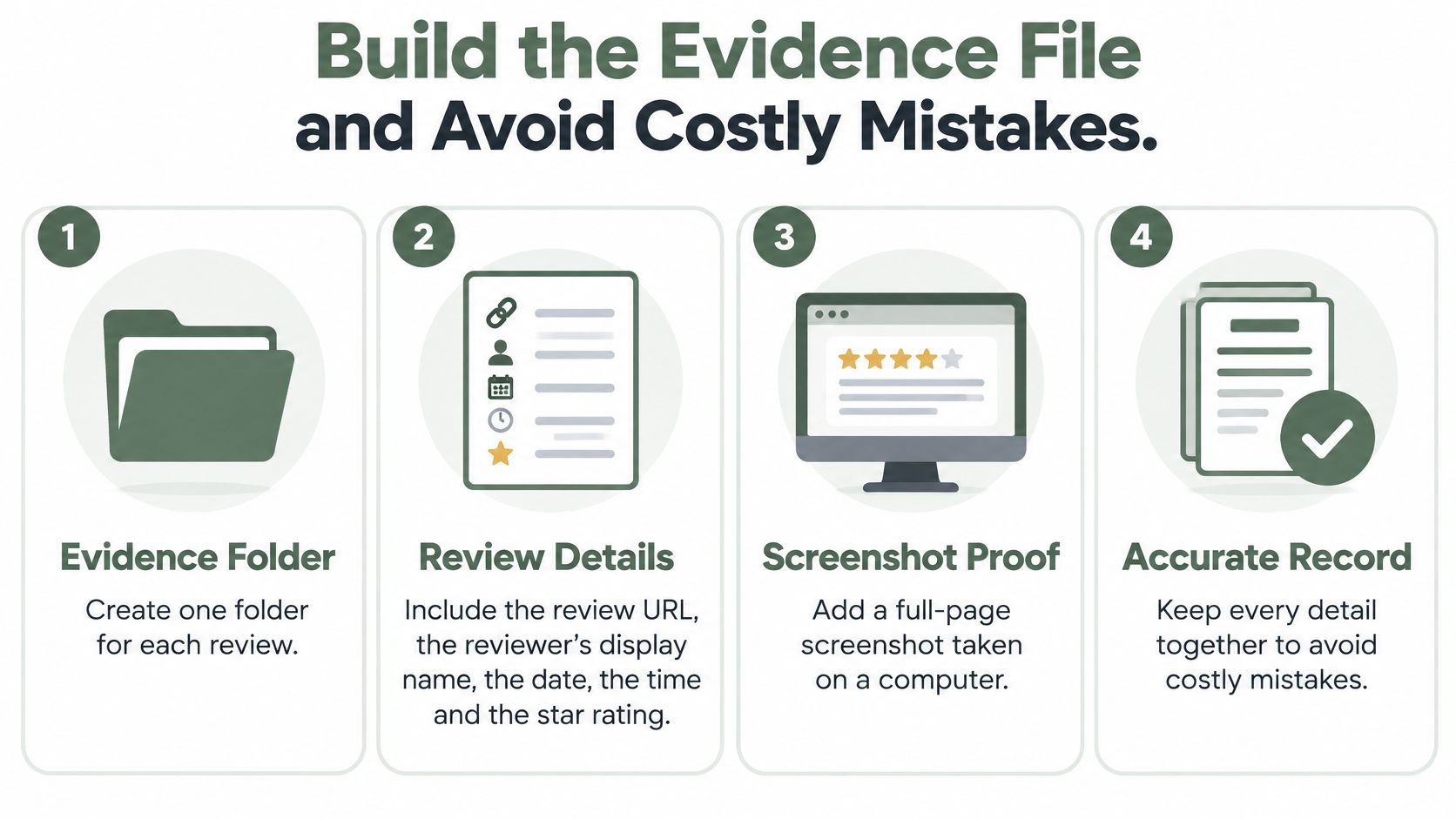
Build the file before you touch the Report button. Google reviewers don't have your booking system, your POS, or your memory of last Tuesday. If the proof isn't in front of them, it doesn't exist.
What goes in one folder per review
Create a separate folder for each disputed review on a shared drive. Use a dated file name, not a staff member's phone photo album that can be deleted when they leave.
Write staff notes as facts, not feelings. "No appointment under this name or phone number from March 1 to March 15" helps. "This person is lying and out to get us" doesn't. That policy-first approach matches the Google contribution policy on prohibited content, which ties removal to specific violations such as fake engagement, paid reviewing, conflict of interest, off-topic content, harassment, and personal information, not to low ratings or disputed opinions. It also notes you can't directly delete another person's review.
- Review details: Save the review URL, reviewer display name, date, time, and star rating, plus the exact text.
- Screenshot proof: Add a full-page screenshot taken on a computer, with photos and text visible, in case the review is edited later.
- Customer proof: Add a POS receipt search, booking confirmation, appointment log, or payment record showing whether this person was a customer. Note what you searched and what you didn't find.
- Pattern proof: For a suspected fake, save the reviewer's other public reviews if they show unrelated businesses in distant cities or copied wording.
- Conflict proof: For a former employee or competitor, add a termination date, employment record, or the competitor's public listing that ties the account to them.
- One-line policy note: Finish with a single line naming the one category you're reporting under, such as fake engagement or personal information.
Mistakes that cost more than the review
Don't mass-report. Flagging every one-star review in a batch, with no evidence per review, produces rejections and no useful record. Report the two you can document, not the twenty you dislike.
Don't lead with defamation. Google staff apply content policy. They don't decide legal defamation claims. If your report says defamation but shows a phone number in the text, you've buried your actual category. Pick the narrowest accurate reason and keep the case ID.
Don't contact or threaten the reviewer. A call, text, or in-person confrontation can turn a removable review into screenshots, a second review, and a legal problem. If someone is using a review to pressure you, read what to do when someone threatens you with a bad review and keep communication written, short, and factual.
Don't fix your rating with fake positives. Asking staff, friends, or family to post five-star reviews, or offering a discount for a good review, creates the same violation you're reporting. It also risks wider action against the profile, which is worse than one bad review.
Hard line: Treat removal and review collection as one system. A clean removal case won't offset a review campaign that breaks the rules.
The legal line is separate from Google's rules. The Federal Trade Commission press release on its Consumer Reviews and Testimonials Rule says the rule took effect on October 21, 2024. It prohibits buying or selling fake reviews, procuring reviews from company insiders without proper disclosure, and using certain unfounded legal threats, intimidation, or false public accusations to suppress negative reviews. Courts can impose civil penalties for knowing violations.
That means you also shouldn't publish a review policy that hides negative feedback while presenting what's left as if it's representative of all submissions. Don't selectively suppress criticism and call the result honest. If the reviewer account shows a wider pattern of abusive or fraudulent posts, report the profile separately. Review reporting and profile reporting are distinct actions, and mixing them weakens both.
What you should do in parallel is simple. Reply publicly, briefly and factually. Offer a private feedback option next to the public Google review option and let the customer choose. Never route unhappy customers away from Google. That steering is review gating, and it puts the profile at risk.
How to Submit a Removal Request
One clean report beats five weak ones. Submit only when the folder is complete and you can state the category in one line.
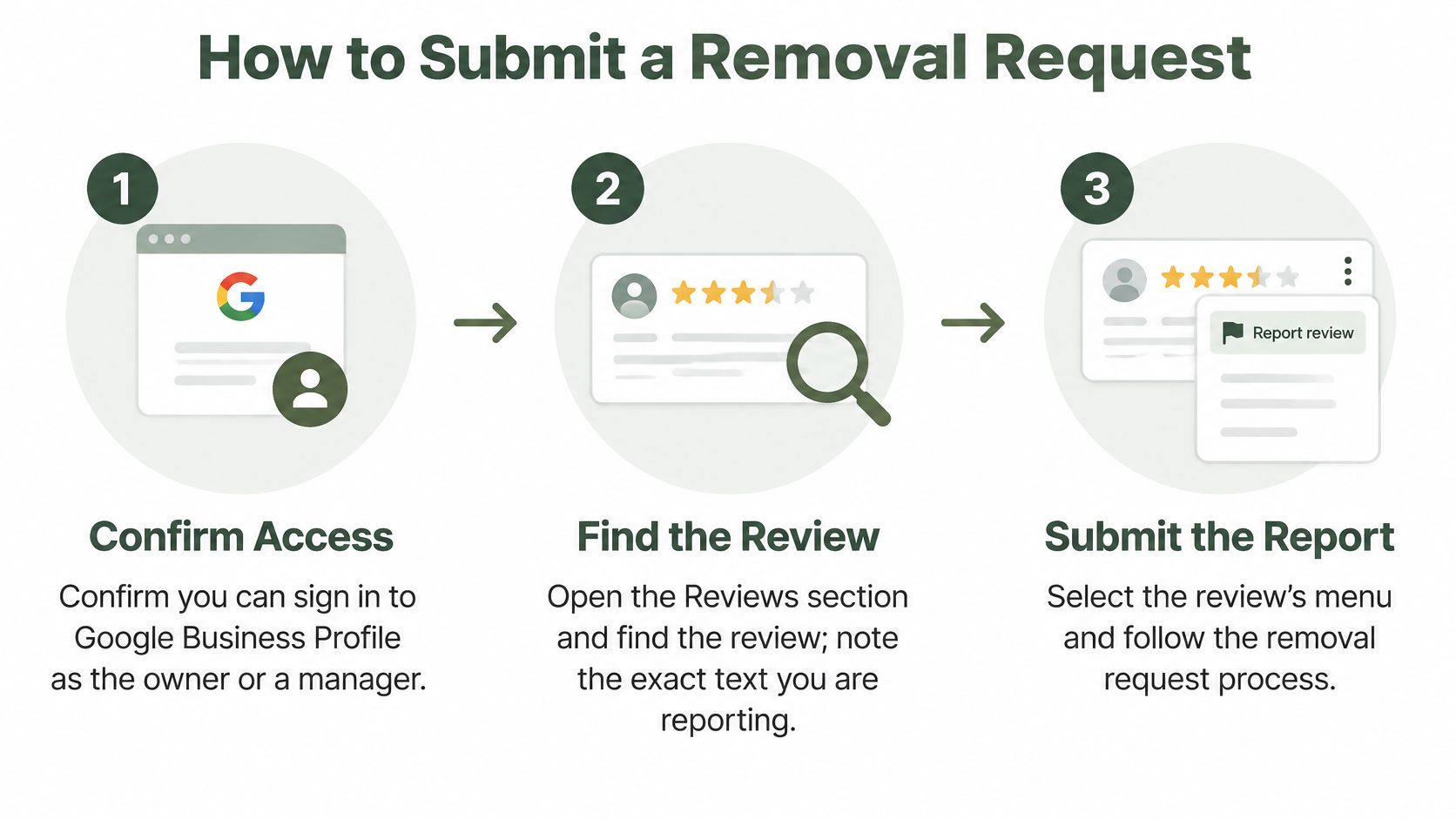
- Confirm access first. Sign in to Google Business Profile as the owner or a manager, because a personal account with no role can't manage the case properly. For a multi-location franchise, confirm you're in the right location before you report anything.
- Find the exact review. Open the Reviews section and locate it by date and display name, so you're reporting the right text. Copy the wording into your folder before you start, since the report form won't preserve your notes for you.
- Open the reporting flow. Select the review's menu and choose the option to flag it as inappropriate, or use the Reviews Management Tool if your profile has access to it. The tool is better for tracking multiple cases across locations.
- Choose the narrowest reason. Pick personal information if a phone number is shown, fake engagement if the account and visit don't check out, or conflict of interest if you can document the tie. Don't pick a general reason because it feels safer. A vague category gives the reviewer nothing clear to test your evidence against.
- Write one or two factual sentences. Name the policy and point to the evidence. For example, "This review posts our employee's personal mobile number in the second line. That is personal information." Skip insults, backstory, and claims about lost revenue, because none of those decide the case.
- Submit and log it immediately. Record the date, category, reviewer name, and any case ID shown. Put that in the same folder, so a second manager can pick it up next week without asking you what happened.
- Check on a fixed schedule. Review statuses every Monday, for instance, and log each change with a date. Checking daily doesn't speed Google up. It only pulls your front desk or kitchen manager into refreshing a page.
A note on profile-level abuse
Sometimes the problem isn't one review. It's an account posting similar attacks on your salon, the contractor next door, and three restaurants across town. In that case, report the profile separately rather than filing extra reports on your single review. Keep the screenshots of the pattern in your folder either way.
I would also reply to the review while the report is pending, unless it contains threats or personal information you don't want to draw attention to. Keep it short. State that you can't find a matching visit record if that's true, invite the person to contact the business directly with a date or receipt, and don't accuse them publicly. Future customers read that reply. Google's decision is separate.
Don't file a second report on the same review because the first one feels slow. Duplicate reports don't create a second review of the facts. They create confusion in your own log about which case ID matters.
What to Do When Google Declines a Report
A rejection isn't the end, but your next move is limited. Spend it carefully.
| Status | What it means | Your next move |
|---|---|---|
| Pending | Google is still reviewing the report | Wait and do not file a duplicate report |
| Rejected | Google found no policy violation | Use your one appeal only if you have new evidence or a clearer category |
| Appeal eligible | The review can be appealed through the Reviews Management Tool | Submit one appeal with the evidence folder and one-category explanation |
| Removed | The review, and linked star rating, photos or video, is gone | Log the case and check the review stays down |
| Still live after appeal | Google did not agree that a policy was broken | Accept the outcome, reply publicly and calmly, and move on |
Pending
Rejected
Appeal eligible
Removed
Still live after appeal
Google provides a one-time appeal when a reported review is judged not to violate policy. The Google guidance on appealing review decisions through the Reviews Management Tool lets you select eligible reviews and submit supporting context. Because you get one appeal, don't use it the hour the rejection arrives.
Before you spend the appeal
Rebuild the file first. Check that you have the review URL, screenshots, publication date, customer or competitor records, and a concise explanation tied to one precise category. Ask what's new or clearer since the first report. A sharper category counts. A missing booking record you can now document counts. Repeating that the review is inaccurate doesn't, because factual disagreement isn't a removal ground.
Assign one owner for appeals, usually the manager who holds the records. Track every case in a simple sheet with date, status, category, and next action. In a hotel or clinic with shift changes, that ownership stops three people from filing three different versions of the same complaint.
Don't appeal because you're right about the underlying visit. Appeal because you can now show, more clearly, which policy the content breaks.
Some cases sit outside Google's categories but still cause real harm, such as a false claim of theft or unsafe care by an identifiable person. That's a legal question, not a flagging question. A local attorney is the right next step, and that attorney will ask for the same dated evidence file you built for Google. Don't threaten legal action in a public reply to pressure a removal. Get advice first, in private.
If the review stays live after appeal, your public reply becomes the record customers judge. Use the examples in our guide on how to respond to a negative Google review to keep the tone brief and factual. Thank the person, state what you can verify, offer a direct contact path, and stop. Arguing line by line makes a bad review more visible, not less.
Start Your Review Audit This Week
Removal is cleanup. It doesn't build the rating back by itself. A removed fake still leaves a gap, and real reviews from real customers are what fill it over time.
Habits that hold up under policy
On map results, review count and rating are documented Google local ranking factors. Responding to reviews and keeping the profile complete aren't confirmed ranking factors, so don't treat replies as a ranking lever. They build trust with customers comparing the three businesses in the local pack during a "near me" search, and that's reason enough to do them well.
RecensioAI fits here as a workflow tool, not a removal shortcut. Its review request page shows a public Google review option and a private feedback option side by side, and the customer chooses. No one is filtered or routed away, and Google still makes every removal decision. I would judge any tool, including that one, by whether it helps you keep records clean and requests consistent.
Do one concrete thing this week. Export or list the last 90 days of one- and two-star reviews for one location. Sort each into removable or not removable. Open an evidence folder only for the ones that name a real policy category, reply calmly to the rest, and assign one person to own the sheet.
---
If you want that audit, request flow, and fake review documentation kept in one place without relying on staff memory, RecensioAI B.V. can run the review requests, replies, and case file structure for your locations while Google keeps the final say on removal. Visit the site, start with one location, and put your last 90 days of low reviews through the same sorting process this week.
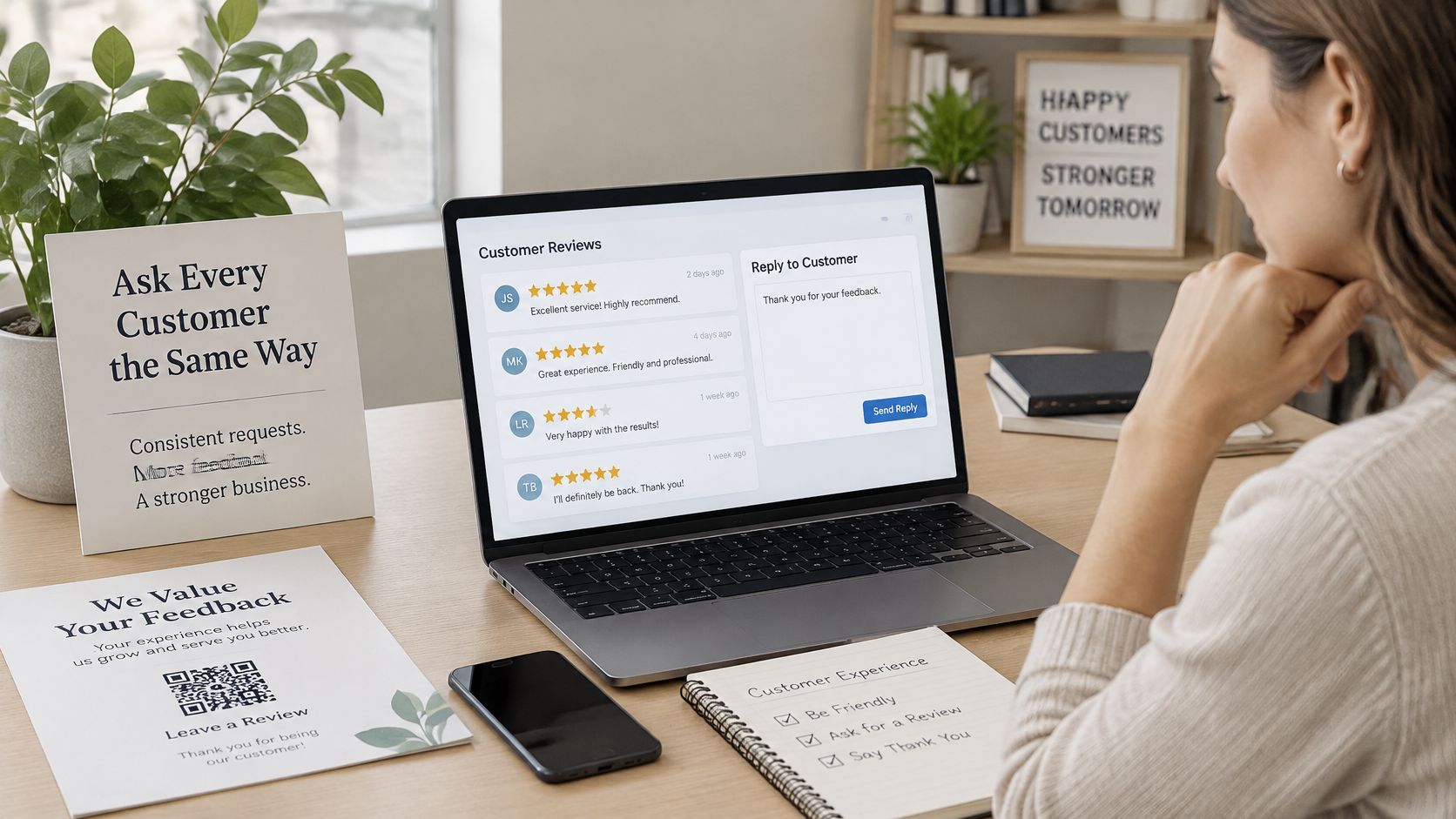
- Ask everyone the same way: Send review requests through one consistent flow after a visit, meal, stay, or completed job, so no one is steered toward or away from Google based on how happy they seem.
- Reply to every review: Answer positive and negative reviews briefly, in your own voice, and within a time frame your team can keep. Consistency matters more than speed you can't sustain during a Saturday rush.
- Keep the profile current: Check categories, hours, services, and photos on a set day each month. Wrong hours create the exact one-star reviews no one can remove.
- Read for repeated themes: Sort negative reviews by cause, such as slow seating, unclear pricing, parking, or front desk handoffs. Fix the process behind the theme, then watch whether that complaint stops appearing.
Frequently asked questions
You might also like
Handpicked articles for you
Hotel Review Management: Automate Post-Stay Requests with Apaleo, Mews and Your PMS
A practical guide to turning hotel checkouts into timely review requests, with Apaleo live, Mews early access and flexible PMS alternatives.
Why the Business Around the Corner Beats You on Google: What 21,373 Profiles Reveal
We compared 21,373 Google Business Profiles with their three strongest nearby competitors. The gap is smaller than most owners think, but it has two sides: rating and volume.
Treatwell Review Management for Salons: One Reputation View Alongside Google
Bring your public Treatwell rating and recent reviews into RecensioAI, then combine salon signals with Google for faster, better decisions.