
Google Reviews Guidelines Explained for Local Businesses
Google reviews guidelines made clear for local business owners. Learn what is allowed, what gets removed, and how to stay compliant on Google Business Profile.
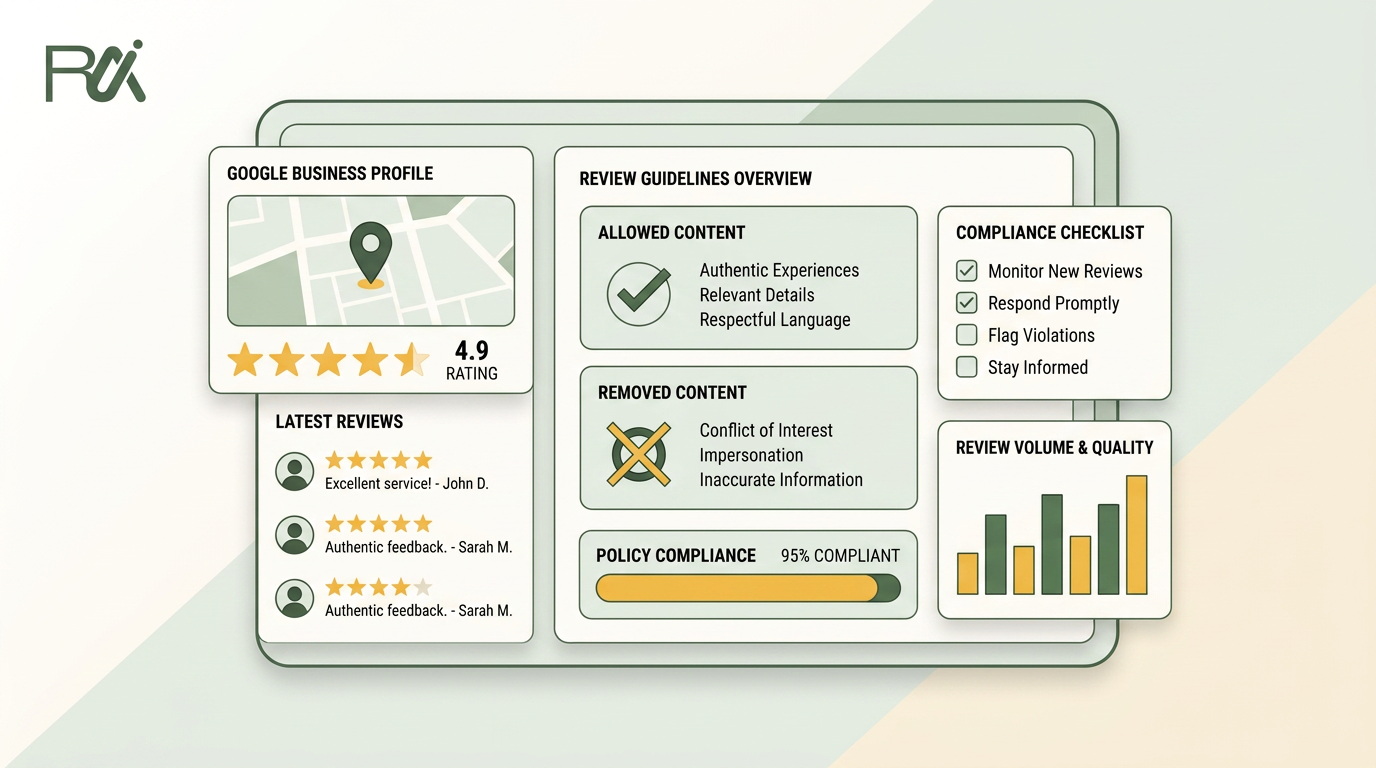
Table of Contents
- 1Introduction
- 2When a Bad Review Shows Up and You Have No Idea What to Do
- 3What Google Allows and What Gets Removed
- 4The line that matters
- 5Prohibited Content Categories You Will See in the Wild
- 6Asking for Reviews the Way Google Wants
- 7A compliant request
- 8Replying to Reviews Without Creating New Problems
- 9The 2025 Enforcement Reset and Why It Matters in 2026
- 10What enforcement can look like
- 11Reporting a Review That Violates Policy
- 12Reviews and Local Ranking on Google Maps
- 13Compliance Checklist for This Week
- 14Questions Business Owners Ask After the Policy Is Clear
Introduction
A one-star review appears on your restaurant listing from a name nobody recognizes. The reviewer says they never received service, accuses a staff member by first name, and posts the same complaint on another location's profile. Your first reaction is predictable. Screenshot it, post it on social media, and write a reply that proves the reviewer is wrong.
None of those moves solves the policy problem. They create more public material, while Google decides removal based on prohibited content, not on whether the review feels unfair.
I've watched dozens of restaurant owners, salon managers, clinic directors, hotel operators, and contractors make the same mistake during the first day of a review dispute. They argue about the customer's attitude instead of identifying the policy violation. They report genuine criticism as spam. They offer a discount to make a complaint disappear. Then they wonder why the review remains, or why more reviews vanish from the profile.
The practical way through Google reviews guidelines is calmer. Separate emotion from policy, document what happened, respond without exposing private information, and use the reporting process only when the evidence fits a rule.
When a Bad Review Shows Up and You Have No Idea What to Do
Start with the facts you can verify. Check the reviewer's name, date, wording, location, and whether anyone on your team can connect the person to a real visit. A hotel may find a guest under a different booking name. A plumbing company may have dealt with a property manager rather than the homeowner. A clinic must be especially careful because appointment details and health information can't appear in a public reply.
The review may still be legitimate even if the name doesn't match your records. Customers sometimes use nicknames, family accounts, or accounts that reveal little about them. Google isn't a private dispute mediator. It won't remove a review because your staff can't identify the writer.
Practical rule: Treat the first hour as evidence collection, not courtroom preparation.
Save a screenshot and record the listing, review date, reviewer profile, and the exact concern. Don't post the screenshot publicly. Don't accuse the reviewer of fraud in your reply. Don't ask the reviewer to delete or revise the post in exchange for a refund, discount, free service, or other benefit. Google's policy prohibits benefits tied to changing a negative review, just as it prohibits incentives for posting reviews in the first place. See this guide to common mistakes when handling negative reviews before your team responds in anger.
Then classify the problem. Is the review off-topic, copied, threatening, personal, promotional, or clearly unrelated to a genuine customer experience? Or is it an unpleasant account from a real customer? That distinction determines your next move.
If it violates policy, document the category and report it. If it doesn't, write a short public response and move the details to a private channel. A disciplined process protects your listing, your staff, and your credibility when somebody searches for your business on Google Maps.
What Google Allows and What Gets Removed
A damaging review is not automatically a removable review. Google's enforcement turns on policy violation, not whether the business considers the criticism unfair.
A review can be harsh, one-sided, or harmful to your rating and still remain visible if it describes a genuine customer experience. Do not report a complaint just because you dislike its conclusion. The official Google review-content policy covers harassment, hate speech, offensive content, personal information, obscenity, profanity, sexually explicit material, violence, gore, off-topic posts, advertising, solicitation, unclear or repetitive content, fake engagement, and misleading material.
Google's Business Profile review policy also prohibits incentives, selective solicitation, discouraging negative reviews, and offering a benefit in exchange for removing or revising negative feedback. These rules affect enforcement as well as review requests, so train staff before they start contacting customers.
The line that matters
Compare the review with a specific rule before you report it.
| Usually Removed | Stays Live |
|---|---|
| A review not based on a real experience | A genuine complaint about slow service |
| Copied or repetitive text posted across listings | A subjective opinion about price or quality |
| Advertising, solicitation, or unrelated promotional material | A factual complaint about an order, appointment, or project |
| Threats, harassment, hate speech, personal information, or explicit content | A negative account that does not violate a specific rule |
| A review created through payment, discounts, free goods, or services | A review that lowers your rating but reflects a real customer experience |
| A review from someone with a conflict of interest, such as an owner or manager | A customer using a different name from the name in your records |
A review not based on a real experience
Copied or repetitive text posted across listings
Advertising, solicitation, or unrelated promotional material
Threats, harassment, hate speech, personal information, or explicit content
A review created through payment, discounts, free goods, or services
A review from someone with a conflict of interest, such as an owner or manager
A report without a policy basis will not turn a legitimate complaint into spam. Repeatedly flagging compliant reviews can also make your team look focused on controlling ratings rather than identifying violations.
Google removes reviews that breach its content policies, and removed reviews no longer appear on Maps and Search. Point your report to the prohibited content, not to the loss of stars or the inconvenience it caused. If the review complies with policy, stop filing duplicate reports. Respond clearly, address the underlying service problem, and use this review removal policy guide to check whether your case meets Google's removal boundary.
Prohibited Content Categories You Will See in the Wild
The categories make more sense when you connect them to situations that happen at local businesses.
Spam and fake content includes a review that isn't based on a real visit. A bakery offering a discount in exchange for a review creates an obvious incentive problem. Copied praise across several auto-repair profiles can also look synthetic, especially when the wording and timing repeat.
Off-topic content belongs somewhere else. A customer angry about a competitor's parking lot posts a rant on your salon listing. The complaint may be genuine, but it doesn't describe your business.
Restricted content can involve sensitive disputes or material Google limits under its content rules. A review focused on an ongoing legal dispute, rather than the customer's experience with the business, deserves careful comparison with the policy language before you report it.
Illegal content includes threats or instructions connected to unlawful conduct. A customer threatening violence against restaurant staff is not ordinary criticism.
Sexual content has no place in a service review when it uses explicit language unrelated to the appointment or transaction. A salon review that describes a haircut can remain factual, but sexual remarks aimed at an employee may violate policy.
Offensive content includes slurs directed at the owner's nationality or another protected characteristic. The business should preserve evidence and report the specific language rather than repeat it in a public reply.
Dangerous content can include instructions that could harm customers. A post telling people how to misuse a contractor's equipment or bypass a clinic's safety process isn't normal feedback.
Impersonation occurs when someone pretends to be another person or presents a false identity. A former employee writing under a fake customer name may fit this category, but you'll need evidence that connects the account to the conflict.
Conflict of interest matters too. A manager reviewing their own restaurant through a personal account, or a competitor posting to undermine another contractor, creates a credibility problem under Google's rules.

The example matters because owners often label a review “fake” when the stronger category is off-topic, personal information, harassment, or conflict of interest. Read the rule beside the review. Then report the narrowest category you can support.
Asking for Reviews the Way Google Wants
Your review request should be neutral, voluntary, and available to every customer. Send the same basic process after a restaurant visit, a salon appointment, a clinic consultation, a hotel stay, or a completed HVAC job.
Link customers directly to Google's review form, Google Maps, or the review link from your Google Business Profile. Don't send happy customers to Google while directing unhappy customers to a private form. That practice, called review gating, selectively solicits positive sentiment and violates Google's policy.
You can offer a public Google review option and a private feedback option side by side, but the customer must choose. The private option is for service recovery, not a gate that blocks unhappy customers from Google.
A compliant request
Use plain wording:
If you would like to share feedback about your experience, you can leave a public Google review here. We welcome honest feedback.
Don't offer discounts, gift cards, prize entries, refunds, free coffee, or other benefits in exchange for a review. Don't require five stars. Don't ask customers to mention a salesperson, technician, stylist, nurse, keyword, or specific service. Staff may share a link, but they shouldn't write, edit, translate, or post a review through a customer's account.
For an HVAC business, the broader local SEO guide for HVAC contractors can help with the surrounding local-search work, but your review request still needs to follow Google's rules. QR codes, email, text messages, and shareable links are workable methods when they don't influence the score or reward publication.
Train every location on one process. Record when requests are sent, but don't store private review content unless you have a clear business reason and appropriate controls. If an agency supplies the software, confirm that it doesn't filter customers, incentivize ratings, or selectively invite people. This guide to asking for customer reviews is useful for turning that policy into a staff script.

Replying to Reviews Without Creating New Problems
Your reply is public. Google says an approved business reply appears under the customer's review as the business replying, and your personal name isn't shown. Write for future customers reading the listing, not just for the person who complained.
A safe reply has four parts:
For example: “We're sorry this did not meet expectations. Please contact our manager through the details on our Business Profile so we can investigate.”
Don't publish an order number, address, appointment time, medical detail, or other identifying information. Don't call the customer a liar, threaten legal action, repeat a slur, or offer a benefit in exchange for changing the review. If the review contains threats, hate speech, or private information, report it instead of quoting the material in your response.
A positive review doesn't need a scripted sales pitch. Thank the customer, refer to the specific experience, and stop. For owners building a consistent process across locations, Netco Design LLC's online review management guide offers additional operational context.

- Acknowledge the feedback. Thank the customer for taking the time to comment.
- Address the experience. Mention the wait, missed appointment, damaged item, or other general issue.
- Take ownership where appropriate. You can apologize for a service failure without admitting legal liability.
- Offer one private next step. Give a manager contact route through the profile.
The 2025 Enforcement Reset and Why It Matters in 2026
The major shift is attention on enforcement at scale, not just the wording of the rules.
In 2025, Google agreed with the UK Competition and Markets Authority to strengthen anti-fake-review measures. The agreement included warning labels on suspicious profiles, disabling new reviews for offending businesses, and removing all existing reviews for at least six months if abuse continues, as reported by The Verge's coverage of the Google and CMA agreement.
That changes the risk calculation for multi-location operators. A franchise with one bad staff script can repeat the same violation across many profiles. A review vendor that promises controlled publication or guaranteed removals can create a concentrated problem if Google sees a shared pattern across accounts and listings.
What enforcement can look like
Google's systems can combine automated detection, user reports, account patterns, and the evidence supplied in a report. Google doesn't publish the full detection system, so nobody outside Google can promise a particular outcome or removal speed.
In 2026, operate as though hidden feedback processes, selective positive requests, review quotas, shared-device pressure, incentives, and scripted mentions are liabilities. Keep dated records of your customer contacts, review requests, staff access, agency agreements, and any incentives offered for unrelated promotions. Do not mass-report honest criticism after an enforcement action. That response may make the profile look more manipulative.
Check the status messages inside your Google Business Profile. Use the available appeal or support workflow, fix the process that caused the problem, and submit evidence that addresses the stated violation. Your review process should be auditable: one neutral request flow, no rewards tied to reviews, no sentiment filtering, and no customer-directed wording.

Reporting a Review That Violates Policy
Report the review from the Google Business Profile or the review-management interface connected to the listing. Locate the exact review, open the reporting or flag option, choose the category that matches the content, and submit the report.
Before filing, create a small evidence file:
Flagging and replying do different jobs. A flag asks Google to review a possible policy violation. A reply addresses people who are reading your profile. If a review clearly contains threats, personal information, or unrelated advertising, report first. Don't repeat the prohibited material in your reply.
Google says its removal process is policy-based. Only reviews that violate content policies are removed, and removed reviews stop appearing on Maps and Search. If Google rejects the report, compare the review with the policy again. A rejected report may mean the review is unpleasant but allowed, or it may mean your category and evidence were too broad.
Use the available appeal option or Business Profile support path when the review plainly matches a prohibited category and your initial report doesn't resolve it. Include the same evidence and a precise policy explanation. Don't send an emotional narrative. Google needs the content, category, and connection between them.
- Capture the wording: Save a screenshot that shows the review, listing, reviewer name, and date.
- Record the account: Note the reviewer profile and any repeated or copied posts that relate to the same issue.
- Check the transaction: Look for booking, order, appointment, or job records that help establish whether the person had a genuine experience.
- Name the violation: Write “off-topic,” “personal information,” “harassment,” “incentivized,” “copied,” or another policy category that fits the evidence.
- Keep the record dated: Note when you reported it and what Google communicated afterward.
Reviews and Local Ranking on Google Maps
Google documents three local ranking factors: relevance, distance, and prominence. Google's explanation of how local results rank places review activity within prominence, but it doesn't move your building closer to a searcher. You can improve the parts you control by keeping your profile complete and earning genuine customer reviews.
That doesn't mean every review tactic is a ranking lever. Google has not confirmed that owner replies, review posting frequency, keyword wording in replies, or automated response activity directly causes higher map rankings. Treat replies as public trust and customer-service work. Treat review text as customer language that helps people understand the business, not as copy you can script for search engines.
| Signal | Stated Influence | Risk if Manipulated |
|---|---|---|
| Review activity within prominence | Genuine review activity can contribute to how prominent a business appears | Incentives or selective solicitation can trigger removal and enforcement |
| Relevance | The profile and customer experience should match the searcher's intent | Keyword stuffing or directed wording can look unnatural |
| Distance | Google considers the distance between the searcher and business | You can't force your location to change |
| Profile completeness | Complete business information helps Google match businesses to searches | Inaccurate categories, services, or hours weaken trust |
| Owner replies | Public replies show engagement and clarify the business's position | Private information, insults, or offers tied to changing a review create new problems |
Review activity within prominence
Relevance
Distance
Profile completeness
Owner replies
For restaurants, salons, clinics, hotels, and contractors competing for “near me” searches, a clean profile is more durable than a high rating built through incentives. If you need broader support for handling public complaints, Digital Footprint Check's reputation management resource provides useful context. Keep the ranking claim narrow. Genuine reviews support prominence. No compliant process guarantees a local-pack position.
Compliance Checklist for This Week
Use the next workweek to fix the process, not just the latest review.
For multi-location businesses, store the approved wording and access rules in one place. Managers should know who can respond, who can report, and who approves sensitive replies for clinics and other high-privacy businesses.
Re-audit the process regularly. Subscribe to Google's Business Profile announcements so policy changes reach the person responsible before the next dispute. Your goal isn't to avoid negative feedback. It's to make sure every review request, reply, and report can withstand a policy review.
- Day one, audit the review stack. Pull the recent reviews your team manages, identify posts that may violate policy, and record the category and evidence before reporting anything.
- Day two, inspect owner replies. Remove or revise replies that expose personal information, include unnecessary account details, or offer a benefit tied to changing feedback.
- Day three, write one neutral request. Use the same email, receipt insert, QR code, or text process for every customer. Include a direct Google review option and a private feedback option without filtering.
- Day four, check the profile. Confirm that categories, services, hours, attributes, and descriptions match what customers buy and describe.
- Day five, train staff. Put the rule in writing. No discount for a review, no five-star request, no quota, no employee-name prompt, and no pressure to post while on-site.
Questions Business Owners Ask After the Policy Is Clear
Can employees or family members review the business? No. A personal connection creates a conflict of interest, even if the person had a genuine experience. Ask staff and relatives to stay out of the listing.
Will Google remove a review because it is false? Not automatically. You need a policy violation, not just a disagreement over the facts. Collect records that support your position, but don't expect Google to adjudicate every customer-service dispute.
How long does removal take? There is no guaranteed timeline. Google reviews reports through its policy process. Keep the report date, monitor the listing, and use the available appeal or support path when the evidence clearly fits a prohibited category.
Can a suspended profile recover after review manipulation? Sometimes, but there is no instant reset. Stop the noncompliant activity, document the corrected process, and follow Google's status and appeal instructions. Continued abuse can lead to restrictions such as disabling new reviews or removing existing reviews under the enforcement measures described earlier.
Can you erase old violations from Google's history? No guaranteed wipe exists. Fix the process and preserve evidence of compliance. Don't create new accounts or attempt to replace a profile to escape scrutiny.
Does Google always warn a business before a suspension? No. Notification and enforcement depend on the situation and Google's systems. Monitor the Business Profile directly rather than relying on a vendor to tell you after the fact.
Complete the weekly checklist now. A neutral request script, clean replies, documented reports, and controlled staff access will help you recover faster than arguing with every reviewer.
---
RecensioAI B.V. offers review requests through email, SMS, QR codes, and shareable links, with public Google review and private feedback options presented side by side so the customer chooses. Visit RecensioAI B.V. to review a workflow that also supports public replies, suspected fake-review reporting, and Google Business Profile audits.
You might also like
Handpicked articles for you
Hotel Review Management: Automate Post-Stay Requests with Apaleo, Mews and Your PMS
A practical guide to turning hotel checkouts into timely review requests, with Apaleo live, Mews early access and flexible PMS alternatives.
Why the Business Around the Corner Beats You on Google: What 21,373 Profiles Reveal
We compared 21,373 Google Business Profiles with their three strongest nearby competitors. The gap is smaller than most owners think, but it has two sides: rating and volume.
Treatwell Review Management for Salons: One Reputation View Alongside Google
Bring your public Treatwell rating and recent reviews into RecensioAI, then combine salon signals with Google for faster, better decisions.