
Google Business Profile Audit Checklist for Local Success
Use this Google Business Profile audit checklist to fix incomplete data, boost reviews, and rank higher in local map results.
Table of Contents
- 1Introduction
- 2Why Your Google Business Profile Needs a Regular Audit
- 3Verifying Core Business Information
- 4Check the foundation fields first
- 5Select categories that describe the real business
- 6Review hours before customers need them
- 7Updating Services, Attributes, and Photos
- 8Match services to actual customer requests
- 9Confirm useful attributes
- 10Replace stale photos
- 11Reviewing Your Review Health and Velocity
- 12Read the pattern, not only the average
- 13Request reviews without putting the profile at risk
- 14Checking Posts and Ongoing Activity
- 15Run a simple activity check
- 16Make activity fit the operation
- 17Creating a Monthly Audit Routine
- 18Use one repeatable scorecard
- 19Next Steps for Better Local Visibility
Introduction
A customer searches “plumber near me” while a pipe is leaking. Your business is nearby, but the competitor's Google Business Profile shows today's hours, recent photos, clear services, and fresh reviews. The customer taps the competitor, calls, and never knows you were available.
That happens to restaurants, salons, clinics, hotels, contractors, and franchise locations every day. A Google Business Profile audit checklist helps you catch the small errors that make a profile look closed, incomplete, or less relevant than the business next door. It's not a one-time setup task. It's a routine for keeping the information customers use in Google Maps accurate and active.
Why Your Google Business Profile Needs a Regular Audit
Google Business Profiles operate at enormous local-search scale. One industry summary estimates about 225–230 million profiles worldwide, and reports that 87% of people use Google to find local businesses. The same source says local searches show buying intent in 46% of cases, while about 76% lead to a store visit within a day. See the Google Business Profile statistics summary for the source details.
For a restaurant, that can mean a diner choosing between two places while walking downtown. For a clinic, it can mean a patient checking whether appointments are available. For a contractor, it can mean a homeowner comparing “roof repair near me” results before making a call. Your profile is part of that decision, not a decorative business card.
A profile can also attract regular attention without producing useful actions if the basics are wrong. The same industry summary reports an average of 1,009 monthly searches per small business profile, which helps explain why categories, service descriptions, photos, review replies, and hours deserve routine checks. A missing holiday schedule or outdated service list can create the same practical problem as a closed sign on a busy street.
Practical rule: Audit the profile customers see, not only the information you remember entering.
Search your business name in an incognito window. Then search a category-plus-city phrase, such as “Italian restaurant in Austin,” “women's haircut in Tampa,” or “emergency electrician in Denver.” Compare your listing with the businesses appearing in the map results. A practical audit framework recommends this competitor check and suggests prioritizing claimed status, categories, reviews, profile freshness, and NAP consistency. You can also use this guide to Google Business Profile for a broader field-by-field review.
Your first audit may uncover an old phone number, a former address, weak categories, or no recent customer activity. After that, the monthly routine becomes quicker. The point isn't to chase every possible change. It's to keep your listing accurate when people are ready to visit, call, book, or request directions.
Verifying Core Business Information
Start with the information that can send a customer to the wrong place or make your business appear unavailable. Open Google Business Profile Manager and check each location separately, especially if you manage a franchise or several clinics.
Check the foundation fields first
Use this order:
Name, address, and phone number are your NAP. Check the same details on your website, Facebook page, Apple Maps, Yelp, industry directories, and location pages. “Suite 200” and “Ste 200” may be understandable to a person, but inconsistent records make it harder to identify one business across the web.
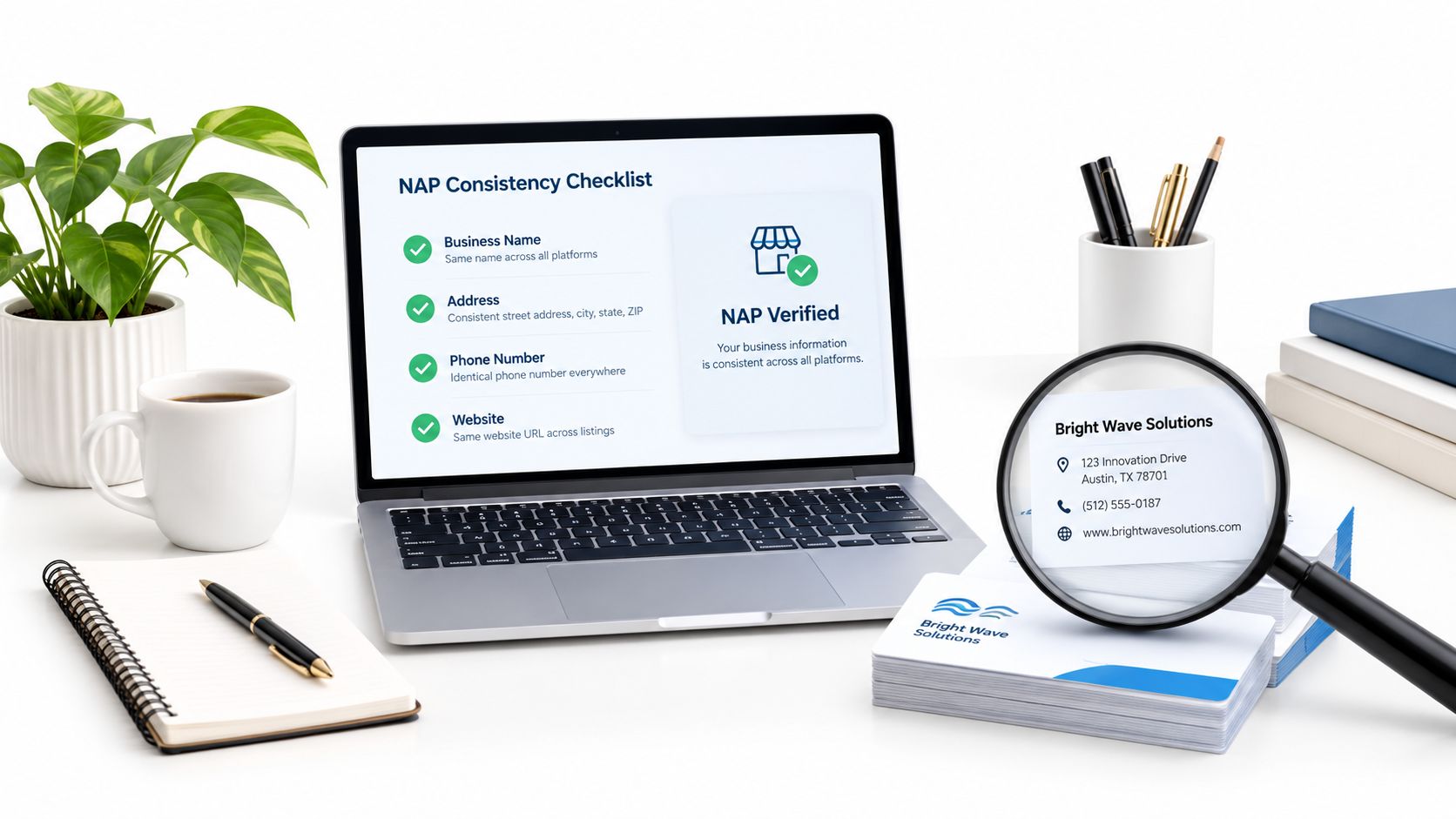
- Business name: Match the actual name on your storefront, signage, and website. Don't add service keywords or a city name unless they're part of the actual business name.
- Address and map pin: Confirm the street address, suite number, ZIP code, and pin location. A contractor serving customers at their locations may need a service area instead of a public storefront address.
- Phone number: Call it from another phone. Make sure it reaches the right location without a confusing menu.
- Website: Open the link on a phone. A restaurant should reach its current location page or menu, while a salon should reach the correct booking page.
- Ownership and access: Confirm that the profile is claimed and that former employees or outside contractors no longer have unnecessary access.
Select categories that describe the real business
Your primary category should describe the main reason customers visit. An Italian restaurant shouldn't use a broad restaurant category if a more specific, accurate option exists. A medical clinic should choose the category that reflects its principal service, then add secondary categories only for services it genuinely provides.
Review categories whenever the business changes. A salon that adds bridal services, a hotel that adds a restaurant, or a contractor that stops offering a service may need a category review. Don't treat categories as a place to list every keyword. Google's profile fields are designed to describe the business, not to create a keyword pile.
Google says a profile can include the business name, category, address and pin, service area, hours, phone, chat, website, social links, attributes, photos and videos, description, opening date, menus or services, products, and other industry-specific details. Use Google's official guidance on setting up a Google Business Profile when a field or feature isn't clear.
Review hours before customers need them
Check regular hours, special hours, and holiday hours. Add pickup, delivery, appointment, or online service hours when they apply. A restaurant that closes between lunch and dinner should show that break. A clinic should distinguish office hours from appointment availability when the profile supports those options.
Google notes that hours should be edited for regular, special, and holiday schedules, with relevant service hours included where applicable. Check them whenever staff schedules, seasonal hours, or temporary closures change. Also confirm the logo and basic profile elements. Google says a logo may not appear unless the profile has basics such as the name, valid street address, categories, phone number, and opening hours filled in.
Updating Services, Attributes, and Photos
Customers use your profile to decide whether you offer the specific thing they need. A vague service list forces them to guess. A current list answers the question before they call.
Match services to actual customer requests
Read your service list as a customer would. A contractor should separate water heater repair, drain cleaning, and emergency plumbing if those are distinct services. A salon might list color correction, balayage, and men's cuts instead of one broad “hair services” entry. A clinic should distinguish accepted appointment types and core treatments without promising services it doesn't provide.
Remove services you no longer offer. Add descriptions that explain what the service includes, who it's for, and what a customer should do next. Keep the language natural. Don't copy a competitor's menu or add terms that don't describe your business.
Google Business Profiles support menus, services, and products, depending on the business type. Review these fields whenever prices, staffing, treatment options, or seasonal offerings change.
Confirm useful attributes
Attributes can answer practical questions before someone visits. Check options related to accessibility, payment methods, Wi-Fi, outdoor seating, appointment requirements, pickup, delivery, or other amenities relevant to your business.
Google says attributes are edited under specific categories such as Amenities or Payments, where you select Yes or No before saving. Only select what customers can rely on. “Outdoor seating” isn't accurate if it's available only during a short seasonal period, and “wheelchair accessible” should reflect the actual entrance and customer areas.
Replace stale photos
Photos are often the first visual evidence customers see. Check whether the exterior still looks the same, whether the team photos represent current staff, and whether the room, menu, treatment space, or finished work matches today's experience.
A 2025 local SEO summary reports that profiles with photos can generate 42% more direction requests. The figure comes from the cited Google Business Profile audit guidance, but it isn't a promise for every business. The practical lesson is simpler: empty or outdated images leave customers with less confidence about what they'll find.
Use a mix of:
For more practical examples, use this photo guide for your Google Business Profile. Delete photos that show a former location, discontinued service, or a space customers no longer use. Add new images on a repeatable schedule rather than waiting until the listing looks abandoned.
- Exterior photos: Show the entrance, storefront, parking, and building clearly.
- Interior photos: Help diners, patients, hotel guests, and salon clients understand the environment.
- Service photos: Show dishes, treatments, completed projects, rooms, or products.
- People photos: Use real staff and real working conditions, with appropriate permission.
- Seasonal photos: Update them when the business changes for holidays, events, or outdoor service.
Reviewing Your Review Health and Velocity
A high rating can hide a weak review pattern. Two businesses may both display strong averages, but one has received no recent feedback while the other continues to receive genuine comments from current customers. That difference affects how alive and trustworthy the profile feels to someone deciding where to spend money.
Review velocity means the pace of new reviews over time. Recent audit frameworks check review count against the local median, activity during the last 90 days, and owner response coverage. They treat fresh activity as a separate audit measure from total review count. A profile can be complete and still look dormant if its review activity stopped long ago.
Read the pattern, not only the average
Open the latest reviews and record what you see:
Review count and rating are documented Google local ranking factors, but they don't tell the entire operational story. Review text gives you customer language that can reveal a recurring issue, while response coverage gives future customers evidence that someone is paying attention.
Respond professionally, including when the review is unfair. A restaurant can acknowledge a long wait without arguing. A clinic can protect privacy and invite the patient to contact the office directly. A contractor can address a missed appointment without publishing personal details. Responses build trust and engagement, but they aren't confirmed causes of higher rankings.
- Recent activity: Are genuine customers still leaving feedback?
- Review detail: Do comments mention food, wait times, staff, cleanliness, treatment, communication, or workmanship?
- Coverage: Are reviews spread across the services and locations you provide?
- Owner replies: Have you acknowledged feedback in a calm, useful way?
- Policy risks: Are there reviews that appear irrelevant, malicious, or connected to a conflict of interest?
Request reviews without putting the profile at risk
Ask real customers for honest feedback after a completed visit, appointment, stay, meal, or project. Use email, SMS, a QR code, or a direct link, but make the public Google review option visible to everyone. Don't offer incentives, pressure customers to leave only positive feedback, ask employees or family members to review the business, or write reviews yourself.
Google may filter reviews it considers irrelevant, malicious, or connected to a conflict of interest. Audit suspected spam, duplicate listings, former-employee access, and suspicious activity through the proper Google reporting processes. Don't respond by trying to hide negative feedback or by directing unhappy customers away from Google. The customer must choose whether to leave public feedback or private feedback.
For a deeper explanation of the local-search role of reviews, see how Google reviews influence local SEO. Track the review pattern monthly, then fix the business issue behind repeated complaints instead of treating every review as a copywriting task.
Checking Posts and Ongoing Activity
Posts are a customer-facing part of your profile. They can show a seasonal menu, a new treatment, a holiday schedule, an event, a completed service, or a current booking option. They don't replace accurate hours or services, and they shouldn't be treated as a guaranteed ranking lever.
The useful question is not “Did this post move us into the local pack?” It's “What will a person understand about our business after reading it?” Google Business Profile posts can support trust and engagement by giving searchers a current reason to click, call, visit, or book.
Run a simple activity check
Review your latest posts and ask:
A restaurant can post a new lunch menu. A hotel can explain a seasonal amenity. A salon can show available services. A contractor can answer a common homeowner question with a clear next step. Avoid filler posts that say little more than “We're open.”
- Freshness: Does the latest update still make sense today?
- Clarity: Can a customer understand the offer or news without extra context?
- Accuracy: Do links, dates, prices, and booking details still work?
- Visual quality: Does the image show the actual dish, room, service, team, or project?
- Local relevance: Does the post help someone choosing this specific location?
Make activity fit the operation
Choose a schedule staff can maintain. A weekly review of posts is more useful than creating a large batch and abandoning it. Add a calendar reminder for holiday hours, seasonal services, local events, and promotions, then remove or update content that could confuse customers.
Benchmark data from an independent UK-oriented audit source reports that complete profiles receive 5x more views than incomplete profiles. The source also recommends a 30-point scoring model covering foundation data, categories, services, photos, reviews, and posts. Use that as a prioritization idea, not a promise of results. Activity only helps customers when the underlying information is accurate.
Creating a Monthly Audit Routine
You don't need to spend an afternoon on this every week. Put one focused monthly check on the calendar, then ask a manager to perform quick checks when hours, services, staff, or locations change.
Use one repeatable scorecard
Record the date, location, owner, and unresolved issues. Then check:
| Area | What to verify | First action |
|---|---|---|
| Core information | Name, address, pin, phone, website, hours | Fix anything that could misdirect a customer |
| Categories | Primary and relevant secondary categories | Remove inaccurate choices |
| Services | Current menu, treatments, repairs, rooms, or products | Add missing customer-facing services |
| Attributes | Amenities, access, payments, and service options | Confirm each selected attribute |
| Photos | Exterior, interior, team, services, and recency | Replace misleading or outdated images |
| Reviews | New activity, rating, text, replies, and policy concerns | Respond and document issues |
| Posts | Current updates, links, dates, and offers | Refresh useful customer information |
| Web consistency | NAP across website and directories | Correct conflicting records |
Core information
Categories
Services
Attributes
Photos
Reviews
Posts
Web consistency
Start with hours, phone, address, and category errors. Then handle services and customer-facing content. Review activity and posts come next, because they show whether the profile remains connected to the business as it operates now.
For multi-location businesses, don't assume one location's changes apply to the others. Compare each profile with its actual storefront, service area, staff, hours, and customer feedback. Keep a simple change log so the next audit starts with known issues rather than a blank page.
A profile isn't finished when every field is filled. It's healthy when the information still matches the business customers can visit today.
Run a fuller competitor comparison periodically, including the map results for important non-branded searches. Between those reviews, the monthly routine should focus on hygiene, not constant tinkering.
Next Steps for Better Local Visibility
Run your first audit this week. Search your business in Google Maps, open the profile as a customer would, verify the hours and phone number, check the primary category, review the services and photos, then read the newest customer feedback.
If you manage several locations, start with the one that has the biggest information gap or the most visible customer complaints. For businesses with unusual local needs, resources such as these local SEO tips for Airbnb hosts can add useful location-specific context.
RecensioAI B.V. offers profile audits that flag missing categories, hours, attributes, services, and photos, along with tools for review requests, review workflows, and Google Business Posts. Use it as a way to make the monthly checklist easier to maintain, not as a guarantee of ranking improvement.
---
RecensioAI B.V. helps local businesses keep Google Business Profile information, review activity, and posts organized across locations. Visit RecensioAI B.V. to run an audit and turn this week's checks into a repeatable routine.
Frequently asked questions
You might also like
Handpicked articles for you
How to Protect Your Google Business Profile: Stop Unwanted Changes and Suspensions
The complete guide to protecting your Google Business Profile: who can change it, why suggested edits lead to suspensions, a security checklist, what to do if your profile is suspended, and how 24/7 monitoring restores your details where Google permits.
White-Label Local SEO Tools for Agencies
What RecensioAI offers agencies: an embeddable white-label Google Business Profile audit that works as a lead magnet on your own site, plus an agency account where you run every client workspace, report, SMS credit and invoice. With pricing, margin and a 30-day rollout.
How to Beat Your Competitors on Google in 2026
The complete playbook to outrank local competitors on Google Maps in 2026: how many reviews you need to overtake the business above you, how to break into the top 3, and how RecensioAI runs the work for you, with real screenshots from the app.