
Website Speed & Google Maps Ranking: The 2026 Lighthouse Update
Google's November 2026 Lighthouse update strictly evaluates mobile loading speeds, directly impacting local search visibility. Learn how to audit your site and fix performance bottlenecks to protect your Google Maps ranking.
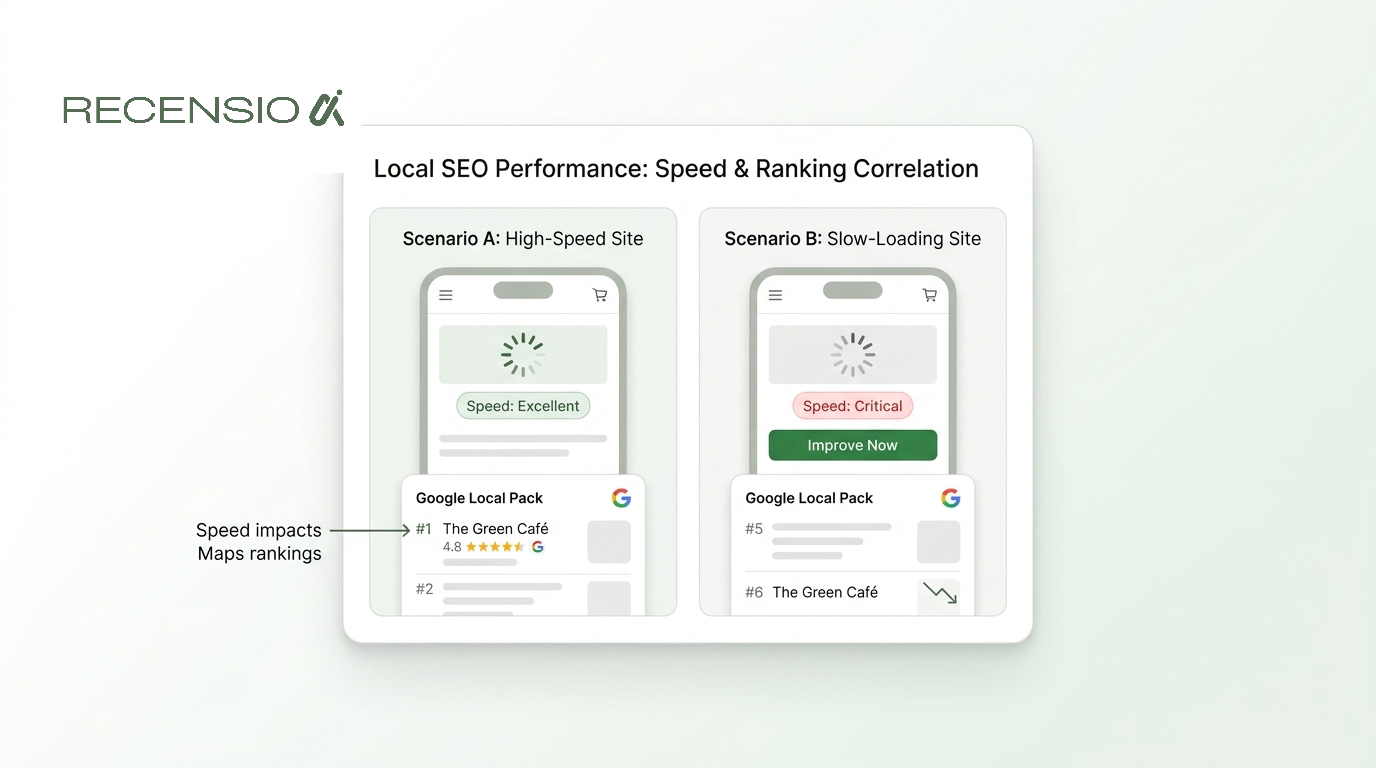
Table of Contents
The Short Answer
If your business relies on Google Maps to attract local customers, your website's speed is no longer just a nice-to-have. It is a direct ranking factor that determines where you appear in the Local Pack. Following the November 2026 update to Google Lighthouse and PageSpeed Insights, the rules for mobile performance have become stricter, and slow websites are dropping out of top spots faster than ever.
The short answer is that Google evaluates the website linked to your Business Profile when deciding how to rank you in Maps. If your site is sluggish, unresponsive, or shifts around while loading on a mobile device, Google will not want to send its users there. This guide explains exactly what changed in the latest update and how you can ensure your website speed supports, rather than sabotages, your local search visibility.
The 2026 Lighthouse Update Explained
In early November 2026, Google rolled out a significant update to how Lighthouse and PageSpeed Insights simulate mobile loading environments. Previously, these tools were somewhat forgiving, testing sites under ideal or semi-ideal network conditions. Now, the simulation models more accurately reflect real-world, sometimes patchy, 4G and 5G connections used by people walking down the street or sitting in a café.
This change means that many local business websites that previously passed Google's speed tests are now failing. The metrics that matter most are Core Web Vitals: Largest Contentful Paint (LCP) measures how fast the main content loads, Interaction to Next Paint (INP) measures how quickly the site responds to a tap, and Cumulative Layout Shift (CLS) measures visual stability.
Because Google uses mobile-first indexing, the speed of your mobile site is the only speed that counts for SEO. When a potential customer searches for a local service on Google Maps, the algorithm checks the health of the website attached to your profile. If the updated Lighthouse simulation flags your site as slow, your Maps ranking will likely take a hit, regardless of how many reviews you have.
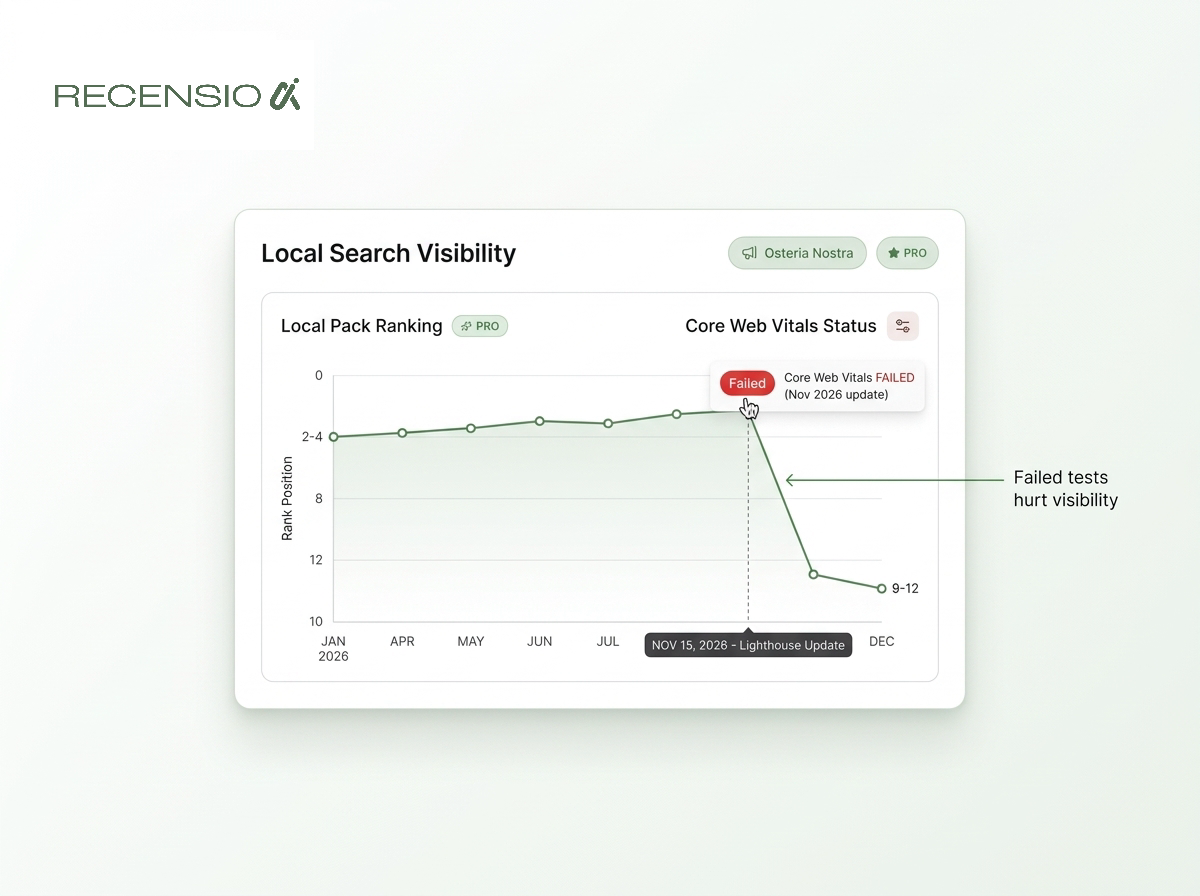
- Lighthouse Update: Stricter mobile connection simulations.
- Core Web Vitals: Tighter thresholds for passing grades.
- Mobile-First Indexing: Your desktop speed is essentially ignored.
- Maps Connection: Business Profiles suffer if the linked site fails tests.
How to Audit Your Mobile Speed
To understand if the recent changes are affecting your Google Maps ranking, you need to audit your real-world mobile speed. The best tool for this is Google's own PageSpeed Insights. It is free and gives you the exact metrics Google uses to evaluate your site.
When you run the test, always click on the Mobile tab. Many business owners mistakenly celebrate a high desktop score, unaware that their mobile score is failing. The report is split into two parts. The top section shows data from real users who have visited your site via Chrome. If you see "Failed" here, it is a clear signal that speed is hurting your rankings.
The bottom section shows the simulated Lighthouse data. This is where the November 2026 update hits hardest. It will list specific issues slowing your site down, such as oversized images, render-blocking resources, or excessive scripts. By identifying these bottlenecks, you can start making the necessary adjustments to protect your Maps visibility. You can also run a Free Google Business Profile scan to check the overall health of your local presence.
- Go to PageSpeed Insights: Enter your website URL.
- Select the Mobile Tab: Ignore the desktop score entirely.
- Check Real-World Data: Look at the "Discover what your real users are experiencing" section.
- Review Simulation Data: Look at the "Diagnose performance issues" section for Lighthouse metrics.
Fixing the Most Common Speed Issues
If your audit reveals a slow website, the most common culprit for local businesses is unoptimised images. High-resolution photos of your team, premises, or past work look great, but if they are uploaded straight from a smartphone without resizing, they will drag your loading speed down. Every image should be compressed and ideally converted to a modern format like WebP.
Another major issue is bloated code from DIY website builders or having too many plugins installed. Each plugin adds extra scripts that must load before the user can interact with the page. Strip your site back to the essentials. If a feature is not directly helping a customer book or buy, consider removing it.
Finally, consider your hosting provider. Cheap, shared hosting plans often lack the server resources needed to deliver pages quickly, especially under the stricter November 2026 Lighthouse conditions. Upgrading to a slightly better hosting tier can sometimes provide an immediate boost to your Core Web Vitals.
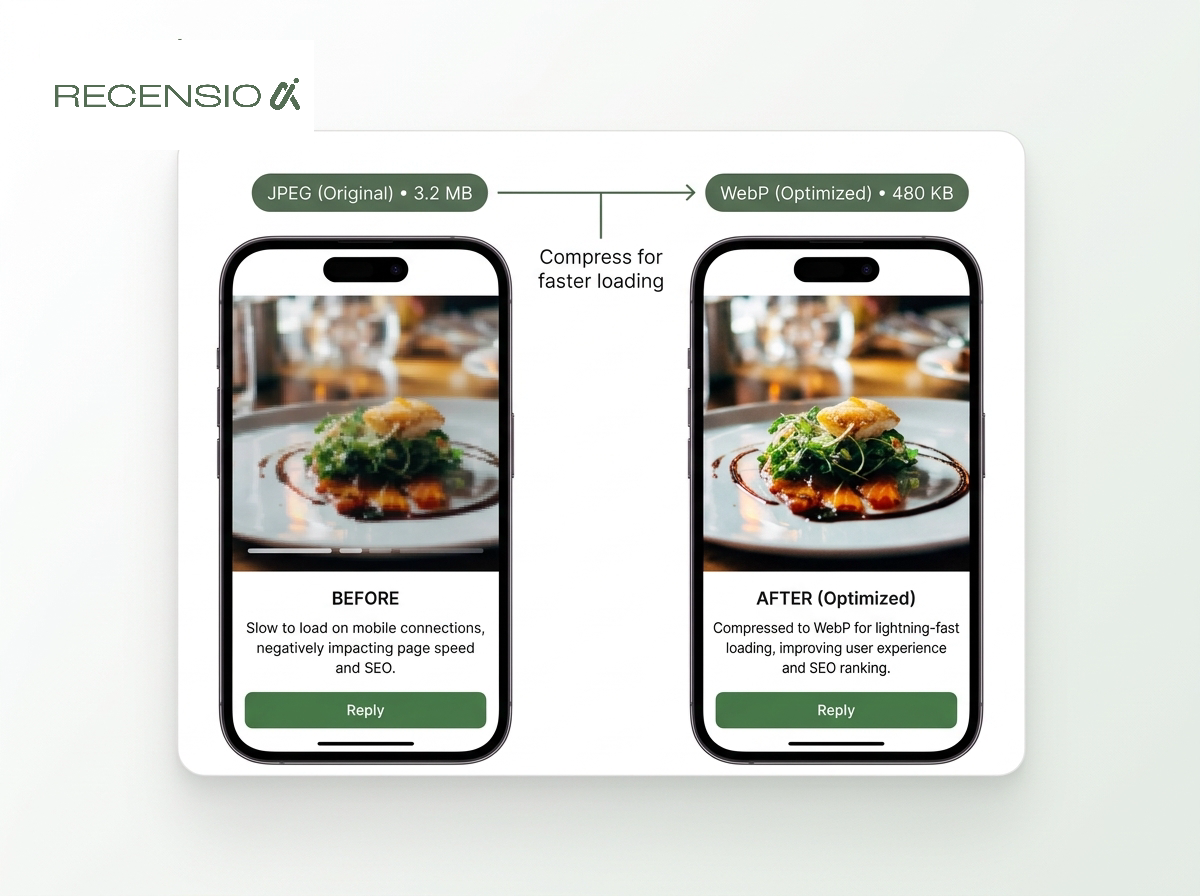
- Compress Images: Resize photos before uploading.
- Use WebP Format: Modern image formats load faster.
- Remove Unused Plugins: Strip out unnecessary code.
- Enable Caching: Serve pages faster to returning visitors.
- Upgrade Hosting: Cheap servers are a common bottleneck.
The Problem with DIY Builders
Many local businesses rely on drag-and-drop builders like Wix, Squarespace, or unoptimised WordPress themes. While these platforms make it easy to get a site online, they are notorious for loading excessive code that you do not actually use. This "code bloat" is a major reason why these sites often struggle to pass the updated Lighthouse mobile simulations.
When you use a generic template, the platform has to load all the styling and scripts for every possible layout, even if your specific page only uses a fraction of them. This delays the Largest Contentful Paint (LCP) and worsens the Interaction to Next Paint (INP). You can spend hours trying to optimise a bloated template, but you are often fighting a losing battle against the platform's underlying architecture.
This is where a bespoke website provides a significant advantage for local SEO. A custom site is built cleanly, loading only the exact resources needed for your design. When you choose our bespoke websites, the design, hosting, and performance tuning are handled for you, ensuring the site is built specifically to pass Google's speed tests and support your Maps ranking without you needing to touch a line of code.
- Wix and Squarespace: Good templates, but often heavy on code.
- WordPress: Highly customisable, but requires ongoing maintenance and optimisation.
- Bespoke Sites: Built specifically for speed and local SEO from the ground up.
Speed is User Experience
It is important to remember why Google cares so much about website speed. It all comes back to user experience. If someone taps on your Maps listing and then clicks through to your website, Google wants them to have a seamless experience. If the site takes five seconds to load, the user is likely to hit the back button and choose a competitor.
This "pogo-sticking" behaviour sends a strong negative signal to Google. It tells the algorithm that your website did not satisfy the user's need, which can lead to a drop in your Maps ranking. The recent Lighthouse update simply refined how Google measures the technical aspects of this experience.
By prioritising mobile speed, you are not just ticking boxes for an algorithm; you are directly improving your chances of turning a searcher into a paying customer. A fast, responsive website builds trust instantly and makes the booking or purchasing process frictionless. Check our Blog for more insights on turning local traffic into real revenue.
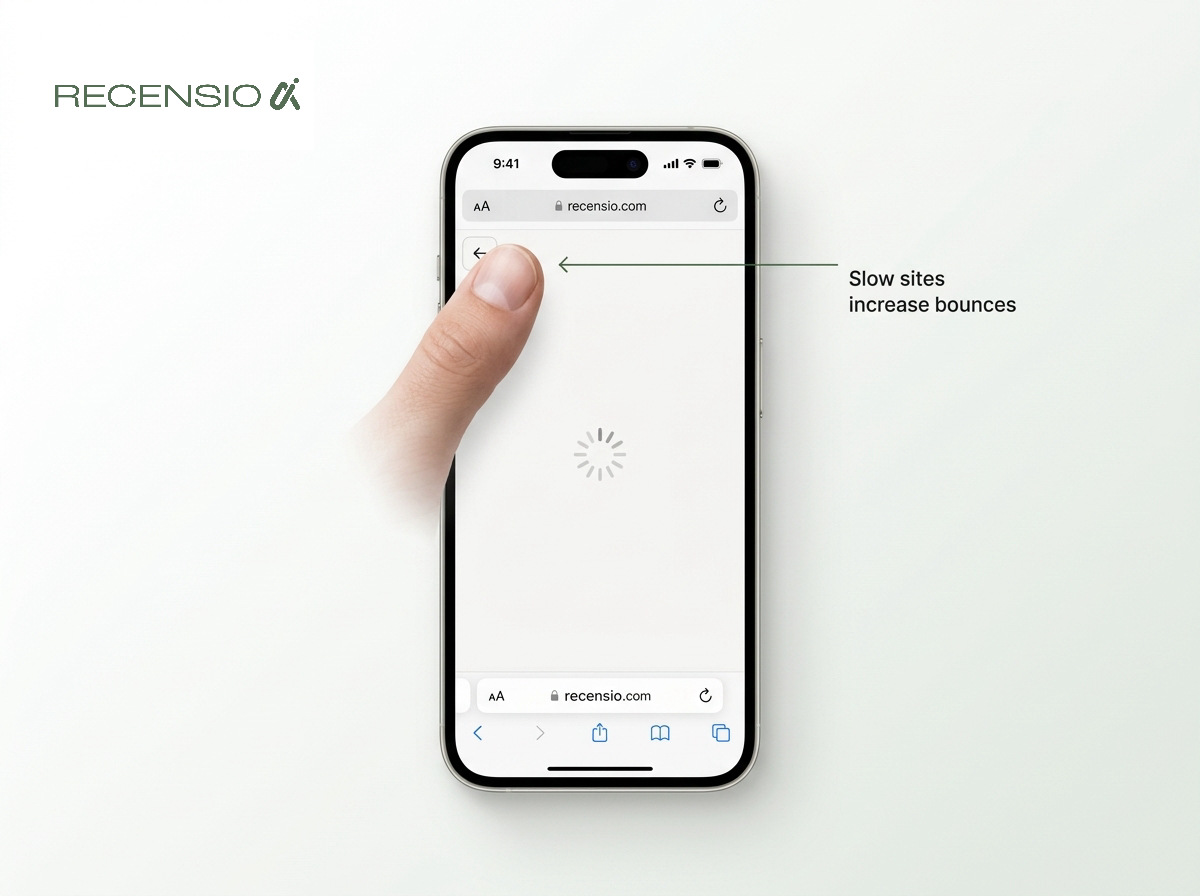
- Fewer Bounces: Users stay longer if the site loads instantly.
- Higher Conversions: Fast sites make booking or buying easier.
- Better Engagement: Smooth interactions keep users exploring your services.
Frequently asked questions
You might also like
Handpicked articles for you
Hotel Review Management: Automate Post-Stay Requests with Apaleo, Mews and Your PMS
A practical guide to turning hotel checkouts into timely review requests, with Apaleo live, Mews early access and flexible PMS alternatives.
Why the Business Around the Corner Beats You on Google: What 21,373 Profiles Reveal
We compared 21,373 Google Business Profiles with their three strongest nearby competitors. The gap is smaller than most owners think, but it has two sides: rating and volume.
Treatwell Review Management for Salons: One Reputation View Alongside Google
Bring your public Treatwell rating and recent reviews into RecensioAI, then combine salon signals with Google for faster, better decisions.