
Submitting to Directories That Customers Trust
Submitting to directories starts with one master name, address, and phone record. Then claim the listings customers use, fix duplicates, and track updates.
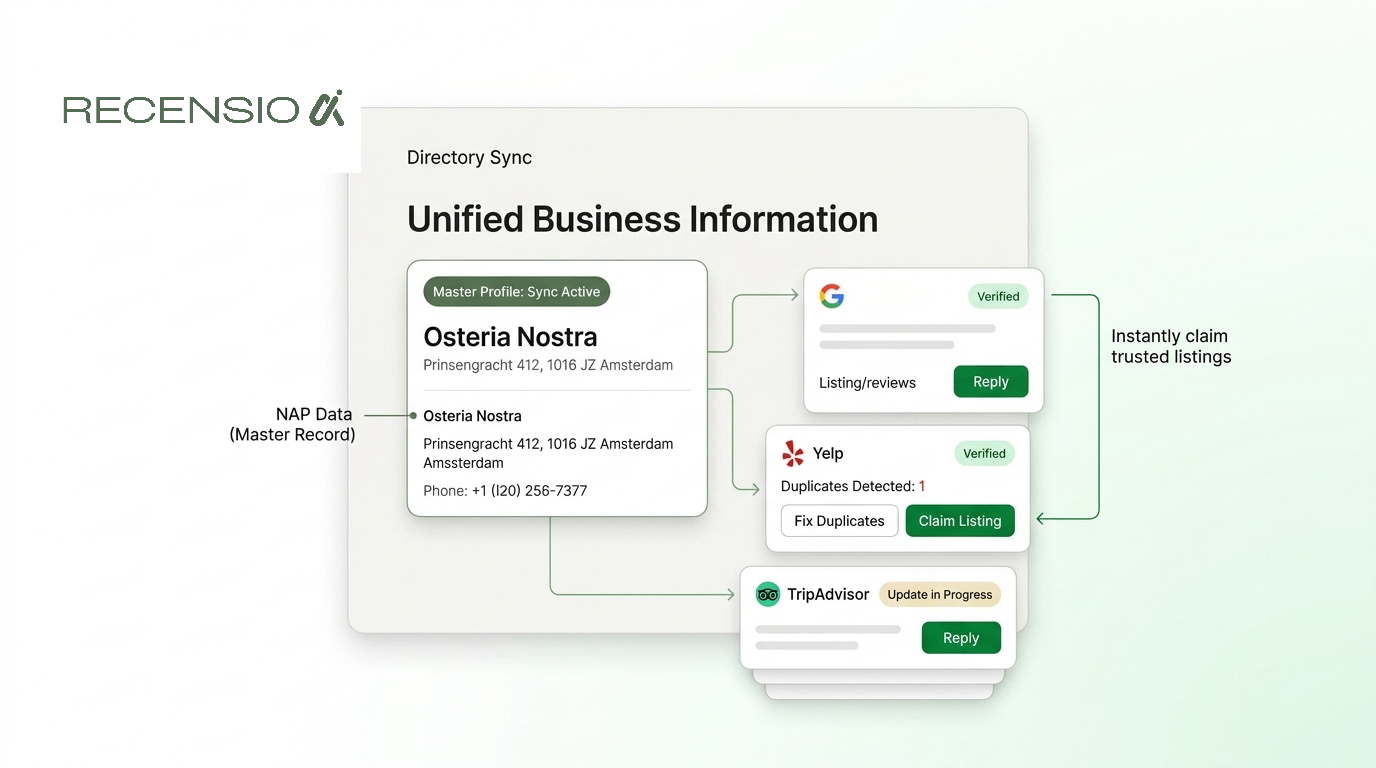
Table of Contents
- 1Introduction
- 2Why a Wrong Listing Loses the Near Me Call
- 3What the customer does with a bad card
- 4Build One Master Record for Every Location
- 5What goes on the sheet
- 6Format rules you can apply this week
- 7Choose Directories Customers Actually Use
- 8A short list beats a purchased pile
- 9Claim Listings and Remove Duplicates
- 10One salon, one pass
- 11Failures that show up after a normal week
- 12Track Updates Without Creating New Errors
- 13Track accuracy and customer actions
- 14Check what AI tools repeat
- 15Your First Week of Directory Cleanup
Introduction
You posted the new dinner hours on the door. The host still gets calls asking if you're open at 9. A guest searched restaurant near me, tapped the first result in the local pack, and dialed a number you dropped two years ago.
That's submitting to directories after the facts have drifted. The card still looks official. The phone, the pin, or a second profile doesn't match the business you run today.
A salon that moved suites, a clinic with two profiles after a rebrand, a hotel whose old address still sits on a travel site, and a contractor whose truck number doesn't match the directory number all lose the same way. Customers don't reconcile the mess. They call the next business on the map.
The fix isn't a longer list of sites. It's one true record, the few places customers already look, and a habit of catching changes before Friday night.
Why a Wrong Listing Loses the Near Me Call
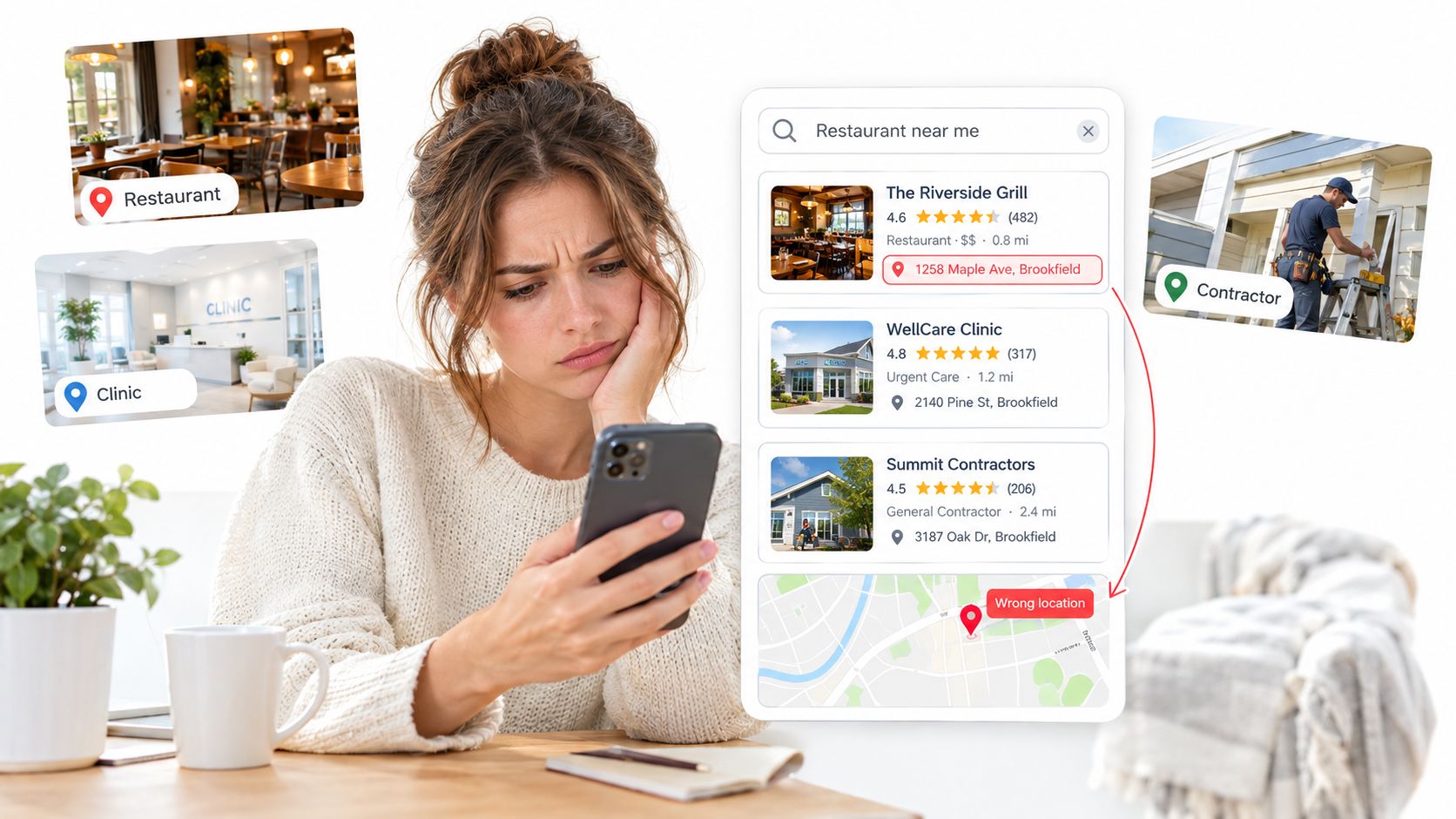
You can't drag the building closer to the person searching dinner near me. Google already measures distance from the searcher, or from the place named in the search. The three businesses in the local pack get the calls, the direction requests, and the walk-ins. If your phone on that card is wrong, the call still happens. It just doesn't reach your host stand.
A patient searches a clinic by specialty and finds two profiles, because someone created a second one after a suite move. Reviews sit on the old card. The new card looks empty. A homeowner searches a contractor and gets a cell number from a directory that still lists the previous owner.
Google's explanation of local results says those results rest mainly on relevance, distance, and prominence. Relevance is how closely the Business Profile matches the search. Distance is largely fixed, because you can't change the address. Prominence is how well known the business is, using signals such as links, articles, directories, and other information across the web. Review count and review score also factor into local ranking. Directory work can support prominence. It doesn't guarantee a spot in the top three.
What the customer does with a bad card
The guest doesn't open five tabs to average your addresses. They tap Call. If that line was ported away, they hear a stranger or a dead tone, then they scroll to the next restaurant.
The salon that closed on Maple still has a live pin. Saturday clients arrive, see a papered window, and book the shop across the street. A hotel with a duplicate listing watches reviews split between a profile the front desk manages and one nobody claims. Guests then complain that "your site said you had a pool," because an old travel page never got the renovation.
A BrightLocal expert citation survey reported that 90% of local-search professionals considered accurate citations important to ranking, and that 68% of consumers would stop using a local business after incorrect information in online directories. That's a trust failure, not a missing badge.
Directories started as classified lists so people could find a plumber, a clinic, or a hotel by the job they needed. A listing is still that classified place. Your job is keeping one real business easy to trust: same name, same address, same phone, same hours.
If two listings disagree, the customer doesn't average them. They leave.
How those map results sit next to the rest of your local presence is laid out in what local visibility means for a neighborhood business. Replies and posts can show the profile is alive and help a guest decide. They aren't confirmed causes of rank. Get the identity straight first.
Build One Master Record for Every Location
Stop filling forms until you have one sheet you'd hand a new manager without explaining it. That sheet is the only version you copy when you're submitting to directories.
Local ranking guidance from Moz treats this as the start of a sound workflow: a canonical record of the exact name, physical address, local phone, website, hours, categories, services, and location attributes. You audit mismatches by field, then claim strong platforms before weaker ones. Listing count is a weak score. Calls, direction requests, and profile actions before and after a fix tell you more.
What goes on the sheet
Write it for one location, not for the brand as a whole. A three-site restaurant keeps three sheets. A franchisee doesn't blend the mall unit with the airport unit.
A virtual office that isn't where customers meet you will fight you later. So will a shared mailbox you dressed up as a clinic.
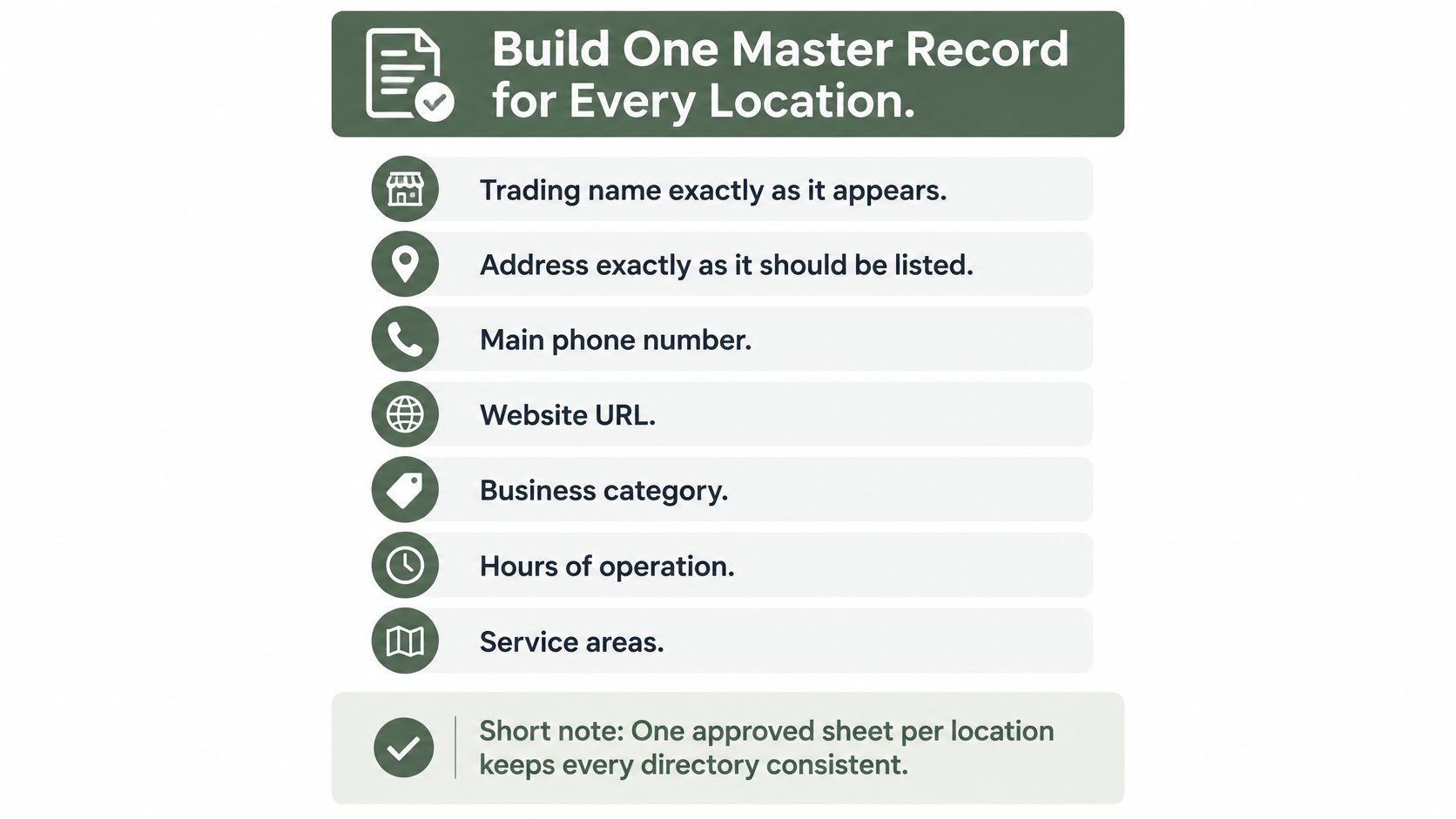
- Trading name: Use the name on the door, the truck, or the reservation book. Don't add the city, "best," or a keyword.
- Address or service area: Street, suite, and city exactly as mail should arrive. A plumber who visits homes lists the service area and doesn't invent a storefront.
- Phone: One local number staff answer during published hours. A call-center line nobody on site picks up is a problem, not a shortcut.
- Website, hours, categories, services, attributes: The URL, regular hours plus holiday hours, a few true categories, the services you sell, and facts such as wheelchair access or outdoor seating.
Format rules you can apply this week
Pick one suite style and keep it. If the master sheet says "Suite 210," don't let another site say "Ste 210" or drop the suite. Use the same phone punctuation everywhere. Write holiday hours on the sheet before the holiday, not the morning the dining room is closed.
Then search what is already published. Mark each mismatch by field: name, address, phone, hours, and extra profiles. A closed seasonal cafe still marked open is a mismatch. A second hotel card with the old bar photos is a mismatch.
One approved sheet per location is what stops the manager, the front desk, and a franchisee from "fixing" the same listing three different ways.
When the sheet is done, later edits have a source. Without it, every new directory becomes another place the facts can drift.
Choose Directories Customers Actually Use
The sheet is frozen. Where it belongs is a different job from typing it into a form. Most volume advice says submit everywhere. More listings can mean more mismatches, more duplicates, and more eligibility risk. Prominence doesn't grow just because a random site repeats your name.
Start with Google Business Profile. Google's representation rules say you should use your real-world name, keep an accurate address or service area, choose only the fewest categories that fit, avoid duplicate profiles, and make in-person customer contact during the hours you publish. If the doors are locked when the profile says you're open, that profile is not eligible in the way you hope.
A short list beats a purchased pile
Search your own near me terms the way a guest would. Write down which sites already show up next to the map results. A hotel should care about the travel sites it already sells through. A clinic should care about the healthcare finders patients open. A salon should care about local beauty lists in its city. A contractor should care about home-service sites in the cities on the truck, not a national dump of unrelated pages.
A phone-repair counter makes the same choice. A trade page customers already use, such as this Pennsylvania iPhone repair directory, belongs on the short list. A bulk site that has nothing to do with repairs does not.
| Listing type | Use it when | Fix before you add anything |
|---|---|---|
| Google Business Profile | Every storefront and every real service-area business | Name, address or service area, phone, hours, fewest true categories |
| Major travel, health, beauty, or home-service sites your customers already open | The site shows up for your near me searches or you already take bookings there | Duplicates, old suite, wrong phone |
| City or trade directories with a real local audience | You can name the customer who would look there | Categories and service area |
| Unknown bulk sites and irrelevant directories | Almost never | Skip them. Don't create a new error |
Google Business Profile
Major travel, health, beauty, or home-service sites your customers already open
City or trade directories with a real local audience
Unknown bulk sites and irrelevant directories
Check which of those sites your competitors already occupy with a simple pass like this competitor check for local businesses. You're looking for the handful of profiles guests see, not a spreadsheet of 80 domains.
A directory without a customer behind it is just another place your phone number can go stale.
Stop when you have a reason for each row. If you can't explain why a diner, a patient, or a homeowner would open that site, leave it off the list.
Claim Listings and Remove Duplicates
You have the sheet and the short list. Now you take control of what already exists. Create a new listing only when a real one isn't there.
One salon, one pass
Search the exact name, then the phone, then the address. Claim the profile you find. Finish verification before you edit anything else. Then replace wrong hours, the stuffed category list, and photos of the old shopfront. Match the master sheet, including suite style.
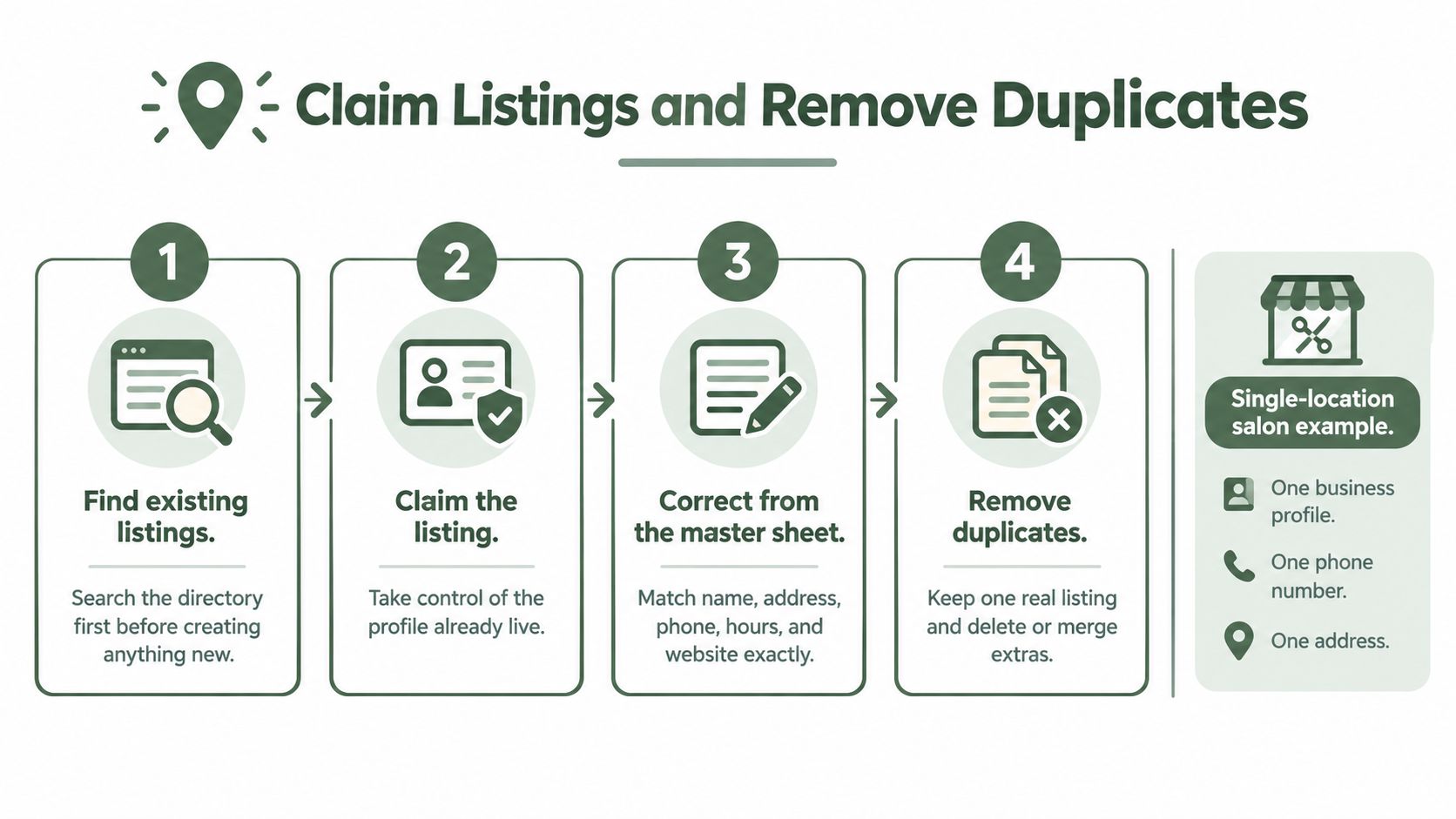
A clinic that moved suites often has two live profiles and a stale address on a third site. You don't submit a fourth. You decide, for each one, whether to correct it, merge it, or remove it. Reviews and photos should end up on the profile that matches the door patients use now.
A contractor who shares a building with other trades has a different risk. The suite and the service area have to match the master record, or the pin lands on the electrician next door. Don't borrow that neighbor's address formatting.
A hotel or a franchise needs an owner per location. Two managers editing two versions will recreate the duplicate you just cleaned up. Write the name of the person who may edit each card, and tell everyone else to send changes to that person.
Failures that show up after a normal week
Keep one real listing. Extras don't add prominence. They split the story.
Finish this pass with a claimed set of priority listings and a written list of duplicates still open. Unresolved duplicates are part of the job, not a failure you hide by submitting somewhere new.
- Old phone: You changed carriers. The directory still dials the previous line. Update the master sheet, then the priority profiles, the same day.
- Closed seasonal cafe: The season ended. The listing still says open. Mark it closed or update the dates. Don't leave a pin that sends people to a dark room.
- Keyword-stuffed name: "Best Pizza Downtown Mario's" is not the name on the awning. Put the actual name back.
- Wrong trade: A landscaper listing on a dental directory doesn't help a homeowner. Remove it or leave it unclaimed and don't feed it.
Track Updates Without Creating New Errors
A listing edit can undo a clean record if nobody checks what appeared after the change. Log each update, then confirm it on the live profile.
Record the date, field, old value, new value, and each site you changed. Check the profile after the site publishes the edit. A “saved” message only confirms the form accepted it, not that customers can see the correction.
Track accuracy and customer actions
Use a short log or spreadsheet. Track three things: whether priority listings show the right name, address, phone, and hours; how many duplicate profiles remain live; and how long a change takes to appear on the sites customers use.
Judge the cleanup by calls and direction requests, not by how many listings you submitted. Check website visits attributed to directories if that information is available. Search your business name, too, and note whether an old address still appears.
An SEO reporting tool can help compare results before and after updates. Keep the log as your source of truth. Use a local search ranking software tool to monitor a defined set of searches, then compare visibility with calls and direction requests. Don't treat a change in rankings as proof that customers took action.
Check what AI tools repeat
Customers may ask an AI tool where to eat, which clinic to visit, or which contractor to call. Test a few prompts that match real customer questions. Compare each answer's business name, phone, and hours with your master record.
If an answer is wrong, check the master record first. Then correct the priority listings that show the same error. Log what you changed and check the answer again later. Adding more directories won't fix conflicting information in the listings customers already use.
Put a monthly check on your calendar for listing accuracy and unresolved duplicates. Consistent follow-up keeps old details from creeping back in.
Your First Week of Directory Cleanup
You already know the pieces. This is the order that finishes them without a new theory.
Day one. Write the master record for the busiest location. If you only have a few sites, write one sheet each. Use the name on the door, the actual address or service area, the phone staff answer, the website, the hours, and a few true categories.
Day two. Search the name, the phone, and the address. List every live profile and every duplicate. Don't create anything yet.
Day three. Claim and correct Google Business Profile. Then fix the two or three directories that already show when you search your near me terms. Match the sheet. Remove keywords from the name. Put holiday hours in before the holiday.
Day four. Request merges or removals for the duplicates you found. Then stop. Don't spend the day on low-quality sites that no guest opens.
Day five. Save the log. Put a monthly check on the calendar for hours, phone, and closed locations. Note which duplicates are still unresolved.
If the profile audit, missing services, and photo gaps are already piling up, RecensioAI can flag what is incomplete on the Google Business Profile and keep review requests going to real customers after each visit. Every customer sees a public Google review option and a private feedback option side by side, and the customer chooses.
Open Google Business Profile for the busiest location today. Match its name, address, phone, hours, and categories to the master sheet before you touch any other directory.
---
RecensioAI B.V. helps restaurants, salons, clinics, hotels, and contractors keep a Google Business Profile complete and keep review requests going to real customers after each visit, which is the same identity work that makes directory listings trustworthy. The review page shows a public Google option and a private feedback option side by side, and the customer chooses. See how that fits your locations at RecensioAI B.V..
Frequently asked questions
You might also like
Handpicked articles for you
Hotel Review Management: Automate Post-Stay Requests with Apaleo, Mews and Your PMS
A practical guide to turning hotel checkouts into timely review requests, with Apaleo live, Mews early access and flexible PMS alternatives.
Why the Business Around the Corner Beats You on Google: What 21,373 Profiles Reveal
We compared 21,373 Google Business Profiles with their three strongest nearby competitors. The gap is smaller than most owners think, but it has two sides: rating and volume.
Treatwell Review Management for Salons: One Reputation View Alongside Google
Bring your public Treatwell rating and recent reviews into RecensioAI, then combine salon signals with Google for faster, better decisions.