
Local Pack Ranking Factors: The 3 Key Variables
Understand the local pack ranking factors that decide visibility in 2026. Discover the 3 variables that matter most for local SEO success.
Table of Contents
- 1Introduction
- 2Fit matters more than proximity
- 3How Google Picks The Three Businesses
- 4Relevance tells Google what you do
- 5Distance is the one thing you can't hack
- 6Prominence is how known and credible you look
- 7Improving Relevance And Prominence
- 8Start with the fields Google reads
- 9Make the profile match the business
- 10Building Trust Through Genuine Reviews
- 11Ask every real customer, not just the happy ones
- 12Respond like a business that's paying attention
- 13What Not To Do With Your Local Ranking
- 14Shortcuts can cost you the profile itself
- 15Don't hide from criticism
- 16Practical Steps To Improve Your Profile This Week
- 17Use a short weekly pass
- 18Keep review requests part of the job
- 19Post only what helps customers
- 20Next Step For Local Visibility
Introduction
Google picks the three businesses in map results using relevance, distance, and prominence. You can't move your building, but you can improve the other two by tightening your Google Business Profile and collecting genuine review activity.
You know the feeling. Someone searches “restaurant near me,” “emergency dentist,” or “plumber open now,” and your place is just a few blocks away, but the three businesses in the local pack get the tap, the call, and the walk-in. That's frustrating because it feels like Google skipped you, when the actual issue is usually that another business matches the search better on paper.
I see the same pattern in restaurants, salons, clinics, hotels, and contractor work. A shop with the right category, cleaner hours, clearer services, and more trustworthy reviews tends to show up before a nearby business with gaps in the profile. Local search isn't just a location game. It's a matching problem.
Fit matters more than proximity
A business can sit next door to a competitor and still rank below them if the profile is thinner. Google is matching a search to the business that looks most complete, most specific, and most trustworthy on the page.
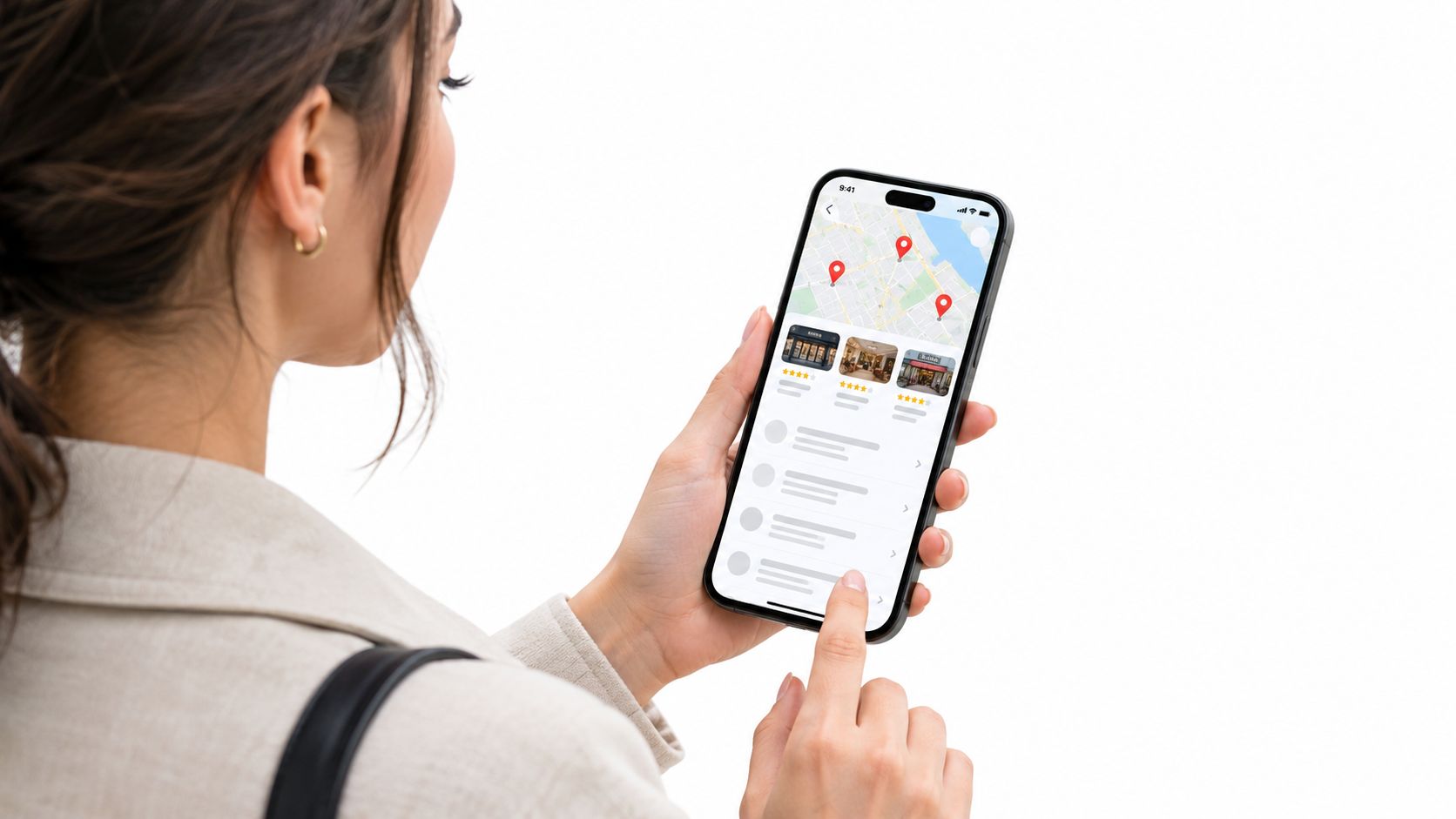
A diner searching Italian restaurant might see a place a little farther away before the one next door. That usually means the farther business gives Google a cleaner match through category, services, descriptions, and review signals.
The same pattern shows up in service work. A clinic can be across town and still appear ahead of a closer office if its profile clearly says what it treats, when it opens, and how established it is. A contractor with full service details and steady review activity often looks safer than a closer competitor with blank fields and stale information.
Practical rule: If your profile reads like a half-finished listing, Google has less to work with than the business that filled in the details.
Owners usually notice the problem after calls slow down. They check Maps, do not see themselves, and assume the platform is broken. More often, the local pack is doing what it was built to do, surfacing the business that fits the search best at that moment.
The gap is usually small at first, then it adds up. One missing service, an outdated hour, or a vague category gives a competitor a cleaner match, and that is often enough to push your business out of the three visible spots. A closer look at the entity side is in the category and relevance breakdown, which shows why the wrong setup keeps businesses out of map results.
How Google Picks The Three Businesses
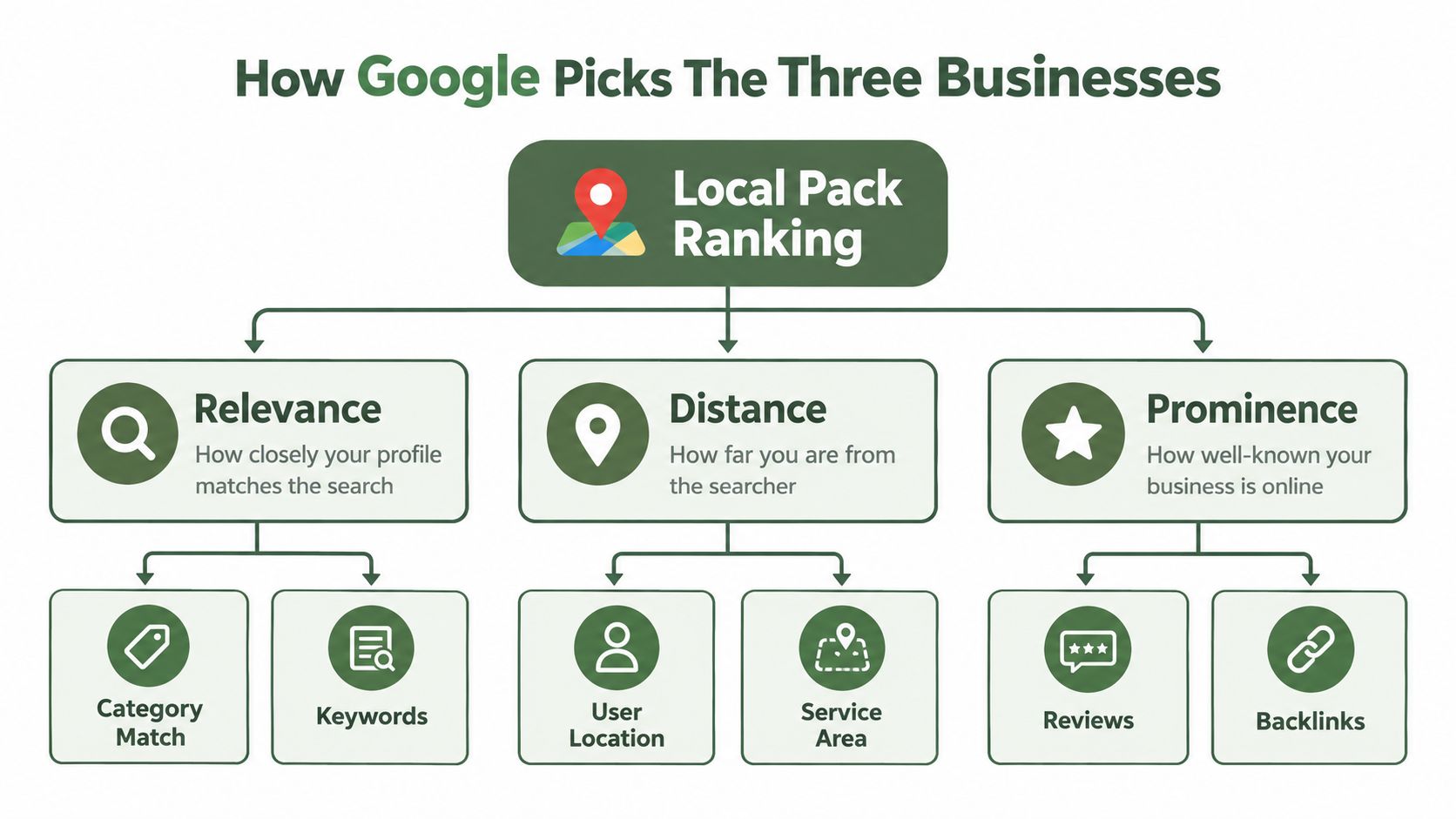
A local pack result is really a matching problem. Google tries to line up what the searcher wants with what your profile says, then weighs relevance, distance, and prominence to decide who belongs in those three visible spots.
Relevance tells Google what you do
Google defines relevance as how closely your Business Profile matches the search. If someone types emergency dentist, Google looks for a profile that clearly signals emergency dental care, not a general practice with vague wording. Category choice, services, description, and attributes all feed that match.
A restaurant with the right primary category and complete menu-style service details is easier to place for searches like pizza delivery or family brunch. A salon that lists coloring, styling, and bridal services clearly has a better shot at matching what people want. The cleaner the profile, the less guessing Google has to do. For a fuller operator view, the category and relevance breakdown explains why weak setup keeps businesses out of map results.
Distance is the one thing you can't hack
Google calculates distance from the searcher's location or the location implied by the query. A search from one side of town can produce different results than the same search from another side. If no location is stated, Google estimates based on available location information, which is why the pack can shift from search to search.
That is the hard part. You cannot optimize distance the way you optimize a field in your profile. You can only make the business easy to understand, easy to trust, and easy to compare.
Prominence is how known and credible you look
Google says prominence includes web signals like links, articles, and directories, along with review quantity and review scores. A business looks stronger when the web mentions it in ordinary, legitimate ways. A place with a solid reputation and more third-party references often has an edge over a business that exists only on its own profile.
If you want a practical operator view of the three-pack, the Netco Design LLC local SEO guide covers the same basic model. For hands-on profile work, the profile relevance checklist is a useful way to check for missing details before they start costing you visibility.
Improving Relevance And Prominence
A busy restaurant can have great food and still miss the map pack if the profile leaves too many blanks. Local search works the same way. Google is matching one business against another, and small gaps in the profile can push you out of the three visible spots.
Start with the fields Google reads
Your primary category should match what customers would type. A place that calls itself everything gets less clarity than a pizza place, an Italian restaurant, or a brunch spot. The same rule applies to clinics, salons, and contractors.
Fill in the services you really offer, then stop leaving obvious gaps for competitors to cover better. Add hours, phone number, address, service areas where relevant, attributes, and a description that sounds like it came from an owner, not a template.
Useful habit: If customers ask about it on the phone every week, it should be on the profile.
Photos matter too. Not because they work like magic, but because an empty profile looks unfinished. A restaurant needs food, dining room, and exterior shots. A hotel needs lobby, rooms, and entrance photos. A contractor needs real job-site and team images, not stock art.
Make the profile match the business
Prominence grows when the business shows up consistently across the web. That does not mean chasing random links. It means keeping the business name, address, phone number, and core details aligned across legitimate listings and mentions.
A clinic with the right specialties on its profile but different hours on other sites sends mixed signals. A salon with one phone number on Google and another on its website creates friction. Google is trying to match the same business across the web, so conflicting details work against you.
A practical profile review helps catch those gaps before they start costing visibility. The Google Business Profile optimization checklist is a useful way to check each field against how the business operates day to day. For many owners, the first gains come from this kind of cleanup, because the issue was not effort. It was missing pieces.
Building Trust Through Genuine Reviews
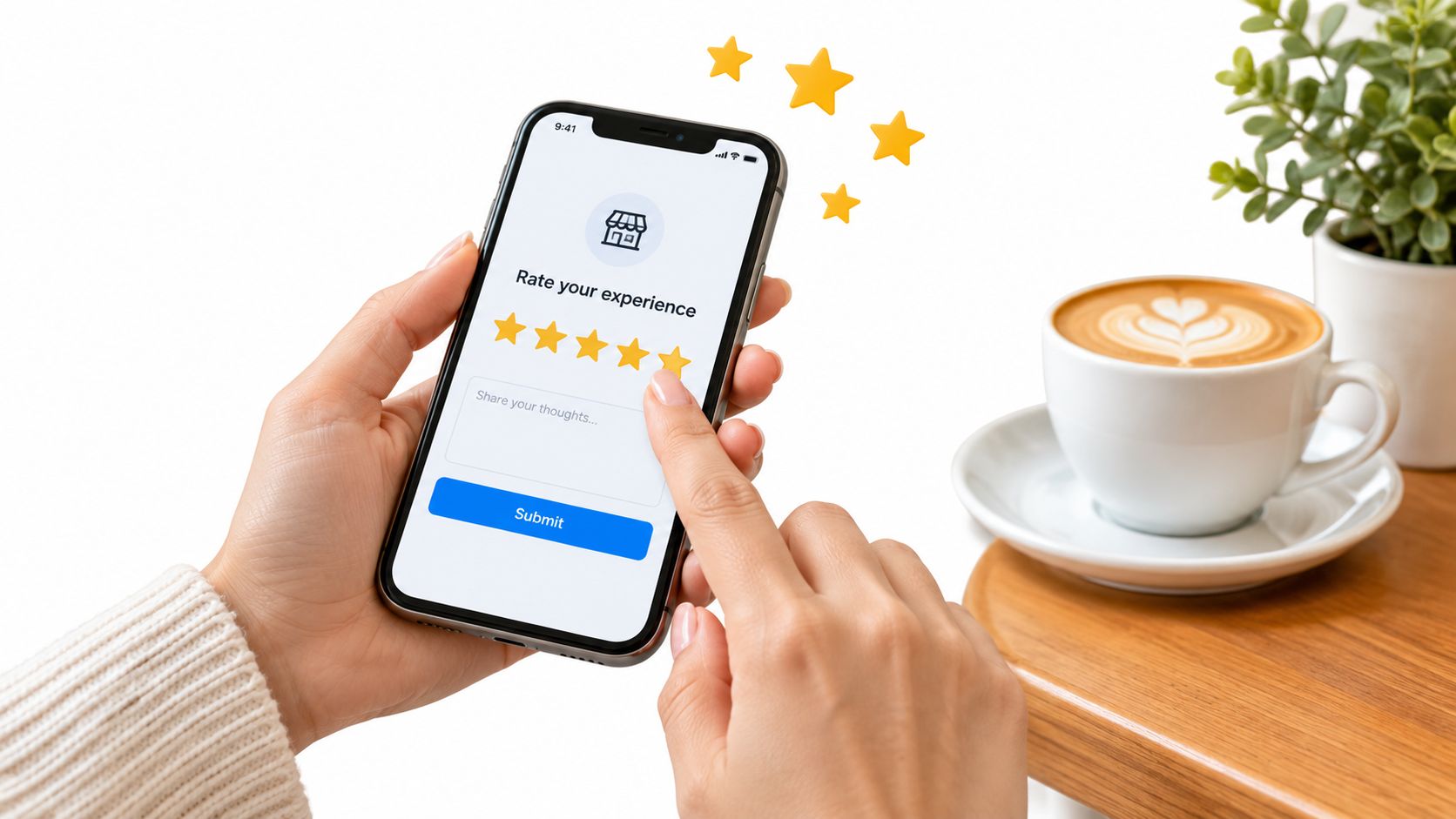
Reviews are public proof that real customers came in, got served, and had enough to say about it. That's why review quantity and review scores matter in local ranking, and why the safest path is always the honest one.
Ask every real customer, not just the happy ones
Google prohibits discouraging negative reviews, selectively asking only for positive ones, and offering incentives like payment, discounts, free goods, or free services in exchange for reviews, including trades tied to changing or removing a review. It also says unusual review patterns that suggest manipulation are prohibited, so the safe move is simple. Ask real customers to leave honest feedback about their experience and don't control the outcome.
That matters in everyday operations. A restaurant can ask diners after the meal. A salon can ask after the appointment. A contractor can ask when the job is complete. The request should be straightforward, not selective.
If you use a review page that gives customers a public Google review option and a private feedback option side by side, the customer chooses. That's a cleaner process than trying to steer the rating. For a practical way to organize the outreach side, soliciting more customer reviews is easiest when the ask is built into your normal workflow.
Respond like a business that's paying attention
Replying to reviews doesn't create the review itself, but it does show customers that you're present and accountable. Keep it brief, calm, and specific. Thank the happy customer. Address the unhappy one without arguing.
Google is looking for real businesses with real customers, not polished profiles with fake praise.
If that part feels time-consuming, tools can help you keep up without sounding robotic. RecensioAI B.V. is one option that can automate review requests, generate replies, and keep a record of profile activity, which is useful for multi-location teams that struggle to stay consistent. If you want the bigger picture on why reviews matter so much in local search, the review influence guide is worth reading.
What Not To Do With Your Local Ranking
The fastest way to damage a profile is to treat reviews like a numbers game. Buying reviews, paying for fake ratings, or pushing staff to collect only five-star feedback can backfire hard.
Shortcuts can cost you the profile itself
Google says it can restrict a profile when it detects fake-engagement behavior. That can mean blocking new reviews or ratings for a period, temporarily unpublishing existing reviews or ratings, or showing a warning that fake reviews were removed. That's not a small slap on the wrist. It can affect whether the profile can collect or display reviews at all.
Restaurants get tempted here when they want to recover from a bad week. Clinics get tempted when they think a few quick positives will balance out a rough patch. Contractors get tempted when they think reputation can be massaged after the job is done. None of that is worth the risk.
Don't hide from criticism
A bad review isn't pleasant, but it's part of running a real business. The better response is public, steady, and professional. If the complaint is fair, own it. If it's unfair, stay factual and brief.
Google says a business may report a review, but only reviews that violate its policies are eligible for removal. That means you can't remove a review just because you don't like it. The right move is to document suspected fake reviews and use the reporting process when there's a policy issue.
When owners stop trying to game the score and start managing the profile like a real storefront, the listing usually gets healthier. The point isn't to look flawless. The point is to look legitimate.
Practical Steps To Improve Your Profile This Week
A profile that looks incomplete usually loses before the customer ever clicks it. The fix starts with the fields Google uses to match a search to your business.
Use a short weekly pass
Check your primary category, hours, services, attributes, phone number, and address. Compare them with your website and your other listings. If a holiday hour, temporary closure, or service change is missing, fix it now instead of waiting for customers to spot the mistake first.
Then look at your photos. Old images and thin coverage send the wrong signal, especially when a competitor shows the counter, the entrance, the dining room, or the job site in plain view. Fresh photos earn trust because they show an active business.
Keep review requests part of the job
Ask for feedback after visits through email, SMS, QR codes, or a shareable link. Keep the process steady, not occasional. In a restaurant, that can mean a simple reminder after the bill is closed. In a service business, it can be a message once the job is signed off.
Post only what helps customers
Google Business Profile posts can show announcements, offers, updates, and event details on Search and Maps. You can add text, photos, or videos, schedule posts, and set recurring publication. Posting frequency itself is not a confirmed ranking factor, so use posts to answer real customer questions about hours, events, promos, and service changes.
A simple weekly rhythm works better than a messy one. Check the profile, request reviews, reply to new feedback, and post something useful when you have something real to say. That keeps the listing current without turning maintenance into busywork.
Next Step For Local Visibility
The businesses that show up in the local pack usually do three things better than everyone else. They match the search, they look credible, and they keep the profile complete enough for Google to trust it.
Pick one location or one profile and audit it today. Fix the category, hours, services, photos, and review process before you touch anything else. Small completeness gaps are often what push a business out of the three visible spots, and they're the easiest problems to start closing.
---
RecensioAI B.V. helps local businesses manage Google Business Profiles, review requests, replies, and profile audits in one place. If you want a practical way to keep the profile complete and the review flow steady across one location or many, visit RecensioAI B.V. and take a look at how it fits into your workflow.
Frequently asked questions
You might also like
Handpicked articles for you
Hotel Review Management: Automate Post-Stay Requests with Apaleo, Mews and Your PMS
A practical guide to turning hotel checkouts into timely review requests, with Apaleo live, Mews early access and flexible PMS alternatives.
Why the Business Around the Corner Beats You on Google: What 21,373 Profiles Reveal
We compared 21,373 Google Business Profiles with their three strongest nearby competitors. The gap is smaller than most owners think, but it has two sides: rating and volume.
Treatwell Review Management for Salons: One Reputation View Alongside Google
Bring your public Treatwell rating and recent reviews into RecensioAI, then combine salon signals with Google for faster, better decisions.