
Google Review Not Showing Up: How to Fix It
Google review not showing up? Follow this troubleshooting guide for restaurants and local businesses to identify causes and recover missing reviews fast.
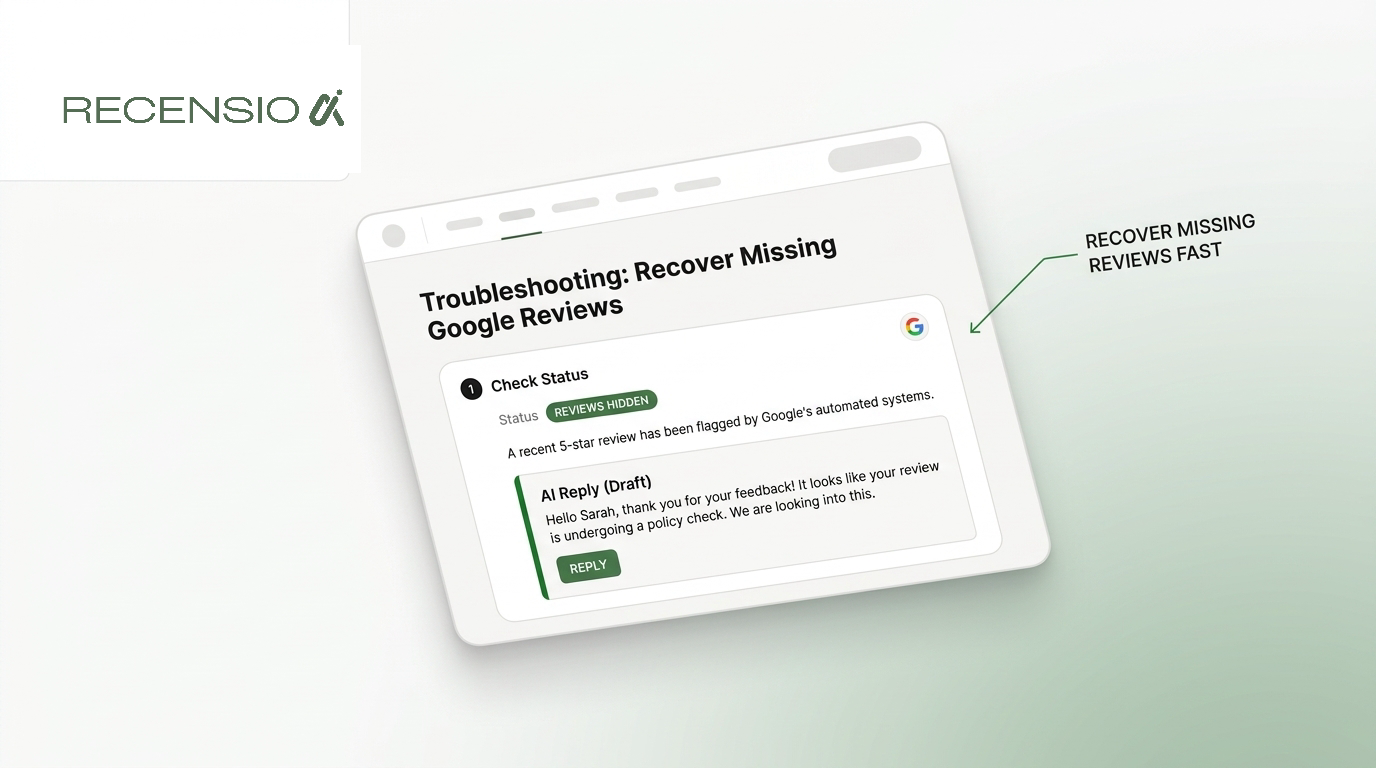
Table of Contents
- 1Introduction
- 2Why Your Google Review Is Missing
- 3Check the evidence before escalating
- 4Common Reasons Reviews Disappear
- 5Look for profile and listing problems
- 6Check for unusual activity
- 7How to Report Missing Reviews to Google
- 8Build an evidence file
- 9Report the right problem
- 10Impact on Local Search Visibility
- 11Waiting and reporting have different uses
- 12Preventing Future Review Issues
- 13Use a clean review process
- 14Keep an operating record
- 15Using Automated Review Requests
- 16Set up the workflow carefully
- 17Next Steps for Business Owners
Introduction
A customer tells you they left a review yesterday. You open your Google Business Profile, check Google Maps, and see nothing new. A restaurant manager may worry that a bad review was removed. A salon owner may assume the customer forgot. A clinic or contractor may wonder whether the profile has been restricted.
Before you change the listing or ask the customer to post again, check whether the review is delayed, hidden, or removed. Google says a review can take a few days to appear, while reviews that violate policies, such as spam or inappropriate content, may be removed. Those are different problems, and they need different responses. (Google Business Profile support)
Why Your Google Review Is Missing
A hotel guest tells you, “I posted it last night,” and sends a screenshot. You search the public Google listing and find nothing. Before asking the guest to post again, check what happened on both sides of the listing.
Ask when the review was submitted and whether the guest can still see it in their Google Maps contribution history. Then open the profile in a private browser window or on a device that is not signed in to your business account. This removes a common source of confusion: a reviewer may see their contribution while other users cannot.
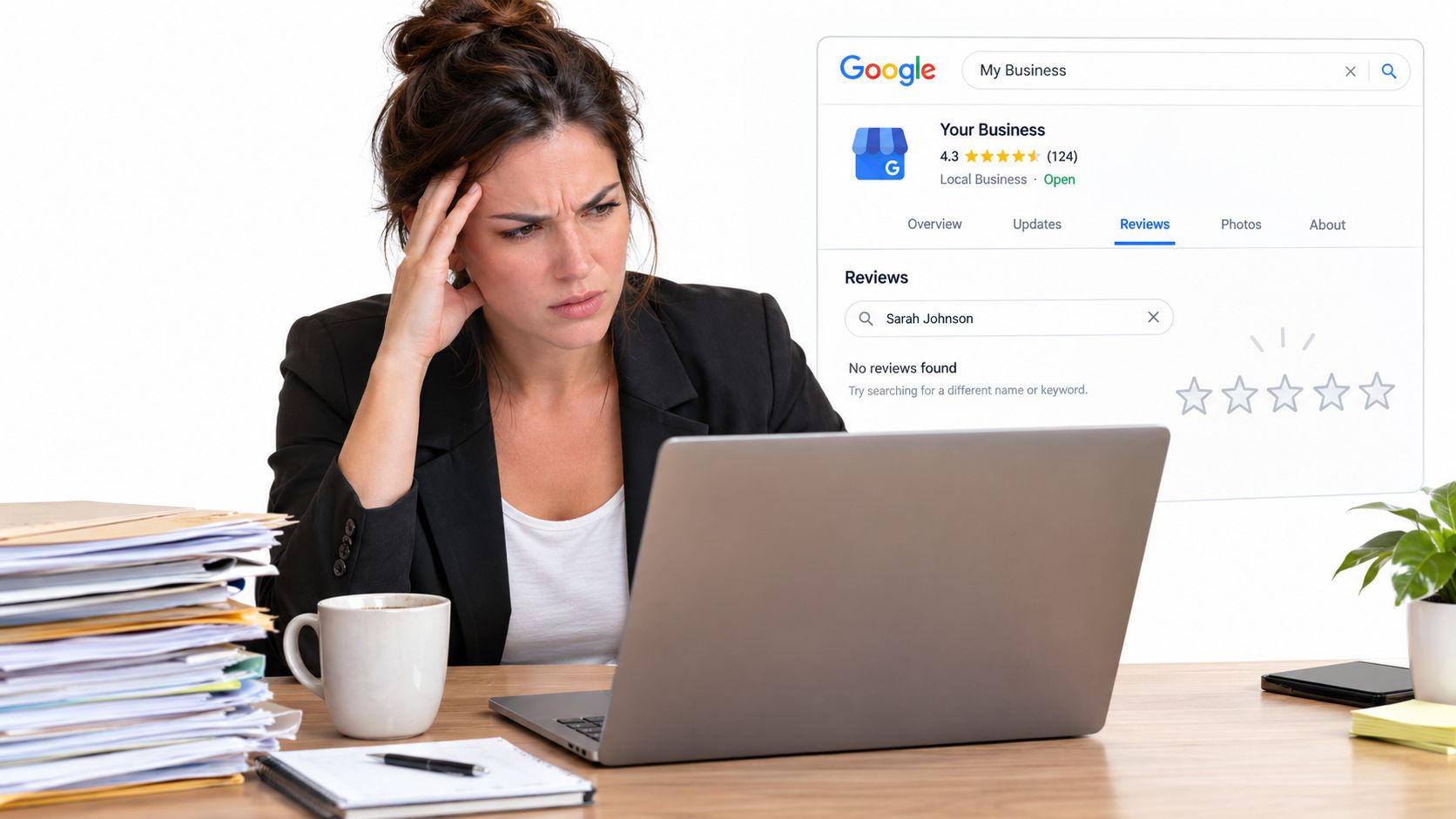
Google says some reviews may take a few days to appear, while spam or inappropriate content can lead to a review being missing or removed. (Google's explanation of missing reviews)
Check the evidence before escalating
A review still visible in the customer's contribution history points to a processing problem worth monitoring. A review that disappears from the customer's history as well may require a closer policy check. The public listing alone does not tell you which situation you are dealing with.
Use a clear operating rule during a quiet shift: record the customer's message, posting time, screenshot, and your profile's visible review count. Wait 5 business days before treating a recent gap as a likely removal and escalating it. That gives Google time to process the contribution without prompting the customer to create duplicate content.
If the review remains absent after that wait, review the wording for spam signals, promotional language, copied text, or other policy concerns. A genuine complaint about a slow meal, an unsuitable haircut, or unfinished contractor work should not be treated as a violation just because it is negative. If the content appears legitimate, keep your notes and use the appropriate Google support route rather than repeatedly editing the profile.
Practical rule: Confirm the customer's history, test the public listing while signed out, document the timing, and wait five business days before escalating.
This process prevents an ordinary delay from becoming unnecessary rework while preserving evidence when a real policy issue may be involved.
Common Reasons Reviews Disappear
A missing review usually falls into one of two operational categories: a genuine policy issue or a processing problem. Treating every gap as a violation wastes time and can lead to unnecessary changes. Treating every removal as a delay can leave a real account or listing problem unresolved.
Google can hide or remove content that breaks its review rules. The practical point is that a review isn't removable just because you dislike it. A customer's complaint about a long restaurant wait, a poor haircut, or unfinished contractor work can be legitimate even when it damages the business's reputation. Google's review removal policy explains that removal applies to content that violates its policies, not merely to negative feedback.
Look for profile and listing problems
A duplicate listing can send customer activity to the wrong profile. Google permits one Google Business Profile for each business, and a profile marked as a duplicate may stop appearing in Search and Maps. Read Google's duplicate profile guidance before requesting changes.
During a quiet shift, search Google Maps for the business name, address, and phone number. Check for an old listing, a profile created by a former owner, or a second pin added after a move. A customer may have posted on that profile rather than the listing your team manages.
Ownership changes, major edits, and profile merges can also make the review count appear inconsistent. Reviews connected with a merged profile may take time to show across Search and Maps. That points to a processing delay, not proof that the customer's review violated a rule. Avoid asking the customer to repost while the systems are still updating, since that can create duplicate content and make the record harder to assess.
Check for unusual activity
Google may reduce a profile's visible review count when its systems detect unusual activity or account trust concerns. The pattern can affect several older reviews, not just one recent complaint. Look for a sudden group of submissions, repeated wording, duplicate listings, recent ownership changes, or reviews created from the same business device.
Do not ask staff or family members to review the business. Avoid prompting customers to post while standing at the same counter or using a shared device. You do not need to identify Google's internal signal. Stop adding similar activity while you investigate.
For a wider check of categories, hours, addresses, and listing consistency, use these Google Business Profile audit tips. You can also compare likely causes in this guide to why Google reviews sometimes disappear on their own.
How to Report Missing Reviews to Google
Report the problem when the evidence points to a genuine visibility issue, especially when several reviews disappear together or a review remains absent after processing time. Don't open a support case with only “my reviews are gone.” Give Google a clean record that someone can investigate.
Start with the profile you manage. Sign in to the Google Business Profile account, open the customer reviews area, and confirm that the missing review isn't hidden by a display issue. Check the public listing separately in Google Maps and Google Search. If you can see the review in one place but not the other, record that difference.
Build an evidence file
Google's support community repeatedly tells owners to include practical diagnostics when they report missing reviews. That includes the Business Profile ID, screenshots, the number of missing reviews, whether new reviews are still being published, and the time period when the reviews disappeared. (Google support community guidance)
Prepare the information before contacting support:
- Identify the profile: Copy the Business Profile ID and the public listing URL.
- Record the gap: Note the visible review count before and after the issue, if you have that information.
- Save screenshots: Include the customer's screenshot, your public listing, and any profile warning.
- Describe the pattern: Say whether one review is missing or several disappeared together.
- Add timing: Record the approximate posting date and when you first noticed the problem.
- Check new activity: Tell support whether other customers' reviews are still appearing.
Report the right problem
Use Google's Business Profile help options for missing reviews or profile support. If you suspect a fake review, report that specific content through Google's review reporting process. Don't label a genuine complaint as fake just because it's negative. Google decides whether the content violates policy.
If a review was removed for a clear policy reason, support may not restore it. If the review appears legitimate and the evidence shows a technical or processing issue, a complete case gives support something concrete to examine. Owners dealing with suspected fraudulent content can also review this process for how to report a fake Google review.
Impact on Local Search Visibility
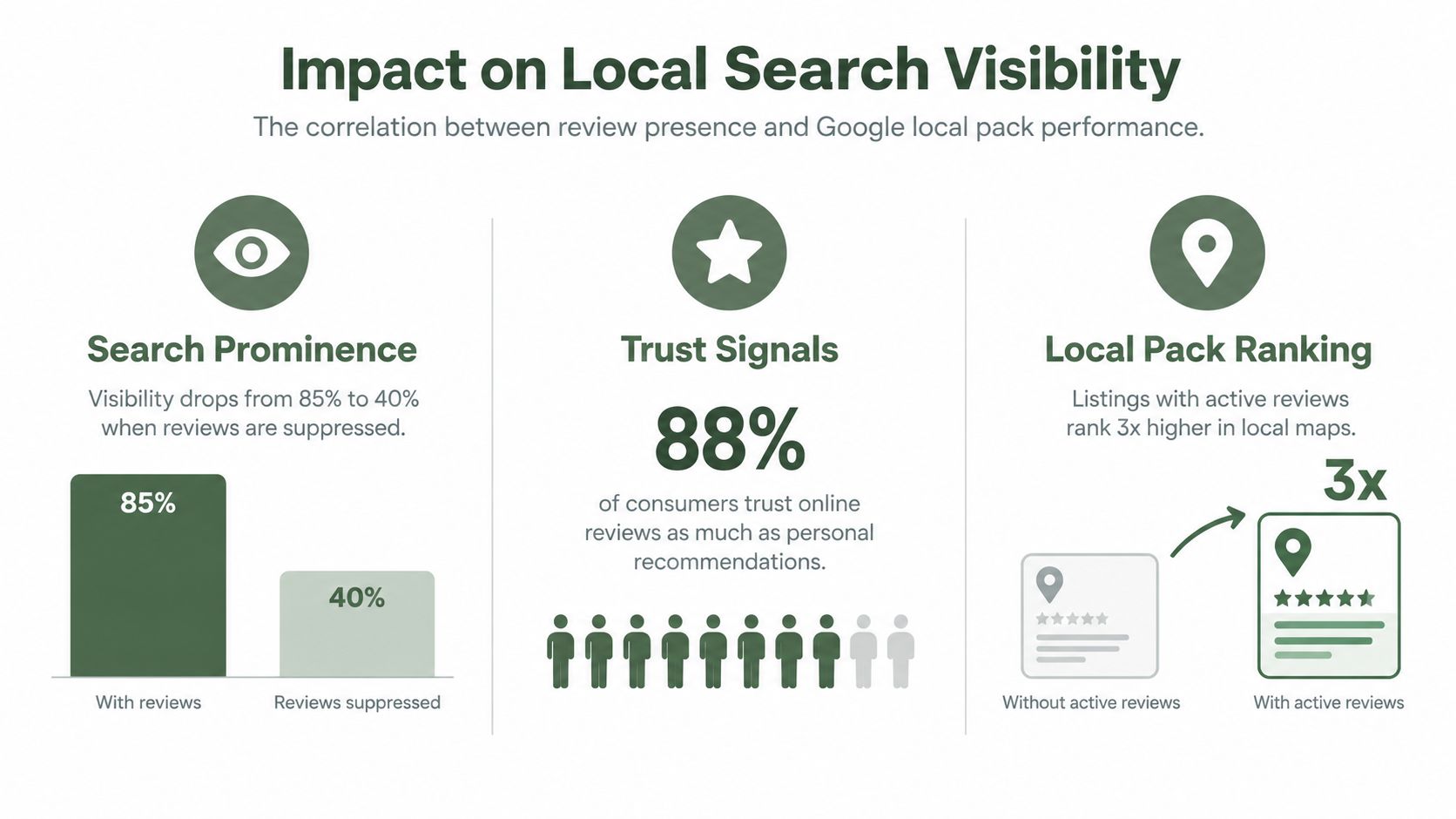
Missing reviews matter for two separate reasons. Customers use the visible profile to judge whether to call, book, visit, or request a quote. Google also uses review count and review score as factors in local ranking.
Google says local results are based primarily on relevance, distance, and prominence. It also states that review count and review score factor into local search ranking, and that more reviews and positive ratings can improve a business's local ranking. (Google's local ranking guidance)
That doesn't mean one delayed review will push a restaurant out of map results or move a salon into the local pack. Local search has several inputs, and your location still affects which searches you can serve. It does mean that a sustained loss of visible review activity can weaken the prominence and trust customers associate with the profile.
Waiting and reporting have different uses
Waiting is sensible when one recent review is still processing and the customer can see it in their own history. Use that time to document the submission and check whether other reviews continue to appear.
Reporting is sensible when the visible count drops across several reviews, a duplicate listing is involved, or the review remains absent after a reasonable processing period. Waiting won't correct a duplicate profile or give Google the evidence needed to inspect a broader issue.
Review visibility is only one part of local search work. Profile categories, hours, services, photos, and location information also need attention. For additional actionable local SEO strategies, focus on keeping the listing accurate rather than trying to manipulate review activity. This guide to how Google reviews influence your local SEO provides further context on the relationship between reviews and local visibility.
Preventing Future Review Issues
You cannot control every review decision Google makes. You can control your profile setup, your review requests, and the records your team keeps when a review goes missing.
Start with listing hygiene. Keep one verified profile for each real business location, as noted earlier. Check for duplicate pins, old listings, and profiles that still direct customers to a closed or relocated site. Multi-location operators should confirm that each location has the correct name, address, phone number, hours, and landing profile. Staff should use the current listing when asking for feedback.
Use a clean review process
Ask genuine customers for honest feedback after a completed visit or service. A restaurant can send the request after the meal. A clinic can send it after an appointment. A contractor can ask once the agreed work is complete. Keep the wording neutral. Do not suggest a rating, specific phrases, or a positive outcome.
Never offer money, discounts, gifts, or better treatment in exchange for a review. Do not ask employees or relatives to review the business. Staff should not post reviews from a shop tablet, front-desk computer, or shared business account. These controls address genuine policy risks, while a short processing delay usually calls for patience and documentation.
A request page may present a public Google review option alongside a private feedback option. Let the customer decide. Do not hide the public option from dissatisfied customers or send unhappy customers through a private route only.
Keep an operating record
Maintain a simple log of the customer interaction date, request date, profile location, and reported issue. Retain only the customer information your business can lawfully and practically keep. The log helps separate a temporary processing gap from a wider pattern and gives your team useful evidence if several reviews disappear.
Check each profile during a quiet shift. Confirm the business name, address, hours, phone number, categories, and location. Assign one person per location to review these details regularly, then record changes. Consistent listing information makes it easier to identify a missing review instead of mistaking a profile error for a review problem.
Using Automated Review Requests
Manual requests fail when the day gets busy. A manager remembers to ask one customer, forgets during the lunch rush, and never follows up after a contractor finishes a job. Automation creates a repeatable prompt without asking staff to remember every interaction.
Choose the delivery method that fits your operation. A restaurant may use a QR code on a receipt. A salon may send an SMS after the appointment. A hotel may send an email after checkout. A plumbing company may use a shareable link after the work order closes.
Set up the workflow carefully
Connect the request to a completed customer interaction, not to a staff member's memory. Then review the message and timing before turning it on.
A consistent process is easier to audit than a sudden staff campaign. It also gives you a record of when requests were sent and which location sent them. That record can help you investigate a missing review without guessing.
Automation doesn't make a review valid. The customer still needs to be genuine, the feedback still needs to follow Google's rules, and the customer must choose what to publish. The tool should remove administrative work, not influence the substance of the review.
- Use a neutral message: Ask for an honest review of the customer's experience. Don't request a particular star rating.
- Show both choices clearly: Give the customer a public Google review option and a private feedback option side by side. The customer decides which one to use.
- Avoid review gating: Never suppress the Google option because a customer appears unhappy, and don't route negative feedback away from Google.
- Keep the request specific: Name the business and the completed service, but don't write the review for the customer.
- Watch for duplicate sends: A customer shouldn't receive repeated requests for the same visit from several locations or systems.
- Monitor the results: Track whether requests are being delivered and whether customers report that their reviews are missing.
Next Steps for Business Owners
Start with the profile, not the missing review. Confirm that the Google Business Profile is verified, active, complete, and attached to the correct location. Search Google Maps for duplicates, then check the public listing while signed out.
Next, create a review gap log. Record the customer's posting date, what the customer can see, what the public listing shows, and whether other new reviews are appearing. If several reviews are missing, gather the Business Profile ID, screenshots, count change, and time frame before opening a support case.
Don't stop legitimate review requests while one issue is under investigation. Keep asking real customers for honest feedback, without incentives, scripts, or pressure. Respond to reviews because it helps customers understand that the business is present and listening, not because responding is a confirmed local ranking factor.
Your immediate next step is to open Google Maps during your next quiet shift, search for your business and any duplicate listing, and record the current public review count. That baseline will tell you whether you're dealing with a delayed review, a listing problem, or a broader visibility issue.
---
RecensioAI B.V. helps local businesses automate compliant review requests by email, SMS, QR code, or shareable link while giving customers an equal choice between public Google feedback and private comments. Visit RecensioAI B.V. to see how it can support review collection and Google Business Profile checks across your locations.
Frequently asked questions
You might also like
Handpicked articles for you
Why the Business Around the Corner Beats You on Google: What 21,373 Profiles Reveal
We compared 21,373 Google Business Profiles with their three strongest nearby competitors. The gap is smaller than most owners think, but it has two sides: rating and volume.
Treatwell Review Management for Salons: One Reputation View Alongside Google
Bring your public Treatwell rating and recent reviews into RecensioAI, then combine salon signals with Google for faster, better decisions.
Review Sentiment Analysis: Turn Scattered Feedback Into Clear Priorities
Combine reviews from Google, Treatwell and other platforms, detect recurring patterns, and see where your team and service can genuinely improve.