
Google Business Profile for Contractors
A practical guide to setting up your Google Business Profile for contractors. Categories, services, photos, reviews, and local pack visibility explained.
Table of Contents
- 1Introduction
- 2Why Contractors Get Beat by Less Qualified Competitors
- 3Claiming and Verifying Your Profile the Right Way
- 4Claim the listing that already exists
- 5Choose the category that describes the business
- 6Complete verification carefully
- 7Setting Your Service Area and Service List
- 8Complete the fields customers check
- 9Photos That Actually Build Trust for Trades
- 10Follow Google's image rules
- 11Building a Steady Stream of Real Reviews
- 12Ask at the right moment
- 13Posts, Q&A, and Citations That Keep the Profile Active
- 14Keep business information consistent
- 15Your Weekly Profile Maintenance Checklist
- 16Run five checks every week
Introduction
You've got two trucks, good people, and enough completed work to prove you know the trade. Still, the phone goes quiet while a smaller competitor keeps showing up in Google Maps for “near me” searches. Their crew may not be better. Their Google Business Profile is clearer, more complete, and easier for a homeowner to trust in a few seconds.
Why Contractors Get Beat by Less Qualified Competitors
A homeowner searching for a roofer, plumber, HVAC contractor, or electrician usually sees the local pack, the three businesses highlighted in Google Maps, before making a call. They scan the photos, star rating, review activity, hours, services, and distance. Then they tap one of the profiles that feels ready to handle the job.
That creates an uncomfortable result. A less capable contractor with a precise category, current photos, and a steady review flow can attract more calls than a stronger contractor with an unfinished listing. The difference often isn't workmanship. It's how clearly the profile communicates what the business does and where it works.
Google says local visibility depends on relevance, distance, and prominence. Relevance helps Google match a search with the right trade. Distance reflects where the searcher is and where the business is based. Prominence includes signals such as reviews and links from other websites. You can't move your business closer to every homeowner, but you can make the other parts easier for Google and customers to understand. Google's explanation of local ranking lays out those three factors directly.
A 2026 analysis of 1.8 million Google Business Profiles found that contractor categories rank modestly on average in local search. Electricians averaged rank 48.6, with 11.2% appearing in the top 10. Roofing contractors averaged 53.1, with 12.6% in the top 10. Plumbers averaged 53.2, with 10.4% in the top 10. HVAC contractors averaged 53.2, with 12.4% in the top 10. Generic contractors averaged 57.7, with only 8.0% in the top 10, according to Search Engine Land's analysis.
The takeaway is practical. “Contractor” is usually too broad when you mainly install roofs, repair furnaces, replace panels, or clear sewer lines. Pick the category that matches the work you want more of, then support it with services, photos, and reviews that make the trade obvious.
Practical rule: If a customer can't tell your exact trade from the first screen of your profile, your listing is making them work too hard.
You'll find a useful wider framework in this guide to a small business marketing plan, but contractors should start with the local profile itself. For a trade-specific checklist, see how to beat your competitors on Google in 2026.
Claiming and Verifying Your Profile the Right Way
Start at Google Business Profile. Search your business name before creating anything. Contractors often create a second listing because they can't find the first one, and duplicate profiles split information and create ownership problems.
Claim the listing that already exists
If Google shows an existing profile, request ownership through the official process. Don't start over because the photos are old or the category is wrong. Once you control the listing, you can correct the details without throwing away the profile's history.
For a new listing, choose the service-area business option if customers don't visit your location. A contractor working from a home office, yard, or dispatch point generally shouldn't publish that address as a customer-facing storefront. Google distinguishes businesses that travel to customers from businesses that serve customers at their own address. Its service-area business guidance explains how to define the region you serve.

Choose the category that describes the business
Your primary category is not a slogan. It tells Google what kind of business you are.
Use Electrician for an electrical contractor, Plumber for a plumbing company, Roofing Contractor for a roofing company, and HVAC Contractor for an HVAC business. Use a general contractor category only when that accurately describes the main business. Add secondary categories for real adjacent work, such as siding, gutter installation, or bathroom remodeling.
Don't add categories just because they contain a keyword. If you install HVAC systems and also provide duct cleaning, both may belong. If you performed one unusual job years ago, it probably doesn't.
Complete verification carefully
Google may offer postcard, video, phone, or another verification method. Follow the exact option shown in your dashboard. After verification, fill in the profile before making a series of edits. Use the actual business phone, website, hours, service area, and categories.
If you need support with ownership or verification issues, keep the official dashboard details ready. This Google Business Profile support guide can help you organize the information before contacting support.
Setting Your Service Area and Service List
A service-area profile needs a service area that matches your trucks, not an ambitious map of every place you might accept a job. List the cities, ZIP codes, or other places you serve. A roofer based in one suburb shouldn't claim an entire state because a customer called from there once.
Use your job history as the filter. Include the strongest cities where you already work and where you can send a crew without creating scheduling problems. You can edit the area later as the business grows. A tighter footprint usually gives Google a clearer idea of who you serve than a sprawling list with no operational meaning.
Your services should use the language customers understand. “Electrical work” is weak. “Panel upgrade,” “EV charger installation,” and “emergency electrical repair” are clearer when those are genuine offerings. A plumber should separate “water heater replacement,” “sewer line replacement,” and “drain cleaning.” A roofer should separate “roof repair,” “roof replacement,” and “storm damage inspection.”
Complete the fields customers check
Set hours that match reality, including emergency or on-call availability when you genuinely answer and dispatch during those hours. Empty or inaccurate hours make the business look inactive or unreliable.
Add honest attributes. If you offer free estimates, serve customers on-site, or qualify as veteran-owned, select the applicable option. Don't choose an attribute because it sounds useful. Accuracy protects the profile and sets the right expectation.
| Profile Field | Storefront Default | Contractor Best Practice |
|---|---|---|
| Address | Display the customer-facing location | Hide it when customers don't visit the address |
| Service area | Local neighborhood or nearby radius | List the cities and ZIP codes your crews actually serve |
| Primary category | Broad business label | Choose the most precise trade category |
| Services | General product menu | Use specific services customers search for |
| Hours | Walk-in operating hours | Match phone coverage and dispatch availability |
| Attributes | Indoor or storefront details | Select only accurate service-business attributes |
Address
Service area
Primary category
Services
Hours
Attributes
Don't spend space on fields that don't describe your operation. A home-service contractor doesn't need indoor shopping attributes. Focus on the information that helps someone decide whether to call.
For a deeper explanation of relevance and category problems, see why your Google Business Profile doesn't rank.
Photos That Actually Build Trust for Trades
Your photos are often the closest thing a homeowner gets to inspecting your work before calling. A blurry logo and one old truck photo don't show whether you can handle a roof replacement, panel upgrade, bathroom remodel, or commercial HVAC installation.
Start with a cover photo that makes the business recognizable. Use your team, a branded truck, real signage, or a completed project. Then build a library around the work itself. A roofer can show a finished roof with visible materials. An electrician can show a clean panel upgrade. A remodeling contractor can show the completed kitchen. A paving company can show a sealed driveway with clear edges.
Before-and-after pairs work because they show the change without making the customer guess. Take both photos from a similar angle, avoid revealing private details, and get the homeowner's permission when people or identifiable property appear.
Follow Google's image rules
Google says profile photos should be in JPG or PNG format, between 10 KB and 5 MB, with a recommended resolution of 720 by 720 pixels and a minimum of 250 by 250 pixels. Images should be in focus, well lit, and not heavily altered or filtered, according to Google's photo guidance.
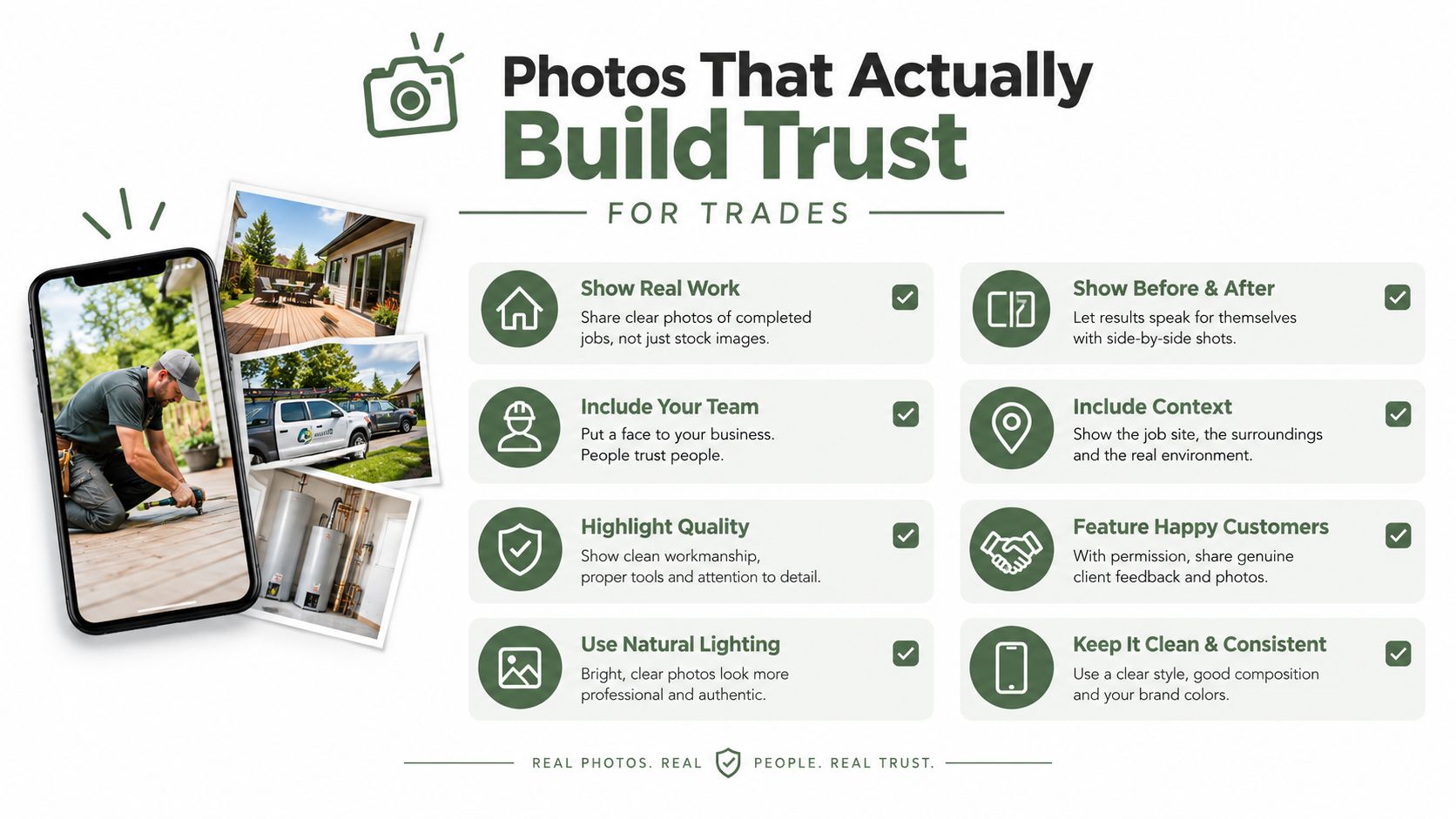
Avoid stock photos, copied images, screenshots of reviews, and graphics packed with text. They don't prove that your crew did the work. A real job-site image with sensible lighting does more for trust than a polished image that looks unrelated to your business.
Organize uploads by trade and location in your own files before publishing. A filename that identifies the project can help your team find the image later, but the visible photo matters most. Add new work whenever you have it. A profile that reflects current jobs feels safer to call than one frozen in the past.
Building a Steady Stream of Real Reviews
Reviews do two jobs for contractors. They contribute to Google's prominence signals, and they sell the next customer before you speak with them. Google identifies review count as one signal that can influence local prominence, while customers use the rating, detail, and tone to judge whether your company feels dependable.
A 2026 industry analysis reported that contractor profiles with 50 or more Google reviews were 266% more likely to appear in the Local Pack than profiles with fewer than 10 reviews. The same source reported that businesses responding within 24 hours averaged a 0.12 higher star rating, while 53% of customers expected a response within seven days and only 36% of businesses met that expectation. These figures come from Searchlab's 2026 Google Business Profile statistics.
Those figures don't mean a review tool can guarantee rankings. They show why a neglected review process leaves your profile weaker than it needs to be. Review count and rating are documented local ranking factors. Review replies and review wording should be treated as trust and customer-service work, not as guaranteed ranking levers.
Ask at the right moment
The best time to request a review is after the customer has seen the finished work and you've handled the final questions. Send a short text with the direct Google review link. Don't make the customer search for your business again.
Use a simple weekly workflow:
A steady flow is better for trust than a sudden batch followed by silence. Ask every customer the same way, regardless of whether you expect a positive or negative response. RecensioAI's review page presents a public Google review option and a private feedback option side by side, and the customer chooses. That isn't review gating, and you should never route unhappy customers away from Google.
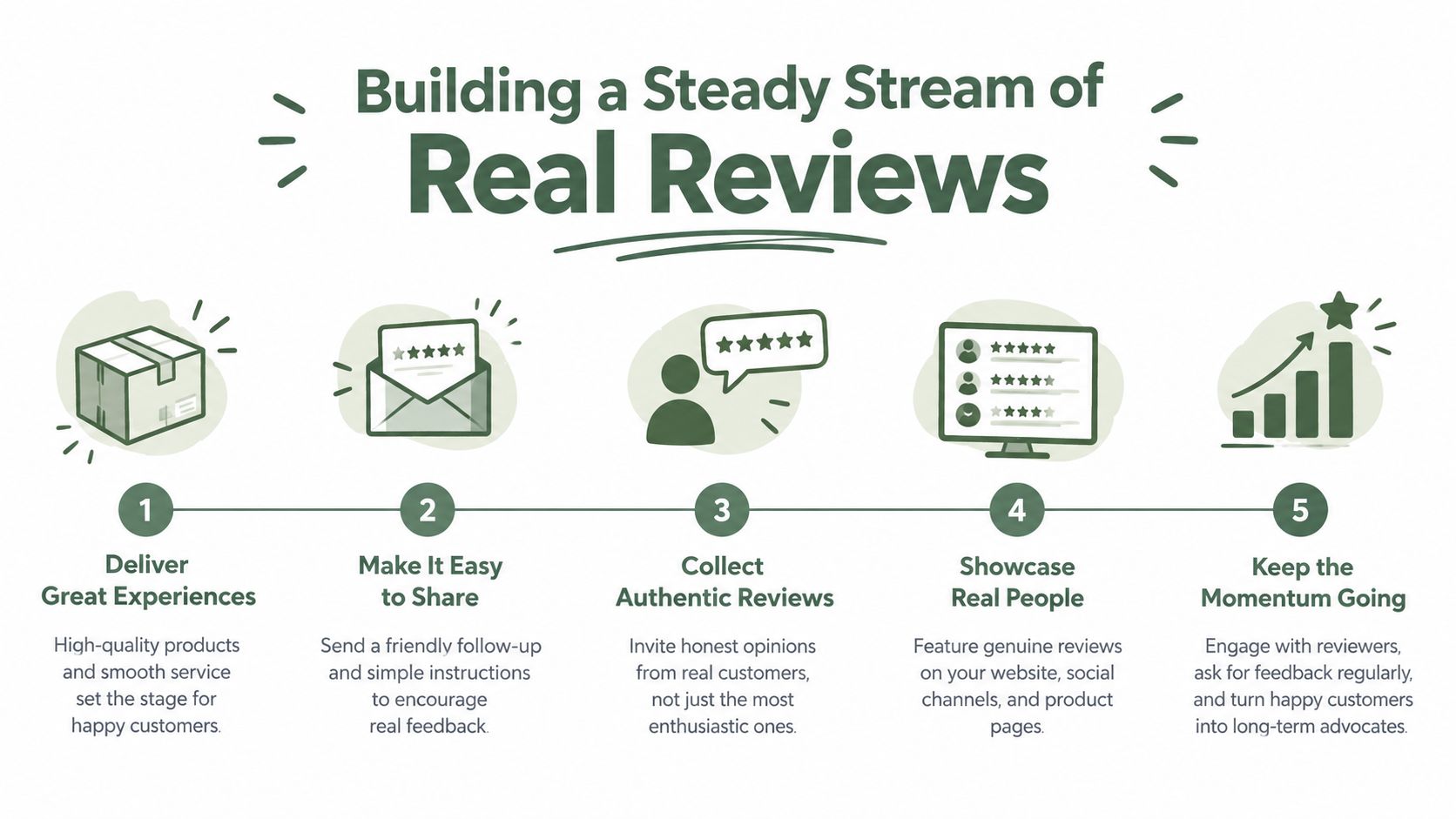
- Close the job: Confirm the customer is satisfied and the project is complete.
- Send the request: Text the direct review link while the experience is still fresh.
- Check responses: Review new feedback during your regular profile check.
- Reply personally: Mention the actual work without copying the same sentence to everyone.
- Escalate problems: Contact the customer privately about service recovery, but never ask them to remove or change an honest review.
Posts, Q&A, and Citations That Keep the Profile Active
A complete profile can still look abandoned if nobody updates it. Contractors often finish setup, upload a few photos, and disappear. A competitor with fewer crews may look more credible because their listing reflects current jobs, current hours, and current answers.
Google Posts are useful for showing customers what is happening now. Post a completed project, a seasonal maintenance reminder, an emergency-service update, or a clear offer. Keep the copy short and local. Use a real photo and make the next action obvious.
The old habit of filling Q&A with invented questions isn't a sound shortcut. Give Google and customers accurate information through the profile, your website, and your service pages. Answer genuine questions such as whether you handle emergency roof repairs in a particular city, whether you provide free estimates, or what areas your crews cover.
Keep business information consistent
Your business name, address where applicable, phone number, and website should match across important directories. Check Yelp, the Better Business Bureau, Angi, Apple Maps, Facebook, trade associations, and local business directories. Fix old phone numbers and former addresses instead of adding more listings to compensate.
| Directory | Why It Matters |
|---|---|
| Yelp | Gives customers another place to confirm business details |
| Better Business Bureau | Adds a recognizable trust reference for service businesses |
| Angi | Connects contractor information with a home-service directory |
| Apple Maps | Keeps location data consistent outside Google |
| Provides a public business identity and contact details | |
| Trade associations | Connects the company with its professional category |
| Local chamber | Supports local identity and community presence |
Yelp
Better Business Bureau
Angi
Apple Maps
Trade associations
Local chamber
Citations won't replace good service or a precise category. They do reduce confusion when customers and search systems compare your details across the web. If your company changed its phone number, update the old directory entries rather than leaving conflicting information behind.
Owners in other location-heavy industries face the same consistency problem. This overview of Florida real estate SEO offers useful context on local visibility without pretending that every tactic transfers directly to contractors.
Your Weekly Profile Maintenance Checklist
You don't need to spend every morning inside Google Business Profile. You do need a fixed routine. Pick one day, block out a short appointment, and treat the profile like a piece of equipment that needs regular maintenance.
Start with the newest job. Add a real photo if the customer has approved it. If the project is worth showing to future customers, write a short post explaining the service and city without stuffing keywords.
Run five checks every week
Don't copy a competitor's business name or claim a location you don't operate. Use the comparison to spot missing information, not to imitate shortcuts that could create verification or policy problems.
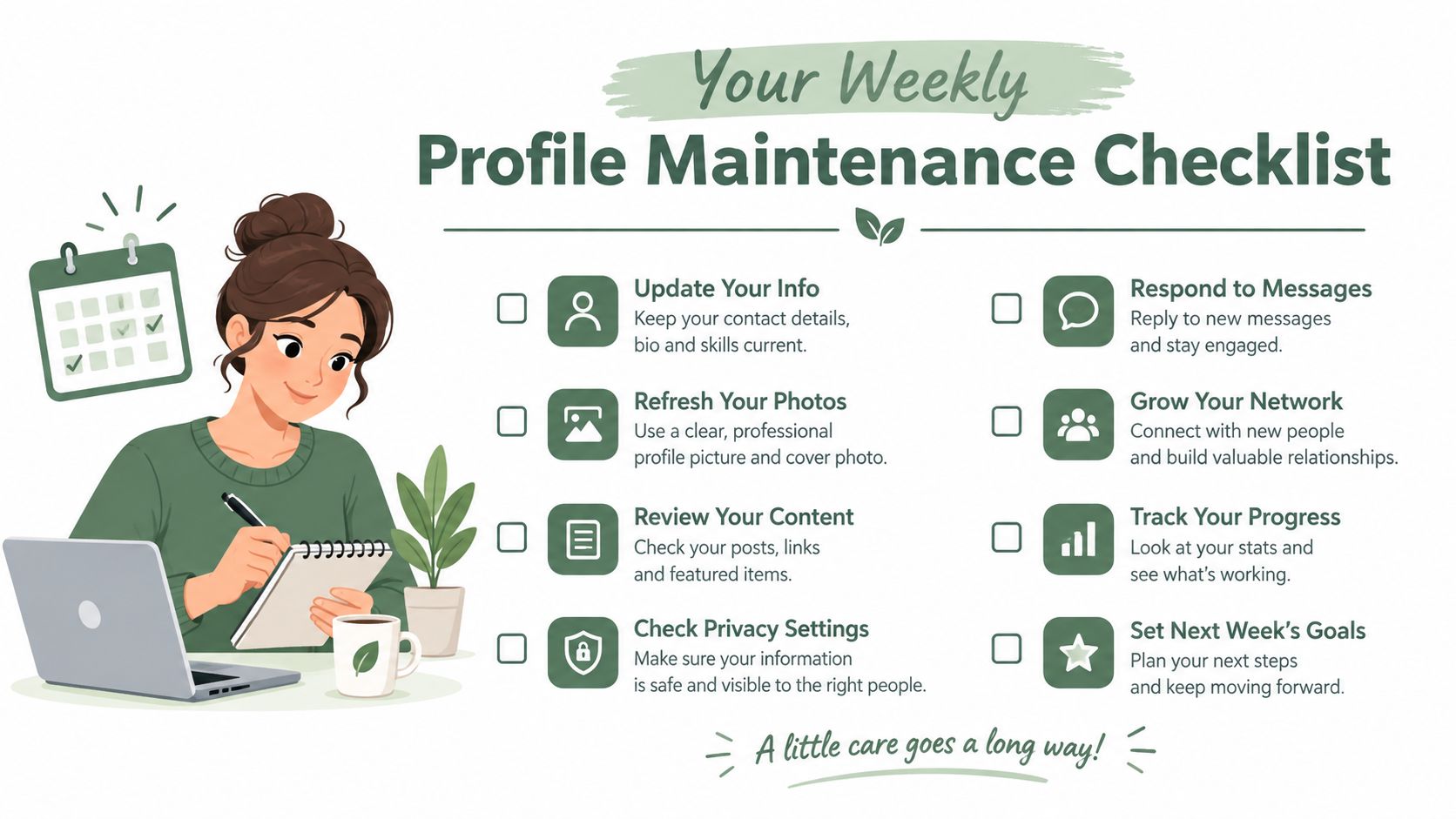
The system works because it keeps small issues from piling up. A new service gets added while it's fresh. A review receives an answer before it goes stale. A completed project becomes proof instead of staying buried in your phone's camera roll.
Before you finish work this Friday, upload three recent job photos, check your primary category, and send the next legitimate review request. That gives you a concrete start without turning profile work into another unfinished project.
---
RecensioAI B.V. helps businesses manage review requests, publish replies, audit Google Business Profile fields, create Google Posts, and monitor competitors from one dashboard. Connect your profile and review the gaps in your categories, hours, services, and photos at RecensioAI B.V..
- Review the latest feedback. Reply to new reviews in a human voice. Thank the customer for specific work, and address complaints without arguing in public.
- Inspect your hours. Change holiday, emergency, or seasonal hours when your phone coverage changes. A listing that says you're closed while your dispatcher is answering creates needless friction.
- Check the service area. Remove cities you no longer serve and add places where your crews now work regularly.
- Add one useful update. Publish a recent project, maintenance tip, service explanation, or availability note.
- Watch nearby competitors. Look at the businesses appearing in the map results for your main services. Note new photos, categories, services, and review activity, then decide whether your profile has a real gap.
Frequently asked questions
You might also like
Handpicked articles for you
How to Protect Your Google Business Profile: Stop Unwanted Changes and Suspensions
The complete guide to protecting your Google Business Profile: who can change it, why suggested edits lead to suspensions, a security checklist, what to do if your profile is suspended, and how 24/7 monitoring restores your details where Google permits.
White-Label Local SEO Tools for Agencies
What RecensioAI offers agencies: an embeddable white-label Google Business Profile audit that works as a lead magnet on your own site, plus an agency account where you run every client workspace, report, SMS credit and invoice. With pricing, margin and a 30-day rollout.
How to Beat Your Competitors on Google in 2026
The complete playbook to outrank local competitors on Google Maps in 2026: how many reviews you need to overtake the business above you, how to break into the top 3, and how RecensioAI runs the work for you, with real screenshots from the app.