
How to Get More Google Reviews in 2026
Learn how to get more high-quality Google reviews. Our guide explains why detailed, genuine feedback is now more important than ever for AI search visibility.
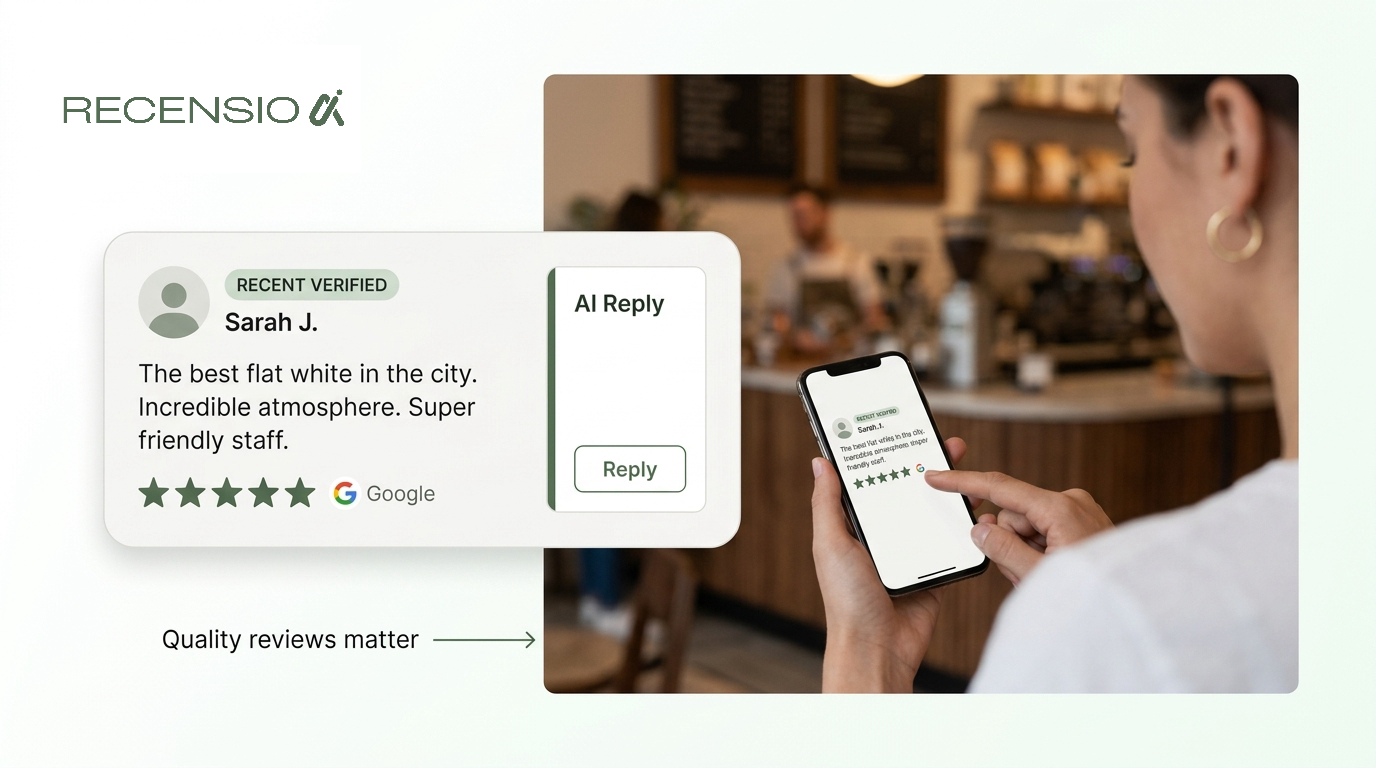
Table of Contents
The short answer
To get more Google reviews in 2026, you need to ask consistently, make it easy for customers, and reply to every review you receive. The best method is to create a direct link or QR code to your Google Business Profile's review form and send it to customers shortly after a purchase or service.
However, the strategy has changed. With Google's AI Overviews now a major part of search results, the focus must be on quality, not just quantity. AI synthesizes information from detailed reviews, so a handful of descriptive, genuine reviews are more valuable than dozens of empty 5-star ratings. Aim for authentic feedback that tells a story, as this is what AI uses to understand and recommend your business.
Why Review Quality Now Matters More Than Quantity
For years, the simple advice was to get as many reviews as possible. A high review count and star rating were the primary goals. That is no longer enough. Google's search results are evolving, with AI Overviews often answering user queries directly. These AI-powered summaries are built by analyzing content from across the web, including the text of your Google reviews.
This means the words inside your reviews have become a critical signal of quality and relevance. An AI doesn't just count stars; it reads the comments to understand what your business does well. It looks for mentions of specific services, products, and customer experiences. A review that says, “The vegetarian tacos were the best I've ever had, and the staff was so helpful with my allergy questions,” provides far more useful information to an AI than a simple “Great place!”.
Think of each detailed review as a mini-story about your business. These stories provide the raw material for Google's AI to confidently recommend you for specific needs. A large volume of low-effort reviews, on the other hand, gives the AI very little to work with. They can even become a liability if they appear inauthentic, hurting your credibility with both AI and potential customers. Your focus must shift from simply accumulating ratings to encouraging genuine, descriptive feedback.
- AI Overviews synthesize text from your most descriptive reviews.
- Specific keywords in reviews (e.g., 'emergency plumbing,' 'pet-friendly patio') help AI match you to relevant queries.
- Vague or empty reviews offer no substance for AI analysis.
- A pattern of low-quality reviews can appear spammy to Google.
- Authentic, detailed reviews build trust with both algorithms and human readers.
How to Ask for Reviews (The Right Way)
The most effective way to get more reviews is to ask for them. Yet many businesses hesitate, fearing it might seem pushy. The key is to make your request at the right time and in the right way. The ideal moment is shortly after a positive experience, when the customer's satisfaction is at its peak. This could be right after they've paid, when you've completed a job, or in a follow-up message a day later.
Your request should be simple and direct. Avoid complicated or apologetic language. A friendly, “Did you enjoy your experience? We'd love it if you'd share your feedback on Google,” is often all it takes. It's crucial to remove any friction. Never just ask customers to find you on Google. Provide them with a direct link that opens the review form instantly.
You can create this link from your Google Business Profile dashboard. Once you have it, you can turn it into a QR code, add it to email signatures, or include it in text messages. For a restaurant, this could be a small card with a QR code presented with the bill. For a plumber, it could be a link sent via text message once the invoice is paid. Make the process as close to a single tap as possible. The easier you make it, the more likely customers are to follow through.
- Ask for the review soon after the transaction or service is complete.
- Be direct and friendly, not apologetic or demanding.
- Always provide a direct link to the review form.
- Use QR codes on receipts, business cards, or signs in your store. You can create one using our free Google review QR code generator.
- Send the link via email or SMS for service-based businesses.
- Personalize the request with the customer's name if possible.
Streamlining the Process with Automation
Asking every customer for a review manually is time-consuming and often falls through the cracks during busy periods. This is where automation becomes essential for consistent growth. Using a tool like RecensioAI, you can connect your point-of-sale or scheduling system to automatically trigger review requests after a customer interaction. This ensures no opportunity is missed.
For example, when a customer checks out of a hotel or pays their bill at a restaurant, the system can automatically send a personalized email or text message a few hours later. The message can thank them for their business and include the direct link to leave a review. This “fire and forget” approach creates a steady, natural-looking flow of incoming reviews, which is exactly what Google's algorithms favor. A sudden, unnatural spike of 100 reviews in one day can look suspicious, but two to five new reviews every day shows consistent customer activity.
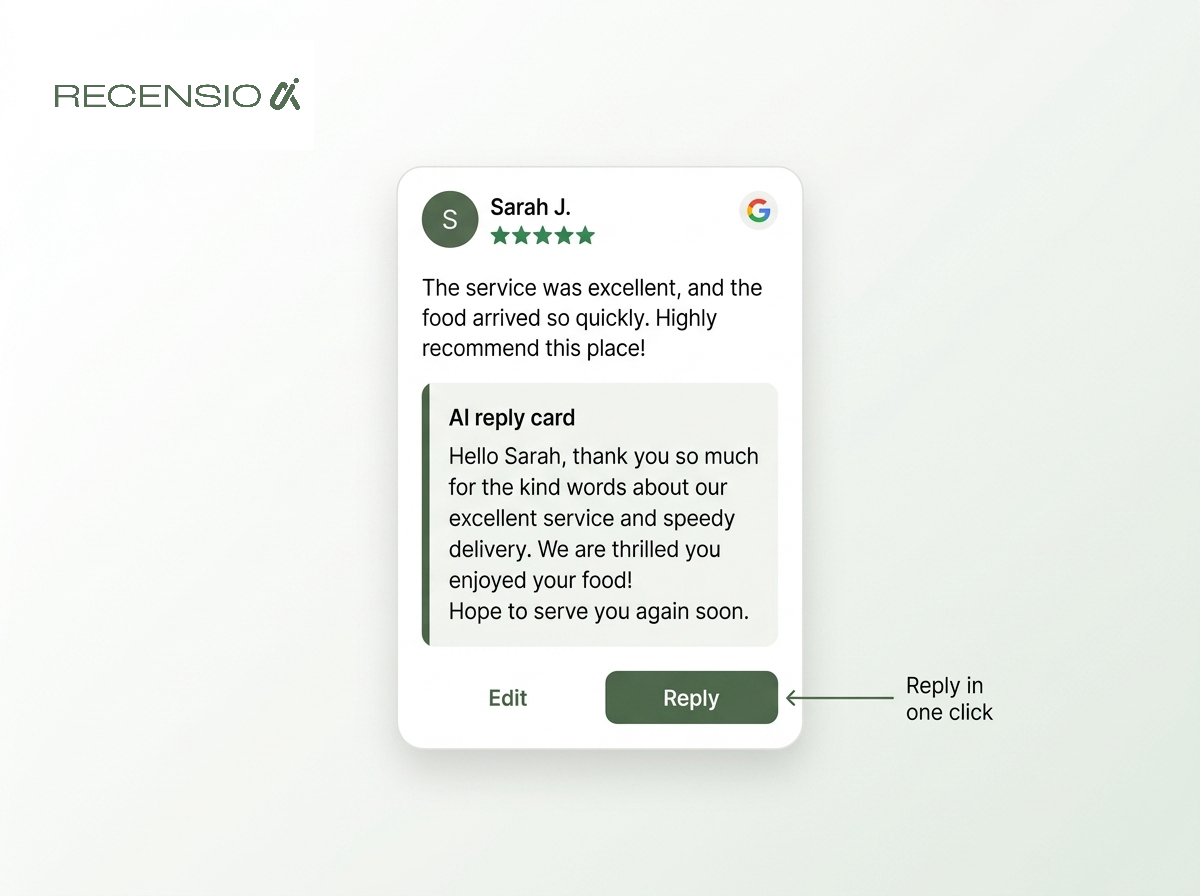
Automation also helps you manage the replies. By centralizing all your reviews in one dashboard, you can reply to them more efficiently. You can use AI-powered tools to draft personalized replies that acknowledge the specific points in the customer's feedback, saving you hours each week while ensuring every customer feels heard. Remember, replying to reviews is a key part of the process; it encourages other customers to leave their own feedback.
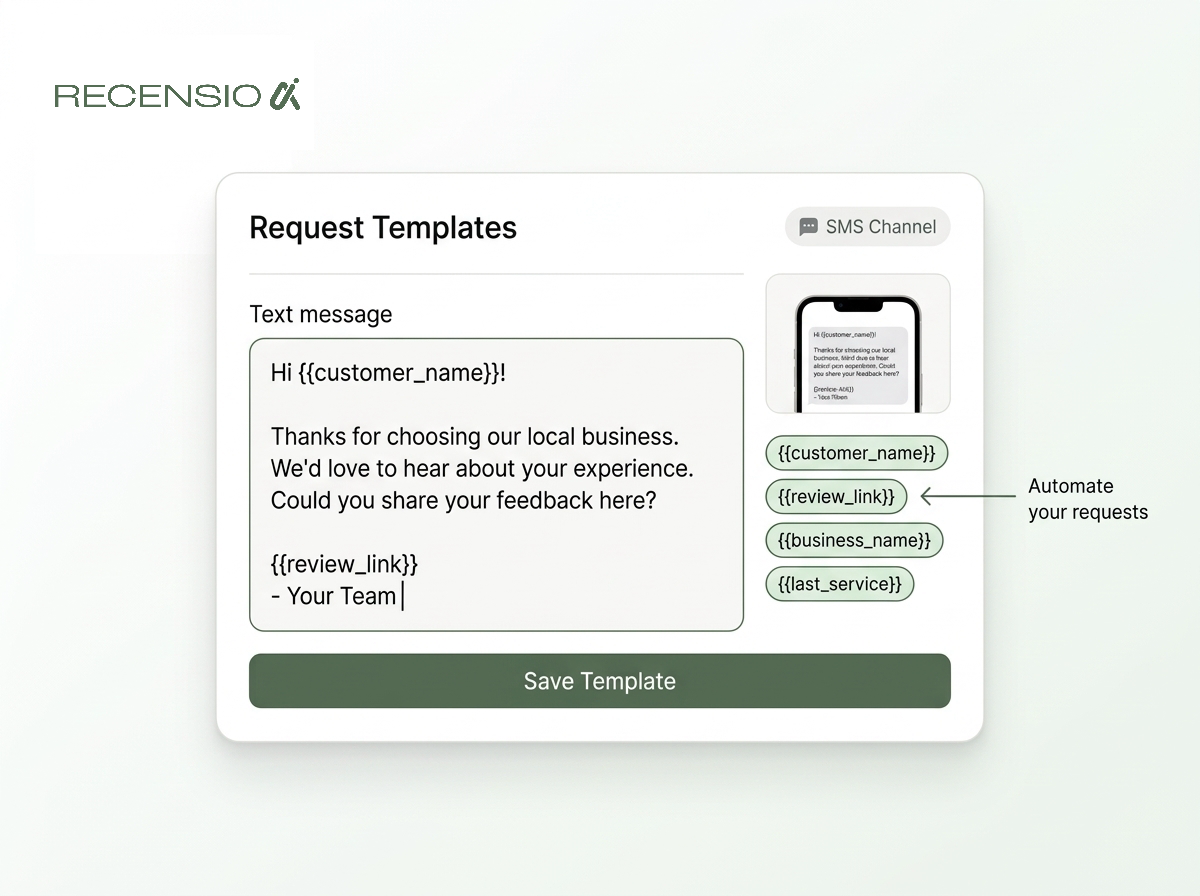
- Connect to your sales or booking system to trigger automatic requests.
- Creates a steady, natural flow of reviews instead of unnatural spikes.
- Ensures you never forget to ask a customer for feedback.
- Use software to centralize all reviews from different platforms into one inbox.
- Draft replies quickly using AI assistance, ensuring no review goes unanswered.
- RecensioAI automates both the review request and reply process, saving you time.
What Not to Do: Common Mistakes to Avoid
While asking for reviews is smart, certain methods can harm your business. Google has strict policies, and violating them can lead to review removal or even penalties against your Business Profile. The most important rule is to never offer incentives for reviews. This includes discounts, gift cards, or entry into a contest. Google considers this a conflict of interest that compromises the review's integrity. While you can offer incentives for general feedback, you cannot specifically gate that reward on posting a review on Google or another third-party site.
Another mistake is “review gating.” This is the practice of pre-screening customers and only sending the review link to those who had a positive experience. This is explicitly against Google's policy. You must offer all customers the same opportunity to leave a review, regardless of their sentiment. Sophisticated platforms used to offer this, but it is now a dangerous and outdated tactic.
Finally, do not ask for reviews in bulk. Sending a mass email to your entire customer list from the past five years will create a sudden, unnatural surge in reviews that Google's spam detection algorithms will likely flag. It's far better to implement an ongoing process that generates a steady trickle of new reviews over time. A healthy profile has a consistent history of feedback, not a single burst of activity.
- Never offer incentives. Giving rewards for Google reviews is a policy violation.
- Do not gate your reviews. You must give all customers an equal opportunity to leave feedback.
- Avoid bulk requests. A sudden spike in reviews looks unnatural and can be flagged as spam.
- Do not provide a pre-written review. The review must be in the customer's own words.
- Do not ask employees to review your business. This is a clear conflict of interest.
- Never buy fake reviews. This is the fastest way to destroy your online reputation.
Why Replying to Every Review Is Non-Negotiable
Getting the review is only half the battle. Replying to it is just as important, if not more so. Every review you receive - positive, negative, or neutral - is a public conversation. When you reply, you are not just talking to the person who wrote it; you are showing every potential customer who reads it that you are an engaged, professional, and caring business owner. A profile full of thoughtful replies builds immense trust.
Replying also gives you another opportunity to add context and keywords to your profile. When a customer praises your “warm croissants,” your reply can be, “Thank you! We're so glad you enjoyed our warm croissants, which we bake fresh every morning.” This reinforces positive signals for Google's AI. For negative reviews, a calm, professional reply that offers to resolve the issue offline can mitigate the damage and sometimes even lead the customer to update their rating. A non-defensive reply demonstrates accountability.
Managing replies can feel overwhelming, especially as your review volume grows. This is where a dedicated tool can help. Systems like RecensioAI use AI to draft personalized replies that you can edit and post in seconds. This ensures you maintain a 100% reply rate without spending hours a day on the task. A complete, up-to-date Business Profile is one of your most valuable assets; you can check yours with a free scan that takes 30 seconds with no signup.
- Replying shows potential customers that you are engaged and professional.
- It encourages more customers to leave reviews.
- Your replies provide additional context and keywords for AI.
- A timely, professional reply to a negative review can resolve the issue.
- Aim for a 100% reply rate across all reviews.
- Use an AI reply generator to speed up the process while maintaining quality.
Showcase Your Best Reviews to Build Social Proof
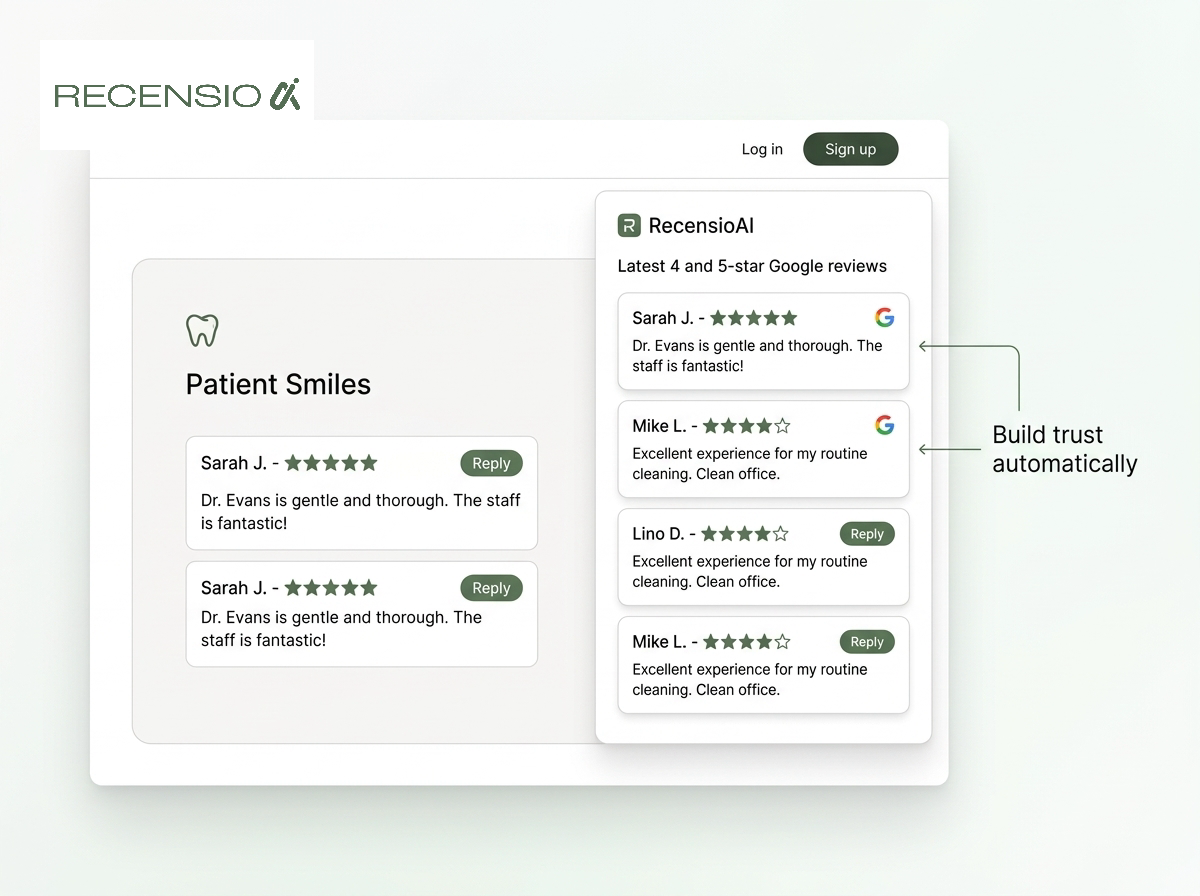
Once you have a steady stream of high-quality reviews, you should use them as marketing assets across your digital presence. Positive reviews are powerful social proof. Displaying them prominently can build trust and persuade potential customers to choose you over a competitor. One of the best ways to do this is by embedding a Google reviews widget directly on your website. This automatically displays your latest and best reviews, keeping the content fresh and authentic without any manual work.
A dynamic widget is more credible than static, cherry-picked testimonials that never change. When a visitor to your website sees a live feed of recent 4- and 5-star reviews, it confirms that your business is consistently delivering great experiences. This can be especially effective on key pages like your homepage, service pages, or checkout page. Seeing that other people have had a positive outcome reduces purchase anxiety and increases conversion rates.
You can also repurpose reviews for your social media channels. Create simple, visually appealing graphics that feature a quote from a great review. Post it to your Instagram, Facebook, or Google Business Profile Updates. For example, a restaurant could post a graphic with a review saying, “The outdoor patio is a hidden gem!” paired with a photo of the patio. This not only provides great content but also reinforces your strengths in a way that feels more genuine than traditional advertising.
- Embed a Google reviews widget on your website to display them automatically.
- Place the widget on high-traffic pages like the homepage or service pages.
- Create simple graphics from review quotes to share on social media.
- Use review content in your Google Business Profile Posts.
- Mention positive feedback in your email newsletters.
- This multi-channel approach amplifies the power of your happy customers.
Frequently asked questions
You might also like
Handpicked articles for you
Hotel Review Management: Automate Post-Stay Requests with Apaleo, Mews and Your PMS
A practical guide to turning hotel checkouts into timely review requests, with Apaleo live, Mews early access and flexible PMS alternatives.
Treatwell Review Management for Salons: One Reputation View Alongside Google
Bring your public Treatwell rating and recent reviews into RecensioAI, then combine salon signals with Google for faster, better decisions.
Best NiceJob alternative in 2026: RecensioAI vs. NiceJob (honest comparison)
Looking for the best NiceJob alternative in 2026? This in-depth comparison covers pricing, AI replies, review requests, lead capture, social media auto-posting, Wi-Fi review capture, kiosk mode, AI visibility (ChatGPT/Gemini/Perplexity) and support, with G2/Capterra pain points.