Google Core Update Local Business Guide For Late 2026
Learn how to audit your November ranking drops, tell algorithm shifts from map pack volatility, and submit formal feedback before the December update.
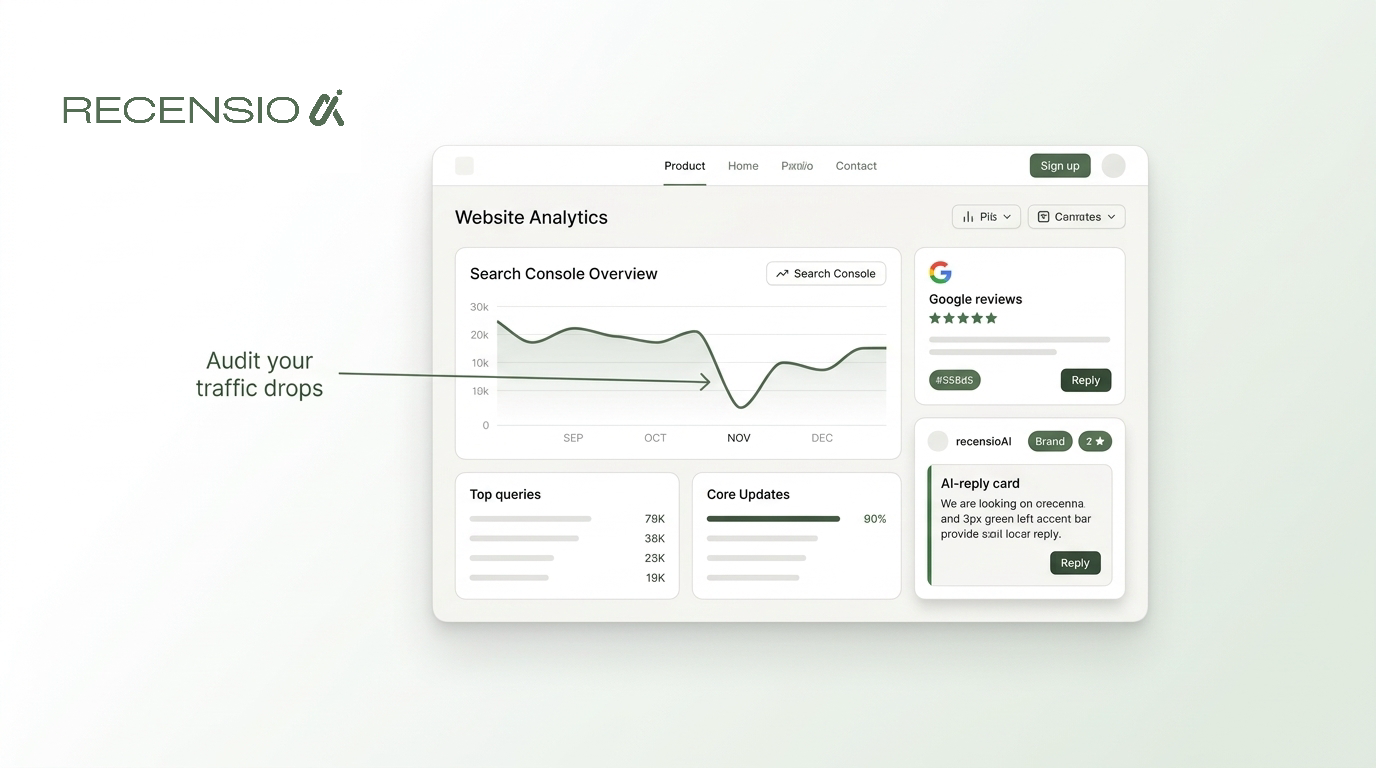
Table of Contents
The short answer
Google finished its November 2026 core update on November 24 and immediately announced a December update. Local businesses seeing traffic drops need to check if the loss came from their website or their Google Business Profile. If your website lost organic rankings, it is likely a core update impact.
If only your map pack rankings dropped, you are likely seeing normal local volatility. You can submit formal feedback to Google about core update drops until the end of November. Use this short window to clean up site quality and verify your profile details before the December rollout begins.
Did a core update cause your traffic drop?
Local business owners often blame core updates for any sudden loss in phone calls or bookings. You need to verify the timeline first. The November 2026 core update rolled out over several weeks. A drop that happened exactly on November 18 might be unrelated to the core update entirely. You must isolate where the traffic loss occurred.
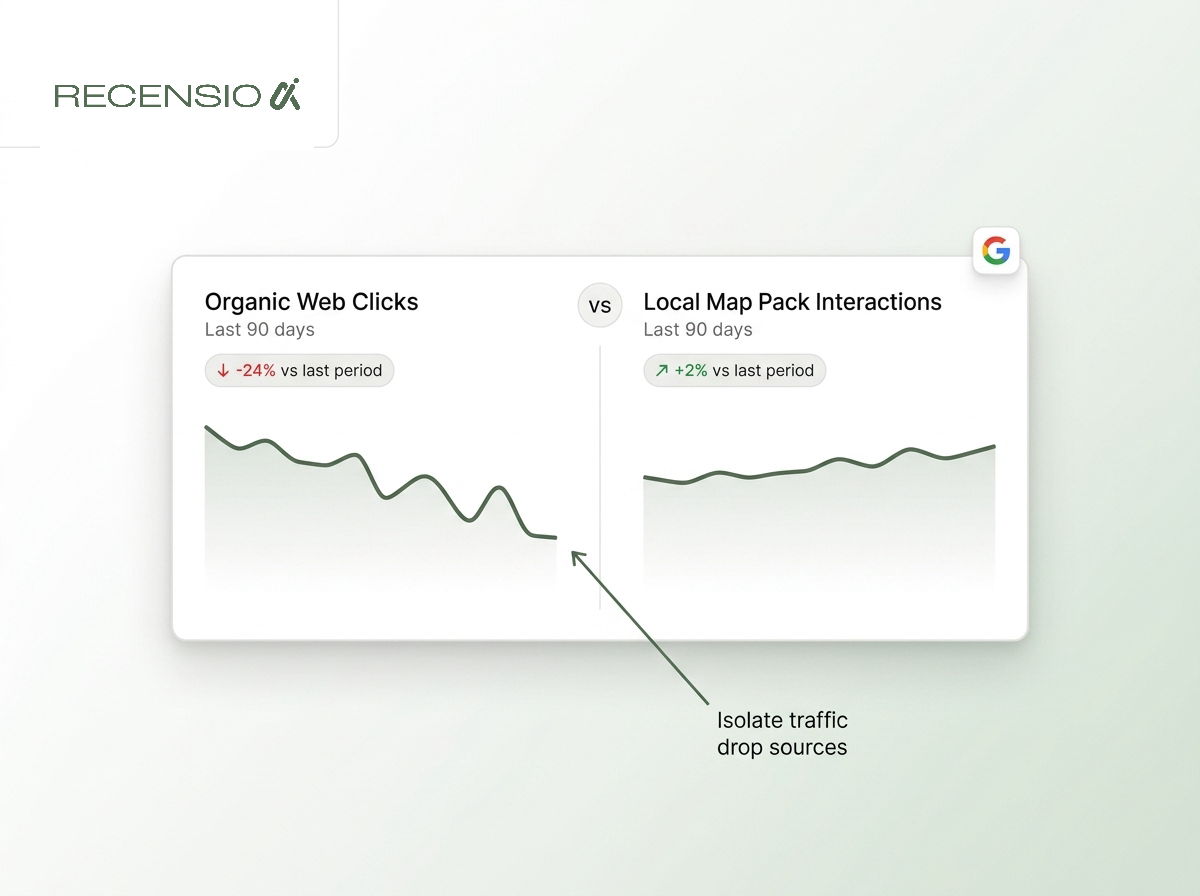
Look at your website analytics and your Google Business Profile performance data separately. A core update primarily affects traditional organic web results. It does not directly target the local map pack. However, organic search visibility influences local map rankings. If your clinic lost its main organic ranking for a key service, your map pack ranking probably slipped as well.
You need to check your search console for sudden drops in clicks from web search. Compare your traffic from early November to the last week of the month. Pinpoint the exact day the traffic dropped to see if it aligns with the core update rollout.
- Check Google Search Console for organic web traffic drops after November 10.
- Compare website click data to your Google Business Profile interaction data.
- Look for specific dates where traffic fell sharply and stayed low.
- Review your November 18 ranking data to see if a separate glitch occurred.
Algorithm shift vs map pack volatility
Local search results change constantly. Google frequently tests new layouts, filters, and local ranking weights. This makes it hard to know if you were hit by a core update or just normal local volatility. You need to check if your competitors also moved around. Map pack volatility usually scrambles the top three spots across the whole city for a few days.
A core update drop looks different. A core update usually demotes specific pages that Google deems low quality or unhelpful. If your plumbing company dropped from position one to position ten for a main service keyword overnight, that is likely an algorithm shift. If you dropped from position one to position three, and two competitors swapped places with you, that is normal map pack behavior.
Distance from the searcher still dominates map pack results. Google might have just tightened the radius for your service area. Do not make drastic changes to your website based on a small map pack shift. Wait two weeks to see if the rankings settle naturally.
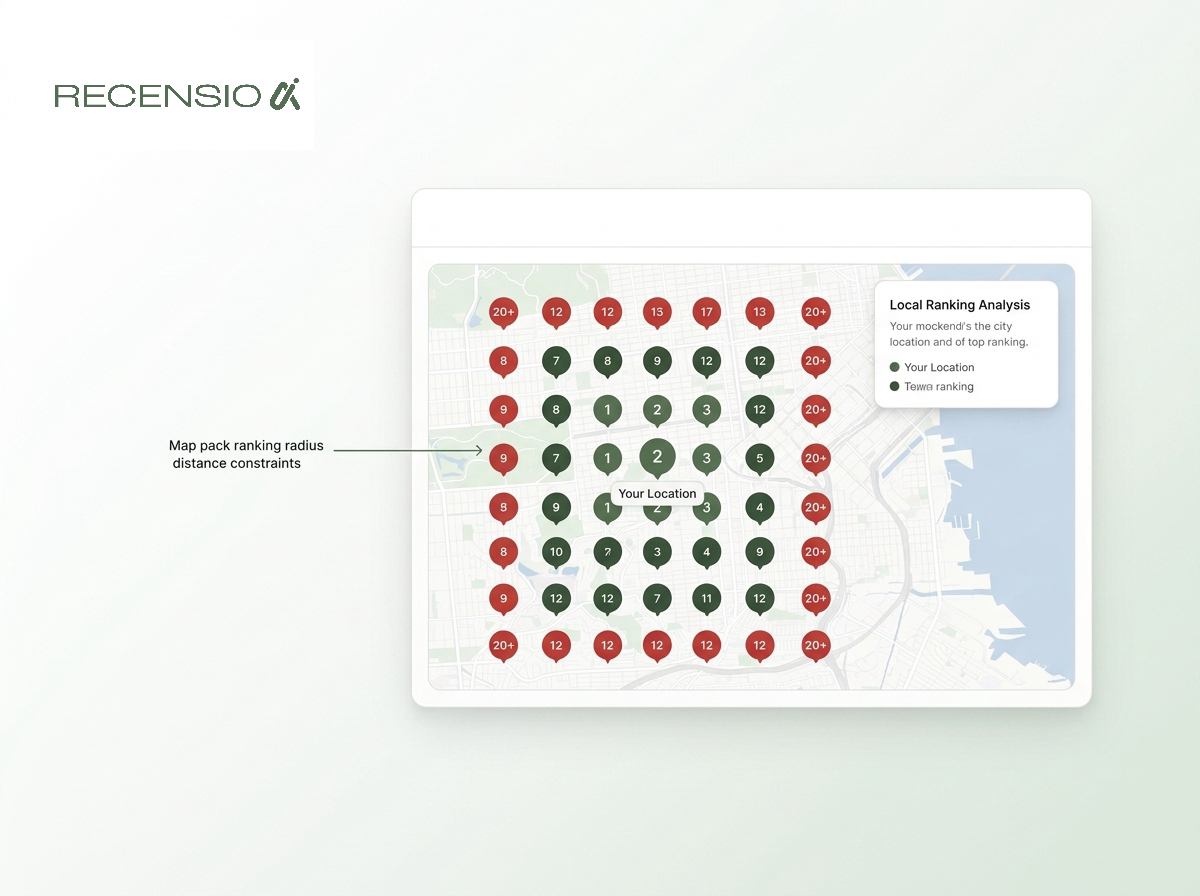
- Test your main keywords from a location right next to your business.
- Check if new competitors suddenly appeared in the local map pack.
- Look for major drops beyond position five to identify core update hits.
- Do not rewrite your service pages for minor daily ranking shifts.
How to submit core update feedback to Google
Google published new guidance on November 24 about submitting feedback for core updates. They want to hear from site owners who believe their high quality content was unfairly demoted. You have a short window to submit this feedback before the December 2026 update starts. You must use the official feedback form provided in Google Search Central.
The form requires specific examples. You cannot just say your traffic dropped. You need to provide the exact URL that lost rankings and the keyword it used to rank for. You also need to explain why your page is better than the pages currently ranking above it. Be objective and clear. Point out original research, unique local insights, or better user experience on your page.
Google engineers use this data to tune the next algorithm update. Submitting feedback will not instantly restore your rankings. It simply gives the search team real world data to adjust their machine learning models for December.
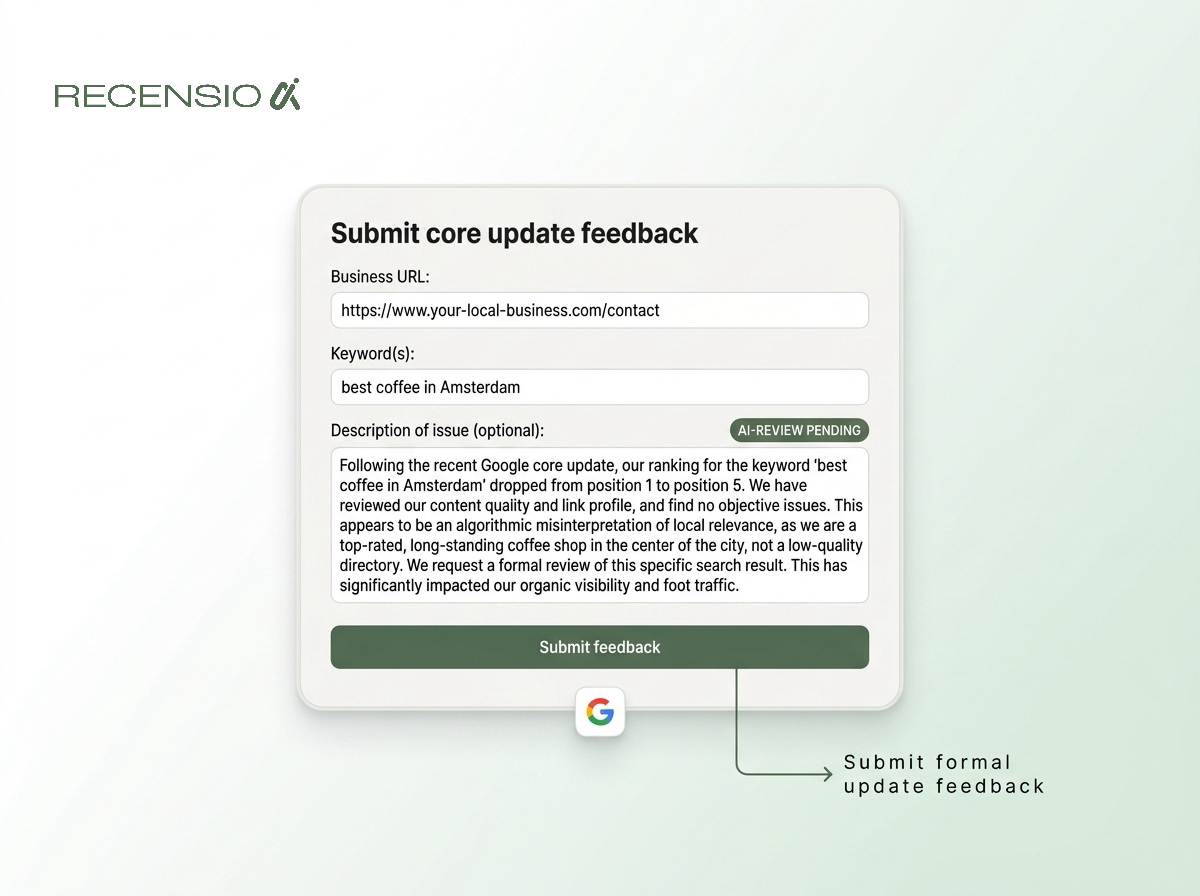
- Locate the official core update feedback form in Google Search Central.
- Gather the exact URLs that lost organic traffic in November.
- Identify the specific keywords where competitors overtook your pages.
- Write a clear explanation of why your local content is superior.
- Submit the form before the first week of December.
Fixing quality issues ahead of December
The December update is coming fast. You cannot rebuild your entire website in one week. You can fix obvious quality issues that algorithms penalize. Start by looking for thin content on your service area pages. Many roofers and landscapers create dozens of identical pages for different cities just swapping out the town name. Google flags these as unhelpful. Combine these thin pages into one strong service area page that lists all the towns you cover.
Next, check your site speed and mobile usability. Slow loading pages on mobile devices will drag down your overall quality score. Remove popups that block the main content on mobile screens. Ensure your business name, address, and phone number match exactly across your website.
Make your pricing or service details easy to find. Google wants to reward pages that directly answer the searcher without forcing them to scroll through fluff. Clean up these basics now.
- Combine identical service area pages into one comprehensive location page.
- Test your website speed on a mobile connection.
- Remove intrusive mobile popups or aggressive email capture forms.
- Ensure your contact information is clearly visible in the header.
- Delete outdated blog posts that no longer offer value.
The role of reviews in core updates
Core updates focus heavily on trust and authority. Customer reviews are a major trust signal for local businesses. Google looks at what real people say about your business to confirm you are legitimate. A steady stream of detailed reviews helps insulate your profile against broad algorithm shifts. When customers mention specific services in their reviews, it adds natural context to your profile.
You need to reply to every review you receive. Replying shows Google and future customers that your business is active and engaged. Never ignore negative feedback. A polite, professional reply to a one star review demonstrates good customer service and accountability.
Managing this daily can be difficult for a busy salon or auto shop. You can use RecensioAI to generate professional replies automatically. Consistent review management builds the kind of local authority that core updates tend to reward.
- Ask every satisfied customer to leave a detailed review.
- Reply to all new reviews within twenty four hours.
- Address negative feedback politely without getting defensive.
- Use the customer specific service in your reply for context.
- Never offer incentives or discounts in exchange for reviews.
Running a technical health check
Your website and your Google Business Profile must work together flawlessly. If a core update hits your website, your profile might lose visibility by association. You need to ensure your profile is fully optimized and technically sound. Many business owners miss new fields or policy changes. Google frequently updates the categories and attributes available for local profiles.
Missing these details can make your listing look less relevant to the algorithm. You should check your profile for missing hours, incorrect map pins, or rejected edits. You can run a free Google Business Profile scan to find these errors instantly. A clean profile ensures that algorithm updates evaluate your business accurately.
Check your photo guidelines as well. Google is strict about stock photos and text overlays. Replace any flagged images with real photos of your staff and premises. Fix these technical issues before the December rollout to give your business the best chance of recovery.
- Verify your primary and secondary categories are still accurate.
- Check for any user suggested edits that Google applied automatically.
- Ensure your holiday hours are updated for December.
- Replace any stock imagery with real photos of your business.
- Run a free profile scan to identify hidden technical errors.
Frequently asked questions
You might also like
Handpicked articles for you
Why the Business Around the Corner Beats You on Google: What 21,373 Profiles Reveal
We compared 21,373 Google Business Profiles with their three strongest nearby competitors. The gap is smaller than most owners think, but it has two sides: rating and volume.
How to Protect Your Google Business Profile: Stop Unwanted Changes and Suspensions
The complete guide to protecting your Google Business Profile: who can change it, why suggested edits lead to suspensions, a security checklist, what to do if your profile is suspended, and how 24/7 monitoring restores your details where Google permits.
Free Google Business Profile Audit (2026): the only GMB audit that scores you like Google does
The definitive 2026 guide to auditing your Google Business Profile. Learn exactly what to check, how Google's local ranking actually works, and how to run a free GMB audit in 60 seconds, the most in-depth free audit on the market.