
Google Business Profile Video: A Practical Owner Guide
Learn how to upload a Google Business Profile video that fits Google's specs and shows your business at its best. Plain steps for owners, no SEO jargon.
Table of Contents
- 1Introduction
- 2Why Owners Hesitate to Upload GBP Video
- 3What GBP Video Actually Does for a Local Business
- 4What video can do
- 5What video can't fix
- 6Google's Video Specs and What They Mean in Practice
- 7Turn the limits into a filming checklist
- 8Three Shot Plans You Can Film This Week
- 9Restaurant
- 10Salon
- 11Hotel
- 12Uploading the Video to Your Profile
- 13Give the clip a next step
- 14Promotional Video vs. Verification Video
- 15A verification sequence that covers the three proofs
- 16Measuring Whether the Video Did Anything
- 17Set the baseline before you publish
- 18Compare actions, not assumptions
- 19Your one next step this week
Introduction
You're between lunch and dinner service. The prep list is half done. Your phone is open to your Google Business Profile, and the Add photos screen is staring back at you. You know a Google Business Profile video could help a searcher decide to call you instead of the place down the street. You also know you don't have a crew, a script, or a spare afternoon.
Why Owners Hesitate to Upload GBP Video
A salon owner has three stylists on the clock and a chair free for twenty minutes. A contractor is looking at a full dispatch board. A clinic manager is covering the front desk because someone called out. In each case, video loses to work that's right in front of you.
The hesitation isn't laziness. It's three practical doubts that come up every time.
Those doubts are reasonable. A lot of video marketing advice assumes you want a brand film. You don't. You need short proof that your place is real, clean, staffed, and ready for the customer who found you in a near me search on Google Maps.
Treat this as a small job with a finish line. One location. One clear subject. One upload. You can plan the shot, record it, check it, and publish it in a single quiet stretch between shifts. If the first take is steady and the signage is readable, it's good enough to test. Waiting for perfect lighting or a hired videographer usually means the profile stays unchanged for another month.
Practical rule: Film what's already true on a normal day. Don't stage a version of the business your staff can't deliver tomorrow.
- What do I film: You don't want to post a shaky walk across the parking lot, but you also don't know what a good clip contains.
- Will phone footage look cheap: You worry a simple recording makes a professional business look amateur next to a competitor with polished photos.
- Is this the best use of the hour: Reviews need replies. Hours need checking. A post hasn't gone up in weeks. Video feels optional.
What GBP Video Actually Does for a Local Business
A customer comparing the three businesses in the local pack doesn't have much to go on. They see names, ratings, a few photos, and hours. A moving clip gives them a faster read on the room, the equipment, and whether the place looks cared for. That read influences whether they tap to call, ask for directions, or keep scrolling.
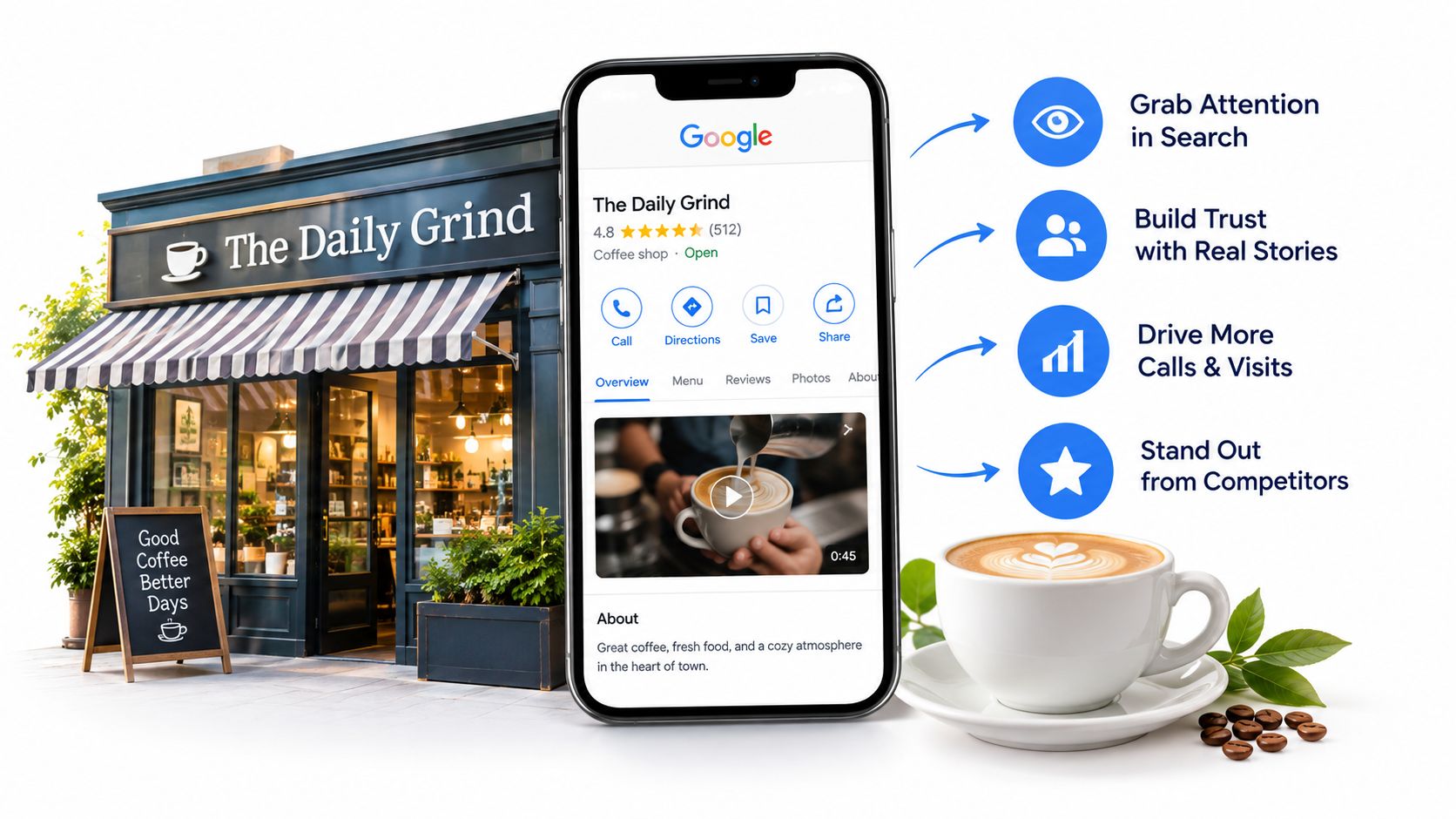
That's a trust and conversion job, not a ranking promise. Google's documentation doesn't say that adding video moves you up in map results. Review count and rating are documented local ranking factors. Video isn't confirmed as one. Anyone who sells you a clip by promising a higher position is skipping that distinction.
What video can do
It can reduce hesitation. A hotel guest can see the walk from the room door to the window. A patient can see the reception area before booking. A diner can see the dining room at service instead of guessing from a single still photo. Those details help the right customer choose you and help the wrong fit self select out before they call with mismatched expectations.
It also adds to the overall picture you present online. If you're working to strengthen your digital persona, consistent, honest visuals on your profile support the same message as your reviews and website. The clip doesn't need to carry the whole brand. It needs to agree with it.
What video can't fix
It won't cover wrong hours, a wrong category, or a thin review history. It won't offset an unanswered run of complaints. Spend first on accuracy and genuine review activity. Add video once the basics are right, then judge it by the actions people take on the profile, not by a assumed jump in position.
Google's Video Specs and What They Mean in Practice
Google keeps the rules short. Google's official guidance on adding photos and videos limits uploaded videos to a maximum duration of 30 seconds, a maximum file size of 75 MB, and a minimum resolution of 720p, and confirms that video appears on a Business Profile only after the profile has been verified.
Those three numbers make your production decisions for you.
Google Business Profile Video Specs at a Glance
| Spec | Google Limit | What It Means for You |
|---|---|---|
| Duration | 30 seconds maximum | One idea per clip, not a full tour |
| File size | 75 MB maximum | Record short and compress only as needed |
| Resolution | 720p minimum | A current phone works, old low resolution footage doesn't |
Duration
File size
Resolution
Turn the limits into a filming checklist
Pick one subject before you press record. The dining room. The salon chairs. The treatment room setup. If you try to show parking, entry, staff, service, and checkout in half a minute, the viewer sees motion and remembers nothing.
Set the phone to record at 720p or higher. You don't need the highest setting your phone offers. A higher setting makes a larger file that you'll have to shrink later, and shrinking too far can make signage hard to read. Steady, well lit footage at the required resolution beats dramatic footage that's blurry.
Handle verification first. If your profile isn't verified, your video won't appear on the listing. Check that status before you spend time filming, not after you've recorded three takes and wonder where they went.
Compress last, and only enough to get under 75 MB. Watch the compressed file once on your phone. If you can't read your own sign or menu board, compress less or shorten the clip instead.
Three Shot Plans You Can Film This Week
You don't need a script. You need a short sequence you can read once and shoot. Each plan below fits inside 30 seconds, uses natural light where possible, and includes your name or signage so the viewer knows whose business they're seeing.
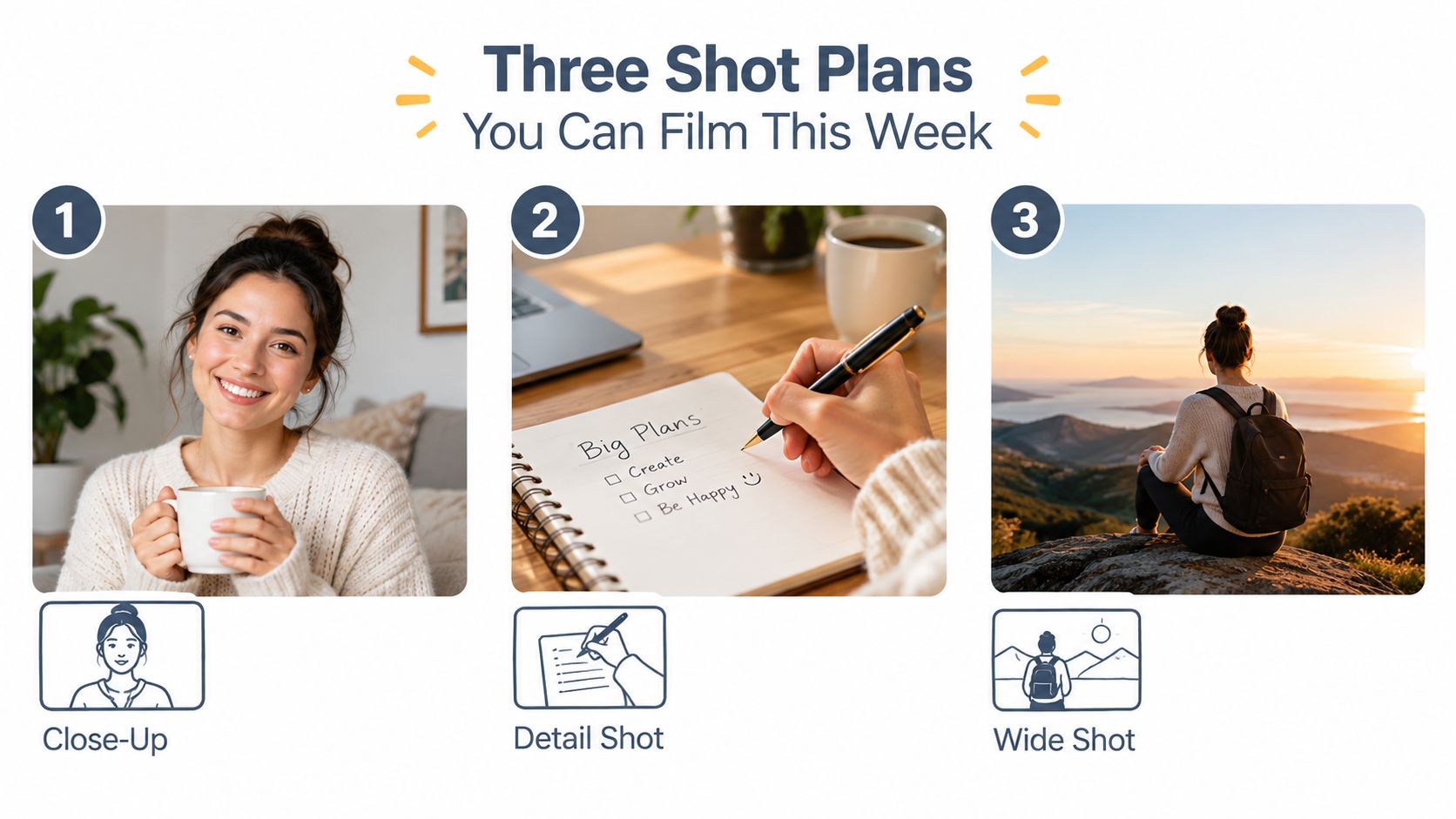
Restaurant
Start at the host stand with your sign or menu in frame. Walk slowly into the dining room while service is running, but before it gets loud. End on one signature dish being plated or set down. Don't film guests up close. A full room seen from behind chairs reads as busy without putting a customer's face on your profile.
Salon
Start wide on the row of chairs so the cleanliness of the setup is obvious. Move to one stylist mid service, filmed from the side with the client's permission or from an angle that shows hands and tools rather than the client's face. End on the finished result or the product shelf with your branding visible. Keep the phone still for the final few seconds. That still frame is what many viewers will remember.
Hotel
Start at the room door. Walk in slowly, pan from the bed to the window, and hold on the view or the bathroom entrance. Cut your losses if the hallway is dark and just film inside the room where the light is good. If you have time for a second clip on another day, film the front desk or one amenity, such as the pool or breakfast area. Don't try to squeeze all of it into one rushed pass.
A few habits apply to all three. Hold the phone with both hands. Walk slower than feels natural. Let normal sound play rather than adding music that covers the room. Film the same details you'd choose for stills, and if you need a refresher on that selection, see which photos belong on your Google Business Profile. Review the take at full screen before you upload. If the first two seconds are a blur of ceiling or floor, shoot it again.
One steady pass through a real space tells a searcher more than five fast cuts they can't follow.
Uploading the Video to Your Profile
Google lets you add media through Google Search and Google Maps. Use the one you're already signed into with the account that manages the profile. Searching for your business name while logged in usually brings up the management controls in Search. In Maps, open your profile from the account that owns it and add media there. The destination is the same profile gallery.
Before you upload, check two things. First, confirm the profile is verified, for the reason covered earlier. Second, watch the clip and note its first clear frame. That frame is often what a viewer sees before playback, so a clip that starts on a doorway or a sign works better than one that starts mid movement.
New media shows with the newest content first. That matters if you're replacing an old clip. Upload the new one and confirm it appears before you remove anything you still need. If you manage several locations, upload to one location at a time and check that location's profile. It's easy to add the right clip to the wrong listing when you rush. The broader setup steps are covered in the complete Google Business Profile guide.
Give the clip a next step
A gallery video shows the place. A post can tell the viewer what to do next. Google's documentation on Business Profile posts says posts can combine a video with a description and an action button linked to a website, including Updates, Offers, and Events, with Offers and Events requiring a title, start and end dates, and times.
Pair the room clip with a booking page. Pair the dish clip with online ordering. Pair an event clip with registration. If there's no offer or event, a plain Update with a clear button is enough. Don't upload the same clip everywhere with no context and call it a strategy.
Promotional Video vs. Verification Video
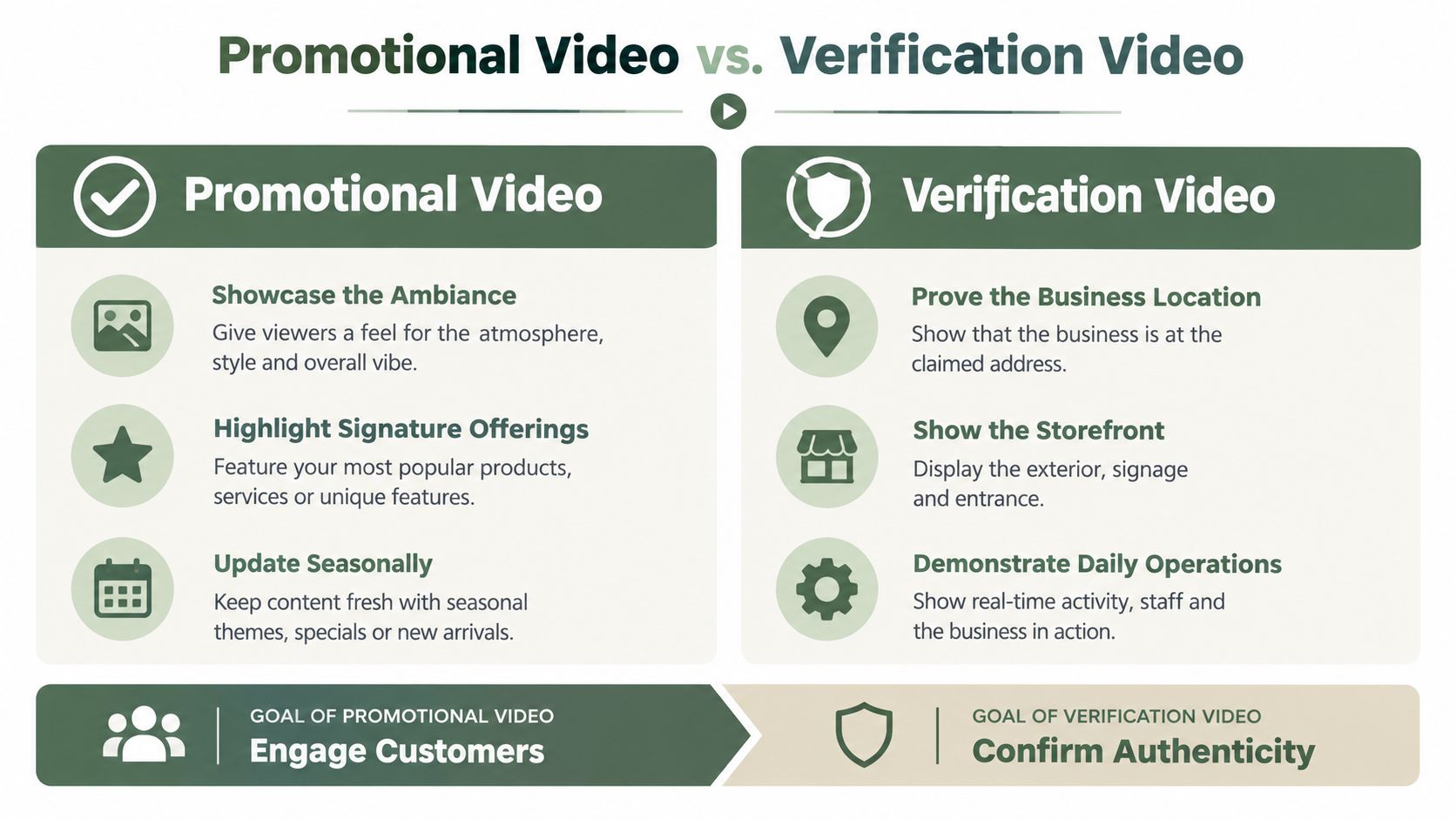
Owners get stuck when they treat these as the same job. They aren't. One is for customers. The other is evidence for Google.
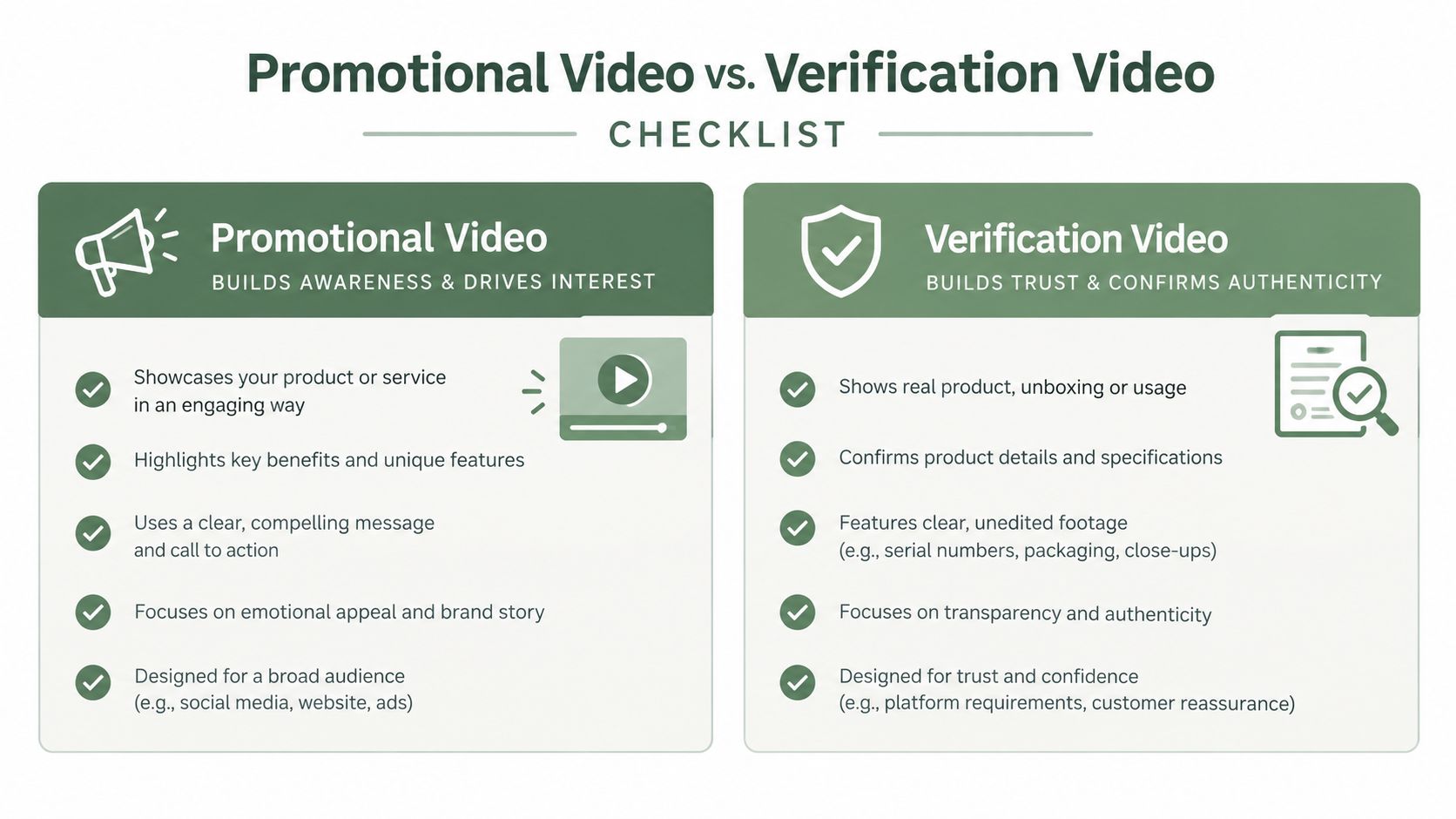
A promotional Google Business Profile video goes in your media gallery. It can be edited. It should be short, steady, and representative. Its job is to help a searcher decide.
Verification video has a different standard. Google's verification video guidance requires a continuous, unedited live mobile recording of at least 30 seconds, demonstrating business location, existence, and management connection, and prohibits filming other people's faces, private information, tax or identification numbers, or financial data.
A verification sequence that covers the three proofs
Plan the route before you record. You can't cut out a mistake, and a longer wandering tour isn't stronger evidence. More footage can mean more chances to catch a customer's face, a document on a desk, or a screen with private data. A short, planned sequence is safer.
Service area businesses and home based operators need extra care. You may not want customers at your address, and you may not have a storefront sign. Lean on recognizable location markers, branded vehicles or equipment, and proof that you control the operation. Don't film family areas or paperwork with sensitive numbers to compensate. Keep the promotional gallery and the verification recording in separate folders and separate mindsets. Polished editing helps the first. It can hurt the second.
- Location: Start with street signs, a building number, or a nearby landmark that ties the footage to the address.
- Existence: Move to permanent signage with a name that matches the profile.
- Management connection: Show an employee only action, such as opening a register, entering a kitchen or storage area, using a point of sale system, or accessing tools or a work vehicle.
Measuring Whether the Video Did Anything
Adding a video during your busiest month and then crediting it for the rush proves nothing. You need a baseline and a clean comparison.
Google's official performance documentation says verified profiles can review how customers discover and use the listing, including profile views on Google Search and Maps and the actions people take after finding the profile, but it doesn't claim that uploading video automatically improves ranking, calls, direction requests, or visits. Treat those outcomes as things to measure, not effects you were promised.
Set the baseline before you publish
Pick a recent period that reflects normal trade. Download or write down profile views, calls, direction requests, and website clicks for that period. Note anything unusual that touched those numbers, such as a holiday, a promotion, changed hours, or a burst of reviews. If you want help reading those fields before you start, Adwave's take on GBP analytics is a useful plain language companion, and the guide to Google Business Profile insights covers the same data from an owner workflow angle.
Then publish a small set of compliant clips. One location is enough for a first test. During the comparison period, keep other changes steady where you can. Don't launch a discount, change your hours, and add video in the same week, then wonder which one moved calls. Real businesses can't freeze everything, but you can avoid stacking changes on purpose and you can write down the ones you couldn't avoid.
Compare actions, not assumptions
After an equivalent period, pull the same measures. Look first at actions a customer takes after finding you. Calls, direction requests, and website clicks tell you whether more searchers decided to act. Views alone tell you people saw the profile, which can shift with season and demand whether or not you added video.
Multi location operators have a cleaner option. Publish comparable clips at some locations and hold others steady for the comparison window. That won't remove every local difference, but it beats comparing December to January and blaming the camera.
Judge the clip by whether more of the people who found you chose to call, visit, or book. Position in map results is a separate question with separate inputs.
- Views up, actions flat: More people saw you, but the clip didn't change decisions. Check whether the first frame and subject are clear.
- Actions up, views flat: The same traffic converted better. That's the pattern you'd hope a trust asset produces.
- Both down: Look for outside causes first, such as seasonality, reduced hours, or a competitor opening nearby. Don't delete the video based on one weak period.
Your one next step this week
Pick one verified location. Choose the shot plan that matches your business and record one short clip at 720p or higher, edited to 30 seconds or less and compressed below 75 MB. Upload it through Search or Maps, confirm it appears on the live profile, and write down today's baseline numbers with the publish date. Set a reminder to pull the same period length of performance data later and compare actions, accounting for promotions and seasonal swings.
Keep the rest of the profile work going while you wait. Accurate hours, correct categories, fresh photos, and steady genuine review requests still do the heavy lifting for being considered in near me searches. If you ask customers for feedback in a post or video description, invite an honest review. Don't require a positive rating, offer payment or gifts, or ask anyone to post from multiple accounts. That kind of fake engagement can be removed and puts the profile at risk.
Video fits into a busy week when you scope it this way. One clip, one upload, one honest check of the numbers. If it helps more searchers choose you, film the second subject next month. If it doesn't, you've spent a small amount of time to learn that, and your effort is better spent on reviews, photos, and profile accuracy.
---
If keeping review requests, replies, and profile posts consistent across one location or many is the part that keeps slipping when you get busy, RecensioAI B.V. can run that workflow for you while you handle filming and the rest of the operation. It sends review requests automatically, shows every customer a public Google review option and a private feedback option side by side, and keeps your profile active without adding another daily task.
Frequently asked questions
You might also like
Handpicked articles for you
Hotel Review Management: Automate Post-Stay Requests with Apaleo, Mews and Your PMS
A practical guide to turning hotel checkouts into timely review requests, with Apaleo live, Mews early access and flexible PMS alternatives.
Why the Business Around the Corner Beats You on Google: What 21,373 Profiles Reveal
We compared 21,373 Google Business Profiles with their three strongest nearby competitors. The gap is smaller than most owners think, but it has two sides: rating and volume.
Treatwell Review Management for Salons: One Reputation View Alongside Google
Bring your public Treatwell rating and recent reviews into RecensioAI, then combine salon signals with Google for faster, better decisions.