
Why Google Business Profile Is Important: 2026 Guide
Learn why Google Business Profile is important for local businesses in 2026. Boost 'near me' search visibility, build trust, & drive calls with your profile.
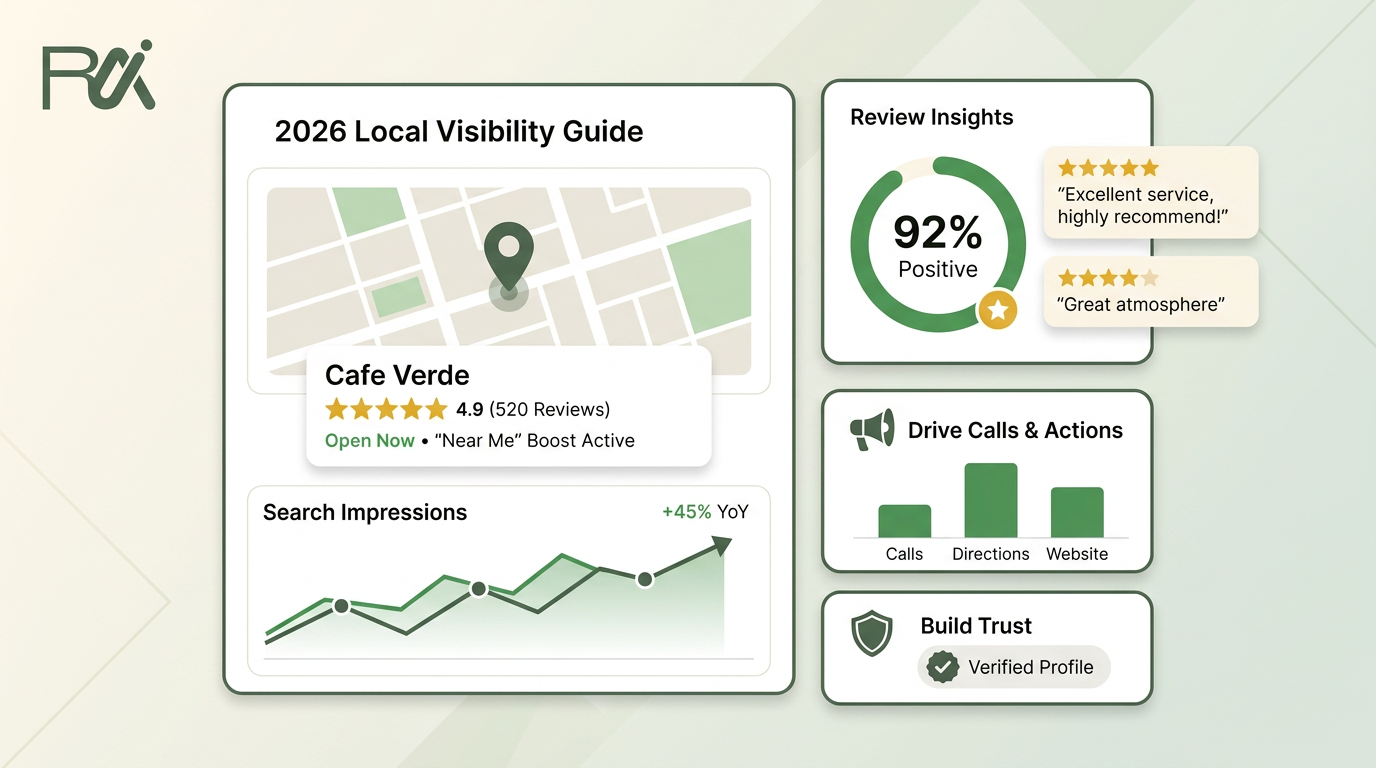
Table of Contents
- 1Introduction
- 2Your Business Is Invisible Without a Good Profile
- 3The front door test
- 4How Customers Find You in Near Me Searches
- 5What you can control and what you can't
- 6Why a Complete Profile Builds Customer Trust
- 7What trust looks like on the screen
- 8The Business Impact in Real Numbers
- 9What those actions mean in plain English
- 10Four Things to Fix on Your Profile This Week
- 111. Check your primary category
- 122. Fill in every service you actually offer
- 133. Upload fresh photos
- 144. Make sure your name, address, and phone match everywhere
- 15Making Your Profile a Habit Not a Project
Introduction
You can have the ovens hot, the chairs ready, and the staff in place, but if a customer standing nearby pulls out their phone and doesn't see you, they'll walk into someone else's shop. That's what happens every day with Google Business Profile. It's the digital front door that tells people three things fast, are you open, are you any good, and are you near me.
For a restaurant, that means the difference between a table you fill and a table you lose. For a salon, it's the haircut, color, or blowout that goes to the competitor down the street. For a clinic, hotel, or contractor, it's the call, the directions request, or the booking that never comes back once the customer chooses someone else.
Your Business Is Invisible Without a Good Profile
A customer is standing one block from your place with their phone in hand. They type haircut near me, tacos nearby, or emergency plumber open now. If your competitors show up on the map and you don't, you're not part of the choice set. You're invisible.

That's why a Google Business Profile isn't just a listing. It's the first screen a lot of customers trust more than your website, because it answers the immediate question. According to BrightLocal's explanation of GBP benefits, it lets customers act directly from the search result, by calling, getting directions, or messaging, which is exactly what matters when they're already ready to buy or visit (BrightLocal).
The front door test
If your profile is blank, stale, or missing the basics, it sends the same message as a front door with no sign on it. People don't stand around and figure it out. They move on.
Practical rule: if a customer can't tell in five seconds who you are, when you're open, and how to reach you, the profile is failing.
That's why owners need to treat GBP like the host stand, not the brochure rack. A salon guest checking for evening hours doesn't want a scavenger hunt. A diner looking for tonight's specials doesn't want to scroll through your website for the basics. They want a clean answer, right there in the search result.
A profile also acts as a pre-website conversion layer. That phrase matters because it means the search result itself can create the lead, before anyone ever lands on your site. If your listing doesn't do that job, you're forcing busy customers to work harder than they should.
How Customers Find You in Near Me Searches
Google doesn't show every business equally when someone searches on a phone. It shows the local pack, the map results, usually the three businesses most likely to help right now. That's the shelf space that matters when someone is hungry, running late, or trying to get something fixed today.

Google's local ranking model comes down to relevance, distance, and prominence, and the controllable part is mostly relevance and prominence, because distance is fixed. A technical local SEO guide notes that proximity can account for about 55% of the ranking weight, which is exactly why you can't “out-spend” geography and why profile quality matters so much (Digi-Solutions).
What you can control and what you can't
You can't move your storefront closer to every searcher. You can make sure Google understands what you do. That means the right primary category, clear services, complete attributes, real hours, and active customer feedback.
A simple way to think about it is this, the searcher asks, “Who matches my need?” Google checks relevance. The searcher asks, “Who's close enough to help now?” Google checks distance. The searcher asks, “Who looks established and worth trusting?” Google checks prominence.
For anyone trying to learn the mechanics without getting buried in jargon, Explore SEO and geo strategies is a useful place to see how local discovery works across markets. It's not about technical tricks. It's about telling Google the truth clearly enough that it can show you when the search intent is hot.
If you want the deeper playbook for map visibility, the internal guide on outranking your competitor on Google Maps pairs well with this. The big takeaway is simple, your profile is the part of local search you directly steer.
Why a Complete Profile Builds Customer Trust
Getting into the map results is only half the job. Getting chosen is the other half. A customer comparing three restaurants, salons, or clinics usually doesn't think like a marketer. They scan for proof.
A complete profile makes that decision easier. Accurate hours mean they don't show up to a locked door. Current photos tell them the place is clean, current, and real. A full service list tells them you do the thing they need, not just something similar.

Google's own data says customers are 2.7 times more likely to consider a business reputable, 70% more likely to visit, and 50% more likely to consider purchasing when the Business Profile is complete (Aaptly). That lines up with how people behave. They choose the place that looks open, active, and credible.
What trust looks like on the screen
A customer doesn't need a brand strategy deck. They need a few solid signals.
The profile evolves into a trust page, no longer just a map pin. People judge you before they ever click your website. They compare the profile against the other options sitting right beside you.
If you want a sharper read on what customers are saying and how those patterns affect revenue decisions, analyzing customer feedback to drive revenue is a useful reference. The point isn't to chase praise. It's to make sure the profile answers the questions that make someone pick you instead of the place next door.
- Photos that look current: A salon with fresh interior and work photos feels open for business. A restaurant with recent food shots feels alive.
- Reviews that look real: A clinic with a healthy review trail looks safer than one with almost nothing.
- Hours and contact info that match reality: A contractor who lists the right service area and phone number avoids dead ends.
- Services and details that are filled in: That helps the customer know whether you provide what they need.
The Business Impact in Real Numbers
Google's own support documentation says the Performance view shows how people discover a Business Profile through Search and Maps and what they do afterward (Google Support). That matters because the profile is not some vanity listing. It's a measurable place where customers take action.
The same Google support page says the average small business gets about 1,009 searches per month through its profile, with an average of 59 customer actions, including 20 website clicks, 16 direction requests, and 10 phone calls (Google Support). Those are real customer behaviors, not abstract brand metrics. For a local owner, that's the difference between being found and being fed.
What those actions mean in plain English
A website click is interest. A direction request is foot traffic. A phone call is often the fastest path to revenue, especially for restaurants, salons, clinics, hotels, and contractors. When someone taps to call from the profile, they're usually already past the browsing stage.
Google's 2026 best-practices playbook says complete profiles receive 7x more clicks, regularly updated profiles get 5x more views, and detailed profiles make customers 29% more likely to consider purchasing (Google Playbook 2026). That's the business case in one sentence. If the profile is thin, you're leaving customer action on the table.
A phone that rings from the profile is worth more than a pretty listing that nobody touches.
If you manage a business where missed calls turn into missed revenue, the operational side matters too. How missed calls hurt LSA rank is a good reminder that response speed and call handling are part of the actual outcome, not just the marketing story.
For operators who want to understand how profile trust connects to revenue, the internal breakdown on Google star rating and revenue adds useful context. The lesson is the same across industries, people act when the profile gives them enough confidence to act quickly.
Four Things to Fix on Your Profile This Week
Don't turn this into a giant project. Fix the stuff that changes what customers see right away. Google's 2026 playbook says complete profiles get more clicks, and regularly updated ones get more views, so the basics are where the money starts (Google Playbook 2026).
1. Check your primary category
Your main category tells Google what kind of business you are. If you run a salon but the category is too broad, or a restaurant but the label is off, Google has to guess. Don't make it guess.
Pick the category that matches your core service, not the one that sounds fancy. A customer looking for a nail salon doesn't need to land on a generic beauty profile. A diner looking for Mexican restaurant shouldn't have to decode a vague food label.
2. Fill in every service you actually offer
List the services people come in for. That helps both the customer and Google. If you're a contractor, spell out the work. If you're a clinic, state the treatments. If you're a hotel, make the amenities clear.
A useful internal checklist is how to optimise your Google Business Profile in 2026. Keep it simple, and don't leave obvious blanks sitting there.
3. Upload fresh photos
Add five good photos this week. Not stock photos. Real photos of your lobby, chairs, plates, waiting area, storefront, team, or recent work. Customers trust what looks current.
Rule of thumb: if the photo could have been taken years ago and nobody would know, replace it.
4. Make sure your name, address, and phone match everywhere
Your name, address, and phone number need to be identical across the web. If one listing says Suite 2 and another says #2, or the phone number is wrong, you create friction. Customers hate friction, and Google hates confusion.
That's the whole cleanup list. Category, services, photos, and contact details. If you do only those four things this week, you'll already have a better profile than a lot of nearby competitors.
Making Your Profile a Habit Not a Project
The businesses that win with Google Business Profile don't treat it like a one-time setup. They treat it like opening the doors every day. That means the profile keeps getting new reviews, current photos, accurate hours, and active posts, because stale pages feel abandoned to customers.
A restaurant owner knows this instinctively. You wouldn't leave the dining room untouched for six months and expect regular traffic. A salon owner shouldn't let the profile go quiet and expect people to assume the business is active. The same logic applies to clinics, hotels, and service companies.
If time is the problem, build a system. Set a weekly check, assign someone to watch new reviews, and keep the basics current after every change in hours, staff, services, or photos. If you need automation, RecensioAI B.V. handles review requests, review responses, and profile activity so the work doesn't vanish when the day gets busy.
---
If you want your Google listing to stop acting like dead space and start acting like a front door, visit RecensioAI B.V.. It's built for local businesses that need reviews, profile activity, and customer response to keep working without adding more chores to your day.
You might also like
Handpicked articles for you
Hotel Review Management: Automate Post-Stay Requests with Apaleo, Mews and Your PMS
A practical guide to turning hotel checkouts into timely review requests, with Apaleo live, Mews early access and flexible PMS alternatives.
Why the Business Around the Corner Beats You on Google: What 21,373 Profiles Reveal
We compared 21,373 Google Business Profiles with their three strongest nearby competitors. The gap is smaller than most owners think, but it has two sides: rating and volume.
Treatwell Review Management for Salons: One Reputation View Alongside Google
Bring your public Treatwell rating and recent reviews into RecensioAI, then combine salon signals with Google for faster, better decisions.