
Customer Feedback Automation for Local Businesses
Cut reply time and turn feedback into fixes. This playbook shows clear steps, real numbers, and tools you can use this week.
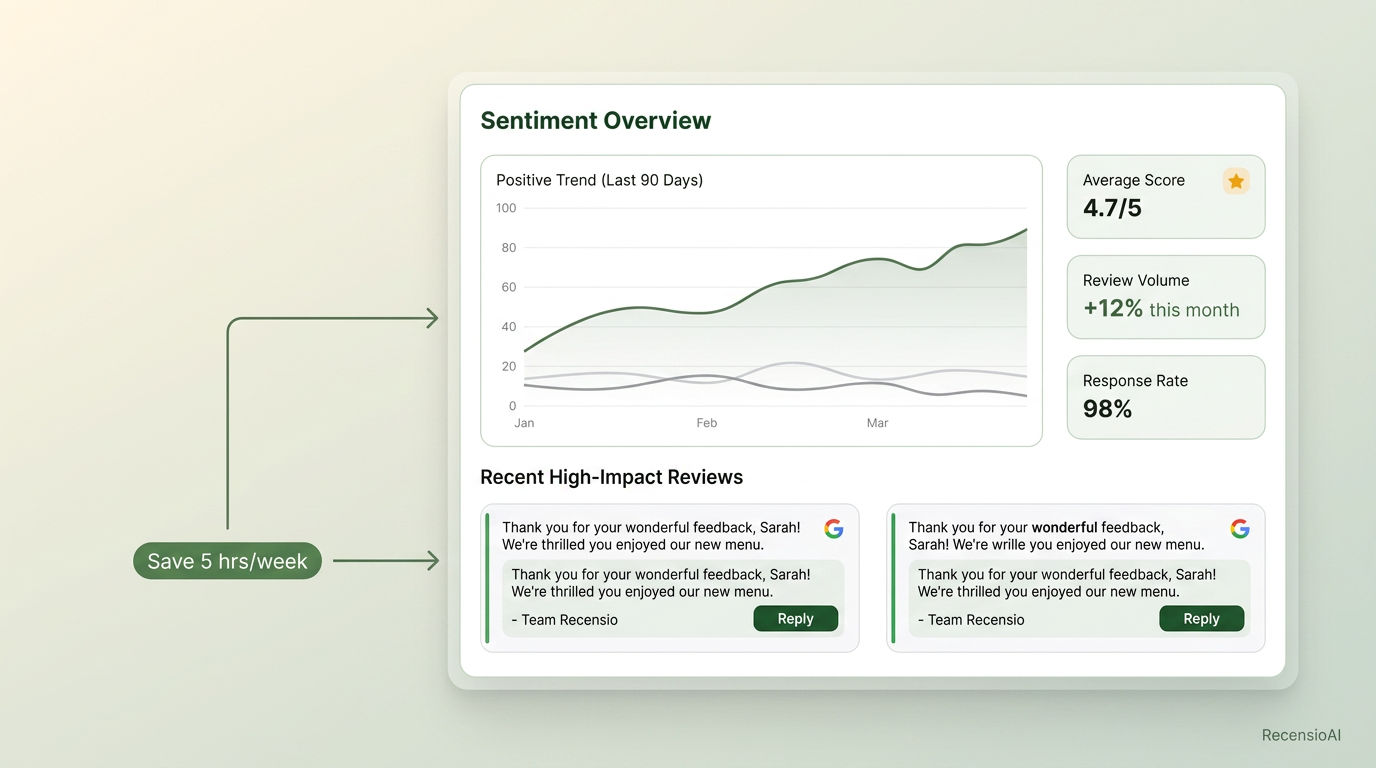
Table of Contents
What customer feedback automation means
Customer feedback automation collects, sorts, and routes feedback for you. It sends smart requests, tags the replies, and alerts the right person. You keep control of tone and decisions. The system does the busy work.
For a local shop, this is simple. A text goes out after a visit. A link lets guests rate, review, or message you. Low scores open a ticket. High scores ask for a public review. You get a clean queue to review and reply.
Start small. Pick one trigger, one channel, and one rule. Example: “Send an SMS 2 hours after checkout. If score is 1–3, create a follow‑up task. If 4–5, ask for a Google review.” Keep consent and timing clear. Always allow opt‑out.
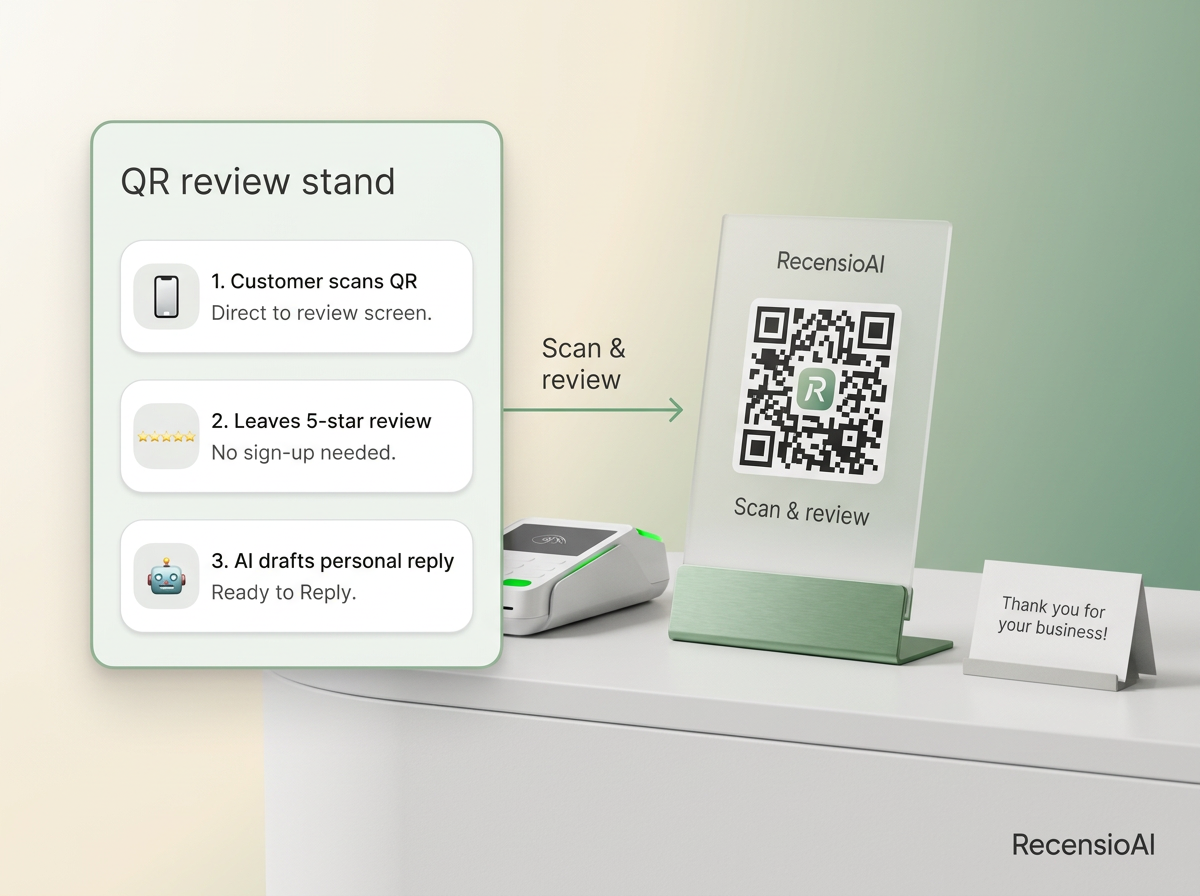
- Channels: SMS, email, QR, and web forms
- Sources: POS exports, booking apps, Wi‑Fi sign‑in, kiosks
- Rules: score gates, spend amount, visit type, staff member
- Outputs: review links, tickets, tags, and summaries
Set up requests that actually convert
Good requests are timed, short, and personal. They use the guest’s name. They ask one clear thing. They offer a fast path on mobile.
Timing matters. Right after a service, feelings are fresh. For hotels, try the morning after checkout. For restaurants, 1–2 hours after the bill. For dentists, same day by 6 pm. Keep the message under 300 characters.
Use two paths. Happy guests go to your public review link. Unhappy guests go to a short form or SMS thread. Do not mix the paths. This keeps platforms happy and protects trust.
- Aim for 10–20% click‑through on requests
- Send no more than one request per visit
- Use the guest’s first name and service type
- Always include an opt‑out line
Mini example: request math that works
You see 100 customers this week. You collect 60 phone numbers with consent. You send 60 requests.
If 15% click, that is 9 visits to your page. If two‑path routing sends 6 happy guests to Google and 3 to your help form, and 70% of the 6 post, you net about 4 new public reviews. The 3 private issues open tasks the same day. You have fewer surprises next week and clearer trends.
This is normal math for many local shops. Adjust the click and post rates to your audience and season.
- Target click‑through: 12–18%
- Target post rate (from clicks): 50–75%
- Private issue follow‑up SLA: 24 hours
- One gentle reminder after 48 hours max
Triage and reply without sounding robotic
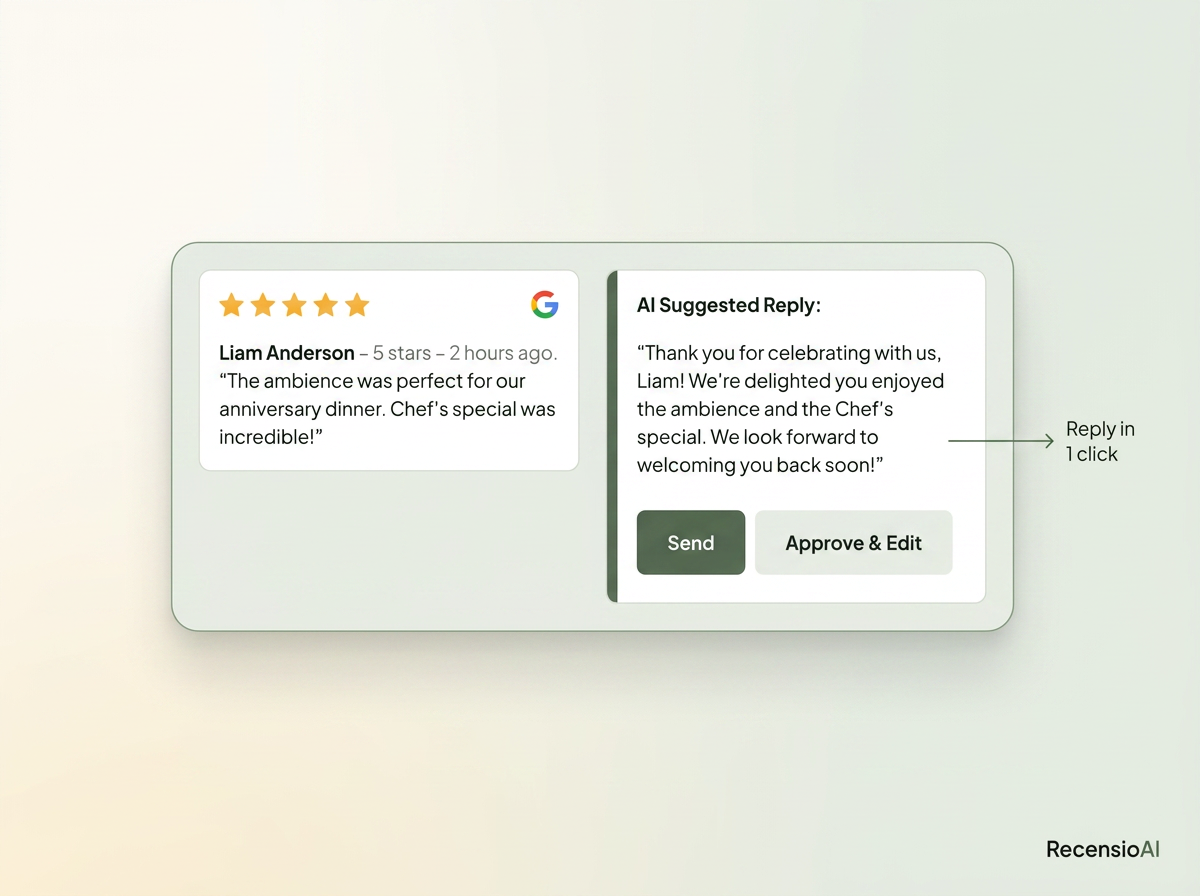
Automate the triage. Keep the voice human. Sort reviews by rating, keywords, and location. Draft replies with AI, but approve in one click. Save time. Keep tone on brand.
Set simple rules. 4–5 stars: thank, mention one detail, invite back. 3 stars: thank, name the issue, explain one fix, invite to continue by phone or email. 1–2 stars: apologize, state next step, offer a direct line. Avoid discounts as a first move.
Use saved templates, but always add one line that is personal. Track first reply time. Your goal is same day for 1–2 stars and next day for others.
- Tag themes: wait time, price, service, cleanliness, staff
- Escalate 1–2 stars to a manager inbox
- Keep replies under 120 words
- Never copy‑paste the same reply twice
Turn feedback into fixes
Reviews are not just stars. They are a to‑do list. Route themes to owners. Turn patterns into projects. Track what changed.
Create tags for the issues you see often. Link each tag to one owner. Tie fixes to a date and a result. Post a manager note when the fix is live. Close the loop with the customer by SMS or email. This builds trust and repeat visits.
Share weekly wins in your team huddle. Keep it short. One fix per week beats ten ideas with no action.
- Assign owners per tag (e.g., “speed” → Front Desk Lead)
- Set due dates and one metric per fix
- Add a quick photo before/after when relevant
- Review the top 3 tags every Friday
Mini example: turning a theme into action
A salon tags 28 reviews in a month. 9 mention “wait time.” Average wait is 18 minutes.
The owner adds a buffer to bookings and a text alert when the chair is ready. Two weeks later, wait drops to 9 minutes. 3 new reviews mention “fast in and out.” Team morale lifts. The tag “wait time” falls off the top issues list next month.
Small, steady changes compound. This is where automation pays off: clear data, simple next steps, quick checks.
Show proof where buyers look
Make it easy for shoppers to see fresh proof. Embed a reviews widget on your site. Add recent quotes to your menu, price page, or booking flow. Share a monthly highlight on social with one image and one line.
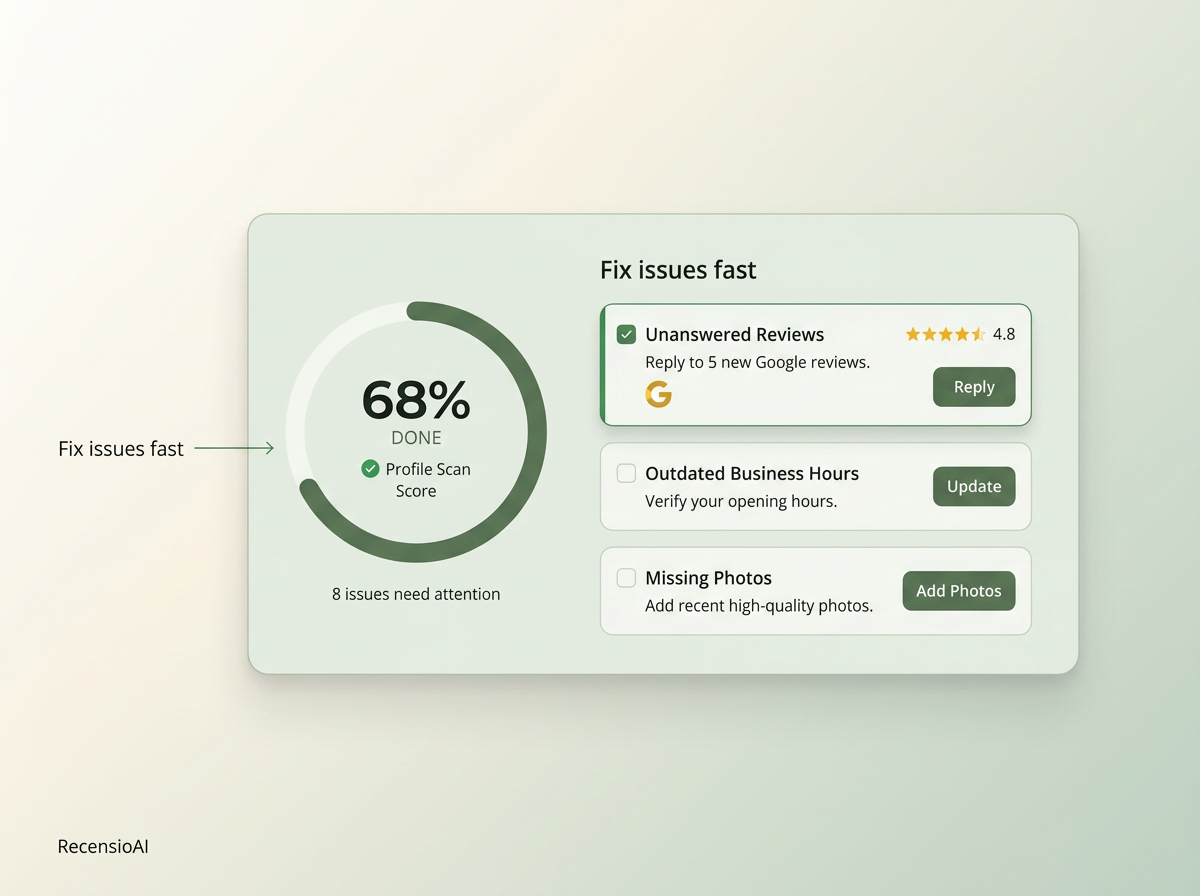
Keep your Google Business Profile tight. Update hours, photos, and services. Add Q&A to cover top asks. If you are not sure what’s missing, you can run a free scan of your profile in 30 seconds — no signup. Fix the items with the biggest impact first.
You can also use our Free Tools hub for quick jobs like an AI review reply generator, a Google review QR code, and a review score calculator. These save time when you need a fast task done.
- Feature 3–5 fresh quotes on high‑traffic pages
- Post one GBP photo per week
- Share one review highlight per month on social
- Use QR on receipts, tables, or take‑home cards
Track ROI and stay compliant
Watch the numbers that matter. Do not chase vanity stats. Tie activity to time saved, issues fixed, and revenue protected.
Core metrics: request send rate, click‑through, review rate, average rating trend, first reply time, and top tags by volume. Add CSAT or NPS if you run private surveys. Review these weekly for 10 minutes. Adjust one thing at a time.
Stay compliant. Get clear consent. Offer opt‑out. Do not gate reviews. Follow Google and platform rules. Train staff on what you track and why. Automation helps, but you run the show. RecensioAI is the tool that automates all of this and keeps your team in control.
- Keep PII secure and access‑controlled
- Document consent in your POS/CRM
- Do not offer rewards for reviews
- Audit templates and rules quarterly
Frequently asked questions
You might also like
Handpicked articles for you
Hotel Review Management: Automate Post-Stay Requests with Apaleo, Mews and Your PMS
A practical guide to turning hotel checkouts into timely review requests, with Apaleo live, Mews early access and flexible PMS alternatives.
Why the Business Around the Corner Beats You on Google: What 21,373 Profiles Reveal
We compared 21,373 Google Business Profiles with their three strongest nearby competitors. The gap is smaller than most owners think, but it has two sides: rating and volume.
Treatwell Review Management for Salons: One Reputation View Alongside Google
Bring your public Treatwell rating and recent reviews into RecensioAI, then combine salon signals with Google for faster, better decisions.