Google Reviews Disappearing: The 2026 Recovery Guide
Identify whether sudden review losses are caused by Google's automated spam filters or shadowbans. Follow our exact step-by-step appeal workflow to recover legitimate customer reviews quickly.
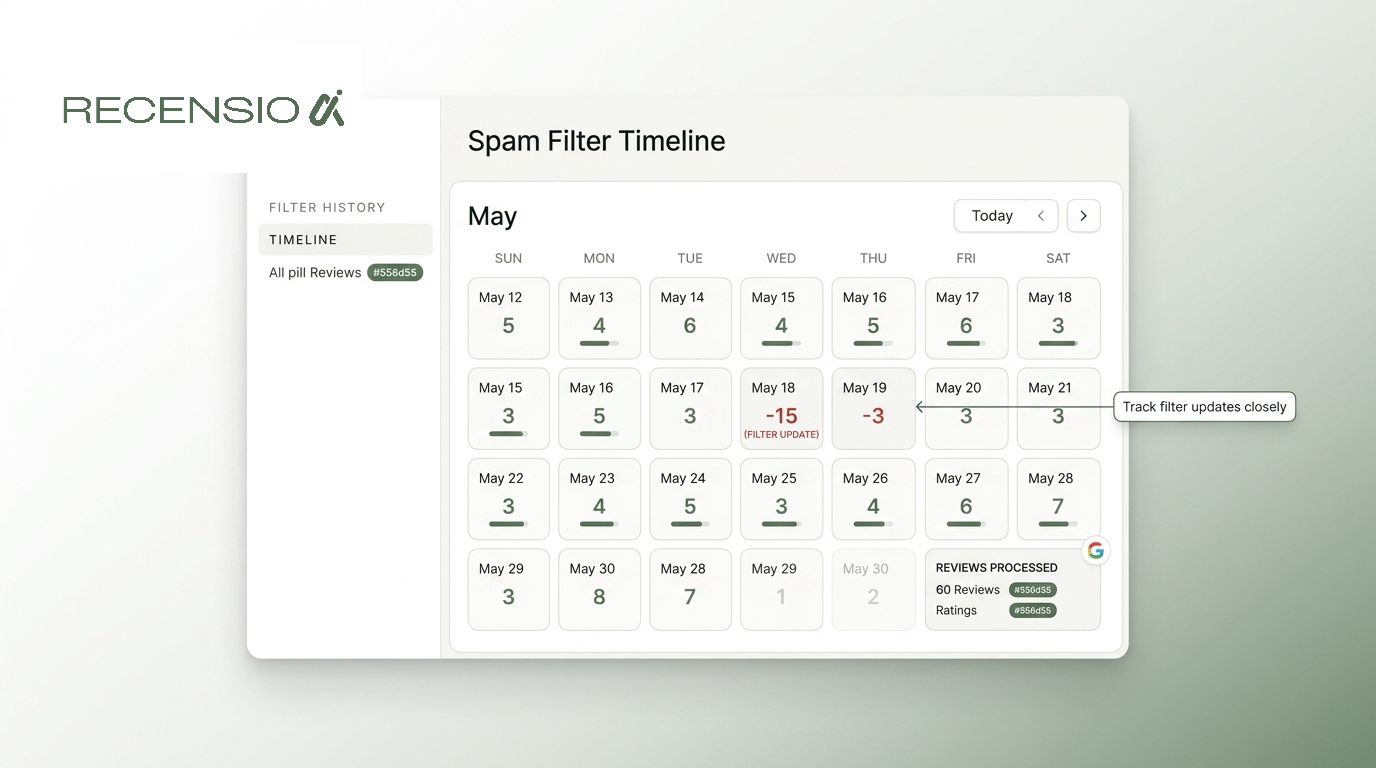
Table of Contents
The short answer
Google deletes reviews when its automated filters suspect spam. These filters remove about two to three percent of legitimate reviews by mistake. A missing review is rarely an attack from a competitor. It is almost always a strict algorithm trying to protect Maps from fake ratings.\n\nMost businesses lose reviews for technical reasons. A customer might be connected to an office network with a flagged IP address. Sometimes a new profile gets too many reviews too fast. You can appeal missing reviews through Google Support. You just need to follow the exact workflow to prove the rating is real.
Algorithm purge or shadowban?
You need to know how your review disappeared. Google uses a few different methods to police its platform. Identifying the exact method saves you hours of wasted paperwork.\n\nAn algorithmic filter works on a single review. A customer leaves a five-star rating and writes a nice comment. The review never appears on your public profile.\n\nThe customer can still see it on their own device. This is a shadowban of one specific review. You will not get an email notification about it.\n\nAn algorithmic purge works on your whole profile. You check your page and notice ten older reviews are gone. Google ran a system update and wiped out reviews it considers suspicious.\n\nAccount suspensions are a larger issue. If all your reviews vanish at once, your entire business profile might be suspended. You must restore your profile before focusing on the ratings.\n\nYou can fix individual shadowbans through standard appeals. Mass purges require a different approach. You must file a formal ticket with careful documentation.
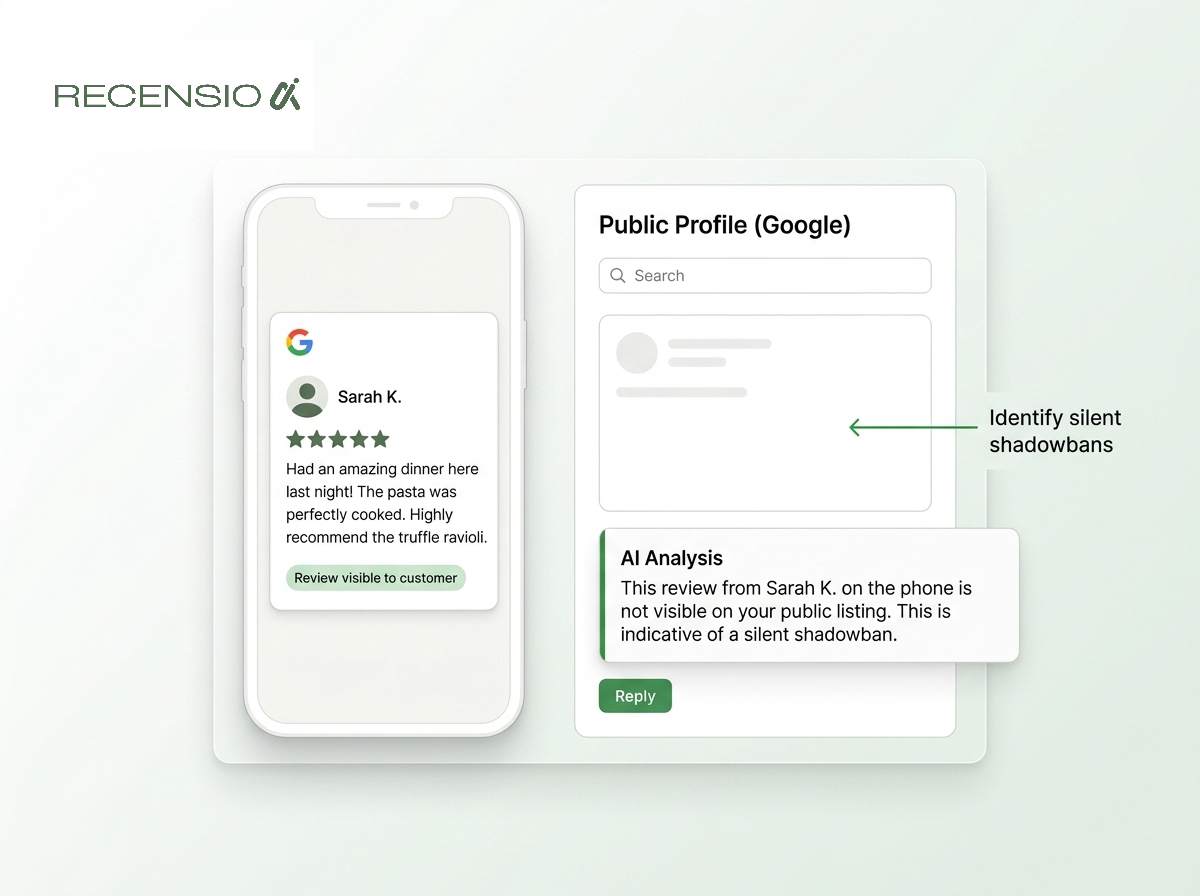
- Single shadowban: one review hidden from public view
- Algorithmic purge: dozens of old reviews removed at once
- Profile suspension: all reviews and business details disappear
- User deletion: customer removed their own account
What triggers the automated filter
The automated filter looks for patterns at the time of submission. It does not read the text like a human. It looks at metadata. Google processes millions of ratings a day.\n\nLocation data is a common trigger. The filter checks the IP address of the reviewer. Devices connected to the same network share one outward IP address.\n\nMany reviews coming from the same IP address look like fake activity. This happens often at dental clinics when patients use the lobby Wi-Fi. The filter assumes the business owner is posting fake reviews.\n\nVelocity is another big factor. A brand new clinic might ask sixty people for a review on opening day. Google flags this fast influx. Quick sudden spikes alert the system.\n\nThe wording also matters. Reviews containing phone numbers, links, or lots of special characters get blocked. Keep the text simple and clean.\n\nYou can check if your profile is at risk for sudden drops. Use this free Google Business Profile scan to check your status. It takes thirty seconds and requires no signup.
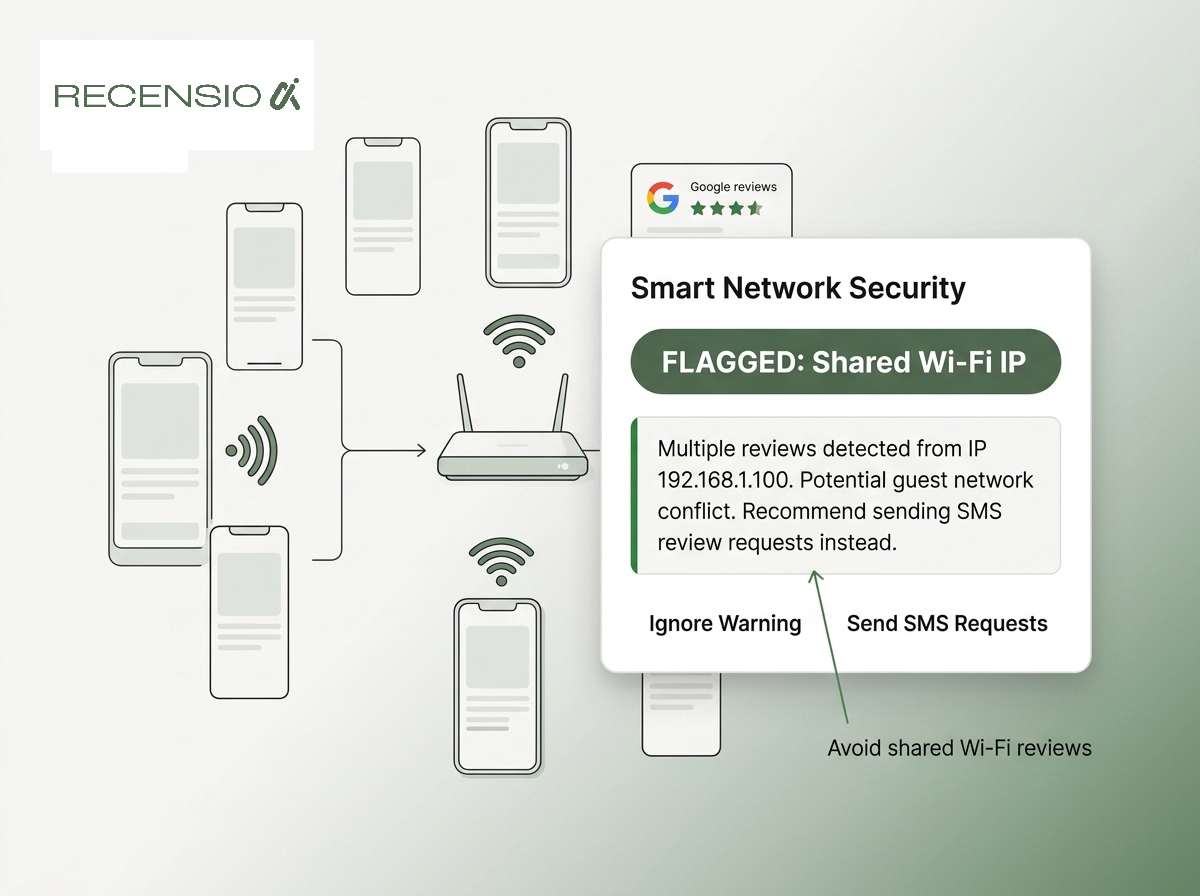
- Shared Wi-Fi: multiple reviews from one router IP
- Unnatural velocity: twenty reviews arriving on the same day
- Banned content: phone numbers or links in the text
- Keyword stuffing: unnatural repetition of service names
Customer network and device issues
Sometimes the issue sits entirely on the customer side. Google tracks the history of the Google account leaving the rating. It grades the trustworthiness of every user.\n\nA brand new account with no search history looks suspicious. Google might hold the review until the user shows normal map habits. Ratings from empty profiles often fail to publish.\n\nThe customer might have a flag on their device. A user who leaves fifty reviews in one day gets shadowbanned. Their public contributions become invisible. They lose their ability to influence ratings anywhere.\n\nUsers can also delete their own reviews. They might delete their entire Google account or just the specific rating. A deleted account wipes out all past contributions everywhere.\n\nThere is no way to appeal a user deletion. You can only appeal reviews hidden by the spam filter. Do not waste time chasing deleted accounts.
- New accounts: profiles created on the same day
- Spam history: users who rate fifty places daily
- Dotted maps: reviewers rating places in different states simultaneously
- Private accounts: profiles hiding their public contribution history
The 2026 appeal workflow
You can recover legitimate reviews hidden by the spam filter. You must use the official Google Business Profile Help tool. Do not waste time making phone calls.\n\nFirst, log into the Google account that manages your profile. Search for your business on Google. Click on the three dots to open the settings. Look for the support icon.\n\nNavigate to the Help section and search for missing reviews. You will find a specific review management tool. Follow the steps exactly. The form asks for very specific dates.\n\nYou will need proof that the review is real. Ask the customer for a screenshot of the review from their device. This screenshot proves they actually posted it. Google requires this visual proof.\n\nSubmit the ticket and wait. Support usually processes these requests within a week. You will receive an email decision. You cannot appeal the decision a second time.
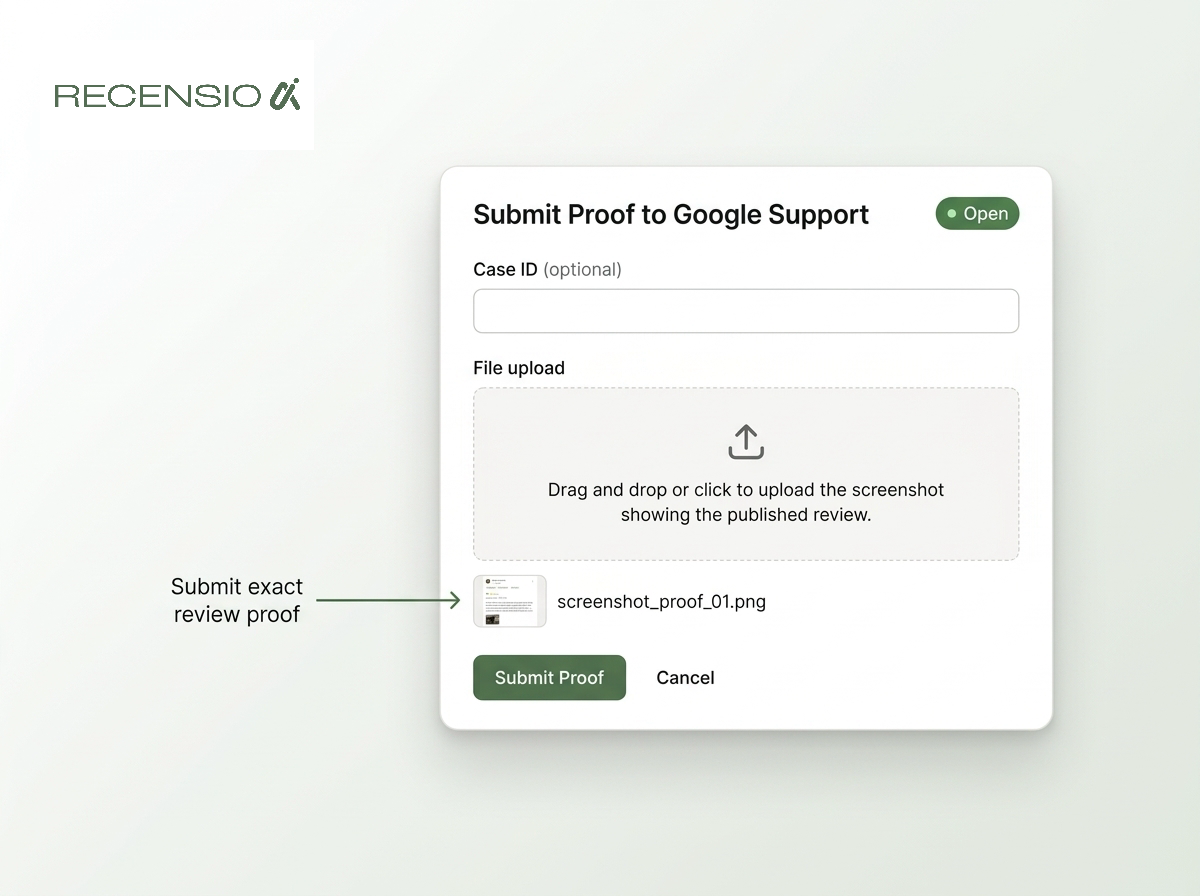
- Customer screenshot: proves the review exists on their device
- Exact date: the day the customer posted the review
- Account name: exactly as it appears in Google Maps
- Review text: a copy of what the customer wrote
How to protect your future reviews
You cannot stop Google from updating its spam filter. You can only build better habits for collecting reviews. A steady routine prevents mass deletions.\n\nYou must spread out your review requests. Never send an email blast to your whole mailing list at once. Send a few requests each day. Pacing is your strongest defense.\n\nAsk customers to use their own mobile data network. This avoids the shared IP address problem entirely. Ratings sent from a cellular network look much safer to the algorithm.\n\nTools like RecensioAI can help automate the messy parts. A good system paces exactly when your requests go out. You can also use a review score calculator to project your growth.\n\nStop chasing an impossible perfect score. A few missing reviews will not ruin your business. Focus on steady volume over time. Consistent volume protects your average rating during sudden algorithmic purges.
- Daily pacing: send two requests per day consistently
- Mobile data: ask users to disconnect from shop Wi-Fi
- Natural prompts: do not force customers to write long essays
- Diverse timing: ask at different points in your service
Tracking your review health
You need a simple routine to track your profile. Businesses often miss a mass purge until weeks later. Early detection makes the appeal process much simpler.\n\nCount your total reviews every Monday. Write the number down in a simple spreadsheet. A drop of one or two is normal. Small adjustments happen constantly.\n\nA sudden drop of twenty reviews is an emergency. You must start the appeal process quickly. Do not wait for Google to fix the glitch on its own.\n\nAlways reply to new reviews quickly. Replying shows Google that the profile is actively managed. It can also solidify the review on your page. Fast replies show consistent management.\n\nKeep the screenshots you collect from customers. Save them in a dedicated folder. This makes your next appeal much faster.\n\nYour goal is a natural, active profile. Consistent work builds a profile that survives aggressive filter updates. View your profile as a long-term project.
- Weekly counts: log your total score every Monday morning
- Immediate replying: reply to every new rating within hours
- Screenshot folders: save all customer proof in one secure place
- Team training: teach staff to check Google Maps regularly
Frequently asked questions
You might also like
Handpicked articles for you
How to Spot and Report Fake Google Reviews Without Making Mistakes
One fake review can damage your rating fast. Learn how to identify fake reviews reliably, report them correctly to Google, and avoid the mistakes that weaken your case.
What to Do When Someone Threatens You With a Bad Review
A customer threatens with a 1-star review if you don't pay or provide free services. This is review blackmail. Learn how to handle it without damaging your reputation.
Buying Google Reviews: Why It Will Destroy Your Business
Buying Google reviews seems like a quick fix, but it puts your business at risk. Discover the risks, fines and why collecting real reviews with RecensioAI is smarter.