
Claiming Your Profile on ChatGPT Business Hub
The new ChatGPT Business Hub lets local merchants manage how they appear in AI search results. Claiming your profile ensures accurate details and helps customers find you faster.
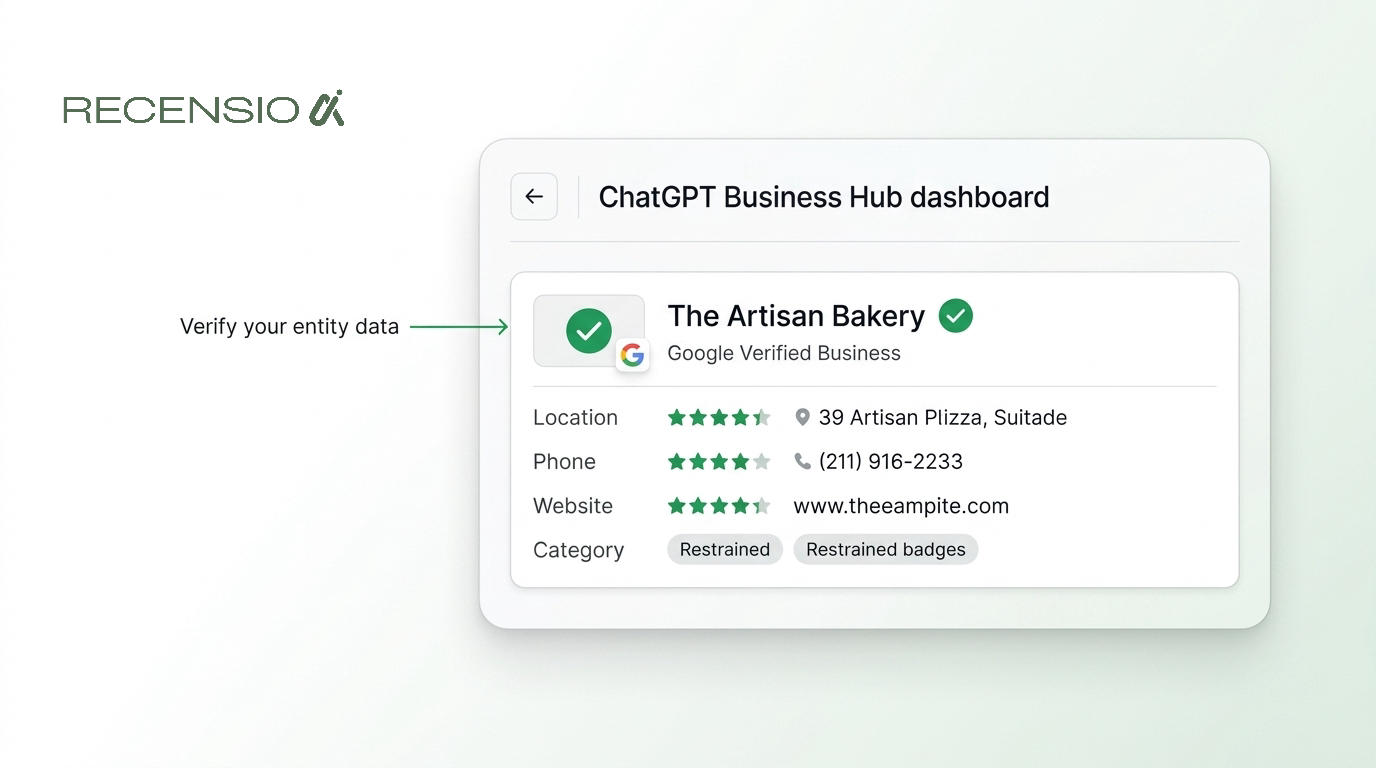
Table of Contents
- 1What is the ChatGPT Business Hub?
- 2Why local businesses need to claim their profile
- 3How to register your business step by step
- 4Optimizing your profile for AI search
- 5Managing products and services
- 6How reviews impact ChatGPT search visibility
- 7Measuring your success with Hub insights
- 8Common mistakes to avoid
What is the ChatGPT Business Hub?
The ChatGPT Business Hub is a dedicated dashboard launched by OpenAI in November 2026. It allows local business owners to claim and verify their public information directly.
This portal ensures that ChatGPT has the correct hours, location and service details for your business. Verified profiles are more likely to appear when local users ask ChatGPT for recommendations.
Why local businesses need to claim their profile
More people now use AI search to find local services. A user might ask ChatGPT for a highly rated emergency plumber nearby.
Users expect immediate answers without clicking blue links. They want a fast recommendation for a nearby cafe. The AI uses its verified data to answer instantly.
If your business data is missing or wrong, the AI will recommend a competitor. Claiming your business on ChatGPT ensures the AI knows exactly what you offer.
Verified entities gain trust in the AI system. The hub lets you control your narrative rather than relying on scraped data.
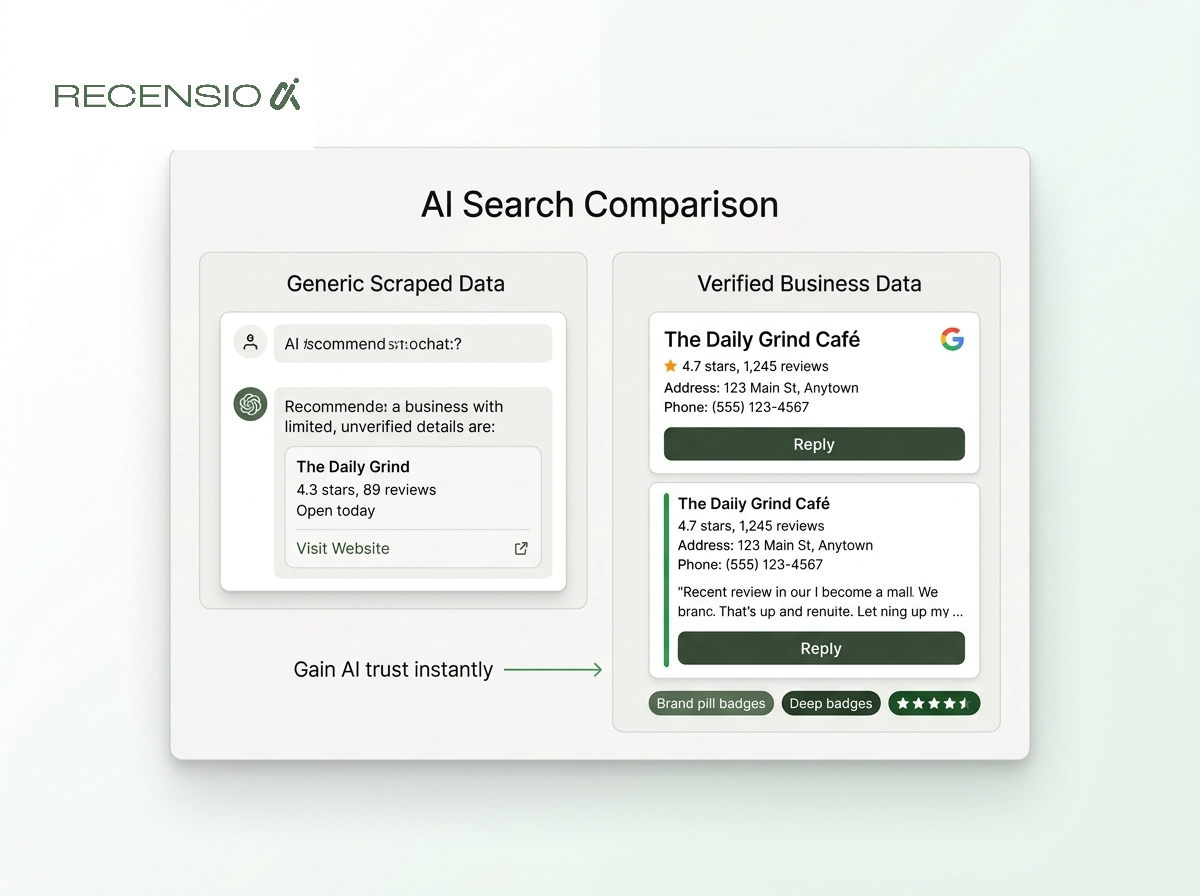
- Control your data: ensure hours and location are perfectly accurate.
- Increase visibility: help the AI match you with specific local queries.
- Build trust: verified profiles receive priority in direct AI recommendations.
- Track performance: see exactly how often you appear in AI chats.
How to register your business step by step
Starting the ChatGPT business registration process takes only a few minutes. You need an active OpenAI account to begin.
Navigate to the hub and enter your business name and address. The system will search its existing database to see if your entity already exists.
If it finds your business, you can claim it immediately. You will then complete a verification step to prove ownership. This often involves receiving a code via phone or email linked to your domain.
Some businesses might not appear in the initial search. If this happens, you can manually create a new entry. You will provide your legal name and primary phone number. This manual entry requires a stricter verification process.
- Create an account: sign up using your official business email address.
- Search the directory: type your exact legal business name and city.
- Select your listing: choose your business from the AI search results.
- Verify ownership: enter the secure code sent to your phone or email.
- Complete the profile: fill in all missing contact and location details.
Optimizing your profile for AI search
AI models read your profile differently than traditional search engines do. They look for context, specific details and accurate categorizations.
Write your business description in natural language. Describe exactly what problems you solve for your customers. Include details about parking, accessibility and accepted payment methods.
A clinic should list specific treatments rather than just general medical services. Photos also play a small but growing role here. Upload clear images of your building exterior and interior.
This helps the AI confirm your physical existence. It also provides visual context for users who ask for store details. Before optimizing here, you should ensure your Google details are also perfect. You can run a free Google Business Profile scan to check your baseline.
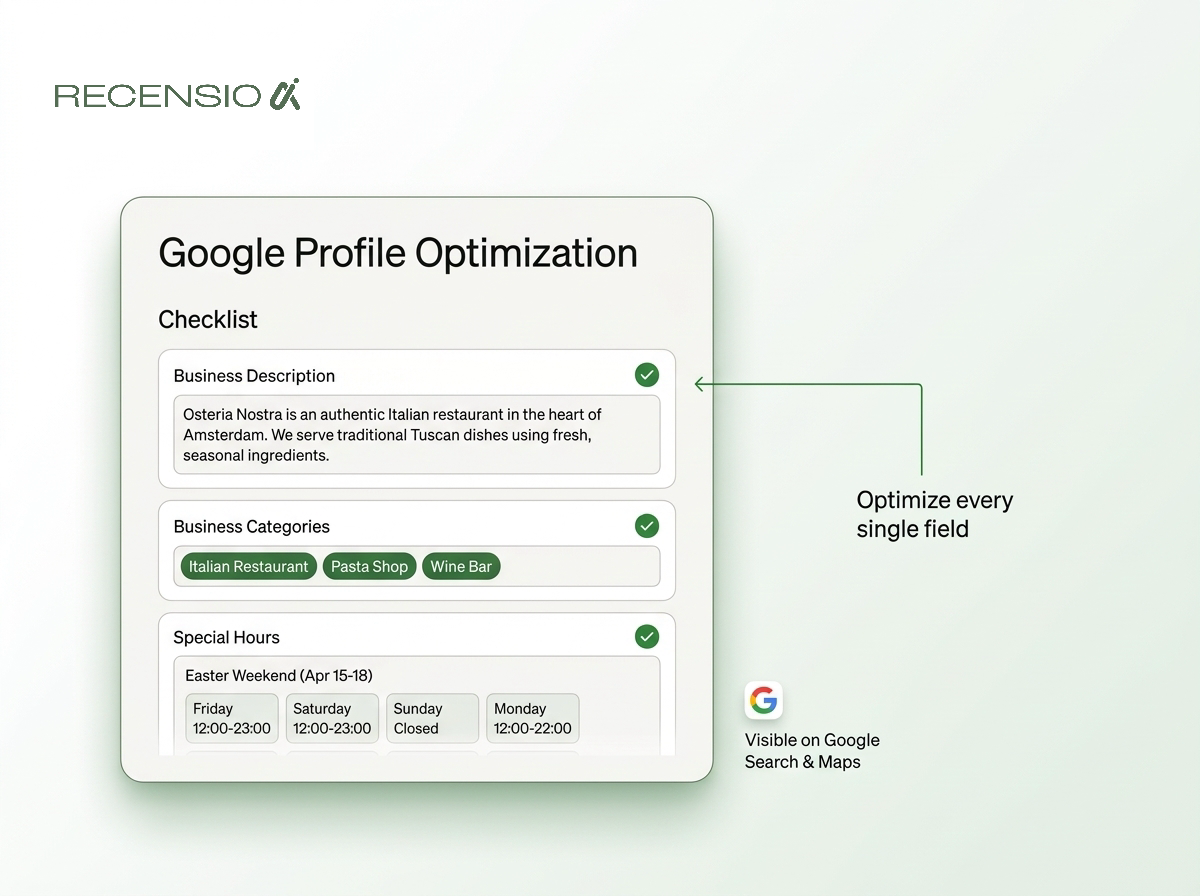
- Use natural language: write descriptions exactly how you would speak to customers.
- Be highly specific: list exact services, brands and specialized techniques you offer.
- Update special hours: always log holiday closures to prevent frustrating potential customers.
- Add clear categories: select the most accurate primary category for your industry.
Managing products and services
The hub allows you to list specific products and service menus. This is crucial because users often ask ChatGPT for specific items in stock.
A hardware store can list tool brands they carry. A hair salon can list exact coloring services and pricing tiers. Keeping this section current prevents the AI from giving users outdated pricing.
Service menus are equally important for service businesses. A massage therapist should list session lengths and prices. A landscaping company must detail exact lawn care packages.
The more detail you provide, the better the AI can match you. You can also connect a supported product feed if you run retail software. This automated sync saves time and ensures high accuracy.
- List core services: add distinct entries for every major service you provide.
- Include pricing: give starting prices to help the AI qualify your leads.
- Detail exact brands: mention specific product brands you sell or install.
- Sync inventory: connect retail software to show real stock levels automatically.
How reviews impact ChatGPT search visibility
ChatGPT heavily factors customer feedback into its local recommendations. It reads reviews from across the web to understand your reputation.
The AI looks for sentiment patterns and specific keywords in user feedback. If customers constantly praise your speedy service, the AI remembers this detail.
Negative reviews do not automatically ruin your AI visibility. However, an unaddressed negative review leaves a bad impression. The AI reads your reply to understand your side of the story.
Always stay calm and offer a clear solution. Replying to every review helps clarify the context of the feedback. Using our AI review reply generator makes it easy to write professional replies in seconds. Consistently positive sentiment is the strongest signal for AI search placement.
- Monitor feedback: track what customers say across all major review platforms.
- Always reply: address every piece of feedback professionally and quickly.
- Note recurring themes: pay attention to specific praises the AI might highlight.
- Clarify negatives: professionally correct any factual errors in bad reviews.
- Encourage details: ask happy customers to mention specific services they loved.
Measuring your success with Hub insights
The dashboard includes a dedicated insights tab for verified owners. This section shows how people engage with your business through ChatGPT.
You can see how many times your business appeared in chat results. It also reveals the specific types of questions users asked to find you. This data helps you understand what local customers actually want right now.
These insights are updated weekly in your dashboard. You can download the data to share with your team. Comparing month over month data shows seasonal trends.
This helps you prepare inventory and staffing for busy periods. You can adjust your services based on these direct query trends. Checking these metrics monthly helps you refine your profile description over time.
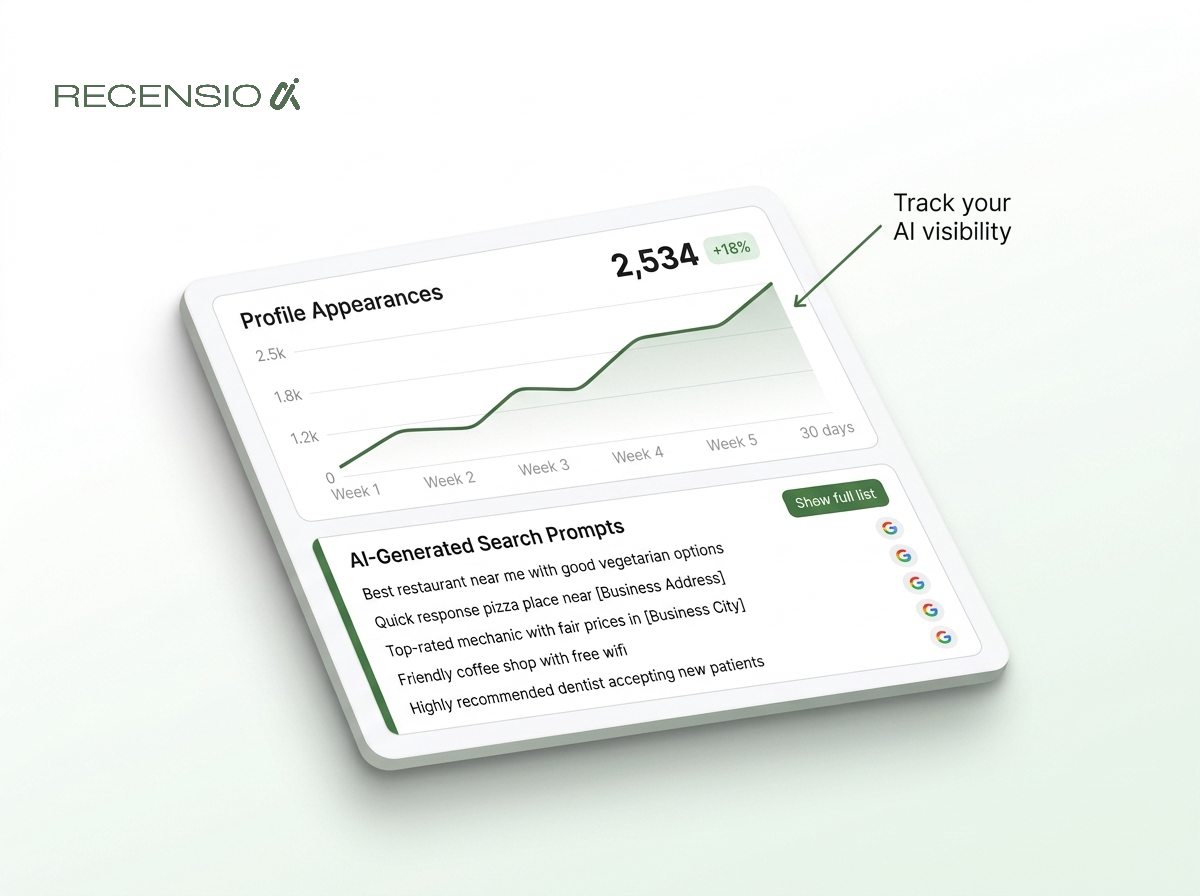
- Track total appearances: see how often the AI recommends your business locally.
- Analyze user prompts: read the actual questions that led to your profile.
- Monitor click rates: check how many users asked for directions or called.
- Identify missing services: spot things users ask for that you do not offer.
Common mistakes to avoid
Many owners treat the ChatGPT Business Hub like an old local directory. They stuff their descriptions with awkward keywords and locations.
AI models easily ignore keyword stuffing and may penalize unnatural text. Another common error is failing to update temporary closures or holiday hours. If the AI sends a user to a closed store, trust is lost.
Another mistake is setting up the profile and forgetting it. AI search thrives on fresh and accurate data. Log in monthly to update photos and check your service menu.
A stale profile gradually loses trust in the AI system. Finally, do not ignore the specific categories section during setup. Choosing a vague category reduces your chances of appearing for specific queries.
- Avoid keyword stuffing: never paste lists of cities or repetitive keywords.
- Keep hours current: always update your profile for holidays and special closures.
- Select precise categories: do not use a broad category if a specific one exists.
- Maintain consistency: ensure your address matches exactly across all local platforms.
- Never fake data: the AI cross checks your claims against external trusted sources.
Frequently asked questions
You might also like
Handpicked articles for you
Review Sentiment Analysis: Turn Scattered Feedback Into Clear Priorities
Combine reviews from Google, Treatwell and other platforms, detect recurring patterns, and see where your team and service can genuinely improve.
White-Label Local SEO Tools for Agencies
What RecensioAI offers agencies: an embeddable white-label Google Business Profile audit that works as a lead magnet on your own site, plus an agency account where you run every client workspace, report, SMS credit and invoice. With pricing, margin and a 30-day rollout.
How to monitor your business in ChatGPT, Gemini and Perplexity (AI visibility 2026)
Complete guide to AI visibility in 2026: how to measure whether ChatGPT, Gemini and Perplexity recommend your business, which signals matter, and step-by-step how to get more visible in AI search engines.