
Private Feedback, a direct line alongside Google
Customers choose themselves: leave a public Google review or send you private feedback. No star-filter, no hidden routing, 100% Google-compliant.
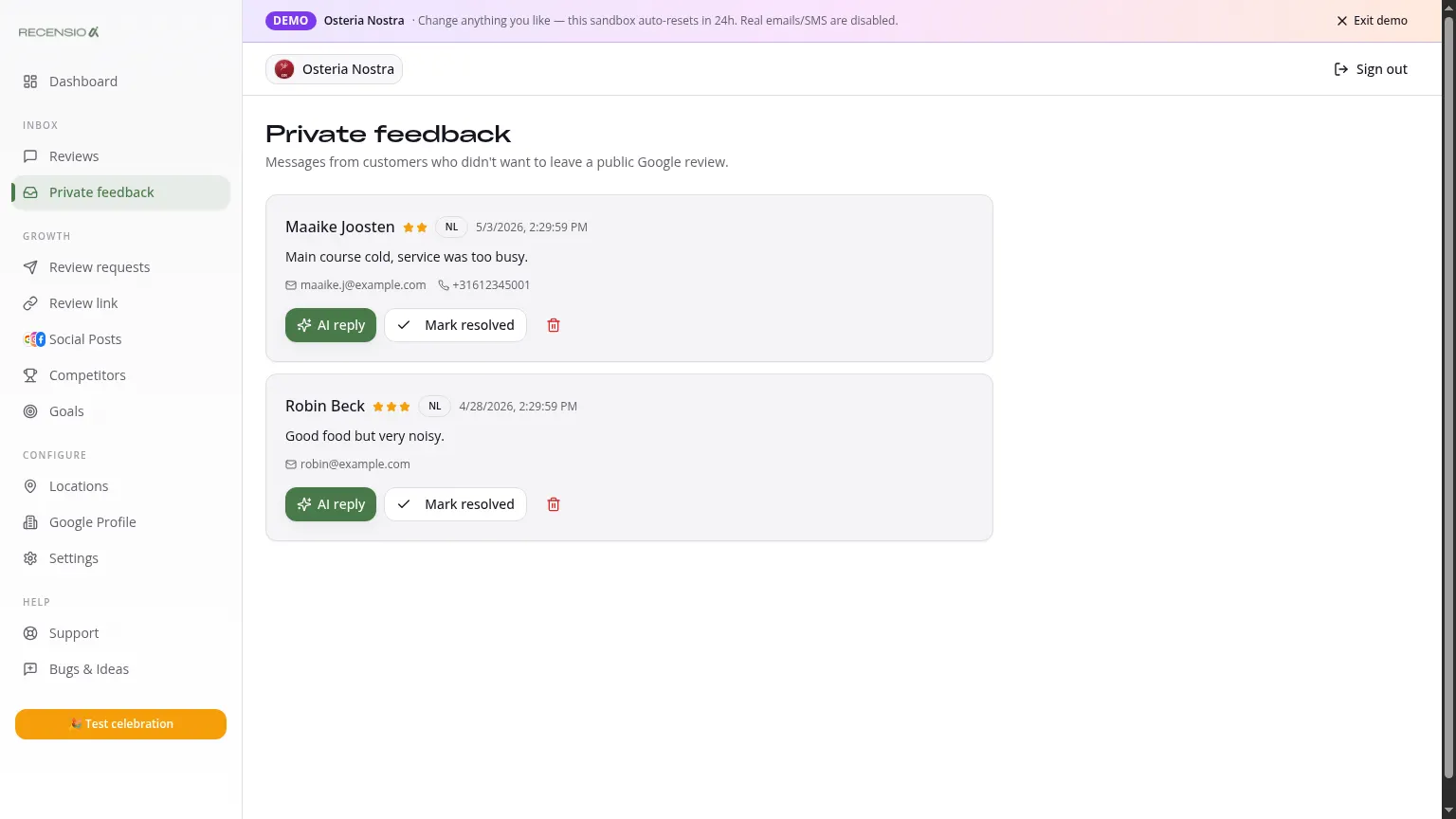
Table of Contents
What is Private Feedback?
On your Smart Review Link, customers see two equal buttons: 'Leave a Google review' and 'Send private feedback'. Pick Google and they go straight to your Google Business Profile. Pick private feedback and they fill in a short form that lands only in your inbox.
No star-filter, no hidden routing, fully compliant with Google Business Profile policy.
Open the Feedback inbox
Click Feedback in the sidebar. You see every private message: star rating, name, email, phone (if provided) and the message. Newest first.
Reply with AI
Click a message, then 'Draft AI reply' for a personal response. Send it by email or in one click. Tip: always call back on 1–2★ - it works faster than text.
Track status
Mark a message 'Resolved' once handled. Unresolved items stay at the top and count toward your Dashboard alert. Use the trash icon to delete spam.
Why the private feedback channel?
Many older tools quietly filter negative reviews by only sending 4–5★ customers to Google - Google explicitly banned that in 2024. RecensioAI lets the customer choose: post publicly on Google or send you private feedback. You stay 100% within the rules and still give unhappy customers a direct line to be heard.
Privacy & retention
Private feedback is stored encrypted and visible only to your team. You can permanently delete a message via the trash, this can't be undone.
Was this article helpful?
Ready to try RecensioAI?
Collect more reviews, respond with AI and protect your reputation.
Get started free