Integrations, connected platforms
Manage which review platforms are connected and which one is your primary.
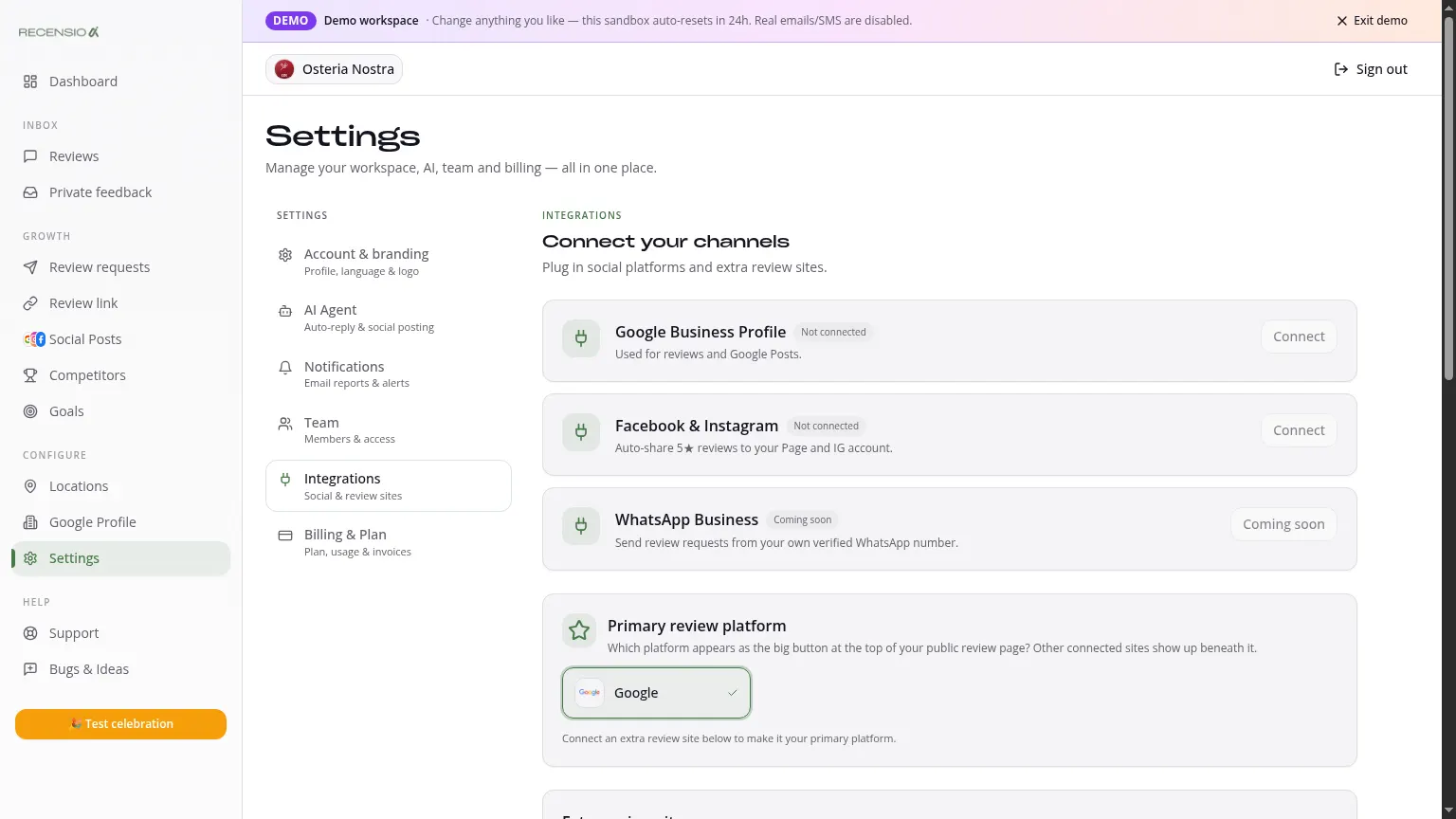
Table of Contents
Open Integrations
Go to Settings → Integrations. You see one main card for your Google Business Profile plus extra cards for other platforms (e.g. Facebook).
Google Business Profile
This is your main integration and is auto-connected during onboarding. Status must be 'Connected' (green check). Not connected? Click 'Connect' and authorize via Google OAuth.
Primary platform
Pick which platform your Smart Review Link promotes by default. Default: Google. Lots of reviews on Tripadvisor or Facebook? Change it here.
Extra platforms
Other platforms (Facebook, etc.) are read-only for analytics, replies are posted on the source platform itself. New platforms are added over time.
Reconnect
Connection expired (e.g. after a Google password change)? You see a red badge. Click the tile → 'Reconnect'. Data and settings stay intact.
Was this article helpful?
Ready to try RecensioAI?
Collect more reviews, respond with AI and protect your reputation.
Get started free