Management
General settings, workspace, language & units
Edit your business name, dashboard language, units and account details.
2 min read5 sections
01
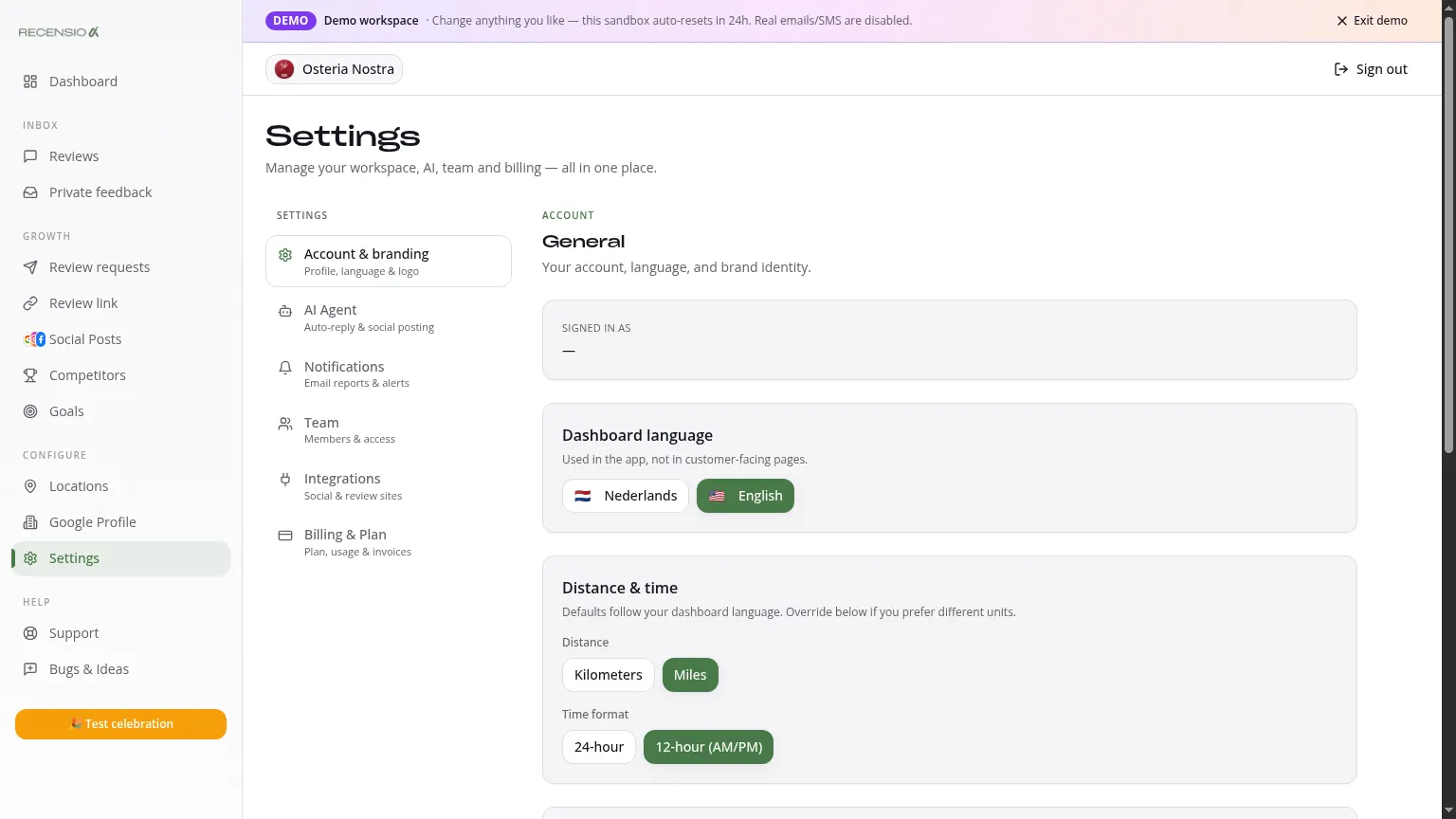
Open General
Go to Settings → General. Workspace info, language, units and account actions live here.
02
Workspace
Edit your business name as it appears internally. The public name (on Google) is edited under Google Profile → Info.
03
Dashboard language
Pick Dutch or English. AI replies and posts are independent and follow the customer's language (toggle under AI Agent → 'Reply in review language').
04
Units
Set distance (km/mi) and currency (EUR/USD/GBP). Affects e.g. Competitors radius and billing display.
05
Account actions
Change password, update email or delete the entire account. Deletion is permanent and wipes all data after 14 days.
Was this article helpful?
Ready to try RecensioAI?
Collect more reviews, respond with AI and protect your reputation.
Get started free