
Google reviews disappearing 2026: fixes that stick
In 2026, Google's filter quietly hides more real reviews than ever. This is the full playbook: why it happens, how the filter decides, and the eight fixes that make your reviews stick, plus how RecensioAI automates every step.
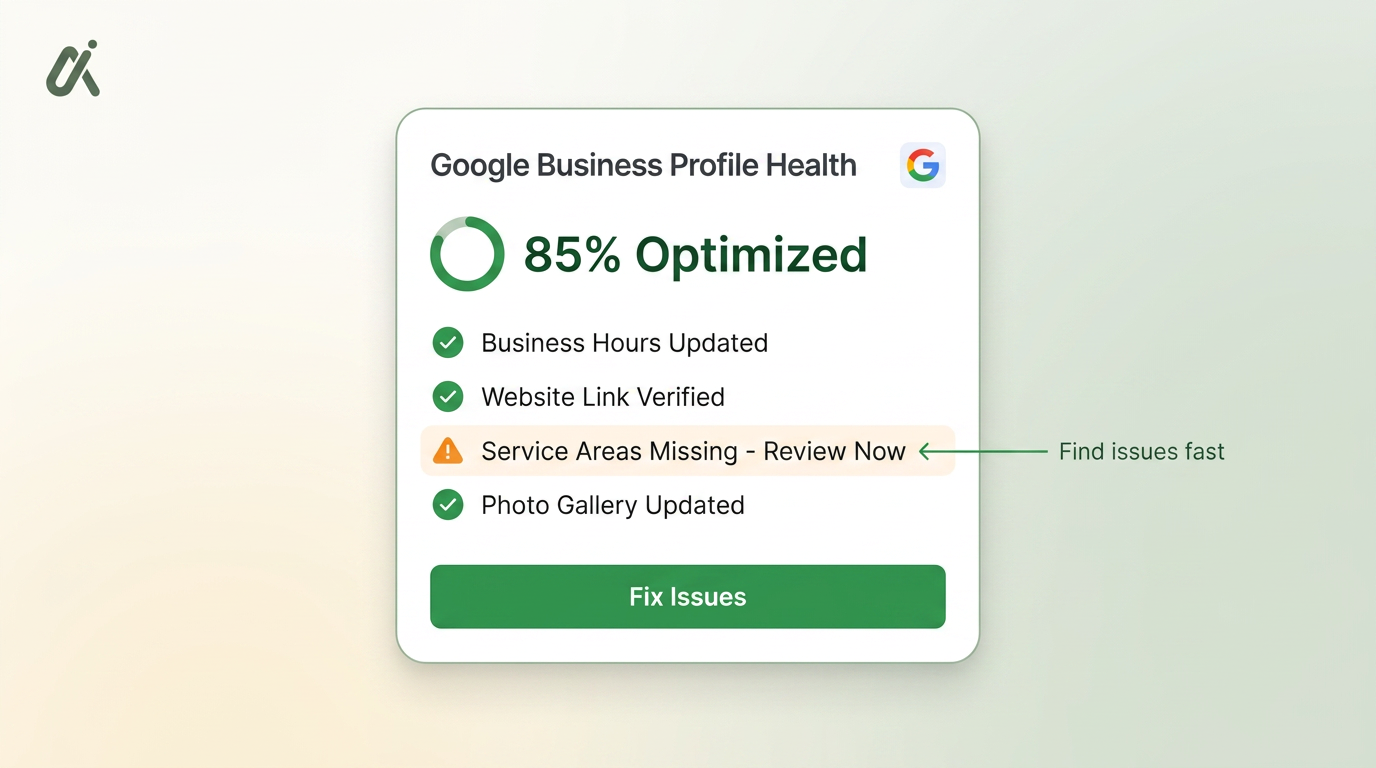
Table of Contents
- 1What is actually happening in 2026
- 2How Google's 2026 filter decides
- 3The six reasons real reviews vanish
- 4Fix 1 — Send traffic to a spotless Business Profile
- 5Fix 2 — Use real, direct review links (never QR-farm URLs)
- 6Fix 3 — Steady velocity, not review sprints
- 7Fix 4 — Reply to every review, quickly and specifically
- 8Fix 5 — Catch unhappy customers privately before they post
- 9Fix 6 — Report policy-violating reviews the right way
- 10How RecensioAI does all six for you
- 11What to expect in 30, 60, 90 days
What is actually happening in 2026
Owners keep telling us the same story: a customer sends a screenshot of their five-star review, but 24 hours later it is gone from the profile. Nothing was reported, nothing was written wrong — Google's filter simply moved it out of public view. In 2026 this filter is stricter than at any point in the last five years, because Google is training its AI features on this data and can no longer tolerate noise. The filter now runs continuously, not just at post time, and it re-scores older reviews when new signals arrive. That is why a review can be visible for a week, then silently disappear. The good news: the filter is a rules engine, not a mystery. Once you understand what it looks for, you can build a review flow that survives every sweep.
- Filtering is continuous in 2026 — reviews are re-scored, not just checked once
- Google is protecting the data that trains AI Overviews and AI Mode
- Volume matters less than trust signals: device, network, history, timing
- Filters apply to five-star reviews too — positive does not mean safe
- Owners never get a notification when a review is hidden
How Google's 2026 filter decides
Every new review is scored on three groups of signals: the reviewer, the moment, and the business. On the reviewer side, Google looks at account age, review history, photo history, device fingerprint, and IP reputation. On the moment, it checks whether the review was posted from the physical location, how long the visit lasted (if the device shared location), and whether the language matches the region. On the business side, Google compares the review pattern to the profile's baseline — sudden spikes, identical phrasing, or all-perfect scores from brand-new accounts get downgraded. A review needs enough positive signals to clear a threshold. Miss the threshold and it is hidden, not deleted — which means the fix is not to fight the filter but to send cleaner traffic to it.
- Reviewer trust: account age, prior reviews, photos, device history
- Context: on-location, on-device, right language, plausible visit length
- Business baseline: velocity, phrasing variety, star distribution
- Content quality: specifics beat generic praise ("pizza was warm" > "great!")
- Anything that looks incentivised ("leave 5 stars for a discount") is downgraded on sight
The six reasons real reviews vanish
Ninety percent of the disappearing-review cases we investigate come down to the same six causes. Before you assume Google is broken, check this list. Most of the time the fix is a small change to how you ask, not a policy appeal.
- You asked in a batch: 40 reviews in one weekend after a slow month reads as a burst
- The link opened a browser session that was not signed in to Google, so the review was written as a low-trust guest
- Reviewers were on your Wi-Fi (same public IP) so their reviews shared one fingerprint
- The wording you handed customers was almost identical ("great service, highly recommend") across many reviews
- You offered a discount, freebie, or raffle entry in exchange — Google detects this pattern reliably
- The reviewer account was brand-new, no photo, no history, and never left a review before
Fix 1 — Send traffic to a spotless Business Profile
The filter rewards profiles that look legitimate. Before you send another request, close every gap on your Google Business Profile: correct primary category, secondary categories, hours, phone, website, services, attributes, and at least ten recent, unstaged photos. A weak profile makes every incoming review look more suspicious, because the business itself does not clear the baseline. This is the one fix you can complete in one afternoon that will make every other fix on this list work harder. Run the Free Google Business Profile scan — RecensioAI checks 40+ signals and hands you a prioritised checklist in 30 seconds, no signup.
- One correct primary category (the single most important field)
- Services with plain-language descriptions, prices when possible
- 10+ recent, non-stock photos — interior, exterior, team, product
- Hours accurate to the minute, including holidays
- At least one Google Post published in the last 14 days
Fix 2 — Use real, direct review links (never QR-farm URLs)
Every review platform that shortens or redirects a Google review link adds a strike against the resulting review. In 2026 the filter is smart enough to detect chains of redirects, tracking parameters that look automated, and links posted from IPs that never generate human sessions. Use Google's own short link (found in your Business Profile dashboard) or a first-party review page that redirects only once, cleanly. Add a Google review QR code that resolves to that same link so in-store customers land in the right place on the first tap. RecensioAI generates both, sized for print, with the correct redirect chain baked in.
- Prefer Google's native short link — no tracking, no wrappers
- First-party redirect is fine; three-hop redirect is not
- QR codes should point to the same link you email, not a different one
- Never embed the review link inside an ad landing page
- Test the link on mobile, signed in, off-Wi-Fi before printing anything
Fix 3 — Steady velocity, not review sprints
The single biggest reason recent reviews get hidden is a velocity spike. If you normally get two reviews a month and suddenly get 30 in a week, the filter treats the burst as a campaign — even when every review is genuine. Space requests out, ideally one per completed job or visit, sent within 24–72 hours while the memory is fresh. Aim for a distribution curve, not a wall. RecensioAI's review request automations throttle sends per day, per week, and per channel so the incoming pattern always looks natural. It also skips customers you have already asked in the last 90 days to prevent the accidental double-ask that trips filters.
- Match roughly the request rate to your organic customer flow
- Cap sends per day (10–20 for most SMBs) even if you have a huge backlog
- Ask within 24–72 hours of the visit, not weeks later
- Rotate the wording — never send the exact same copy to 100 people
- Skip duplicates: same email, same phone, or same household in 90 days
Fix 5 — Catch unhappy customers privately before they post
The best way to stop bad reviews from ever hitting your profile is not to hide them — it is to hear the frustration before Google does. A smart review flow shows customers a private feedback form first if their sentiment is low, and only routes happy customers to Google. This is not review-gating (Google forbids that) — it is asking every customer how they felt, then letting anyone still post publicly. Unhappy customers overwhelmingly prefer being heard privately. RecensioAI's private feedback inbox captures those signals, turns them into a task with a follow-up template, and lets you email a professional apology or a recovery gift in one click.
- Ask sentiment first, before the star click
- Show the Google button to everyone — never block it
- For low sentiment, offer a private form as the default next step
- Reply to private feedback within 24 hours with a specific fix
- Track resolution rate, not just complaint volume
Fix 6 — Report policy-violating reviews the right way
You cannot make Google take down a review because it is negative. You can flag reviews that break Google's content policy — fake, conflict-of-interest, off-topic, or containing personal attacks — and Google's 2026 review team responds faster when the report is well-structured. Do not spam-flag every one-star. Instead, submit one clean report with the exact policy violated and evidence (screenshots, order numbers, dates). RecensioAI generates a policy-compliant report dossier in one click, in the account language of the reviewer, and tracks the status for you.
- Only flag reviews that break a specific Google policy
- Cite the policy line, not just "this is unfair"
- Include dates, order numbers, or receipts as evidence
- Report from the account that owns the Business Profile
- Escalate through Google Small Business Support if ignored after 14 days
How RecensioAI does all six for you
This is the full playbook, and it is a lot to run manually every week. RecensioAI packages every fix on this page into one dashboard, priced for small businesses (Starter €47, Pro €77, Multi €177 — see pricing). You connect your Google Business Profile once, and the app runs the profile audit, throttles your review requests, generates a personalised reply for every incoming review in the right language, captures unhappy customers privately, and prepares takedown dossiers for policy-violating reviews — all without ever mentioning the RecensioAI name to your customers.
- Profile audit: 40+ checks, prioritised, one click to fix
- Automated review requests via email, SMS, WhatsApp, kiosk, QR
- AI replies in the customer's language, in your business voice
- Private feedback inbox with follow-up email templates
- One-click policy-violation report dossiers
- Weekly report showing what changed and why
What to expect in 30, 60, 90 days
Fixing a review pipeline is not instant. Google's filter re-scores older reviews over roughly a 30-day window, and new patterns take another 30–60 days to become the profile's baseline. Here is the realistic timeline our clients see when they run the full playbook. If you want a baseline for your own profile before you start, run the Free Google Business Profile scan today and save the report so you can compare in 90 days.
- Days 1–14: profile completeness fixed, request flow rebuilt, backlog cleared
- Days 15–30: first steady wave of new reviews, some hidden ones return
- Days 31–60: reply rate hits 100%, private feedback recoveries start closing loops
- Days 61–90: filter baseline updates, new reviews stick at 90%+, ranking improves
- Ongoing: audit re-runs monthly to catch profile drift before it matters
Frequently asked questions
You might also like
Handpicked articles for you
Why the Business Around the Corner Beats You on Google: What 21,373 Profiles Reveal
We compared 21,373 Google Business Profiles with their three strongest nearby competitors. The gap is smaller than most owners think, but it has two sides: rating and volume.
How to Protect Your Google Business Profile: Stop Unwanted Changes and Suspensions
The complete guide to protecting your Google Business Profile: who can change it, why suggested edits lead to suspensions, a security checklist, what to do if your profile is suspended, and how 24/7 monitoring restores your details where Google permits.
Free Google Business Profile Audit (2026): the only GMB audit that scores you like Google does
The definitive 2026 guide to auditing your Google Business Profile. Learn exactly what to check, how Google's local ranking actually works, and how to run a free GMB audit in 60 seconds, the most in-depth free audit on the market.