
Competitor tracking — Local Rank Map
See how you rank versus competitors in a grid around your location and what to do about it.
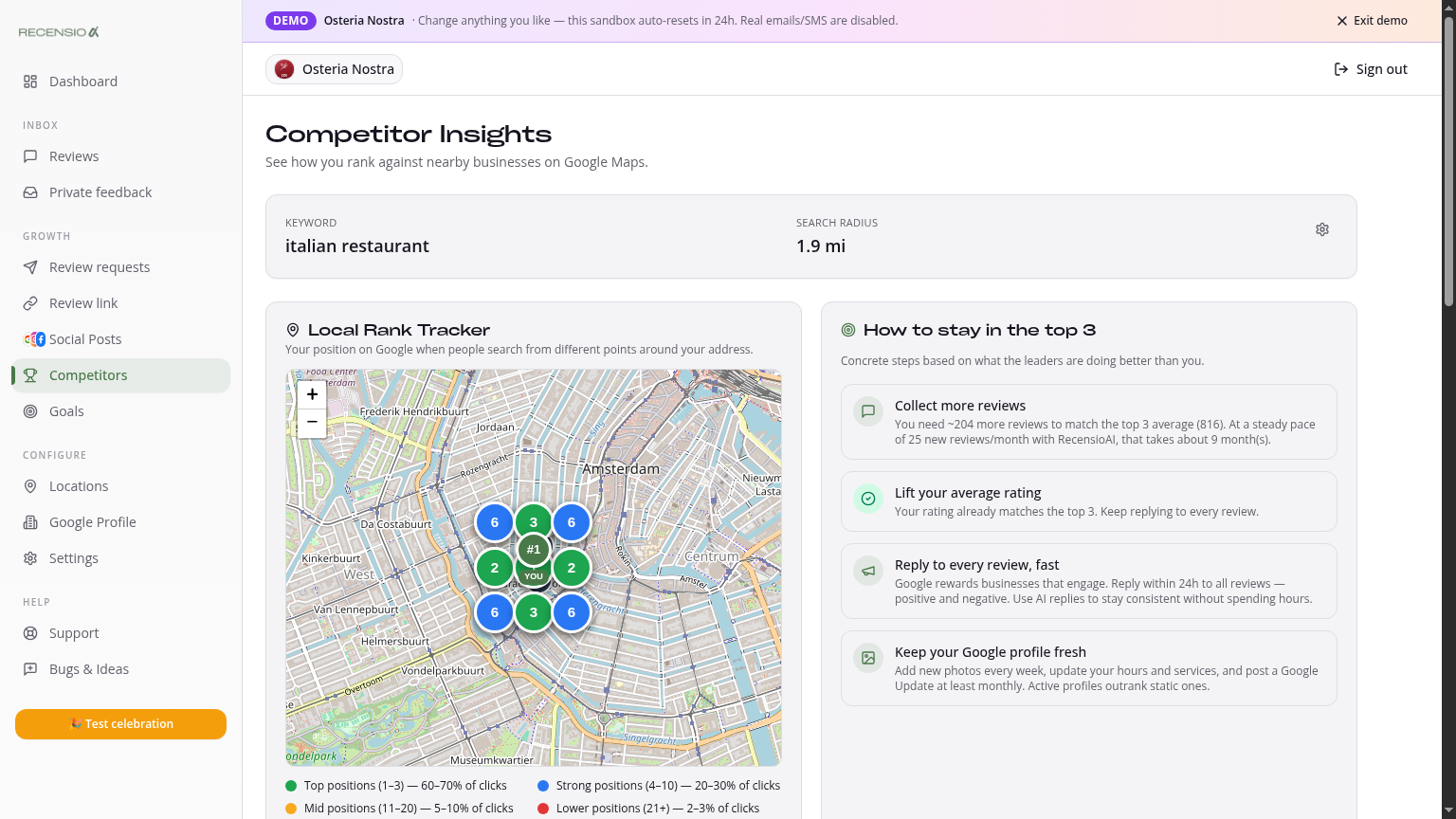
Table of Contents
Open the Competitors page
Click Competitors in the sidebar. First time? Enter one keyword (e.g. 'Italian restaurant') and a radius (e.g. 5 km). Click 'Start scan'.
Rank Grid Map
We split your area into a 7×7 grid. For each point we search your keyword and record your rank. Green = top 3, yellow = 4–10, red = >10. One look shows your strong and weak neighborhoods.
Leaderboard
Below the map: leaderboard of your top competitors with their score, review count and average rating. Click any competitor for details.
Scatter — rating vs reviews
A chart plotting each competitor on rating (vertical) and review count (horizontal). You're marked with a star. Top-right quadrant (many reviews + high rating) is the winner zone.
Action Plan
Based on your standing we generate a short Action Plan: e.g. 'You're 38 reviews behind #1 — send 80 invitations to close the gap in 60 days'.
Re-scan & limits
By default we re-scan weekly. Click 'Scan again now' for a manual run. Pro gives you daily scans and more keywords.
Was this article helpful?
Ready to try RecensioAI?
Collect more reviews, respond with AI and protect your reputation.
Get started free