
Notifications — what you receive by email
Choose which alerts you get: new review, low rating, weekly digest or none.
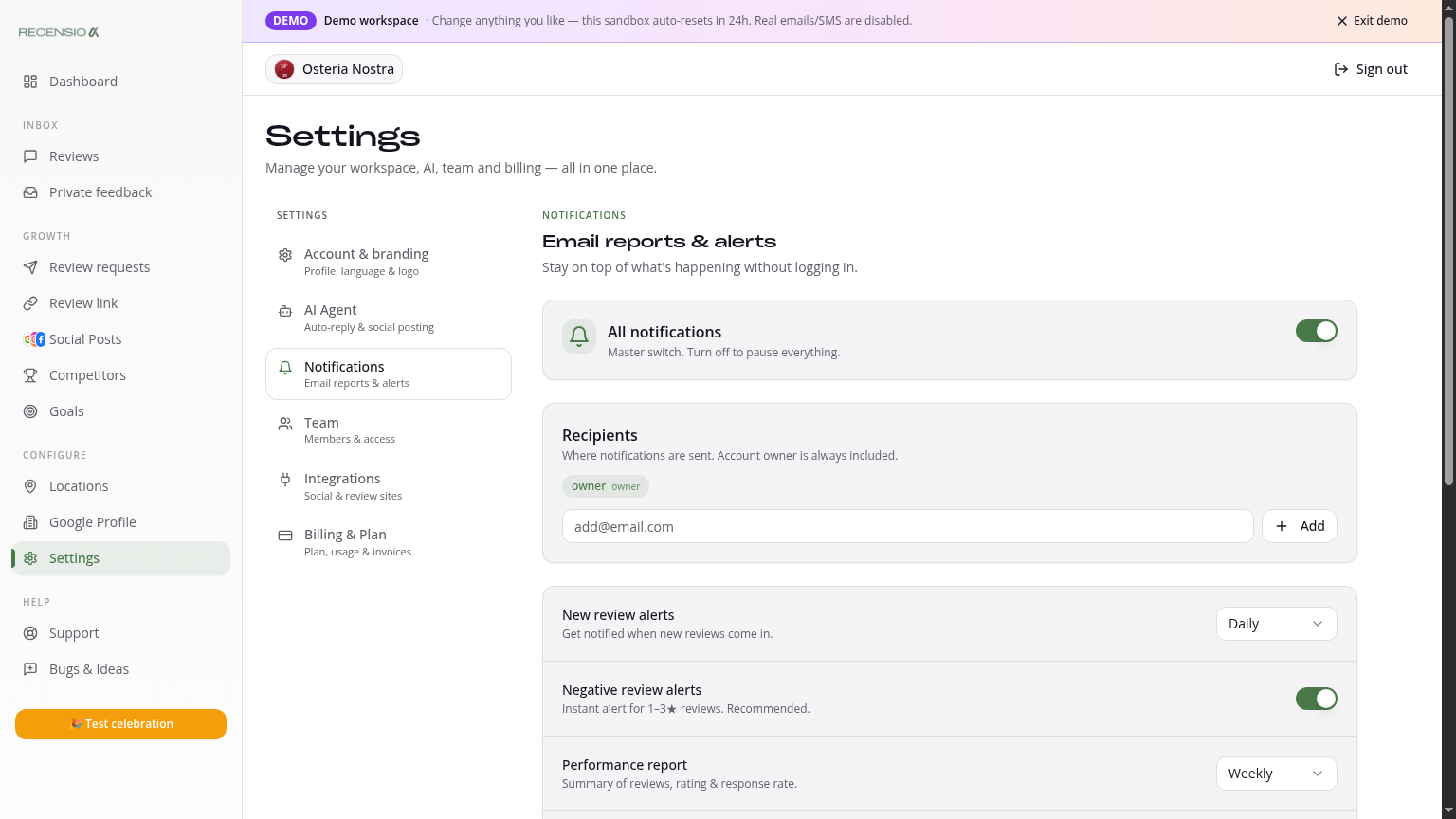
Table of Contents
Open Notifications
Go to Settings → Notifications. You see every alert type with an on/off toggle.
Which notifications?
• New review — instantly on every new review. • Low rating — only on 1–3★. • Private feedback — on every new message in your Feedback inbox. • Weekly digest — every Monday 8:00 with your KPIs and hot spots. • AI Agent activity — weekly report of what the AI Agent did.
Who receives it?
By default everything goes to the account email. Add extra recipients (e.g. owner + manager) or route different types to different people.
Notification history
At the bottom: log of the last 30 days of sent notifications (date, type, recipient, status).
Was this article helpful?
Ready to try RecensioAI?
Collect more reviews, respond with AI and protect your reputation.
Get started free