
AI Agent — auto-reply to reviews
Set tone, length and signature. Turn on auto-publish so reviews get a reply within minutes.
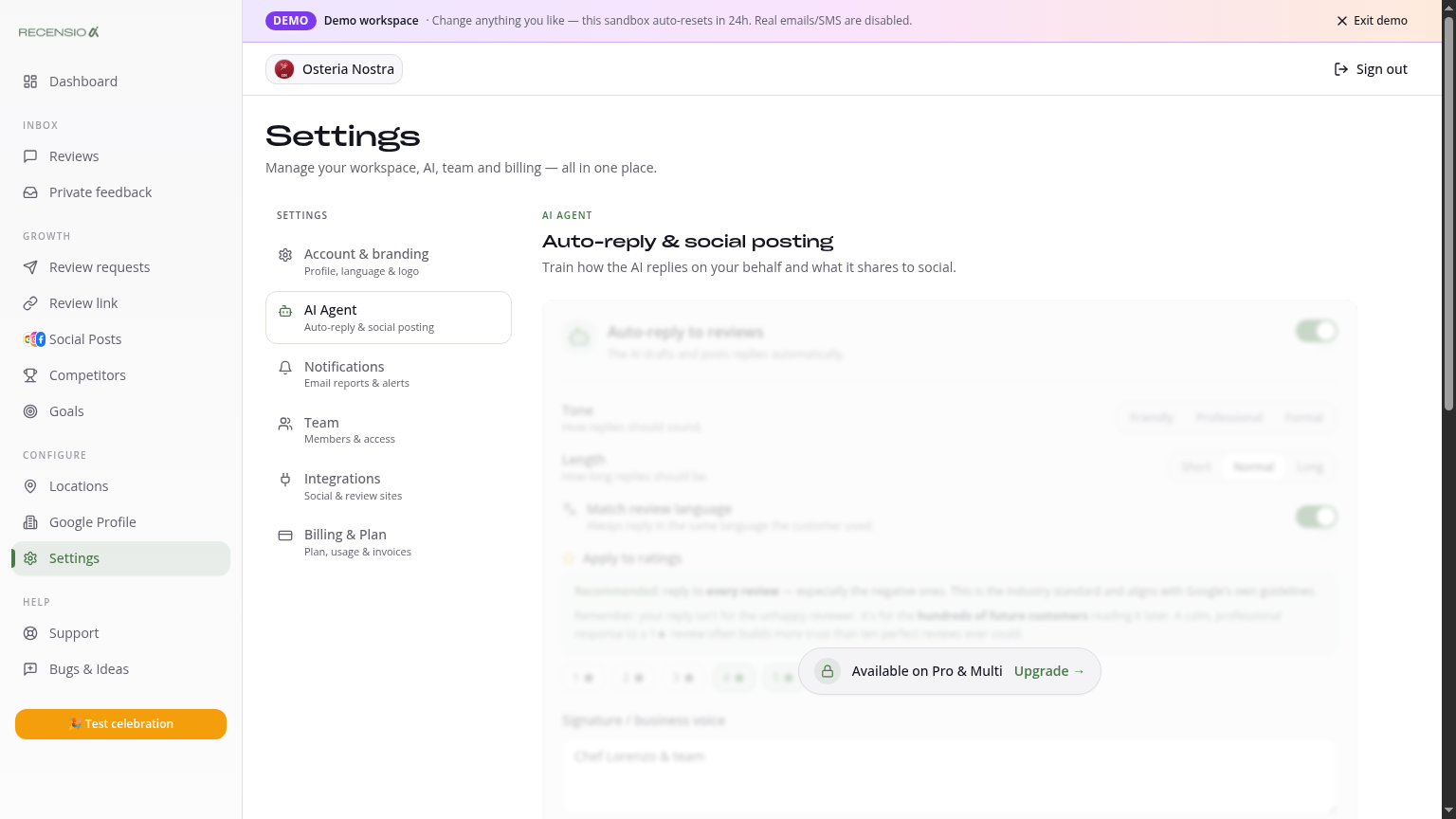
Table of Contents
Open the AI Agent
Go to Settings → AI Agent. This is where you configure how RecensioAI writes replies.
Pick tone and length
Pick a tone: professional (businesslike), friendly (warm and human) or formal (polite and reserved).
Pick a length: short (1–2 sentences), normal (3–4) or long (full paragraph). Shorter usually wins — Google only shows the first lines.
Reply in review language
Turn this on so an Italian review gets an Italian reply and a German review gets a German one. Works for 50+ languages.
Signature
Optionally add a fixed sign-off, e.g. 'The Bella team' or 'Best regards, Marco'. It's auto-appended to every AI reply. Never mention 'RecensioAI' in a review reply.
Custom guidelines
In the 'Custom guidelines' field, add instructions the AI must always follow, e.g. 'Never mention prices', 'Always link to our site on negative feedback', 'No emojis'.
Fully automatic replies
Turn on 'Auto-publish'. From then on the AI Agent replies to new reviews within 15 minutes — no action needed. Set a threshold: e.g. 'only 4–5★ auto-publish, 1–3★ saved as draft'.
Stay in control
Your Dashboard shows how many replies the AI Agent posted automatically. On Reviews you can always overwrite an AI reply manually or retract it (within 24 hours via Google).
Was this article helpful?
Ready to try RecensioAI?
Collect more reviews, respond with AI and protect your reputation.
Get started free